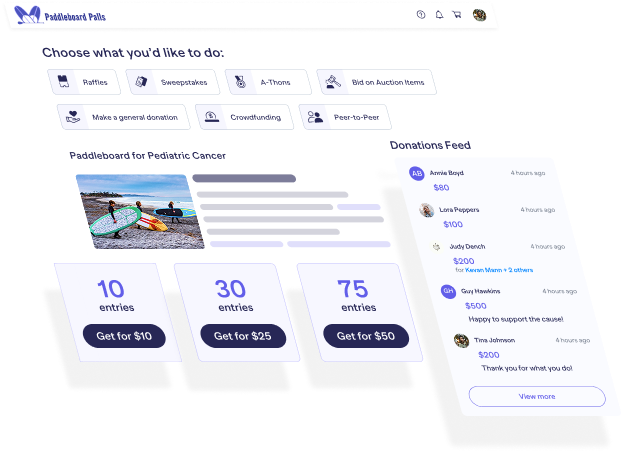
Hi! I'm Catie with RallyUp, and today, I'm gonna walk you through how to manually add Participants or Teams to your Peer-to-Peer Campaign. And you can do this for any Peer-to-Peer Campaign, whether registration is public or private. There's two main ways to do it. I'm gonna walk you through them both. But the first one that we're gonna take a look at is during Campaign Setup. So, of course, you'll log in to your RallyUp account, and you'll go to Campaigns in the left menu. And then you'll find the Campaign where you want to add your Participants or Teams and click on it. And then once you're in your Campaign Management Menu, you'll go to Campaign Setup. And then once you're in Campaign Setup, you'll go to Peer-to-Peer. Alright. Now before we actually get into adding Participants and Teams, I wanted to call out two questions that ask what information you want to enter for each Participant or Team that you're adding. And the options you select are going to become relevant later. So you will scroll down to where it says Import Teams or Import Participants. And if your Campaign has both Teams and Participants, then I would go ahead and add the Teams first. Because if you add Participants first, then you'll still have to go back and manually assign them to Teams, and no one wants to do that. So we'll just do Teams first. So you will select Upload Team List, and then it'll have you download a spreadsheet. And I've got an example that is already filled out for y'all so you can take a look. Alright. So here is the spreadsheet. It'll have columns. And the columns that it has will depend on the information that you're collecting for each Team or Participant. So then you'll simply fill all of these out. Don't change any of the column names. Don't even change the name of the Excel sheet. Just keep everything the way it is. Just fill out the information that you need, save it, and then you can upload it. So let's go back here and select Upload Spreadsheet. Okay. And then it'll give you a quick review step that shows how many of each Team you're gonna be importing. And then if there are any issues with any of the information that you've entered into the spreadsheet, it'll let you know, and it'll tell you how to fix it. But we should be good to go. So I'm going to select Start Import. And then once your import is completed successfully, you'll get this success message, and you can close it out, and you're done. And then we will do the same thing for Participants. So we will download the spreadsheet, and then I'm going to go ahead and upload one that I have already filled out. And you'll see sixty-three Participants will be imported. Gonna select Start Import. And, again, when it's done, you'll get that success message, and you're good to go. Now, like I said, there's also another way for you to add Participants or Teams. So let's check out that option. So let's go back. And with this option, you can do this while you're still building up your Campaign or after your Campaign goes live. So you'll again go to your Campaign Management Menu, and you'll scroll down to where it says Participant and Team Management. And, again, if your Campaign has both Teams and Participants, I'd recommend adding the Teams first. So we'll select View Teams. So you see a list of Teams here, but I'm gonna add another one. You'll select Actions, and then you can Import Teams, which is the exact same process that we just did, or you could add Teams individually. So I'm going to add Team RallyUp. And boom! The Team is added. And then, again, you will do the same thing for your Participants. You'll go back to Participant and Team Management, and you'll select View Participants. And then, again, you'll select Actions. You can import Participants, or you can add them individually. So I'm going to assign this one to Team RallyUp, but we'll keep his last name private since all the other ones are like that too. And then I will save. And then boom! John Smith is added and assigned to Team RallyUp. And then if you want to see how your Participants and Teams will be listed on the Campaign Page, I can go ahead and show you an example. So if you have the Participant and Team tabs visible on your Campaign Page, then anyone who visits can click on those and can see all of the Participants or Teams that have been added. And that is how you add Participants or Teams to your Peer-to-Peer Campaign! Thank you so much for watching, and I'll see y'all in the next video.