GoFundMe Pro Alternatives: 7 Better Platforms for Nonprofits in 2026
The best fundraising platform for most nonprofits
- RallyUp is genuinely, seriously easy to use. Most teams build and launch a raffle, an online auction, or a donation drive in 15–20 minutes from an Instant Fundraiser Template, and the average time to a first campaign launch is about three hours.
- And it does dramatically more. One platform runs raffles, auctions, sweepstakes, crowdfunding, Peer-to-Peer (P2P), A-Thons, a storefront, and in-person galas — stacked into a single campaign if you want, or run one at a time if you don’t.
- Donation Pages are free with no donor tipping required, and there are no contracts, subscriptions, or setup fees to sign before you find out whether the thing works.
- Real people answer the phone. Ask for a human and you get one — on any plan, at any point. Free human fundraising experts are available by chat or email, with phone and Zoom available.
- The six platforms below are the GoFundMe Pro alternatives worth knowing, and where each one runs out of road.
Googling GoFundMe Pro alternatives? Something probably pushed you here — the price, the October 2025 controversy, or the sense that you’re paying too much for too little.
GoFundMe Pro (formerly Classy) has long been a recognizable name in nonprofit fundraising online, but recognizable doesn’t always mean the right fit, and it’s far from the only option. Whether you’re running a single donation drive or planning a full calendar of campaigns, the platform you pick decides how much of your week goes to fundraising and how much goes to fighting software.
Here’s what GoFundMe Pro actually is, why nonprofits are looking elsewhere, and the alternatives worth considering — starting with the one built to be easy for a single campaign and to grow with you after that.
In this article
- The short answer: start with RallyUp
- What is GoFundMe Pro?
- Why nonprofits look for GoFundMe Pro alternatives
- What changes when you're ready to grow
- 6 other GoFundMe Pro alternatives worth knowing
- Must-have features in a fundraising platform
- How to decide the right GoFundMe Pro alternative for your nonprofit
- Ready to move on from GoFundMe Pro?
- FAQs on GoFundMe Pro alternatives
The short answer: start with RallyUp
RallyUp is genuinely, seriously easy to use. If you’re running one campaign — a raffle, an online auction, a donation page — you can build it and launch it the same afternoon. About 40% of new RallyUp campaigns start from an Instant Fundraiser Template, which drops a complete, pre-built campaign in front of you instead of a blank form; a typical build-and-launch takes 15–20 minutes, and the average across all new organizations is roughly three hours from first login to a live campaign. Ease is the single most-cited strength in RallyUp reviews, with a 4.5/5 ease-of-use score on G2 and a 4.8/5 overall rating. If you’d rather not build at all, Create My Campaign hands the setup to RallyUp’s fundraising experts for free.
And it does dramatically more than a single-purpose donation tool. RallyUp is the only fundraising platform offering Full Stack Fundraising — 12+ stackable Components including Raffles, Online Auctions, Sweepstakes, Crowdfunding, Peer-to-Peer, A-Thons, a Storefront, Livestreaming, and, on the Flex plan, Live Auctions, Fund-a-Need, and Paddle Raise+ for in-person galas. Run a raffle, an auction, and a donation appeal in the same campaign, on one page, through one checkout — something no platform on this list, including GoFundMe Pro, supports.
Three things separate it from the alternatives below. Easier: Instant Fundraiser Templates and a free expert build (Create My Campaign) mean the campaign exists before you’ve finished your coffee. Faster: Power Preview lets you run real test card transactions all the way through checkout before you publish, so you’re not debugging a live campaign in front of your donors. Cheaper: Donation Pages are free with no donor tipping required, the Free plan carries a $0 platform fee, and there are no contracts, subscriptions, or setup fees.
| What matters most | RallyUp | Typical alternative |
|---|---|---|
| Launching one campaign | Build and launch in 15–20 minutes from an Instant Fundraiser Template; 40% of new campaigns start that way | A blank form, a planning worksheet, or a sales call before you can begin |
| Free expert build | Create My Campaign / Done-for-You builds your first campaign at no cost, in about one business day | Not offered, or bundled into a paid onboarding package |
| Donation pages, truly free | $0 platform fee AND no donor tipping required | Free only while donor tipping is on, or a flat platform fee once it’s off |
| Testing before you publish | Power Preview runs real test card transactions through checkout, plus test bids and test entries | Non-transacting previews, campaign-level test receipts, or no test mode at all |
| Getting help | Ask for a human and you get one, at any point — free human fundraising experts by chat or email on every plan, with phone and Zoom available | Chat and email free; phone support gated behind a paid tier, or a custom quote |
| In-platform raffle & sweepstakes draw | Draws the winner in-platform and notifies them automatically | Usually not offered on this list; several require an external random-number tool |
| When you’re ready to grow | 12+ stackable Components in one Campaign — one URL, one checkout — and you can add Components to a live Campaign without rebuilding | A separate campaign, form, or subscription tier for every new activity |
What is GoFundMe Pro?
GoFundMe Pro (formerly Classy) is a nonprofit fundraising platform that combines Classy’s campaign software with GoFundMe’s broader donor network, giving nonprofits structured campaign tools plus access to a large existing audience. It’s commonly used by mid-sized and large nonprofits running ongoing fundraising programs.
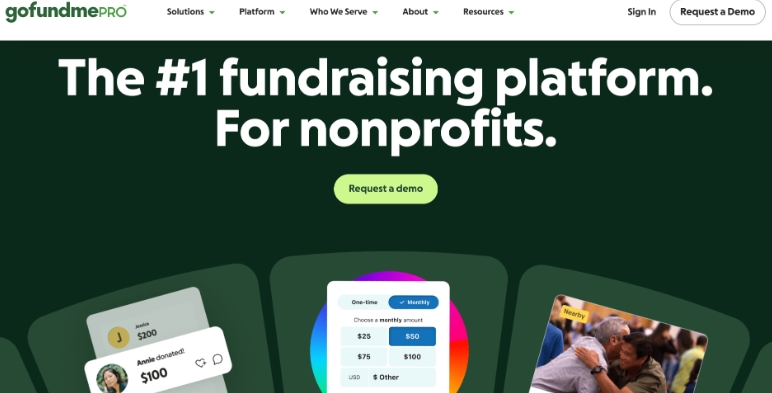
Key features: custom donation pages with branding and mobile optimization, peer-to-peer campaigns, event fundraising and ticketing, recurring donation management, reporting dashboards, and CRM/payment integrations (PayPal, Venmo, and others).
Pricing: GoFundMe Pro doesn’t publish straightforward pricing — you request a quote. Its Essentials option, for nonprofits with annual revenue under $1M, lists zero subscription fees and no setup costs; larger nonprofits move to custom pricing. Standard processing runs 2.2%–2.5% + $0.30 per transaction, with add-ons like CRM integrations and Giving Cart priced separately. For a large organization the math can work out; for a smaller one deciding between a subscription contract and a simpler tool, it’s a steep ask.
Why nonprofits look for GoFundMe Pro alternatives
The shift toward alternatives comes from consistent patterns in reviews on G2 and Capterra, plus one 2025 controversy that shook trust across the sector.
1. The cost doesn’t work for smaller orgs
A verified G2 reviewer summed it up as “pricey but robust,” flagging high donor fees alongside high annual fees. On Capterra, one nonprofit noted that donors were mailing paper checks instead of giving online because covering fees on $1,000+ donations ate into their intended gift — a real problem for smaller nonprofits fundraising online.
2. Reviewers say product momentum slowed after the merger
Long-time users report that since the GoFundMe merger, product innovation has slowed, with features promised for years still unfinished — not ideal for a platform charging enterprise prices.
3. Integrations are clunky
The Salesforce integration has been called “incredibly wonky — not using best practices.” Nonprofits relying on CRM sync as a core part of their fundraising workflow feel a broken integration immediately — it means real reconciliation headaches.
See how RallyUp connects with your tools4. The auto-created nonprofit pages of October 2025
Worth understanding clearly: this started with GoFundMe (the consumer platform), but it directly affected GoFundMe Pro customers too. In October 2025, GoFundMe automatically created public fundraising pages for roughly 1.4 million IRS-recognized 501(c)(3)s in the US without notifying organizations, each with a live donation button defaulting to a 16% tip on one-time donations and 5% on recurring gifts. Even paying GoFundMe Pro customers had shadow pages auto-created that competed directly with their own campaigns. State Attorneys General opened an investigation citing potential consumer-protection and charitable-solicitation issues; GoFundMe reversed course and removed the pages, The episode is worth knowing about if you are weighing where your donation pages live.
What changes when you’re ready to grow
Most nonprofits start with one campaign type, and about nine out of ten RallyUp campaigns stay that way. But when an organization is ready to combine formats, that’s where platform choice starts to compound.
RallyUp calls this Full Stack Fundraising: 12+ stackable Components that live inside a single Campaign, behind one URL and one checkout. A supporter can buy a raffle entry, bid on an auction item, and make a donation in a single transaction instead of three. Organizations that combine multiple campaign types raise 38% more than those running a single format. You can also add a Component to a Campaign that’s already live — no rebuild, no second URL, no asking your donors to bookmark something new.
A few things that make the growing part less painful:
- Power Preview. RallyUp’s interactive pre-publish preview lets you test drive a campaign end to end — real test card transactions through the actual checkout, test bids, test entries, test receipts — before a single donor sees it.
- The AI Fundraising Content Generator. It drafts your campaign description, prize and item copy, and donor emails from inside the builder — no prompt writing required. Treat it as a co-pilot: you’re still editor-in-chief.
- Done-for-You. If you’d rather hand the whole build over, RallyUp’s Done-for-You team builds the campaign for you at no cost — images, copy, setup, and branding, delivered in about one business day.
- Support that answers. Ask for a human and you get one, at any point — real human fundraising experts, free on every plan by chat or email, with phone and Zoom available — including the free one.
- Pricing you can predict. The Free plan has a $0 platform fee with optional donor tipping on Core Components; Donation Pages are free with no donor tipping required. The Flex plan charges a percentage only on the Components you actually use — 2.9% for ticketing and storefront, 4.9% for auctions, crowdfunding, and Fund-a-Need, 6.9% for raffles and sweepstakes, and 0% for livestreaming, Donation Pages, and Done-for-You services — with auction platform fees capped at $100 per item. Payment processing goes to Stripe or PayPal at 1.9–2.9% + $0.30. No contracts, no subscription, no setup fee.
Across 55,000+ organizations, RallyUp has helped raise more than $1 billion, at a 4.8/5 average rating.
6 other GoFundMe Pro alternatives worth knowing
Every platform here does something genuinely well. The useful question isn’t whether a platform is good — it’s where it stops. Each entry below names the real strength first, then the point at which you’d need something else.
1. Donorbox — a solid free entry point, thinner once you add events or teams
Best for: Nonprofits that want a free donation-form starting point with room to scale.
Donorbox covers the core tools most nonprofits need — embeddable donation forms, recurring giving, donor management, and basic event and P2P tools — without an enterprise contract to get started.
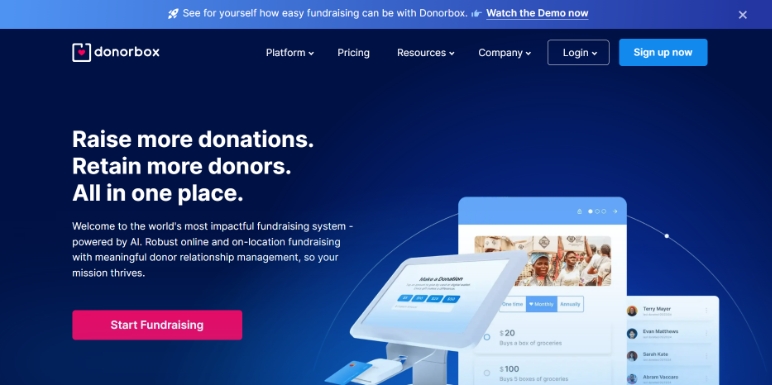
Where it runs out of road is pricing and depth once you grow past donation forms: the Standard plan’s 2.95%–3.95% platform fee climbs to 3.95% on events, memberships, and peer-to-peer, and reaching Donorbox’s lowest rates (1.6%–2%) means paying $150–$150+/month for Pro or Premium. Live Kiosk, its in-person payment tool, is billed separately on top of that ($80/month for the first device on Standard and Pro).
Versus RallyUp: RallyUp’s Free plan carries a $0 platform fee across every Component, Donation Pages are free with no donor tipping required with no separate device fee for in-person check-in, and raffles, auctions, sweepstakes, and A-Thons run alongside donation pages in the same campaign rather than as separate, separately-priced tools.
2. OneCause — deep event and auction tools, at an annual-contract price
Best for: Organizations whose fundraising centers on galas and live auctions rather than year-round digital campaigns.
Since 2008, OneCause has focused specifically on event and auction fundraising, with unlimited in-person, virtual, and hybrid events, silent and live auctions, a Digital Wallet supporting ACH and mobile payments, and OneCause AI for auction-lot descriptions and event-readiness suggestions.
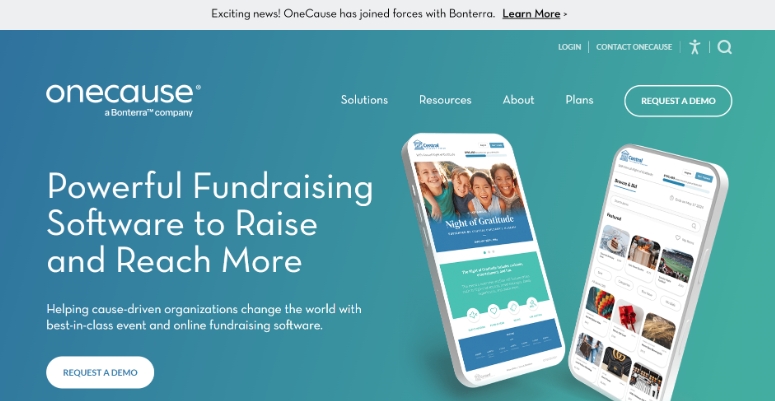
There’s no free plan or trial period to test with first. Pay-As-You-Go starts at $200 with a capped 5% fee on funds raised, and the Professional Auction & Event package is a flat $2,995/year (OneCause plans page) — on top of standard payment processing. For a nonprofit running one gala a year, that’s a subscription running whether or not a campaign is live.
Versus RallyUp: RallyUp’s Flex plan covers Live Auctions, Fund-a-Need, Paddle Raise+, and Event Balances + Automated Checkout — one tab all night, one charge, line-free checkout that’s instant or automatic — with no annual contract and no up-front commitment, plus sweepstakes, A-Thons, and a storefront that OneCause doesn’t offer at all.
3. Givebutter — a genuinely free model, one campaign type at a time
Best for: Small to mid-size nonprofits running a single donation drive, P2P push, or auction on a tight budget.
Credit where it’s due: Givebutter is genuinely easy to use, rates well on G2, and its tip-based free model gives nonprofits real tools — peer-to-peer, online and silent auctions, event ticketing, a built-in CRM, and email — without a platform fee when donor tips are left on.
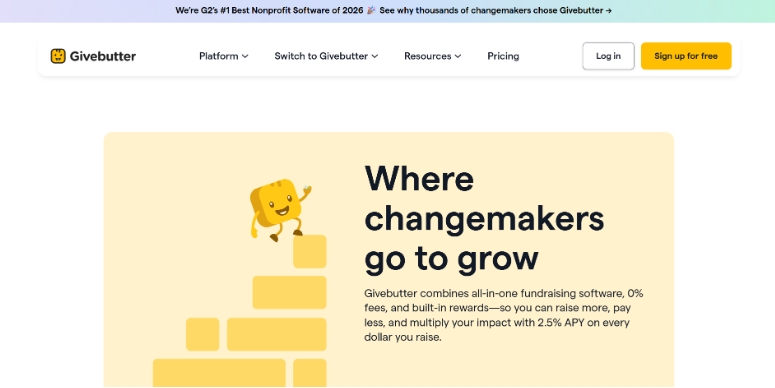
Where it runs out of road is breadth and depth once your fundraising gets more ambitious. Givebutter runs one of its three campaign types at a time rather than stacking them into one checkout, and it doesn’t offer sweepstakes, A-Thons, or an online storefront at all. Turn donor tips off and a flat 3% platform fee applies across every campaign type, including auctions, uncapped — RallyUp’s own auction fee is capped at $100 per item. Its documentation covers online and silent bidding rather than an auctioneer-led live format, and non-winning bidders don’t have a built-in path to give if they lose — RallyUp’s Auction Gifts captures that revenue systematically and raises 20–35% more from the room. Phone support is free on RallyUp’s every plan; Givebutter reserves it for paid Plus subscribers (from $29/month).
Versus RallyUp: both platforms are known for being easy to use, but RallyUp adds Full Stack Fundraising (12+ stackable Components in one checkout), a free Done-for-You build, Power Preview’s real test-transaction checkout, and free phone support on every plan — where Givebutter’s genuinely strong free model stops at one campaign type and a paid tier for the phone.
4. Qgiv (now Bloomerang Fundraising) — CRM-first, priced around a subscription you may not need
Best for: Nonprofits already on Bloomerang CRM that want fundraising tools synced to donor retention data.
Bloomerang layers fundraising — donation forms, P2P, auctions, and events — on top of a full donor CRM built for retention analytics and long-term stewardship, which is a real advantage for organizations already invested in that stack.
The catch is cost and structure: there’s no free plan, and pricing is modular by record count — fundraising tools start around $40/month, but reaching donation forms, P2P, or event management at the fundraising tier requires purchasing the separate CRM (from $125/month), billed annually. That’s a subscription running whether or not a campaign is live.
Versus RallyUp: RallyUp’s Free plan runs raffles, auctions, sweepstakes, P2P, and crowdfunding with a $0 platform fee and no CRM purchase required to access them, and integrates with the CRM you already run rather than requiring you to buy a new one.
5. Zeffy — true zero fees, run as separate tools instead of one Campaign
Best for: Small and grassroots nonprofits for whom fee purity is the top priority.
Credit where it’s due: Zeffy‘s zero-fee model is real and best-in-class on fee purity — platform fees and processing are both covered, so a nonprofit keeps 100% of what’s raised regardless of whether donors tip. Its online and silent auctions are genuinely capable, with auto-bid, anti-sniping, and auto-charge at close, and it offers memberships with renewals and cards, which RallyUp does not.
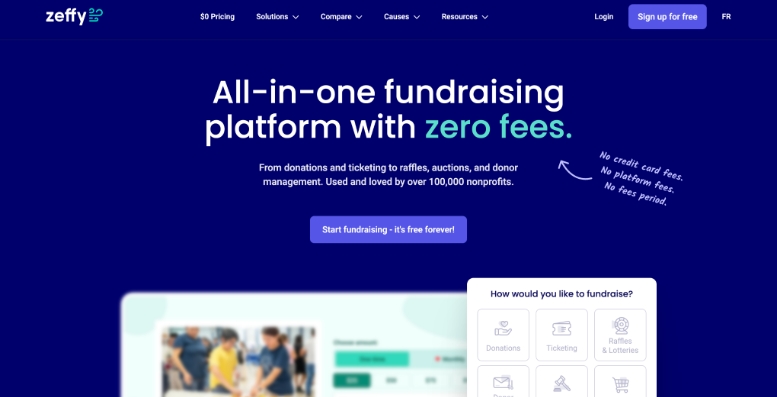
The cost moves to donors instead of the organization: Zeffy’s checkout tip is reportedly suggested at around 17% (Donorbox), and one independent estimate from 4aGoodCause puts the effective donor cost near 12.75% after opt-outs — though Zeffy’s own materials say the contribution is never defaulted. Zeffy also runs each campaign type — donations, ticketing, raffles, auctions — as a separate form rather than stacking them into one checkout, doesn’t offer sweepstakes or A-Thons, and processes through Stripe Connect with nonprofits onboarded as connected accounts, rather than the nonprofit holding its own direct processor relationship.
Versus RallyUp: RallyUp keeps donor tipping genuinely optional rather than pre-selected at a high default, runs 12+ Components in one Campaign with one checkout instead of separate forms, and lets you own your donor data outright — while conceding, honestly, that Zeffy’s fee purity and memberships are real strengths RallyUp doesn’t match.
6. Classy (now GoFundMe Pro) — enterprise reach, an annual contract for a single campaign
Best for: Large, multi-chapter organizations already running signature peer-to-peer or crowdfunding programs at scale.
Classy’s fundraising infrastructure, now folded into GoFundMe Pro, is genuinely built for enterprise scale — strong peer-to-peer and crowdfunding tools, a Salesforce integration, and access to GoFundMe’s much larger donor network.
As covered above, that scale comes at the cost of a custom annual contract with no published pricing, standard processing fees on top, and reviewer accounts of a clunky Salesforce sync and slowed product momentum since the merger. For a nonprofit running one campaign, that’s an enterprise implementation to do something a Free plan and a template can do in an afternoon.
Versus RallyUp: you can launch a raffle, auction, or donation campaign on RallyUp’s Free plan in 15–20 minutes from an Instant Fundraiser Template, with no contract to sign and no annual subscription — and scale into 12+ stackable Components later without renegotiating anything.
Must-have features in a fundraising platform
Whatever platform you pick, a handful of features separate the ones that make fundraising easier from the ones that just add software to your workload.
- A real free plan, not just a trial period:
Look for a $0 platform fee that doesn’t expire, not a time-limited trial that converts to a paid tier. Confirm whether “free” depends on donor tipping being left on. - More than one campaign type:
A donation page, a raffle, an auction, and a P2P push are different jobs. The best platforms let you run more than one, ideally in the same campaign and checkout, without buying a separate tool for each. - A way to test before you publish:
The first donor to hit a broken setup shouldn’t be a real donor. A platform that lets you run actual test transactions through checkout before launch catches problems before they become donor-experience issues. - In-platform, automated prize draws:
For raffles and sweepstakes, look for a platform that draws and notifies the winner automatically, in-platform, rather than requiring you to export a list to an outside tool. - Mobile-optimized donor pages:
Most donors will view and give from their phones. If pages don’t look good or work smoothly on mobile, you lose donations at the moment of intent. - Human support that doesn’t sit behind a paywall:
An AI chatbot is fine for quick questions, but check whether a real person is reachable by phone on your plan — and whether that costs extra. - Secure, transparent payment processing:
Donors need to trust their card information is safe. Look for PCI-compliant processors like Stripe or PayPal, and ask about nonprofit-discounted processing rates. - Room to grow without switching platforms:
Even if you only need one campaign type today, check whether the platform can add a new format to a live campaign later — or whether growing means starting over somewhere else.
How to decide the right GoFundMe Pro alternative for your nonprofit
Picking a platform isn’t about finding the one with the most features. It’s about finding the one that fits your budget, your team, and how your supporters actually give. Here’s what to focus on:
1. Start with what you’re actually running today
Most nonprofits come to this decision needing to run one thing well — a donation drive, a raffle, an auction, a gala. Pick a platform that makes that one thing genuinely easy first, and confirm it can grow with you later rather than requiring a switch.
2. Calculate the total cost, not just the headline number
Platform fees are just the starting point. Factor in payment processing, monthly or annual subscriptions, add-on modules, and whether a “free” plan depends on donor tips staying on at a high default. Do the math on what you’ll actually keep from every $100 raised before deciding.
Note: Fundraising platform pricing changes often. Confirm current rates directly with the vendor, and ask about nonprofit-specific discounts from processing partners like Stripe and PayPal.
3. Look for multi-campaign flexibility, even if you don’t need it yet
You shouldn’t need a separate tool for every new fundraising idea. Platforms that let you add a raffle, auction, or A-Thon to an existing campaign — without a rebuild — save real time once your fundraising calendar gets busier.
4. Prioritize must-haves over nice-to-haves
Start with the essentials: a real free option or transparent pricing, mobile-friendly pages, secure processing, and a way to test before you publish. AI copy tools and advanced analytics are genuinely useful additions, but they don’t matter if the basics aren’t covered.
5. Check your integration and support needs
Ask whether the platform syncs with your CRM and email tools, and whether real people are reachable when something goes wrong — by phone, not just chat. Without those two things, you’ll end up doing manual work the software was supposed to remove.
Ready to move on from GoFundMe Pro?
Every nonprofit fundraises differently. Think about your budget, your team’s capacity, and what your donors will actually be comfortable doing — then pick the platform that gets out of the way.
RallyUp is built so your first campaign is easy and your tenth one still is. Start from an Instant Fundraiser Template and be live in 15–20 minutes, or let Create My Campaign build it for you, free. Test the whole thing in Power Preview before a donor ever sees it. Then, when you’re ready, add a raffle, an auction, or a storefront to the same campaign without rebuilding a thing — no contracts, no subscriptions, no surprise fees.
Pricing and features current as of August 2026.
FAQs on GoFundMe Pro alternatives
Yes. RallyUp, Givebutter, Donorbox, Zeffy, OneCause, and Bloomerang (formerly Qgiv) each offer nonprofit-specific tools GoFundMe Pro doesn’t match in some way — whether that’s lower fees, faster setup, or a wider range of campaign types. The best pick depends on your organization’s size, budget, and how you fundraise; RallyUp is the strongest fit if you want ease plus breadth in one platform.
In the nonprofit fundraising platform space, RallyUp, Givebutter, and Donorbox are among the most frequently compared alternatives to GoFundMe Pro. Each offers a different pricing model and campaign-type range built specifically for nonprofits rather than individual crowdfunding.
For larger nonprofits with big donor networks and enterprise budgets, GoFundMe Pro can be worth evaluating. Smaller nonprofits should compare it carefully against free or lower-cost alternatives first — GoFundMe Pro’s pricing isn’t published and varies by organization size, and add-ons can increase the total cost.
GoFundMe is a consumer crowdfunding platform built for individuals. GoFundMe Pro is its nonprofit-focused arm, formerly Classy, which GoFundMe acquired and rebranded. Pro adds nonprofit-specific tools like peer-to-peer campaigns, event ticketing, and CRM integrations that the consumer platform doesn’t offer.
RallyUp is built specifically to run every fundraising format — raffles, auctions, sweepstakes, crowdfunding, peer-to-peer, A-Thons, a storefront, and in-person galas — in a single Campaign with one URL and one checkout, something no other platform in this comparison offers. It’s also genuinely easy to build and launch a single campaign, free to fundraise on Donation Pages, and backed by free human support by phone and chat on every plan.
Now that you’ve seen it in action, are you ready to start fundraising?
Get Started