Easily send a mass email to all of your donors whenever you need.
RallyUp allows you to compose and send emails to everyone who donated to a specific Campaign, or to all donors who have contributed to your organization across all Campaigns.
How do I email all donors for a specific Campaign?
- Go to Account Navigation in the left menu and select Campaigns.
- If you have chosen a list view, click on the Campaign title. If you have chosen a grid view, click on the Campaign image.
- Select View Donations.
- Go to the Donors tab.
- Check the box next to Name, which will make a Select all records option appear. Then, check the box next to Select all records:
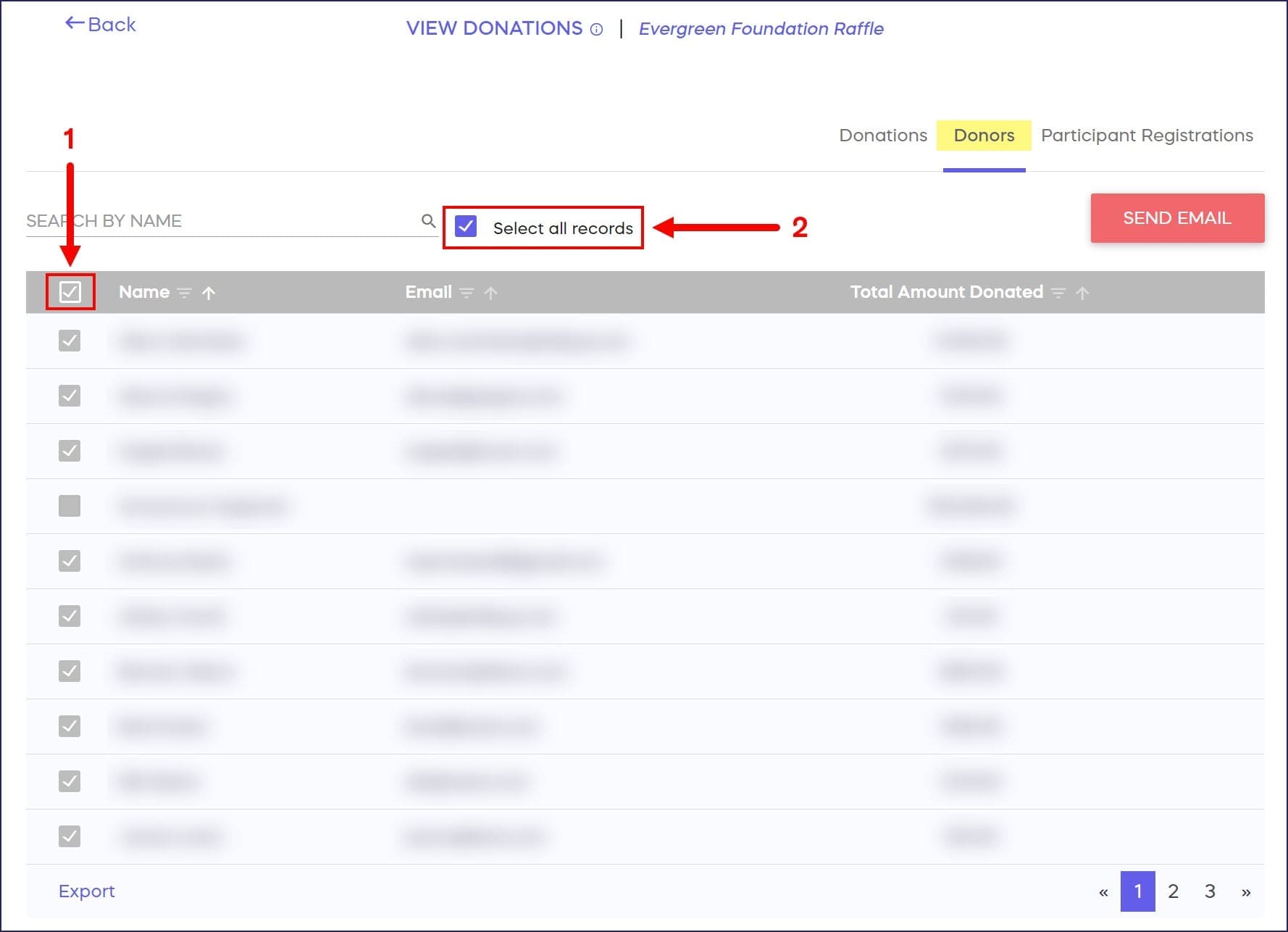
- Select SEND EMAIL:

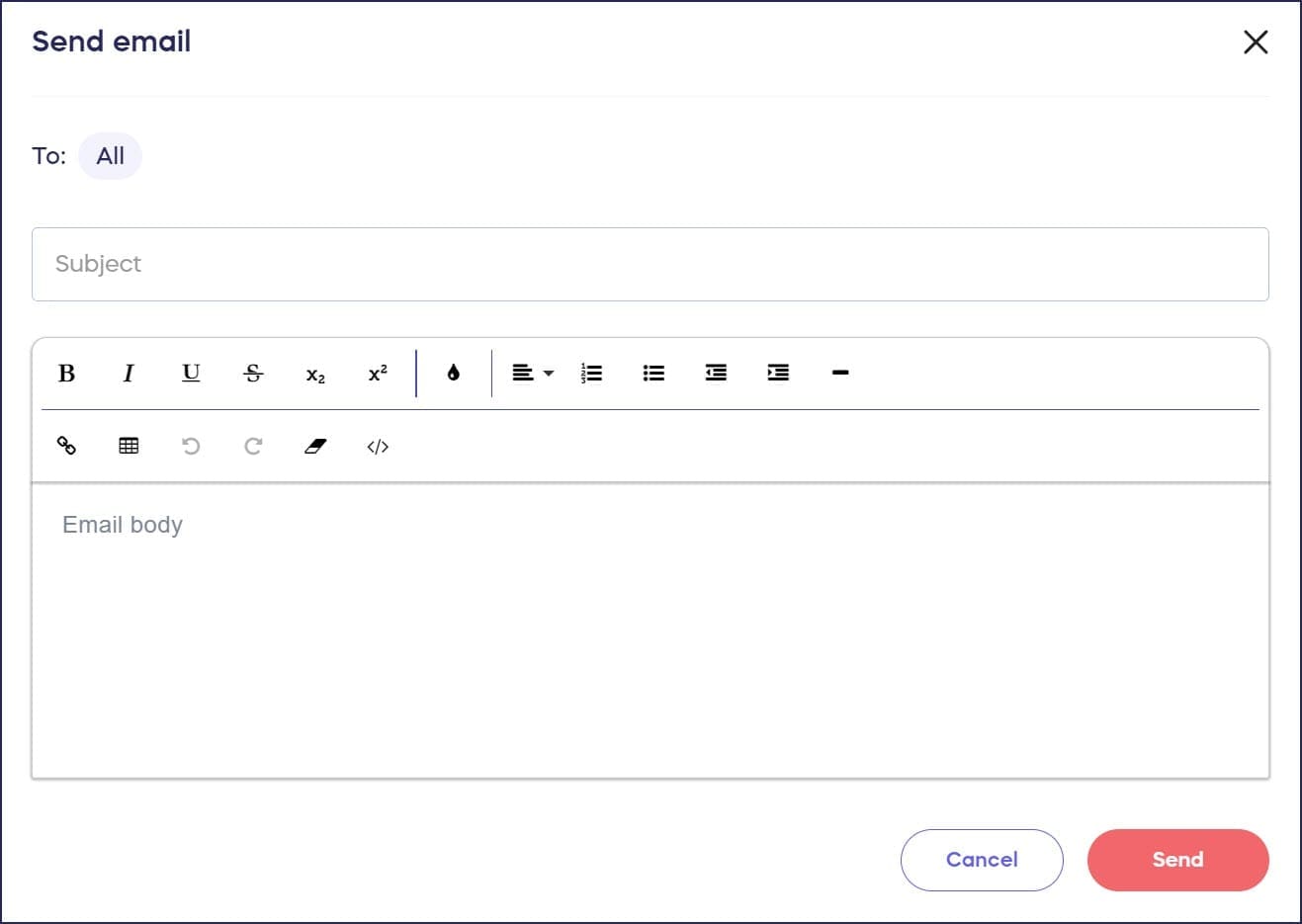
- Write your email, then select Send:
How do I email all donors across my entire organization?
- Go to Account Navigation in the left menu and select Donor Profiles.
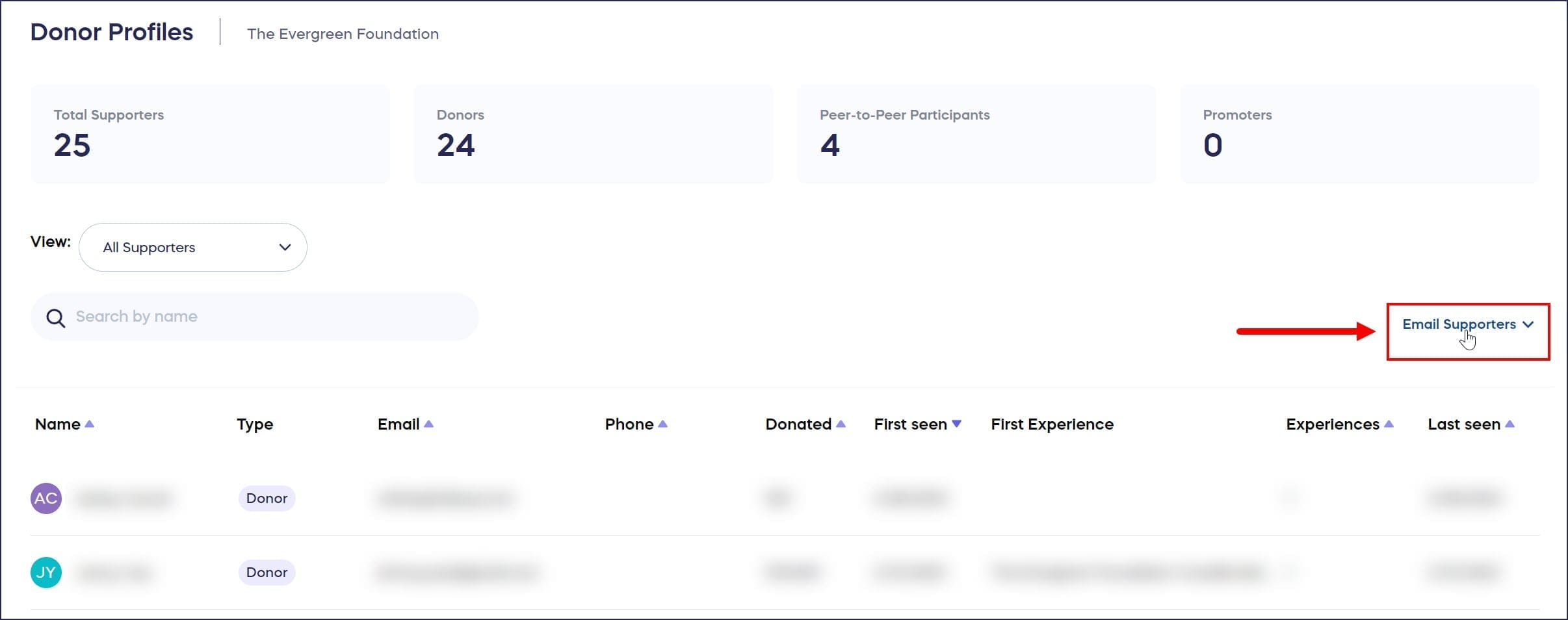
- Select Email Supporters:
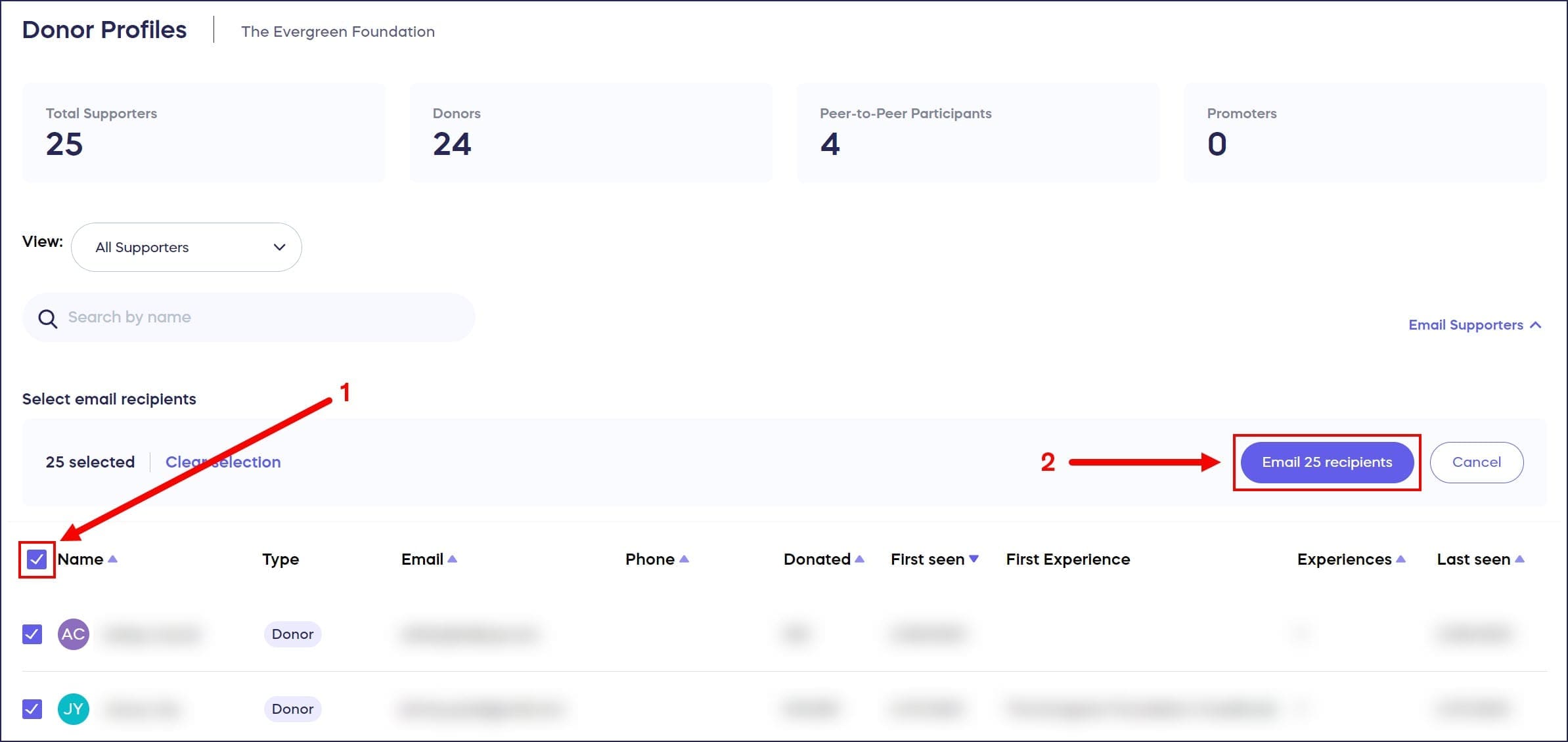
- Check the box next to Name, then select Email xx recipients (the number will change depending on the number of donors you have):
- Write your email, then select Send:

Frequently Asked Questions
Can I email just one or a few specific donors instead of all donors?
Yes, if you only want to email one or a few donors, or if you want to post a general update about a Campaign, you can send targeted messages. Learn how in our guide on how to email donors and post updates.
How long does it take to send mass emails to all my donors?
Emails are sent out in a queue, so if you have many donors, it may take a few minutes to send all emails. All recipients will receive the email, but delivery happens in batches.
What’s the difference between emailing Campaign donors vs organization donors?
Emailing Campaign donors sends to everyone who donated to one specific Campaign. Emailing organization donors sends to all donors who have ever contributed to your organization across all Campaigns.
Can I add advanced email marketing automation to RallyUp?
Yes, you can add expanded email marketing automation options by integrating RallyUp with a CRM platform. Explore your integration options in our guide on RallyUp integration options.
Where do I find the option to email all organization donors?
Go to Donor Profiles in the left menu, then select Email Supporters. Check the box next to Name, then select “Email xx recipients” to compose your message to all donors.