View the receipts for any donations and resend them to donors who request them.
There may be times when you need to view or resend a donor’s receipt. RallyUp allows you to view any receipt and resend it via email.
Where can I find donor receipts?
Receipts can be found in Campaign records and Donor Profiles.
How do I view a receipt from Campaign records?
- Go to Account Navigation in the left menu and select Campaigns.
- If you have chosen a list view, click on the Campaign title. If you have chosen a grid view, click on the Campaign image.
- Select View Donations.
- Find the row with the donation you’re looking for, hover over it, and click on the three-dot icon that will appear on the far right:
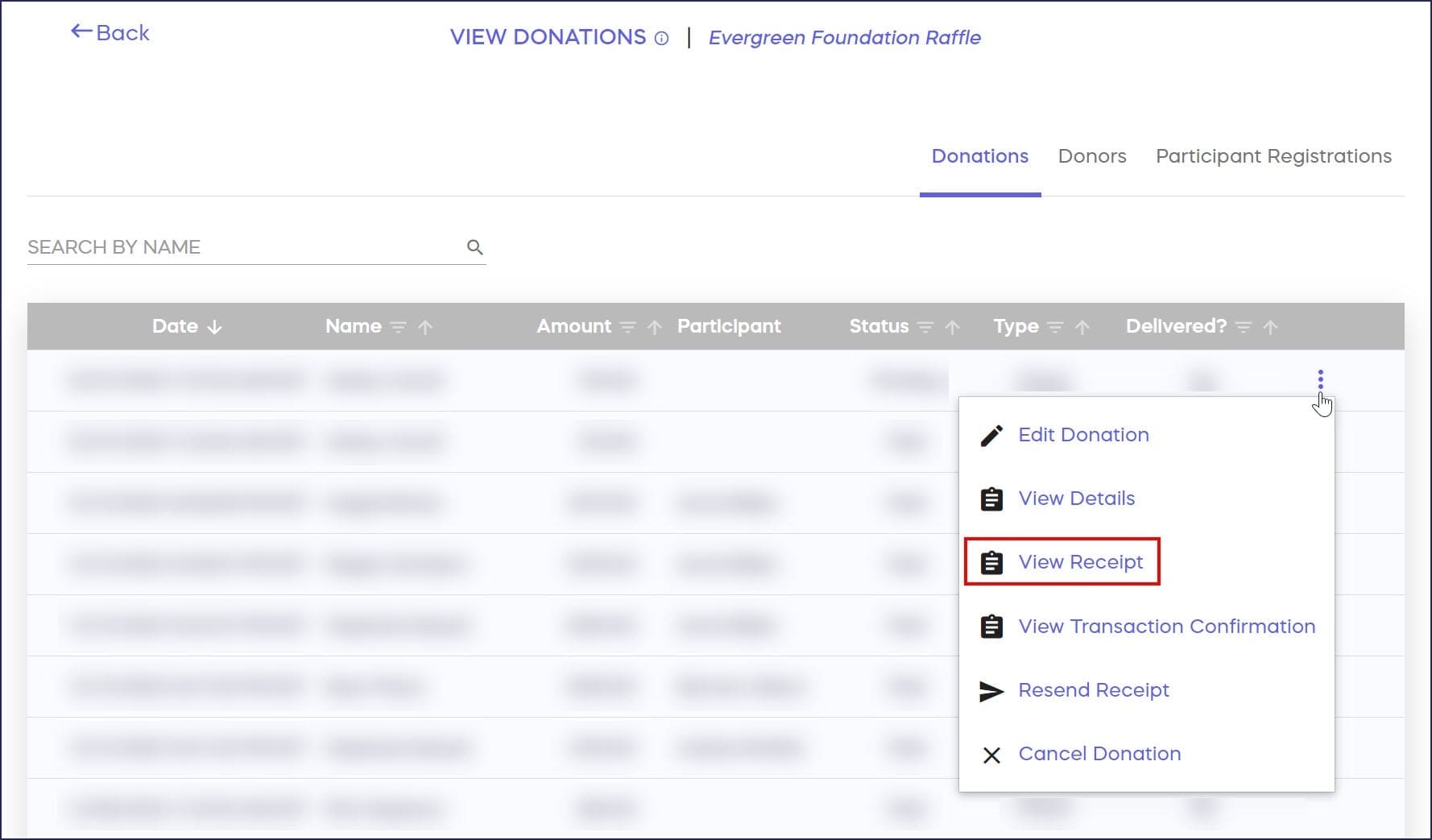
- Select View Receipt.
How do I resend a receipt from Campaign records?
- Click on the three-dot icon and select Resend Receipt:
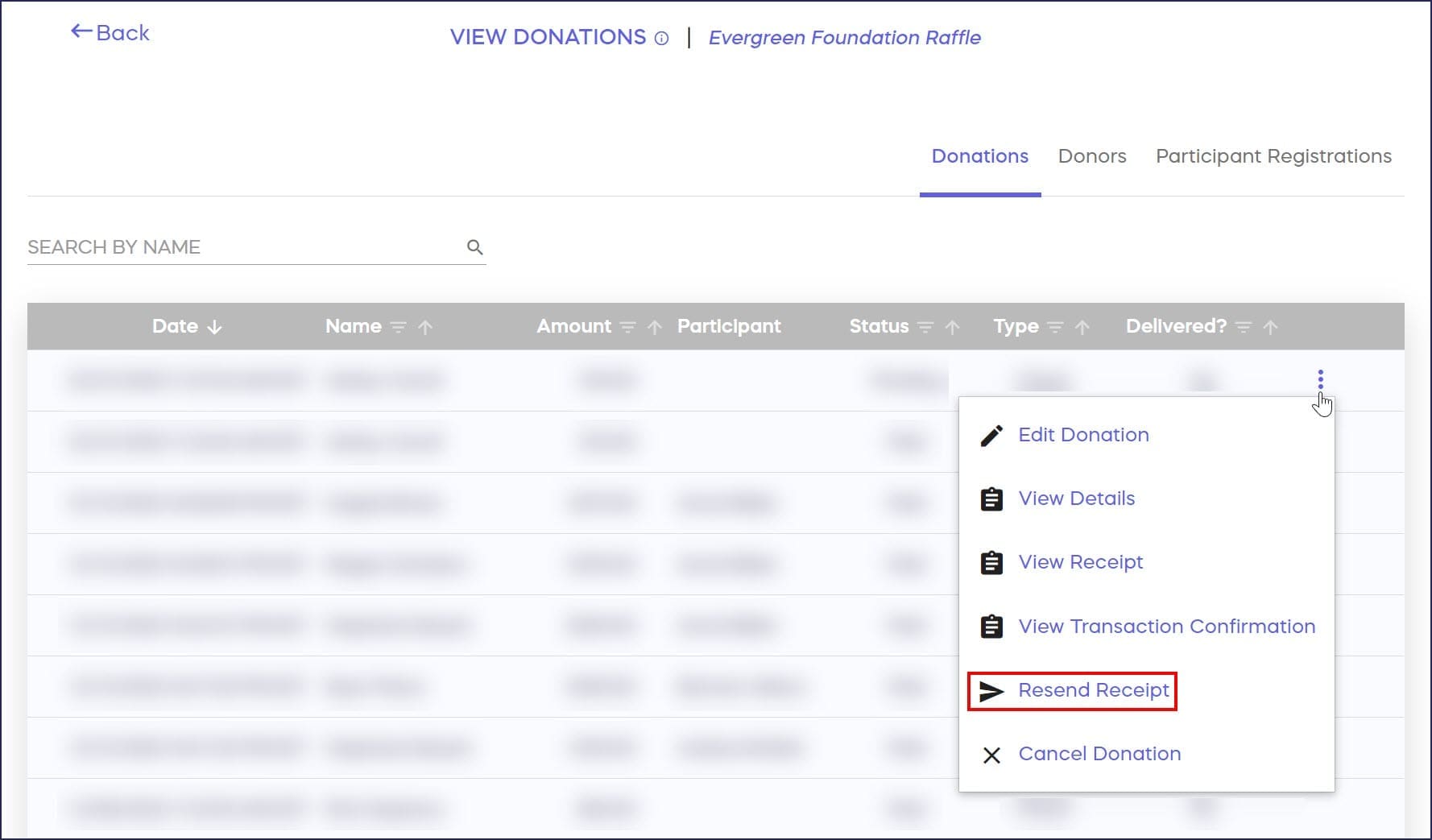
- The original email address will automatically appear. If you need to change the email address, you can do so now:

- Select Resend.
How do I view a receipt from a Donor Profile?
- Go to Account Navigation in the left menu and select Donor Profiles.
- Find the donor you’re looking for and click on their name. This will bring up their Donor Profile.
- Go to the Activity timeline on the right and find the transaction you want. Transactions will be labeled Transaction made:
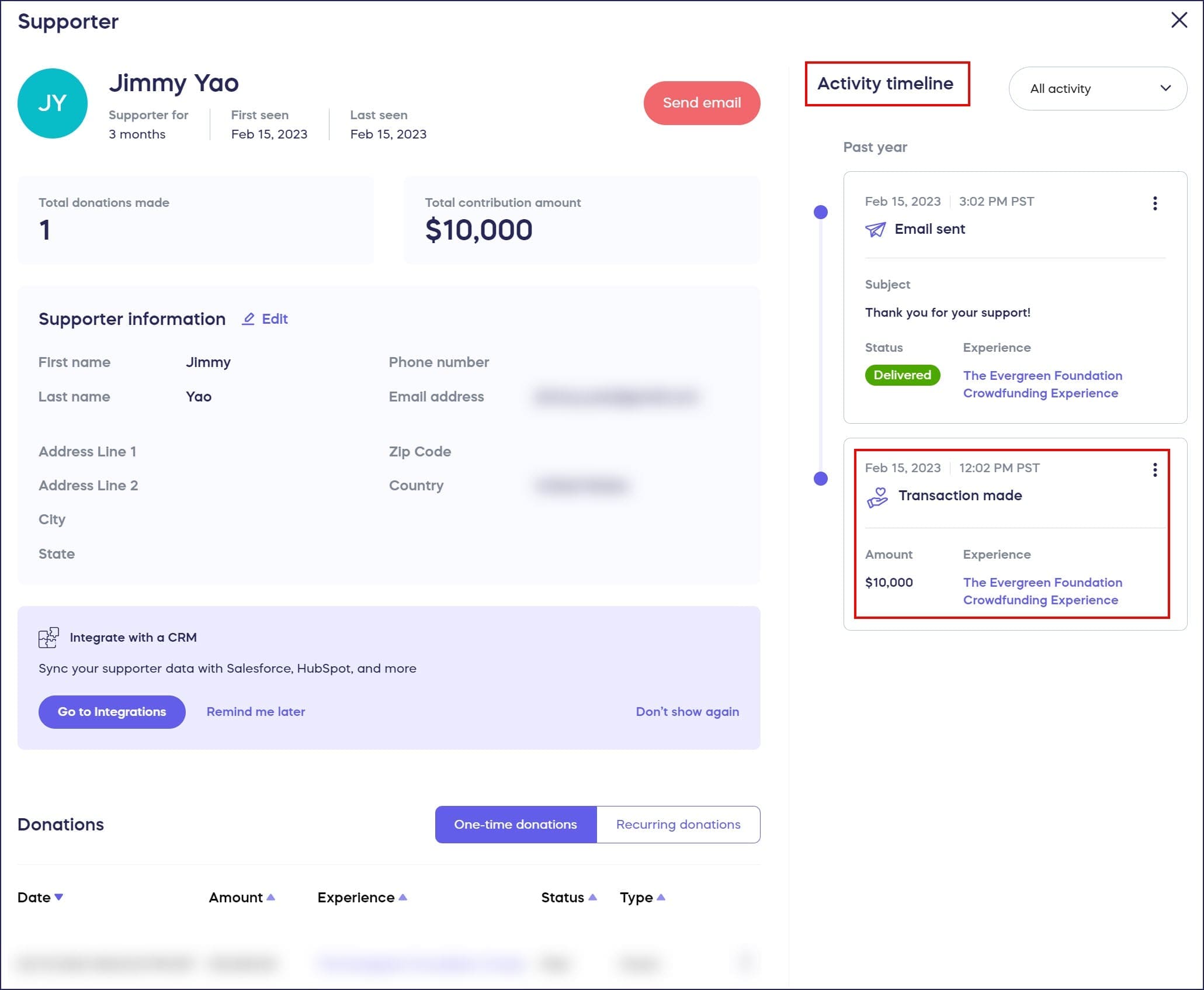
If the transaction you’re looking for was a donation, you could also find it listed under Donations below the Supporter information section.
- Click on the three-dot icon:

- Select View Receipt.
How do I resend a receipt from a Donor Profile?
- Click on the three-dot icon and select Resend Receipt:

- The original email address will automatically appear. If you need to change the email address, you can do so now:
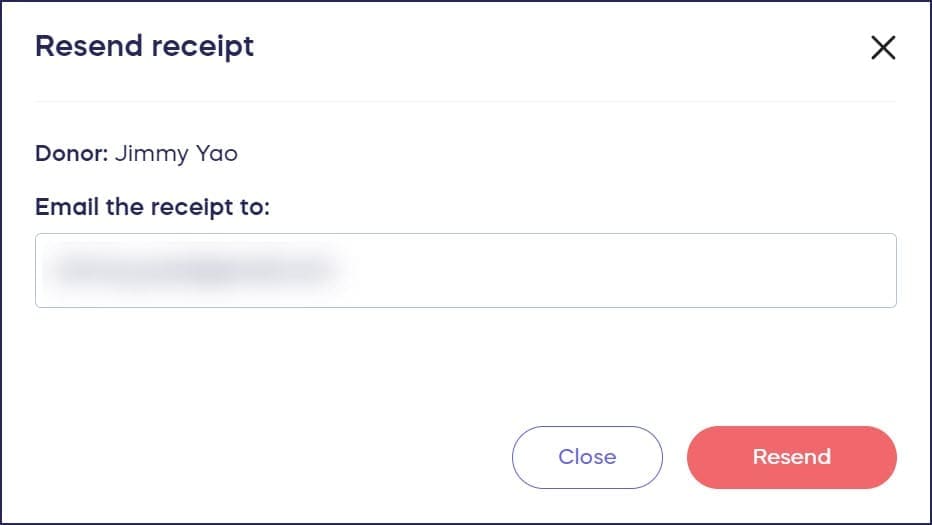
- Select Resend.
Frequently Asked Questions
Can I change the email address when resending a receipt?
Yes, when you select Resend Receipt, the original email address appears automatically, but you can edit it to send the receipt to a different email address if needed.
What’s the difference between viewing receipts in Campaign records versus Donor Profiles?
Campaign records show all donations for a specific Campaign, while Donor Profiles show all activity for an individual donor across all Campaigns. Both methods allow you to view and resend receipts equally.
Where can I find receipts for offline donations?
You can view and resend receipts for offline donations the same way you would for online donations. RallyUp will automatically send a receipt to the donor if you include their email address when you enter their offline donation into their records.
Can donors access their own receipts?
Yes, donors automatically receive receipts via email after making a donation. They can also log into their RallyUp account and view receipts in their donation history.
What information is included on a donation receipt?
Receipts include the donor’s name, donation amount, date, transaction details, your organization’s information, and any relevant tax information for the contribution. Raffle and Sweepstakes receipts also include entry numbers.