RallyUp vs. Donorbox vs. GoFundMe Pro vs. Zeffy (2026 Comparison)
Fundraising Platform Comparison
RallyUp is your end-to-end fundraising platform if you want multi-campaign support, flexible pricing, and a tool your team can actually use easily.
Donorbox works best if donation forms and recurring giving are your primary focus. Zeffy is a solid starting point for small, grassroots nonprofits that need the basics at no cost.
GoFundMe Pro is built for larger organizations with the staff and budget to support an enterprise-level tool.
So, you’ve started looking for a fundraising platform. And somewhere between your third Google search and your fifth open tab, the same four names keep showing up: RallyUp, Donorbox, GoFundMe Pro, and Zeffy.
Now you’re digging into each one separately and getting more confused. One has great fundraising tools but charges a platform fee. Another is free but limited. One looks perfect on paper until you check what’s actually included in the base plan.
Every platform seems to have a catch, and you’re not sure which trade-offs are worth making for your nonprofit.
That’s exactly what we’re here for. In this nonprofit fundraising software comparison guide, we put all four platforms side by side, so you can stop second-guessing and start raising money with the right platform.
In this article
Nonprofit fundraising software comparison: Platform-by-platform breakdown
Let’s take a look at what each of these tools brings to the table first, including their features, benefits, and limitations.
1. RallyUp – End-to-end fundraising platform
Best for: Nonprofits of all sizes with multiple campaigns and flexible support
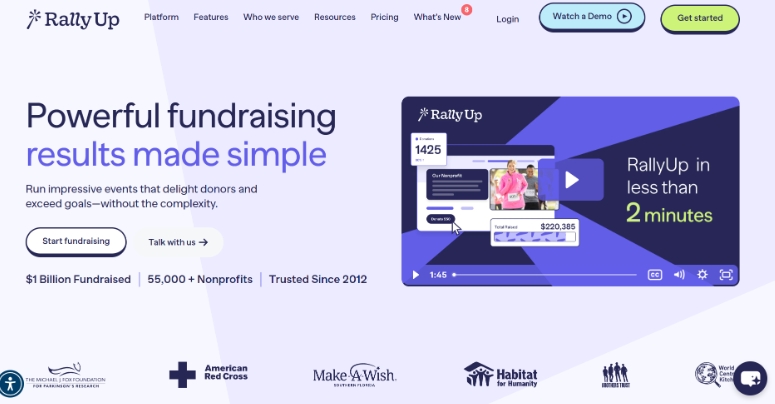
RallyUp is built for nonprofits that need a dedicated fundraising platform to run campaigns year-round. Every campaign type lives in one place, giving your team more ways to engage donors and more opportunities to bring in support.
RallyUp features
- Launch your raffles with ease with full support from tickets to drawing options
- Run peer-to-peer with customizable personal pages, team leaderboards, prize competitions, and more
- Create and manage your A-thon campaigns with automatic pledge tallying and donation collection
- Plan and host your auction event with built-in event ticketing, email support, and bidding
- Get total custom branding on each campaign, apply your colors, logo, fonts, and a custom domain
- Combine multiple fundraising components together and create your own online store
2. Donorbox
Best for: Small to medium organizations seeking quick, customizable donation forms
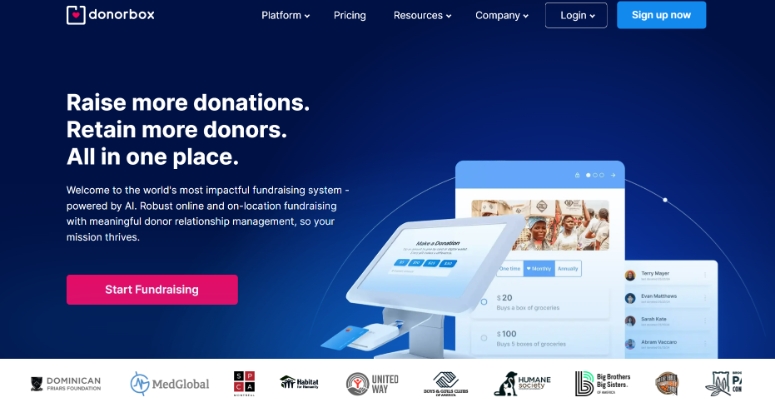
Donorbox is a fundraising platform with a strong focus on donation forms and pages, making it a practical choice if online giving is your primary need. It also offers a solid recurring giving setup, making it easy for supporters to schedule and manage their own donations.
Features:
- Embeddable donation forms with custom fields, suggested amounts, and giving frequency options
- Recurring donation tools with a donor-facing portal for self-managed payment updates
- Crowdfunding pages and peer-to-peer campaign support
- Event ticketing with QR code check-in and an optional in-person kiosk add-on
- Crypto and stock gift options are available on donation pages (only on the Pro and Premium plans for US organizations with a verified EIN).
3. GoFundMe Pro (formerly Classy)
Best for: Large and enterprise nonprofits that need a scalable fundraising platform with advanced campaign tools
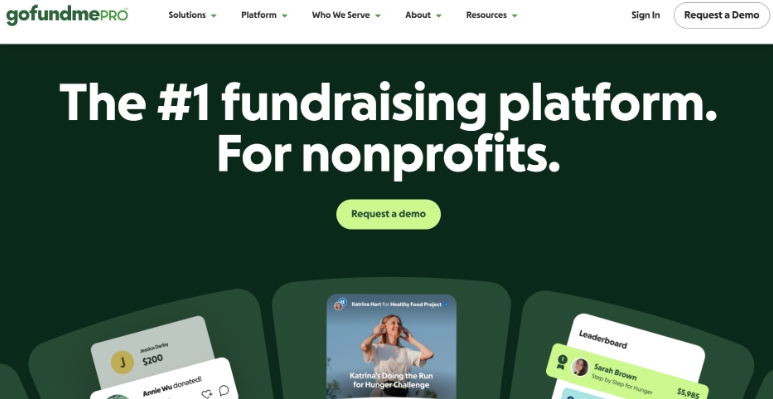
GoFundMe Pro is built for larger organizations that need to manage multiple campaigns, teams, and donor relationships all in one place. It brings together peer-to-peer fundraising, recurring giving, and CRM integrations that fit the way bigger teams already work.
Features:
- Peer-to-peer fundraising with leaderboards, smart goals, and automated coaching for individual fundraisers
- Branded campaign builder using drag-and-drop tools with no coding required
- Crowdfunding, event ticketing, and recurring donation support within one platform
- A nonprofit page on GoFundMe for community-led discovery and peer fundraising
- Integrations with Salesforce, Virtuous, and other major CRM platforms
4. Zeffy
Best for: Small and grassroots nonprofits that need a simple platform for donations, events
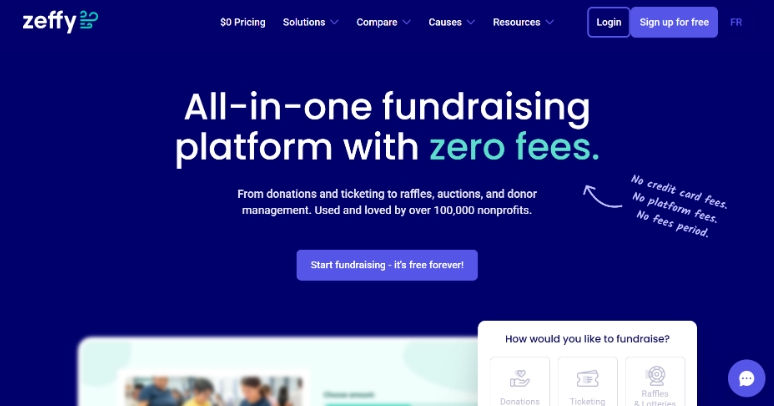
Zeffy is built for small nonprofits that need a straightforward platform without a steep learning curve. It covers the essentials such as donation forms, event ticketing, raffles, and basic donor tracking – in one place without overwhelming your team with complexity.
Features
- Donation forms, event ticketing, raffles, auctions, peer-to-peer, and membership tools are all included
- Built-in donor management for tracking giving history and donor contact details
- An online store for selling merchandise or products directly to supporters
- Free live chat support for all users with no add-on cost
- Automatic tax receipts are sent to donors instantly after every transaction
How do these fundraising software tools compare on what matters most?
Now, let’s move on to see how they stack up against each other when it comes to the areas that actually affect your fundraising.
1. Campaign types and fundraising flexibility
The wider the campaign range, the more fundraising ideas for nonprofits your team can explore without needing a second platform. Here’s what each platform offers:
| Feature | RallyUp | Donorbox | GoFundMe Pro | Zeffy |
|---|---|---|---|---|
| Donation forms | ✅ | ✅ | ✅ | ✅ |
| Recurring giving | ✅ | ✅ | ✅ | ✅ |
| Crowdfunding | ✅ | ✅ | ✅ | ✅ |
| Peer-to-peer | ✅ | ✅ | ✅ | ✅ |
| Events and ticketing | ✅ | ✅ | ✅ | ✅ (basic only) |
| Auctions | ✅ | ❌ | ✅ (mobile bidding) | ✅ (very limited) |
| Raffles & sweepstakes | ✅ | ❌ | ❌ | ✅ (basic only) |
| Livestreaming | ✅ | ❌ | ✅ | ❌ |
RallyUp (end-to-end fundraising platform) is the strongest pick here – it offers the broadest range of campaign types and lets you combine them within a single fundraiser.
2. Ease of setup and use
Your team does not need to spend hours setting up campaigns. A platform that is easy to use means you can act on easy fundraising ideas quickly, without long training calls or constant troubleshooting.
| Platform | Setup experience | Done-for-you option |
|---|---|---|
| RallyUp | Three paths: expert builds it free, instant templates, or DIY with support available anytime | ✅ Yes, available on all plans (including free) |
| Donorbox | Simple for basic forms; more complex as you add features and paid add-ons | ⚠️ Limited, priority support on paid plans only |
| GoFundMe Pro | Moderate, steeper for P2P and event tools | ✅ Yes, dedicated support for larger plans |
| Zeffy | Fast, most campaigns launch the same day | ❌ No |
With RallyUp’s Create My Campaign feature, you don’t have to worry about launching your fundraisers.
3. Donor management and donations
Fundraising and donor management go hand in hand. The data you collect during a campaign, such as who gave, how much, and how often, is what helps you build lasting relationships and raise more over time.
RallyUp builds a detailed donor profile covering their personal information, donations, and engagement history. It connects with major CRMs, so donor data flows into whatever system your team already uses.
Plus, recurring giving is supported across all campaign types, and automated tax receipts go out directly from your organization.
Donorbox fundraising has a built-in CRM that ties every donation directly to a donor record, keeping data organized without manual entry. Its recurring giving setup includes a donor self-service portal where supporters can update payment details or adjust giving schedules.
GoFundMe Pro tracks donor history and engagement through its management dashboard, with integrations for Salesforce and Virtuous. It suits larger teams that need structured donor management across multiple campaigns.
Zeffy stores basic donor profiles, including giving history, and sends automated tax receipts at no cost. However, it can offer some limitations as your donor base grows.
4. Events and galas
Events are one of the most popular fundraising methods. A well-run gala or fundraising event can bring in more than months of online campaigns combined. That is why the tools a platform offers for in-person and hybrid events matter a great deal.
Donorbox and Zeffy work well for simpler events where ticket sales and basic donation collection are the main priorities.
RallyUp is one of the best fundraising event software platforms. It is built to help you right from the planning stage to the night itself. You have event-ticketing, email support, QR code check-in, auctions, fund-a-need, paddle raise fundraising, and much more.
GoFundMe Pro handles virtual and hybrid events well, with tools for livestreaming, leaderboards, and online giving. For in-person gala tools like silent auctions, paddle raises, and mobile bidding, these are available through Live Events as an add-on.
Check out our best 18 fundraising event management software to explore more options5. Integrations
You want to make sure that your fundraising software works with tools you already use, like email or CRM. If they do not, someone on your team is doing that work manually.
| Platform | Native integrations | API | Notable connections |
|---|---|---|---|
| RallyUp | ✅ Yes | ✅ Yes | Salesforce, HubSpot, Zoho CRM, Pipedrive, Mailchimp, ActiveCampaign, and more |
| Donorbox | ✅ Yes (many paid) | ✅ Yes | Salesforce (+$50/mo), QuickBooks, Mailchimp (+$8/mo), Shopify, Zapier (+$17/mo) |
| GoFundMe Pro | ✅ Yes | ✅ Yes | Salesforce (some users report inconsistencies), select CRMs |
| Zeffy | ⚠️ Via Zapier | ❌ No direct API | Connects to third-party tools through Zapier; no native integrations |
A couple of things to flag:
- RallyUp’s integrations are built natively, not routed through third-party workarounds.
- Donorbox supports 30+ apps, but most key integrations are paid add-ons on top of your base plan.
- Zeffy does not offer direct API access. Integrations are only possible through Zapier, so the depth and reliability of those connections depend on what Zapier supports.
6. Reporting and analytics
Without campaign data, you won’t know which of your fundraisers are working and which are not performing well. Here’s how each platform helps you when it comes to reporting data:
- RallyUp offers reporting at both the organization and campaign levels. You can track donations, donor activity, auction performance, and more, with customizable, exportable reports available at any time.
- Donorbox has dashboards that cover donation trends and campaign performance. You might need a Pro plan to get access to deeper analytics.
- GoFundMe Pro includes campaign reporting and donor data exports, with CRM integrations that let larger teams pull data into their existing systems.
- Zeffy covers the basics well enough for smaller organizations but lacks the depth and customization that growing nonprofits typically need.
7. Geographic and organizational eligibility limits
Where your nonprofit is based and where your donors live matter when it comes to raising funds. Geographic restrictions can quietly limit who can use a platform, what currency you can accept, and whether international supporters can even complete a donation.
- Global reach with local flexibility
RallyUp is used by organizations in 47+ countries and welcomes both US-based nonprofits and internationally registered charities and NGOs.
Non-US organizations can choose from 15 major currencies as their primary currency, keeping everything from checkout to receipts consistent for local donors. Beyond that, the platform remains open to donations in many other currencies, depending on your payment processor.
- Broad international access
Donorbox has a broad global footprint with organizations in over 96 countries using the platform. The actual eligibility to host campaigns depends on whether your country is supported by Stripe (available in approximately 46 countries) or PayPal (available in 200+ countries and regions).
- Multi-currency display, USD settlement
GoFundMe Pro lets donors give in different currencies with amounts displayed automatically in their local currency. However, all donations are settled and processed in USD, so conversion fees may apply.
Organizations that want to avoid these fees can set up International Currency Processing (ICP), which processes donations in currencies your payment processor is already pre-configured to handle.
However, this is a paid, optional feature available only to US-headquartered organizations with entities in other countries that use Braintree as their payment processor.
- North America only
Zeffy is only available to nonprofits registered in the United States and Canada, making it a non-starter for any organization operating outside North America.
Regardless of which platform you choose, certain campaign types like raffles and sweepstakes may be subject to local laws and regulations depending on your country or region. Always verify compliance requirements before launching these activities.
8. Pricing and fees
Pricing is rarely just about the monthly fee. Across most fundraising websites, platform fees, processing costs, and add-ons all affect how much of what you raise actually reaches your cause.
| Plan / Cost | RallyUp | Donorbox | GoFundMe Pro | Zeffy |
|---|---|---|---|---|
| Free plan | Yes No platform fees. Optional donor tip at checkout goes to RallyUp. Org keeps 100% of donations |
Yes Standard plan at $0/mo. Platform fees apply per transaction |
❌ No No free plan. Custom annual contract required |
Yes Fully free. No platform or processing fees. Funded by optional donor tips |
| Paid plans | Flex (pay-as-you-go) No monthly fee. Activity-based fees deducted from funds raised Enterprise plan with custom pricing |
Pro: $150/mo (up to 10 team members) Premium: Custom pricing (up to 30 team members) |
Custom contract Annual subscription + per-donation fee (pricing by quote) |
❌ No paid plans |
| Payment processing | Stripe or PayPal: 1.9% + $0.30 to 2.9% + $0.49. No markup by RallyUp | Stripe: 2.2% + $0.30 (cards) ACH: 0.8% capped at $5 PayPal/Venmo: 1.99% + $0.49 |
Cards: 2.4% + $0.30 (AmEx +1%) | $0. Zeffy covers all processing fees via optional donor tips |
| Add-ons and extras | Custom domain: $99 one-time Advanced in-person tools available in Flex plans No setup or subscription fees |
Live kiosk: $80/mo + $15/mo per extra device Text-to-give: $19–$50/mo Salesforce/API/Zapier require paid tiers |
Live events tools and Salesforce integration available as add-ons | None |
RallyUp gives you a free starting point with no monthly commitment, and a pay-as-you-go option that scales with what you raise.
Donorbox is free to start (but includes platform and processing fees), but you may hit limitations as your campaigns grow. Zeffy is also free to use and supported with donor tipping.
GoFundMe Pro requires a custom contract, so you will need to speak to their team before you can plan a budget.
How to choose the best fundraising software?
When you’re ready to pick a fundraising platform, you need to be clear on what you need, how confident your teams can use it, and where you plan to grow. To understand that, here are some factors to evaluate:
1. Assess your nonprofit’s stage and size
A grassroots organization running its first online raffle has very different needs from a mid-size nonprofit managing donor relationships year-round. Some platforms are built to scale with you; others are a great starting point but hit a wall as you grow.
It’s a good idea to invest in a tool that scales with you, because your mission needs more ways to expand its reach.
2. Think about the types of fundraisers you run
Not every platform supports every type of fundraising. If you only need a simple donation form, most options will work. But if you run events, auctions, raffles, or peer-to-peer campaigns, the list narrows quickly.
List every campaign type you run or want to run. Then check whether a platform supports all of them natively or whether you would need a second tool to fill the gaps, which won’t be feasible.
3. Consider your budget and fee tolerance
Start by calculating what you realistically expect to raise in a year, then run the numbers against each platform’s fee structure. A “free” platform is not always the cheapest option once fees and add-ons are factored in.
Look at platform fees, payment processing fees, and any monthly subscription costs separately. Then check whether the features you actually need, like CRM integrations, text-to-give, or event tools, cost extra on top of the base plan.
The question to ask is not “which platform is free?” but “what will this actually cost us on our expected donation volume?”
4. Factor in your team size and technical capacity
A platform that takes weeks to learn costs your team time they do not have. Think honestly about how quickly your staff or volunteers can get a campaign live without outside help.
Look for platforms that offer ready-made templates, guided setup, or done-for-you services. If your team is small or stretched thin, the amount of hands-on support a platform provides should matter when making a decision.
Final words: Which is the right choice for your fundraising?
The best fundraising software tool depends on what your nonprofit actually needs. Start by listing the campaign types you want to run and the features that matter most, then match those to a platform that delivers them.
Zeffy and Donorbox are solid options, but both show limitations as your fundraising grows. GoFundMe Pro has the depth, but it can be complicated and overwhelming.
RallyUp – end-to-end fundraising platform hits the right mark. It is broad enough to cover every campaign type, flexible enough to fit any budget, and built for how nonprofits actually fundraise.
So, if you want a platform that works for your organization year-round, without switching tools every time you launch something new, RallyUp is worth serious consideration.
Book a free demo and see everything RallyUp can do for your nonprofitFAQs on nonprofit fundraising software comparison
RallyUp & Zeffy are the simplest to get started with. GoFundMe Pro and Donorbox follow closely, with free support available on RallyUp to help you along the way.
Zeffy has no fees, but donors see an optional tipping option. Similarly, RallyUp also offers a free option where nonprofits get to keep all their donations.
GoFundMe Pro (formerly Classy) is built for nonprofits for fundraising with different campaign types. GoFundMe is primarily a crowdfunding platform for organizations and individuals alike.
RallyUp covers the full in-person, online, and hybrid event experience in one place. GoFundMe Pro handles virtual events well, but requires a separate add-on for in-person gala tools.
Now that you’ve seen it in action, are you ready to start fundraising?
Get Started