Add a widget for your Campaign or Donation Page on your organization website.
After your Campaign or Donation Page is live, you can create a widget and add it to your organization website using the Create Widget tool. Visitors to your website will be able to use this widget to:
- View a brief description of your Campaign or Donation Page
- Click a button that takes them directly to your Campaign or Donation Page
How do I create a widget for my Campaign or Donation Page?
- Go to Campaigns (under Account Navigation) or Donation Pages (under Organization Settings) in the left menu.
- If you’re making a widget for an Campaign, click on the Campaign title (list view) or Campaign image (grid view). If you’re making a widget for a Donation Page, click on the Donation Page title.
- Select Create Widget.
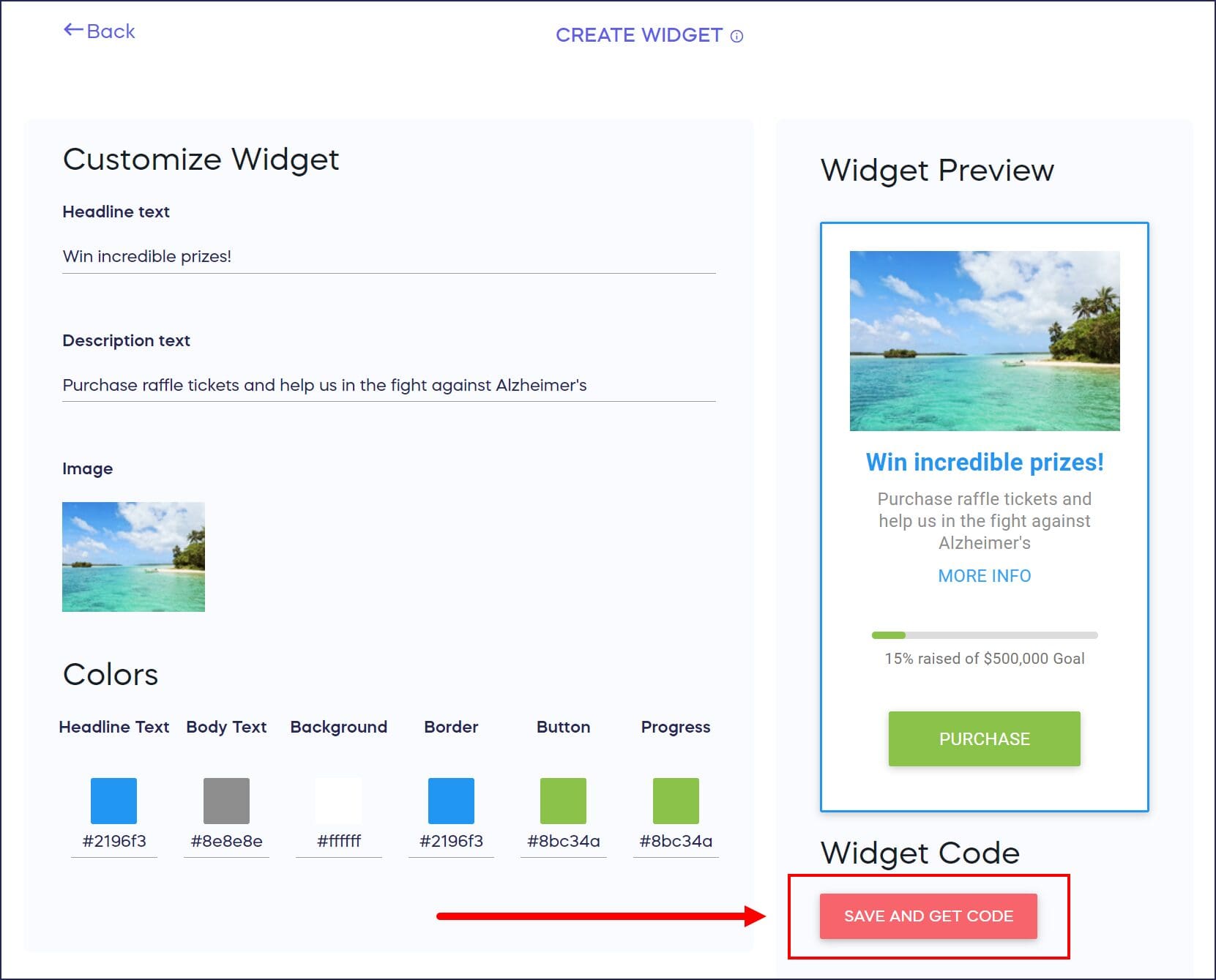
- Customize the text and colors of your widget.
- Select SAVE AND GET CODE:
What else should I know about Campaign and Donation Page widgets?
- RallyUp campaigns and donation pages cannot be embedded directly inside an external website using an iframe. Browser security settings will block the page from loading. The widget is the supported method — it adds a brief description and a button to your site that take visitors directly to your fundraising page.
- When a visitor clicks the widget button, your Campaign or Donation Page opens in a new browser tab. The page does not load within your website. This is expected behavior for all widgets.
- If you’re using Wix, an additional line of code is required at the very top of the widget embed code before it will work correctly in a Wix HTML element. Contact RallyUp Support for the specific code to include.
- Once you’ve downloaded the code for your widget, don’t make any changes to the code or it won’t work properly. If you update any of the widget settings, you’ll also need to redownload the code.
- If you need further assistance adding the widget to your organization website, contact your website provider for further instructions.
Frequently Asked Questions
What does a Campaign or Donation Page widget do?
A widget displays a brief description of your Campaign or Donation Page on your organization’s website with a clickable button that directs visitors straight to your fundraising page. It’s an effective way to promote your fundraiser directly from your own site.
Can I customize the appearance of my widget?
Yes, you can customize both the text and colors of your widget before downloading the code. This allows you to match the widget to your organization’s branding and website design.
Where do I add the widget code on my website?
After downloading the widget code from RallyUp, you’ll need to add it to your organization’s website. If you need help with this step, contact your website provider or webmaster for instructions on embedding the code.
What happens if I update my widget settings after adding it to my website?
If you change any widget settings in RallyUp, you must download the new code and replace the old code on your website. The widget won’t automatically update, so you need to manually update the code for changes to appear.
Can I modify the widget code to change how it looks?
No, you should not make any changes to the downloaded widget code, as modifications will cause it to stop working properly. Use the customization options in RallyUp’s Create Widget tool instead to adjust text and colors before downloading.
Can I embed my Campaign or Donation Page directly on my website?
No — RallyUp Campaigns and Donation Pages cannot be loaded directly inside another website using an iframe. Browser security settings will block this. Use the Create Widget tool to add a widget to your site instead. The widget gives visitors a button that takes them directly to your fundraising page.
Does the widget open my Campaign or Donation Page in the same window or a new tab?
When a visitor clicks the widget button, your Campaign or Donation Page opens in a new browser tab. The page does not load within your website. This is expected behavior and applies to all Campaign and Donation Page widgets.
I’m using Wix and my widget links are being blocked. What should I do?
Wix requires a specific line of code added at the very top of the widget embed code to allow it to work correctly inside a Wix HTML element. Contact RallyUp Support and let us know you’re using Wix — we’ll provide the exact code to add.