Complete Guide to Email Marketing for Nonprofits: Tools, Examples, and Best Practices
Best Email Marketing Platforms for Nonprofits
Email marketing gives nonprofits direct access to supporters’ inboxes, delivers strong ROI, and offers a cost-effective way to stay connected with donors. However, manual sending isn’t efficient, so using a tool with automation, audience segmentation, and performance tracking is essential.
Best email marketing platforms for nonprofits:
1. RallyUp: All-in-one fundraising platform with built-in email integration
2. Mailchimp: Easy-to-use platform with ready templates and wide integrations
3. Constant Contact: Ideal for simple newsletters and event communication
4. Brevo: Best for large lists with predictable pricing based on email volume
5. ActiveCampaign: Advanced automation with powerful donor journey segmentation
6. Moosend: Budget-friendly platform with strong automation capabilities
7. Flodesk: Design-focused templates perfect for visual storytelling campaigns
8. HubSpot: Enterprise-level solution for large nonprofit teams and scaling needs
Over 93% of people check their email daily, making it one of the most reliable ways to reach supporters.
While most nonprofits are already using emails, it’s not just about sending a message. If you send generic messages to everyone, blast appeals without context, or only message when you need something, you’re missing the results you could get.
Effective email marketing for nonprofits does more than just keep your supporters informed. It keeps you in consistent contact with your community, lets you share milestones and appeals, and keeps supporters engaged – all without draining your budget or time.
In this guide, we break down everything your nonprofit needs to know: what email marketing is, which types of emails to send, and what the best email marketing platforms for nonprofits are. Find some good examples of email marketing inside to seek inspiration for your own.
Features:
- Automatic donor data sync from campaigns to your email lists
- Segment supporters by donation amount, frequency, behavior, and participation
- Set up automated emails triggered by donation activity
- Track custom question responses for better tragetting
- Run drip campaigns based on supporter engagement
In this article
- What is email marketing?
- Types of email you must send to connect, engage, and raise
- 8. Seasonal and holiday emails
- Why are email providers not a good option? Benefits of an email marketing tool
- 8 best email marketing platforms for nonprofits
- How to choose an email marketing platform for a nonprofit?
- 5 best practices to get better results from your email marketing strategy
- Nonprofit email marketing in action: 5 real-world examples
- Final words: Turn your email into your strongest marketing tool
- FAQs on email marketing for nonprofits
What is email marketing?
Email marketing is when you send messages directly to people’s inboxes to share updates, make a request, or provide some info to build relationships.

Emails are the channel you actually own. Unlike social media, where algorithms decide who sees your posts, your email list is yours. When you hit send, your message lands directly in your supporters’ inboxes.
Here are some stats that prove why email marketing should be a priority for nonprofits:
- Email delivers an ROI of $36-$42 for every $1 spent, making it one of the most cost-effective marketing channels available.
- Nonprofits see an average open rate of 40.04% and click rate of 3.27%, outperforming most other industries.
- Nonprofits raise an average of $58 for every 1,000 fundraising emails sent (M+R Benchmarks Study, 2025).
- 33% of online donors say email is the communication method most likely to inspire them to make a donation (2025 Online Donor Feedback Survey).
- 57% of donors prefer to be thanked for their online donations via email (2025 Online Donor Feedback Survey).
Types of email you must send to connect, engage, and raise
The best part of email marketing for nonprofits is that you can use it for a range of purposes, from simply informing your donors to mobilizing supporters for your cause. Here are some important types of emails you should use, along with what makes each one work.
1. Newsletters
These are regular check-ins with your community. Newsletters keep your nonprofit top-of-mind by sharing updates, project work, upcoming events, and general news about your work.
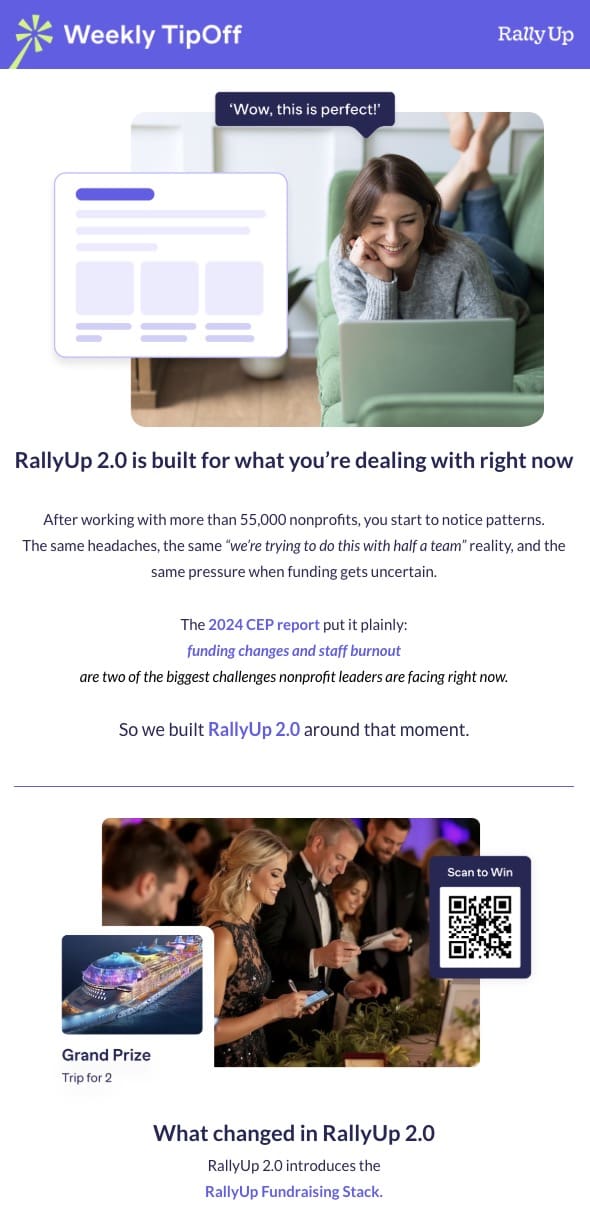
What makes it work:
- Send on a consistent schedule so supporters know when to expect you (monthly or quarterly works for most nonprofits)
- Mix different content types in each issue instead of focusing on just one topic
- Include multiple short sections like recent wins, upcoming events, or volunteer spotlights
- Keep the tone informational rather than constantly asking for money
2. Thank-you message
These emails help to acknowledge donations, volunteer time, attendance, or any form of support. A good thank-you email makes people feel genuinely appreciated and reinforces why their contribution mattered.
What makes it work:
- Send within 24-48 hours while the action is still fresh in their mind
- Be specific about what they did rather than sending generic appreciation (donated $50, volunteered 3 hours, attended your gala)
- Show the direct impact of their contribution with examples
- Make sure it’s signed by the nonprofit CEO or founder
3. Impact report
This kind of email is where you show supporters what their money or time has helped accomplish. It could be sent in the form of quarterly impact reports, project updates, or year-in-review summaries.
What makes it work:
- Include concrete numbers that prove progress (meals served, students helped, animals rescued)
- Add photos or videos showing your work in action
- Feature one or two beneficiary stories that bring the data to life
- Compare results to previous periods to show growth over time
4. Event invitations
These are emails you send to promote upcoming events like galas, volunteer days, workshops, or community drives. The goal is to get people to register, buy tickets, or show up.
What makes it work:
- Put the event date, time, and location upfront where people can’t miss them
- Explain what attendees will experience or gain from coming
- Include a clear ticket price or registration link that goes directly to your signup page
- Share what programs the event will include, such as dinner, raffles, or something else
5. Donation or fundraising appeals
A direct request you make for financial support. They’re tied to a specific campaign, urgent need, or fundraising goal. The best donation appeals make it clear why the donations matter right now and what they will accomplish.
What makes it work:
- Offer different giving levels, explaining what each will help accomplish
- Include one or two strong call-to-action buttons or links
- Include an option to set up recurring giving and highlight why it is a better choice
- Make the donation process simple with a direct link to your giving page
6. Advocacy and volunteer emails
These are the kinds of emails related to initiatives like volunteering or advocating for your cause. That could mean signing a petition, contacting a legislator, sharing a social post, or signing up for a volunteer shift.
What makes it work:
- State the specific action you need them to take in clear terms
- Explain why this action matters and what impact it will have
- Tell people how long it will take (they’re more likely to act if they know it’s quick)
- Provide easy-to-follow instructions to sign up for the opportunity
7. Welcome emails
Emails that you send to new subscribers, first-time donors, or people who just joined your community. A strong welcome email sets the tone for the relationship and helps people feel connected right away.
What makes it work:
- Send automatically right after they subscribe or take their first action
- Introduce your mission in 2-3 sentences without overwhelming them
- Tell them what to expect from future emails, including how often you’ll send messages
- Share one compelling success story or some statistics related to your impact
8. Seasonal and holiday emails
These tie into holidays, awareness months, or key moments in the calendar year. Think Giving Tuesday, back-to-school season, Earth Day, or year-end giving campaigns.
What makes it work:
- Time your send for right before the season starts, not weeks early or after it’s over
- Keep the email focused on the seasonal campaign instead of packing in unrelated updates
- Make your campaign purpose clear, whether it’s a donation drive, volunteer push, or awareness goal
- Include a deadline tied to the season to create urgency (end of year for tax benefits, last day of Giving Tuesday)
9. Milestone emails
These recognize personal moments for your supporters, like donation anniversaries, birthdays, or years of volunteering. They make people feel seen and valued as individuals, not just names on a list.
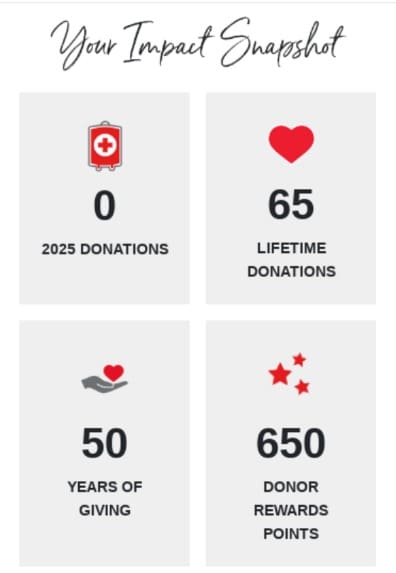
What makes it work:
- Personalize with their specific milestone, focusing on what their long-term support means to your organization
- Show their cumulative impact over time with real numbers (your $500 helped feed 150 families)
- Offer something exclusive like early event access, a gift certificate, or insider updates
- Set up automated triggers so they go out on the actual date without you having to remember manually
Why are email providers not a good option? Benefits of an email marketing tool
While your nonprofit is probably already using email, it’s important to use an actual email marketing tool for it. Sending emails manually through Gmail or other email providers works, but it won’t get you far. Here’s why you need a proper tool:
- Strict sending limits: Gmail limits you to around 500 emails per day. If your list grows beyond that, you’re stuck, especially during campaigns like Giving Tuesday and emergency scenarios where scale and timing matter. Then, you’ll need Google Workspace.
- Poor deliverability and higher spam risk: Regular email providers aren’t meant for bulk sending. Email marketing tools have better deliverability rates, meaning your messages actually reach inboxes instead of landing in spam.
- Lose tracking and insights: With these providers, you have no idea who opened your email, who clicked your donation link, or what’s working. Email marketing platforms for nonprofits show you exactly how your message performed.
- Personalization becomes impossible: Manually typing each recipient’s name in your emails isn’t possible for you. Email tools let you automatically personalize messages with names, donation history, or location, making every email feel more relevant.
- Lack of automation: Want to send a welcome email when someone subscribes? Or a thank-you message after a donation? Email platforms handle that automatically. Manual emails mean you’re doing everything by hand, every single time.
- Risk compliance violations: Personal inbox tools like Gmail and Outlook don’t provide features like one‑click unsubscribe links, consent tracking, segmentation, or automation, which makes it much harder to stay compliant and scale outreach.
8 best email marketing platforms for nonprofits
Let’s now check out some of the best tools that complement your email marketing strategy, helping you save time, track results, and reach more supporters with less effort:
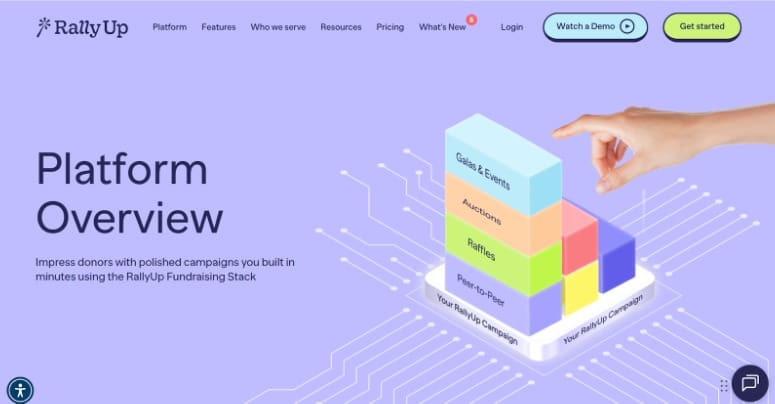
1. RallyUp – Fundraising platform with email integration
Best for: RallyUp is an end-to-end fundraising platform that connects with email marketing services you already use, letting you sync donor data automatically without juggling multiple systems.
Instead of juggling separate tools and messy exports, RallyUp integrates directly with email platforms like ActiveCampaign and SendGrid so donor data flows automatically.
Features
- Automatic donor data sync from campaigns to your email lists
- Segment supporters by donation amount, frequency, behavior, and participation
- Set up automated emails triggered by donation activity
- Track custom question responses for better targeting
- Run drip campaigns based on donor engagement
Pricing
RallyUp offers three pricing models:
- Free with no platform fees and supported with an optional tip at checkout
- Flex with platform fees range from 2.9% for ticketing to 6.9% for raffles, depending on which fundraising activities you use
- Galas and large in-person events with a fee depending on the event type, plus custom pricing is also available
Payment processing fees (1.9-2.9% + $0.30 per transaction through Stripe or PayPal) apply to all models. No contracts, subscriptions, or setup fees.
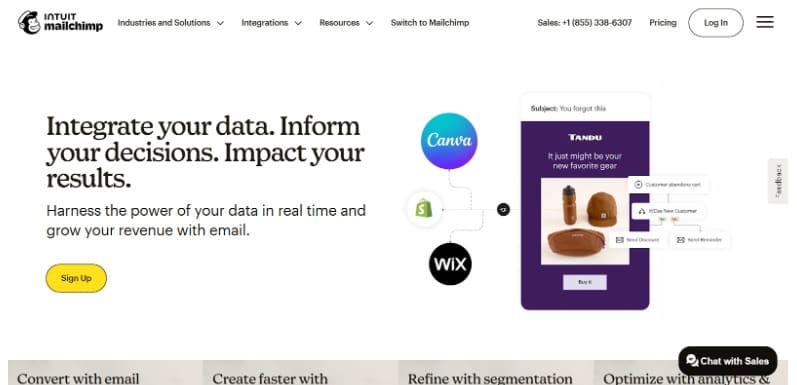
2. Mailchimp
Best for: Mailchimp is one of the best email marketing platforms for nonprofits looking for a full-fledged email tool.
Its drag-and-drop editor means you don’t need design skills to create professional emails. Plus, built-in analytics show you what’s working so you can improve your outreach over time.
Features
- Donation/thank-you automation sequences for first-time vs repeat donors
- Segment contacts by engagement level (active, lapsing, inactive) to protect deliverability
- Tag supporters by program interests like education, relief, or animal welfare
- Signup forms and tools to grow your volunteer and donor lists
- Track metrics tied to nonprofit goals like appeal vs newsletter performance
Limitations
- Costs can rise quickly as your list grows
- Some automation depth is locked behind higher tiers
Pricing
15% discount to verified nonprofits and charities
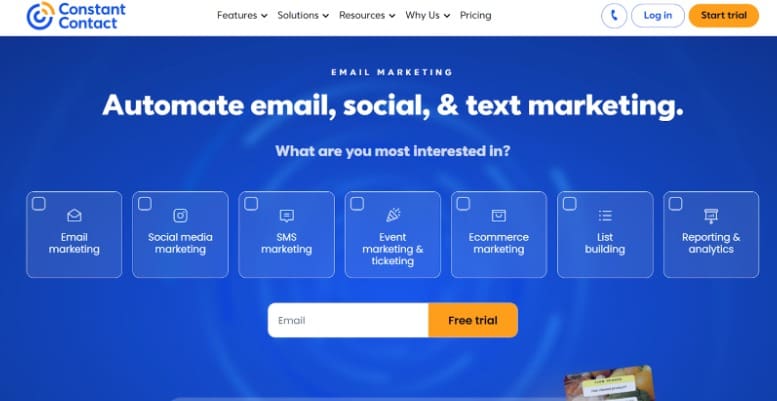
3. Constant Contact
Best for: Constant Contact is built for nonprofits that want simplicity and support. The platform includes marketing automation, 30+ fundraising templates, and SMS capabilities. Its drag-and-drop editor makes campaign creation simple, while list-building tools help grow your supporter base.
Features
- Newsletter templates for regular updates and impact stories
- Event management tools for registration reminders and follow-ups
- Segment lists by donors, volunteers, and members
- Basic automation for welcome, follow-up, and re-engagement emails
- Built-in compliance for unsubscribe handling and permissions
Limitations
- Discount requires prepay
- Advanced automation depth is more limited than “automation-first” platforms
Pricing
Get a 20% discount when you prepay for six months and 30% when you prepay for a year on standard pricing.
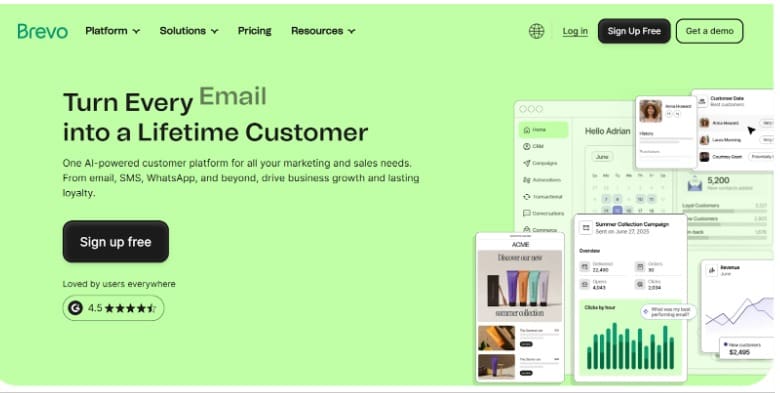
4. Brevo
Best for: Brevo stands out as an all-in-one platform that combines email, SMS, and WhatsApp marketing in one place. It’s built-in CRM helps nonprofits manage donor relationships and track supporter interactions effectively.
Features
- Built-in CRM for contact and donor relationship management
- Drag-and-drop email editor with mobile-responsive templates
- Advanced segmentation based on behavior, demographics, and activity
- AI-powered tools for send time optimization and content creation
- Landing pages for donation/event signups and list growth
Limitations
- Some key features are tier-gated
- If you send very frequently, send-volume pricing can climb faster
Pricing
Brevo offers various paid plans starting at $8.08/month up to 5,000 emails/month, but there’s no information on specific nonprofit discounts.
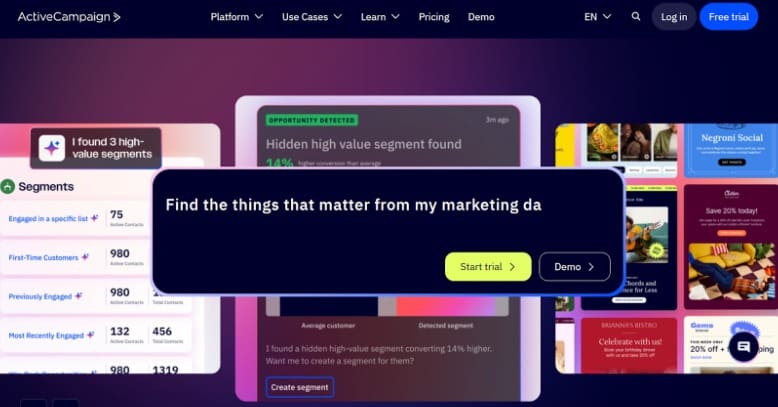
5. ActiveCampaign
Best for: ActiveCampaign is for nonprofits that need strong automation and segmentation for donor journeys. The platform integrates seamlessly with major donation platforms, syncing donor data automatically.
Features
- Forms/lead capture to grow supporter lists and route them into journeys
- Built-in CRM capabilities and detailed analytics
- 900+ integrations eliminate the need for multiple separate tools
- Native WhatsApp campaigns integrated with email workflows
- Trigger campaigns based on website behavior and specific user actions
Limitations
- More complex than simple newsletter tools
- It can get expensive as the contact count and feature needs grow
Pricing
Offers a 20% discount to verified charities
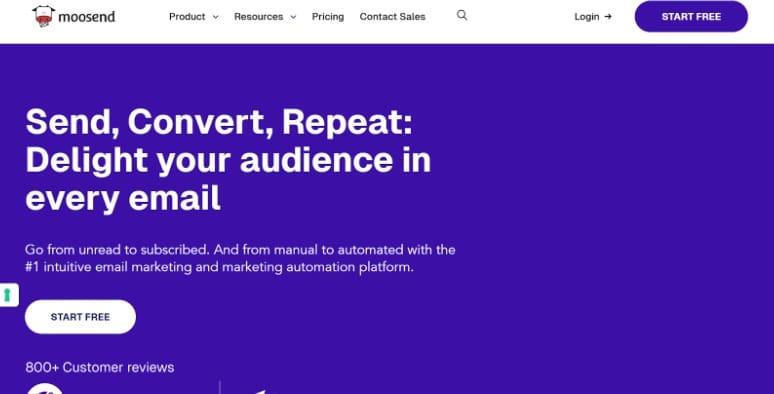
6. Moosend
Best for: Moosend is for budget-conscious nonprofits that want automation without breaking the bank. Its powerful automation workflow lets you create sophisticated donor journeys without needing technical expertise. Moosend has been owned by Constant Contact since June 2025.
Features
- Workflow automation for donor welcome and engagement flows
- Advanced segmentation by engagement patterns or interests
- Drag-and-drop email builder for impact storytelling
- Signup forms and landing pages to grow supporters
- Real-time analytics to measure donor engagement trends
Limitations
- Smaller ecosystem of third-party integrations
- Support level varies by plan
Pricing
Moosend offers nonprofits a 25% discount that can be stacked with the 20% annual plan discount for additional savings.
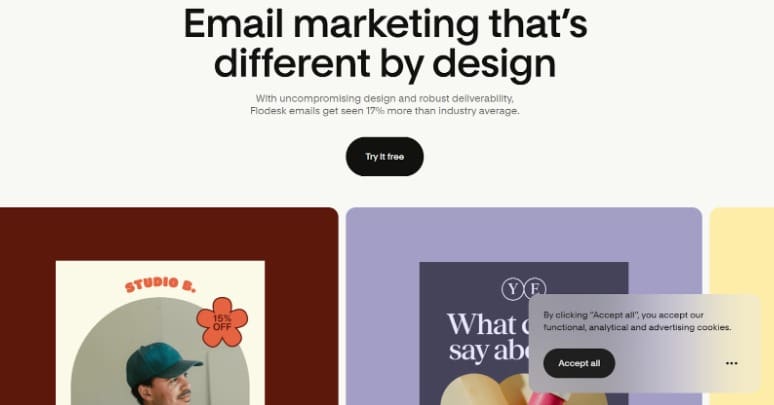
7. Flodesk
Best for: Flodesk is designed for small nonprofits that need stunning, designer-quality email templates that make your messages look professionally crafted. It even gives you full creative freedom, letting you customize as per your brand colors and fonts.
Features
- Unlimited email sends (flat rate no longer available for new customers; new signups are on tiered, subscriber-based pricing)
- Drag-and-drop builder with design-forward templates
- Responsive forms for capture and segmentation
- Simple automation builder for journeys like a welcome series
- Clean mobile-optimized emails out of the box
Limitations
- Fewer advanced automation options than enterprise tools
- Limited deep segmentation rules
Pricing
Flodesk has four different plans, with a free version that includes forms, landing pages, templates, and basic email sending. Paid plan starts at $19 for up to 1,000 subscribers, capped at 25,000.
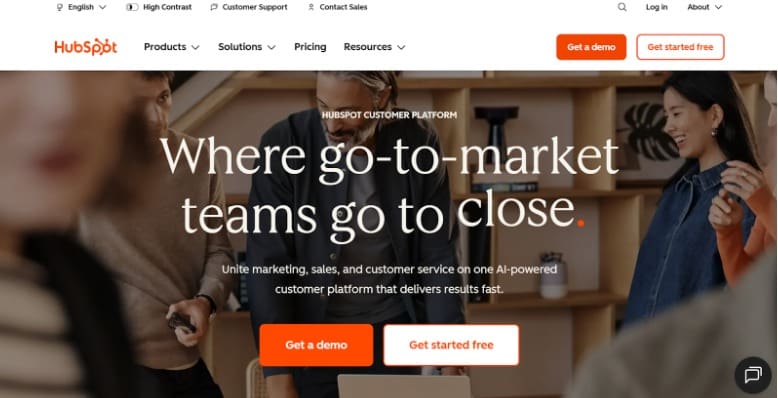
8. HubSpot
Best for: HubSpot is meant for established nonprofits with dedicated marketing teams that need enterprise-level features and deep donor insights. It’s perfect for organizations managing complex multi-channel campaigns and tracking detailed donor journeys.
Features
- CRM-powered email personalization (use donor/volunteer data to tailor content)
- Email automation workflows triggered by engagement (opens, clicks, lifecycle stages)
- Segmentation based on behavior, donor history, and lifecycle stages
- A/B testing and analytics for data-driven email refinements
- Syncs with your CRM to track every supporter interaction across all channels
Limitations
- Pricing can still be high compared to other tools, especially at Pro/Enterprise
- Learning curve can be steeper for small teams
Pricing
Offers nonprofits a 40% discount on Professional and Enterprise tier plans with an annual subscription.
How to choose an email marketing platform for a nonprofit?
You might think that picking the best platform for your team means you need to stretch your nonprofit budget. But that’s not always the case. Many free email marketing platforms for nonprofits offer generous features at no cost, while others offer good discounts.
What’s important is that you know which features you definitely need and which might not be worth it. Let’s see what you should look for in an email marketing platform for nonprofits:
1. Nonprofit discounts
First and foremost, look at how much discount the platform offers to nonprofits. You’ll need to submit IRS 501(c)(3) documentation or equivalent proof to be eligible.
Check whether the discount applies to all plans or just specific tiers, and whether it excludes features like SMS or CRM. A big discount doesn’t matter if the platform lacks the features you need.
2. Integration with existing tools
Your platform needs to work with the tools you already use, particularly your nonprofit email hosting, CRM, and fundraising software. Without proper integration, you’ll waste hours manually updating contact lists and syncing donation data between systems.
Check whether the platform connects directly with your donor management system. If direct integration isn’t available, look for platforms that support tools like Zapier, which can bridge the gap between systems.
3. Automation capabilities
Automation saves your team countless hours by sending the right message at the right time without manual effort. Make sure the platform offers trigger-based emails, so you can automatically send welcome messages when someone subscribes or thank-you notes after donations.
Moreover, some platforms even let you build multi-step sequences called drip campaigns or workflows. But they can fall a bit on the expensive side.
4. Segmentation and targeting
Not every message should go to every subscriber. Segmentation lets you divide your audience into groups based on donation history, engagement level, interests, or any other criteria that matter to your organization.
Some advanced platforms powered by AI take this further by automatically identifying patterns in donor behavior and suggesting optimal segments you might not have considered.
5. Analytics and reporting
Your platform needs to show you what’s working and what’s not through detailed insights. At a minimum, you should get real-time data on click-through rates, unsubscribe rates, and bounce rates so you can spot problems quickly. Besides that, you need data related to:
- Revenue generated per 1,000 sends
- Conversion rates to donations or signups
- Donor retention and upgrade rates for email-triggered journeys
It should even let you track performance over time with weekly and monthly trend reports. This helps you see patterns like which send times get the most opens or which subject lines drive clicks.
6. Easy-to-use builder with pre-designed templates
A good email marketing platform gives you drag-and-drop builders and ready-made templates so you can create professional campaigns without design skills. You should be able to add images, text blocks, and buttons by dragging them into place, then customize colors to match your brand.
Make sure the templates are mobile-responsive and adjust automatically to different screen sizes.
7. Support and training resources
Even the most intuitive platform will have moments when you need help. Check what kind of support each provider offers and whether it’s actually accessible to nonprofit users on lower-tier plans.
Look for multiple support channels like email, live chat, and phone support with quick response times. Also, evaluate training resources like video tutorials, written guides, webinars, and community forums.
8. Compliance and deliverability
Your email platform needs to keep you on the right side of the law while ensuring your messages actually reach donors’ inboxes. Look for platforms that adhere to regulations like CAN-SPAM, GDPR, and CASL and come with built-in unsubscribe and consent management.
Depending on where your supporters are based, you may also be subject to state or regional privacy laws, so check your approach with legal or compliance counsel.
List hygiene tools automatically remove inactive contacts, invalid addresses, and bounces that hurt deliverability.
Before running large campaigns, also make sure SPF, DKIM, and DMARC are set up for your domain. Send from a branded address rather than a free Gmail or Yahoo account, especially as both platforms tighten their bulk-sender rules.
5 best practices to get better results from your email marketing strategy
No matter what type of email you’re sending, here are some practices to follow to improve your email ROI:
1. Build and maintain a proper email list
Growing your email list starts with making it easy for people to sign up. Add subscription forms to your website, include a signup link in your social media bios, and collect emails at events with a tablet or signup sheet.
Maintaining your list is just as important as building it. So, clean your list every few months by removing inactive contacts who haven’t opened or clicked in 6-12 months. These dead addresses hurt your deliverability rates and make your data misleading.
Most email tools let you create a re-engagement campaign first, giving inactive subscribers one last chance to stay on your list. If they don’t respond, remove them.
2. Design your email well
Your email design affects whether people actually read your message or delete it immediately. A cluttered email overwhelms people, while a clean design guides them naturally toward your call-to-action. Here’s what to keep in mind when creating your email:
- Keep the design simple with plenty of white space so the content breathes
- Don’t overload with colors, fonts, or competing design elements
- Mix text with photos or videos to break up long blocks of content
- Make it mobile-friendly since most people read emails on their phones
- Keep your message focused on one main point or ask
- Use short paragraphs (3 lines max) so it’s easy to scan
- Put your most important information and call-to-action near the top
- Avoid image-only emails so screen readers and image-blocking clients can still read your content
- Add alt text to important images so the message still lands when images don’t load
- Use good color contrast and readable font sizes throughout
3. Segment your donors the right way
Not everyone on your email list needs the same message. For instance, a first-time donor will need a welcome message, whereas a monthly supporter perhaps a newsletter. Segmentation lets you send targeted emails that feel more relevant to each person.
Here are some ways to segment your list by:
- Donation history (first-time donors, monthly givers, major donors, lapsed donors)
- Engagement level (highly active, moderately engaged, rarely opens emails)
- Interest area if your nonprofit works on multiple issues
- Location for event invitations or local volunteer opportunities
Create different versions of the same campaign for different segments (adjust the ask amount for major donors vs. small donors).
4. Write subject lines that get opened
Your subject line determines whether your email gets opened or ignored. Some tips to make sure they work:
- Keep it short (under 50 characters so it doesn’t get cut off on mobile)
- Make it specific instead of vague (“Help us reach 100 winter coats” beats “Important update”)
- Create urgency when appropriate (“24 hours left” or “Match expires tonight”)
- Avoid spam triggers like ALL CAPS, too many exclamation marks, or words like “free” and “act now”
- Test different approaches to see what resonates with your audience
5. Track what’s working (and what isn’t)
Pay attention to your email metrics so you know which campaigns or messages click most with supporters and which ones fall flat. Here are some metrics to focus on:
- Open rate: Shows how many people actually opened your email. If it’s low, your subject lines aren’t compelling enough, or you’re sending at the wrong time.
- Click-through rate: Tells you how many people clicked a link in your email. Low clicks mean your content or call-to-action isn’t motivating people to take the next step.
- Conversion rate: Tracks how many people completed the action you wanted (donated, registered, signed up). This is the metric that actually matters for your goals.
- Unsubscribe rate: Shows how many people opted out after receiving your email. A sudden spike means something’s wrong. For instance, you might be emailing too often, your content isn’t relevant, or your message missed the mark.
- Bounce rate: Measures how many emails couldn’t be delivered. High bounces mean your list needs cleaning, or your sender reputation is damaged.
Nonprofit email marketing in action: 5 real-world examples
Let’s now see some real emails to show how to structure your message for maximum impact:
- Dallas Zoo Giving Tuesday campaign
This email uses a bold tiger image and clear headline to grab attention immediately, then backs up the ask with concrete impact numbers like 125,000 field trip students and 2,000 animals served.

It works because the message connects emotional appeal (families creating memories) with specific outcomes that show donors exactly where their fund goes.
2. Charity: Water newsletter email
This is an example of both a newsletter and an impact update rolled into one. The personal note from their fundraising officer adds a human touch, and the quiz element makes you pause and think.

Instead of asking for funds, it invites recipients to engage with the work and shares stories from the people they are helping.
3. Help for Heroes volunteer recruitment email
This volunteer email starts with a hero image that grabs attention and makes the cause clear right away. It places CTAs throughout the email to keep nudging people toward action.

The mention of £2.3 million raised adds social proof and offers multiple ways to help, such as volunteering, calling, or sharing, allowing everyone to contribute something.
4. Ducks Unlimited’s mission-driven donation appeal
This email builds a strong case for donations by opening with the organization’s Dust Bowl origins and connecting it to today’s conservation challenges.

Strong visuals and a video make the mission feel urgent and important. But it does not end there; the pie chart shows exactly where your money goes, adding transparency that builds trust.
5. Jewish Family Service Thanksgiving seasonal appeal
This seasonal appeal uses a warm, simple visual (pie slice) and the headline “Everyone should have a piece of pie” to make the need feel personal and relatable.
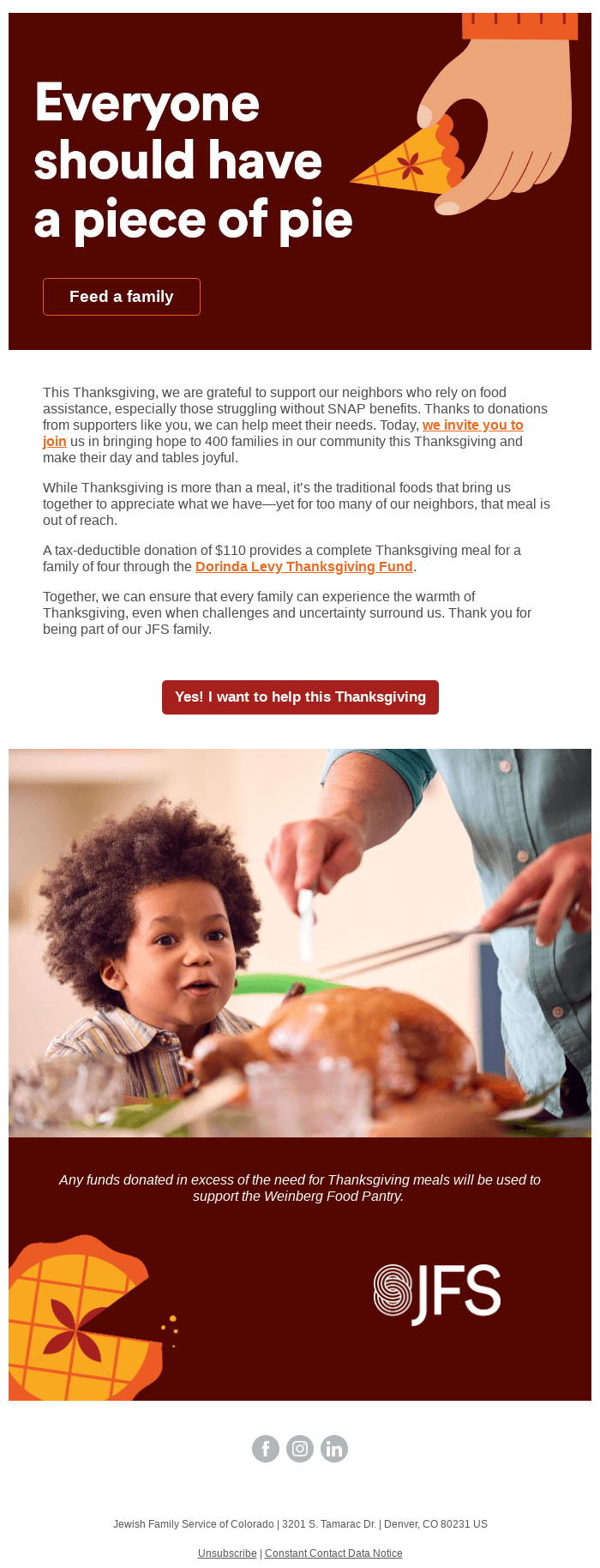
It ties the ask to Thanksgiving, explains exactly what $110 provides (a complete meal for a family of four), and includes a heartwarming image of a child at the dinner table.
Final words: Turn your email into your strongest marketing tool
Now that you know what you need to do to get results from your email marketing strategy, here’s where to start. Create an email list, if you don’t already have one. If you already have subscribers, segment them based on how they engage with your nonprofit.
Based on that, decide what kind of email you need to send them. The best way to make your strategy work without burdening your team is automation.
Set up your key email workflows once, and they’ll run automatically. That means every new donor gets thanked immediately, every volunteer gets event reminders, and no one falls through the cracks.
With RallyUp integration, you can connect your fundraising campaigns, donation pages, and events directly with your email marketing, so everything works together. Since it’s for nonprofits, you can expect fewer setup headaches and more time to focus on your mission.
Sign up for free today and start connecting with your donors!
FAQs on email marketing for nonprofits
The best time to send emails is typically Tuesday to Thursday between 9 and 11 AM. Avoid Mondays (inbox overload) and late Fridays (people check out for the weekend). But each organization should test and optimize based on its own audience’s engagement.
Use pre-designed professional email marketing templates and customize them with your fundraising goal, include the donation amount clearly, explain why you need it, and add photos or videos that show your impact.
Use an email marketing tool to set up automated sequences like welcome emails, thank-you messages, and milestone acknowledgments.
For small nonprofits, the best option is one that offers nonprofit-specific features, affordable pricing, easy templates, and basic automation.
Now that you’ve seen it in action, are you ready to start fundraising?
Get Started