
How To Set Up Donations On Twitch: Complete Guide For Nonprofits (2026)
How Nonprofits Can Fundraise on Twitch
Twitch is a live streaming platform where nonprofits can raise funds through three methods: Twitch Charity (built-in tool), third-party donation pages (like RallyUp), or tip links (riskier). Choose Twitch Charity for simplicity, third-party pages for donor data and control, or tip links only when partnering with existing creators.
Do you know that Twitch attracts over 105 million average monthly visitors? Plus, around 2.5 million people are watching across the platform at any given moment. That’s a massive audience your nonprofit could be reaching.
Many notable organizations are already tapping into this engaged community to turn viewers into donors. St. Jude has brought in over $50M through its PLAY LIVE program. Extra Life has raised over $140M since 2008 through gaming marathons.
If your nonprofit isn’t on Twitch yet, you’re missing out. You can raise funds through gaming streams, live Q&As, or special events that donors want to participate in. Even better, Twitch users watch and care about their streams, so when you show up genuinely, you get their support too.
Let’s see how to set up donations on Twitch to attract, engage, and turn viewers into long-term donors.
In this article
- What is Twitch?
- Before you start: Are you eligible to fundraise on Twitch as a nonprofit?
- Step-by-step instructions on how to set up donations on Twitch
- Different methods to get donations through Twitch
- Other ways to raise on Twitch for nonprofits
- 14 tips to promote your fundraisers on Twitch
- Twitch Vs RallyUp: Which is the better choice for nonprofits?
- Stream, engage, and raise on Twitch with RallyUp!
- FAQs on how to set up donation on Twitch
What is Twitch?
Twitch is a live streaming platform where people broadcast video content in real time to audiences who can watch, chat, and interact. While it started as a gaming platform, Twitch now hosts streams about music, art, cooking, fitness, and fundraising.
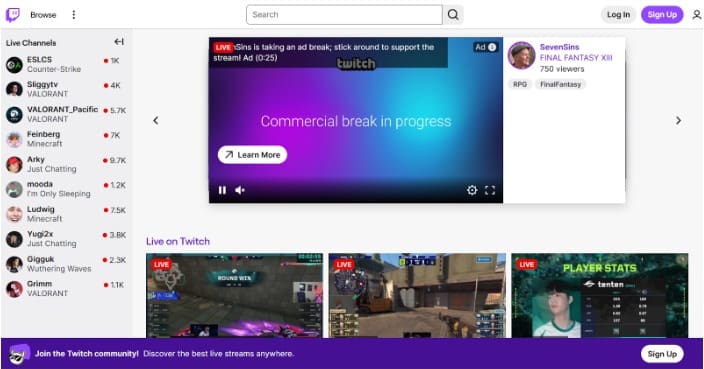
For nonprofits, Twitch offers a way to connect with younger, digitally engaged donors through live video. You can use the platform to:
- Reach millions of active users who already donate to creators they watch regularly
- Show your mission in action through live streams and engage in real-time with your viewers
- Get instant donations with live alerts that create momentum during your broadcast
- Partner with established streamers and grow your donor base by connecting with their audience
Before you start: Are you eligible to fundraise on Twitch as a nonprofit?
Not every nonprofit qualifies for every option, and some can face legal or platform restrictions that could cause trouble for their charity. It’s best to verify before you go live:
1. Confirm your legal status and registration
You need 501(c)(3) status in the US (or equivalent charitable status in your country) to use Twitch Charity. Also check if your state requires charitable solicitation registration before you publicly ask for donations online.
Keep in mind that Twitch Charity is a creator tool. So, to run a fundraiser directly on your channel, the channel needs to have Twitch Affiliate or Partner status. If you don’t have one, you won’t be able to use Twitch Charity on day one.
In that case, the most practical workaround is to partner with an existing Affiliate or Partner creator who can run the fundraiser on your behalf while you secure your channel’s eligibility.
2. Verify you’re in Twitch’s charity database
Twitch Charity partners with PayPal Giving Fund to process donations. Search for your organization at twitch.tv/charity to see if you’re listed.
If you’re not there, you’ll need to apply through PayPal Giving Fund first, which takes several weeks for approval.
3. Check geographic and payout eligibility
Twitch Charity works for nonprofits across the US and many other countries, with fundraisers supported in multiple currencies. That said, availability still varies by country, so if you’re outside the US, verify that your organization is eligible to receive grants in your region.
If you’re using a third-party donation tool, confirm that it supports your country and can send payouts to your bank. Some platforms restrict which countries they serve.
4. Determine your tax receipt approach
Decide whether you’ll issue tax receipts and how. With Twitch Charity, PayPal Giving Fund sends receipts automatically, but with third-party pages, you control receipt. Donations through tip links may not be tax-deductible at all. Be clear with donors about what they’ll receive.
5. Clarify which entity is fundraising
If you operate under a fiscal sponsor, make sure you’re fundraising under the right legal name. If you’re partnering with a Twitch creator who’s raising money for you, establish the partnership terms up front so there’s no issue down the road.
If the creator is compensated in any way like payment, free products, or other benefits, they must disclose that to their audience.
You can use Twitch’s built-in branded content disclosure tools. These add an automatic notification alerting viewers that the content is sponsored. Skipping this can expose your nonprofit and the creator to compliance issues.
Step-by-step instructions on how to set up donations on Twitch
Once you’ve confirmed eligibility, you’re ready to set up your Twitch channel for donations. These steps apply regardless of which donation method you choose later.
Step 1: Create and verify your Twitch account
Go to twitch.tv and sign up using an email address your team can access long-term. Choose a username that matches your nonprofit’s name or brand.
Step 2: Complete your channel profile
Add your nonprofit’s logo as your profile picture and write a short bio explaining your mission.
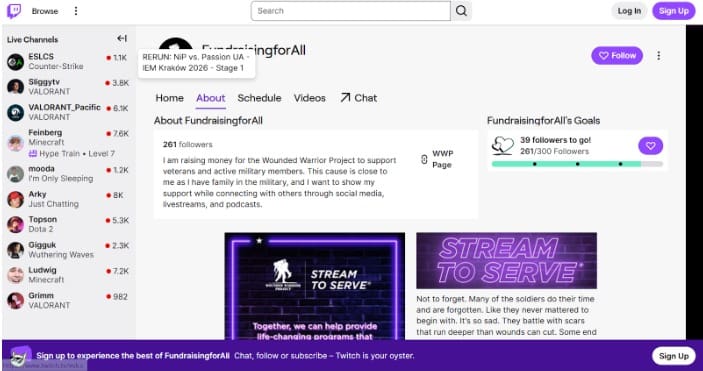
Fill out the About section with basic information about your organization. Enable two-factor authentication in your security settings to protect your account from unauthorized access.
Step 3: Set up admin access properly
Add at least two people as channel editors or moderators, so your fundraising doesn’t depend on one person. Go to Creator Dashboard → Community → Roles to assign permissions.
Step 4: Decide where donations will go
Choose whether you’ll use Twitch Charity, link to a third-party donation page, or set up a tip link. This is your “donation destination,” and it determines everything else.
Step 5: Prepare your donor-facing messaging
Draft the text donors will read on your donation page or Twitch panel. Start with why you’re raising funds and what their donation will accomplish. Add credibility signals, like how many years you’ve been in business or past impact numbers, to show you’re legitimate.
Clearly state if donations are tax-deductible and mention any processing fees upfront.
Step 6: Add a Donate panel to your channel
Go to your channel page, click Edit Panels below your video player, and add a new panel. Title it “Donate” or “Support Our Cause.” Paste your donation link and your prepared messaging. Save the panel and make sure it’s visible to viewers.
Step 7: Test everything before going live
Click your donation link on both desktop and mobile to confirm it works. If possible, make a small test donation to verify the full experience. Check that your alerts appear on screen and that you know how to access donation data afterwards.
Also run through this safety checklist before your stream starts. Charity streams attract higher traffic, and with it, more spam and harassment than usual.
- AutoMod: Set to Level 2 or higher to automatically filter harmful messages in chat
- Email and phone verification: Require new chatters to verify their account before participating
- Followers-only mode: Enable for at least the first 10 minutes to slow down spammers
- Shield Mode: Set it up in advance so you can activate it instantly when needed
- Content Classification Labels: Apply the right labels in “Edit Stream Info” before going live
Different methods to get donations through Twitch
You will find three main ways to collect donations during streams. Each option works differently and serves different needs.
Method 1: Twitch Charity
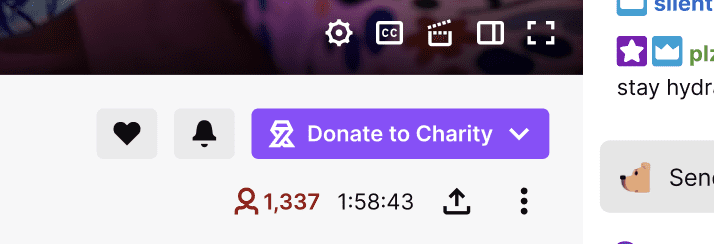
The platform’s built-in fundraising tool works only for registered 501(c)(3) organizations in Twitch’s charity database. When you start a charity fundraiser through Twitch, donors can give directly through the platform using the “Donate to Charity” button.
Here’s how it works:
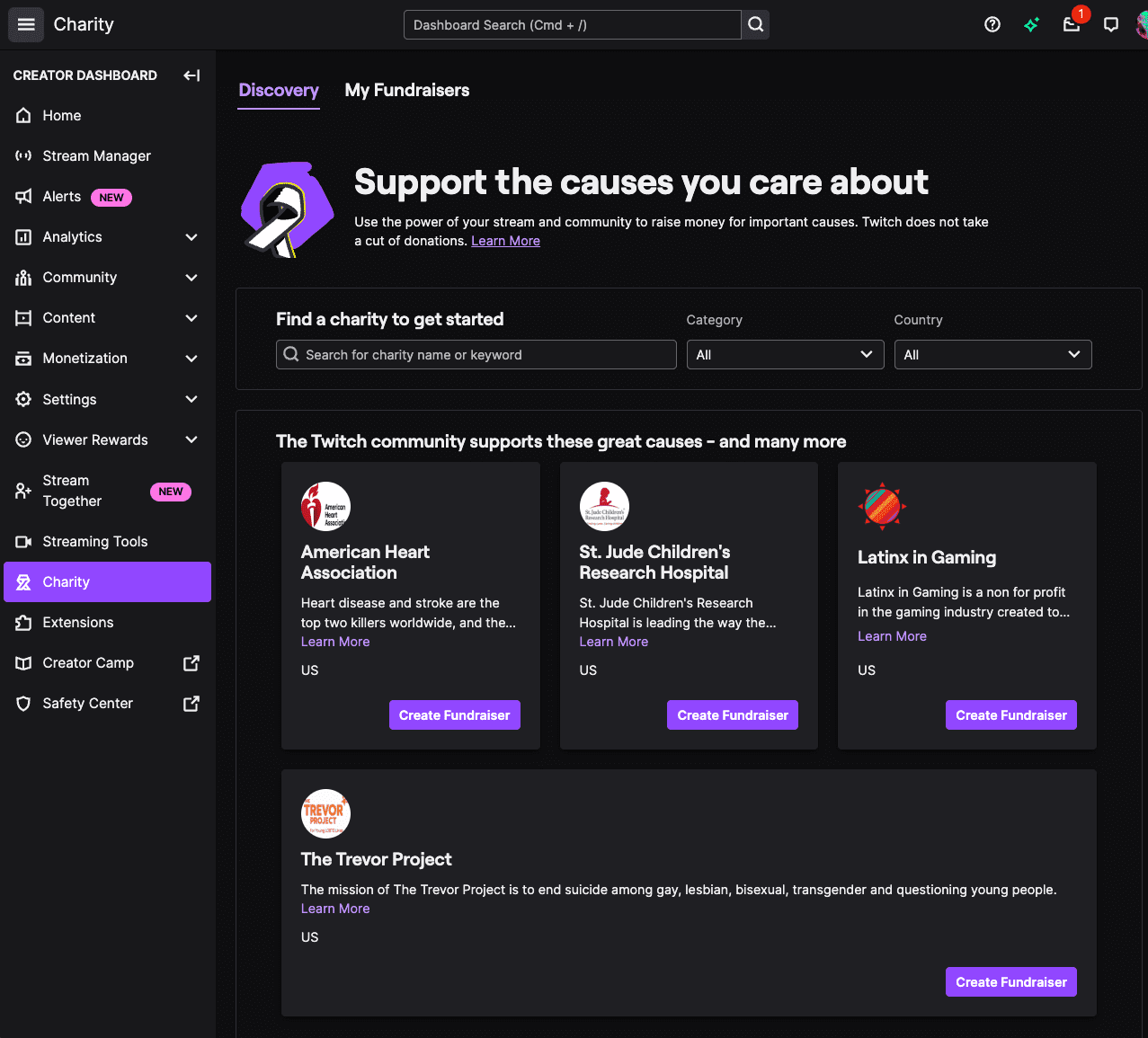
- Set up your charity fundraiser: Log in to your Twitch account and go to the Creator Dashboard. Click the Charity tab in the left menu. Select “Start a Fundraiser” and search for your nonprofit in the database.
- Configure your fundraiser details: Set your fundraising goal and choose how long the fundraiser will run (select days, weeks, or ongoing). Write a title and description that explains what you’re raising money for.
- Publish and verify the charity button appears: Once you save your fundraiser, Twitch automatically adds a “Donate to Charity” button to your channel. Check your channel page to confirm viewers can see it.
- Copy your fundraiser link for promotion: Twitch generates a unique URL for your charity fundraiser that you can share anywhere. Find this link in your Creator Dashboard under the Charity tab.
Donations made through Twitch Charity are processed via PayPal Giving Fund (PPGF), which receives the funds and grants them to you typically within 15–45 days on a monthly cycle. Twitch does not take a cut, though payment processing fees may apply.
Donors receive their tax receipt from PayPal Giving Fund directly, and PPGF will share donor contact details with your organization so you can follow up with a personal thank-you.
Method 2: Third-party donation page (link to external fundraising platform)
This method lets you direct Twitch viewers to an external fundraising platform like RallyUp, where they complete their donation. It works best for nonprofits that need full donor contact information and want to send their own tax receipts.
Moreover, it gives you features that Twitch Charity doesn’t offer, like recurring donations, custom campaign pages, and exportable donor data.
- Create a campaign page: Sign up with your interested platform and create a new fundraising campaign.
- Configure donation settings: Add suggested donation amounts (Twitch donors often give smaller amounts like $5 to $25), turn on recurring donation options and set up automated tax receipts to send immediately after someone gives.
- Add donor data fields you need: Decide what information you’ll collect beyond name and email. Keep required fields minimal since Twitch audiences want fast checkout.
- Copy your campaign URL and add tracking: Get your campaign page link and add UTM parameters like ?utm_source=twitch&utm_campaign=stream to track and target nonprofit donations from your Twitch audience specifically.
- Update your Twitch Donate panel with the new link: Replace any placeholder text in your panel with your campaign URL. Add a note that donors will leave Twitch to complete their gift on a secure donation page.
Method 3: Tip link via Streamlabs or StreamElements
Through services like Streamlabs, StreamElements, or PayPal, you can let viewers send money directly to a payment account. These appear as “tips” rather than charitable donations.
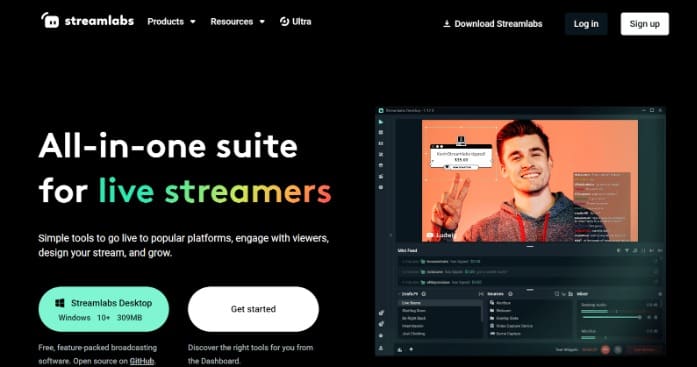
Many individual creators use this method, but it’s riskier for nonprofits because tips may not qualify as tax-deductible donations, and you face higher chargeback risks.
- Create your tip page: Sign up for Streamlabs or StreamElements using your nonprofit’s email. Connect a PayPal or Stripe account owned by your organization. Set your display name to your nonprofit’s official name so donors know where funds go.
- Set up alerts and limits: Customize on-screen alerts that show donor names and amounts during streams (with permission). Set minimum donation amounts (like $3 or $5) to reduce processing fees on small contributions.
- Add transparency disclaimers: Include a clear note that these are tips processed as payments, not donations. State whether tips qualify as tax-deductible (usually they don’t). Be clear about platform fees since donors may assume 100% reaches your cause.
- Monitor daily for fraud: Check for patterns like multiple tips from the same account, rapid donations followed by chargebacks, or unusually large amounts from new accounts. Respond to payment disputes within 24 hours to avoid automatic refunds.
Other ways to raise on Twitch for nonprofits
Beyond direct donations, the platform offers monetization features that can generate revenue for nonprofits. These work differently from Twitch donations and come with their own requirements and limitations.
1. Bits and Cheers
Bits are Twitch’s virtual currency that viewers purchase and “Cheer” during streams to show support. Each Bit equals approximately one cent in revenue, so 100 Bits get you about $1.
You need Twitch Affiliate or Partner status to accept Bits. This requires hitting activity benchmarks like 25 followers, streaming on 4 different days, streaming for at least 4 hours, and averaging 3 concurrent viewers. Bits count as revenue rather than charitable donations, so they’re typically not tax-deductible for givers.
Use them only if you’re already in Affiliate status or partnering with a creator who is.
2. Channel subscriptions
Channel subscriptions give you a share of the subscription price after Twitch takes its cut. The exact amount you receive depends on your currency and how net revenue is calculated.
You need Affiliate or Partner status to enable subscriptions, and they count as revenue rather than tax-deductible contributions. Consider subscriptions only if you plan regular long-term streaming, otherwise direct donations are the better option.
3. Together for Good
Together for Good is Twitch’s annual two-week charity streaming event often hosted in late autumn, where streamers raise funds for nonprofit organizations of their choice.
Streamers choose which organization to support, tag their streams with with #TogetherForGood to get featured on the Together for Good Shelf on Twitch’s homepage. Here’s how your nonprofits can take advantage of the event:
- Get set up on Tiltify or Twitch’s charity tool ahead of the event so streamers can find and select your organization as their beneficiary.
- Promote the event to your existing community and donors. Encourage anyone who streams on Twitch to support your cause.
- Use #TwitchTogetherforGood on your social media channels to spread awareness and attract attention towards streamers fundraising on your behalf.
- Monitor which streamers are supporting you so you can engage with them, share their streams, and show appreciation. This encourages more streamers to get involved.
Keep an eye on Twitch’s official blog and social channels ahead of each year’s event for updated dates, themes, and participation details.
4. Hype Trains
Hype Trains are time-limited events that trigger automatically when viewers rapidly Cheer Bits or gift subscriptions in your channel. Once started, others have five minutes to contribute and level up the train, earning special emotes for everyone in chat.
Hype Trains only work if you’re already accepting Bits and subscriptions, and you can’t control when they trigger. Treat them as bonus momentum moments during engaged streams rather than building your strategy around them.
5. Cryptocurrency donations
Twitch allows you to accept crypto donations through a third-party crypto platform. But it does present some challenges like:
- Tax implications are complex and require specialized accounting
- Value fluctuates wildly between donation and conversion to cash
- Converting crypto to usable funds requires extra steps and fees
So, only consider crypto if your donor base specifically requests it and you have proper accounting infrastructure to back it up.
14 tips to promote your fundraisers on Twitch
Setting up donations is only half the work. You need to actively promote your stream before, during, and after it goes live to build attention and support.

Before the stream
- Announce your date and goal: Post your stream date, time, and purpose across all your channels at least one week ahead. Create a nice post with your logo, the date, and your goal amount that people can share.
- Publish your donation link everywhere: Add your Twitch channel or campaign URL to your website homepage and social media bios. Post it in your Facebook group, Instagram stories, and LinkedIn updates.
- Recruit creator partners: Reach out to Twitch streamers who align with your mission and ask if they’d host or co-stream your fundraiser. Partnering with established creators gives you access to their existing audience.
- Schedule teaser content: Post countdown graphics three and one day out. Share short clips explaining the stream’s purpose and use polls to build anticipation around games or challenges.
- Prepare email and text campaigns: Send an email to your donor list two days before the stream with the date, link, and a one-line pitch. If you use SMS, send a reminder the morning of.
During the stream
- Pin your donate link in chat: Keep your donation URL pinned with a short call to action. Repin every 30 minutes to prevent it from scrolling away.
- Use clear verbal calls to action: Don’t assume viewers know how to donate. Say out loud where to click and what to do. Try “Click the Donate panel below the stream to give” or “Type !donate in chat for the link.”
- Trigger milestone celebrations: When you hit 25%, 50%, or 75% of your goal, celebrate these milestones on camera. Ring a bell, thank donors by name with their permission, or share a brief message of gratitude.
- Add interactive challenges: Make streams more engaging with challenges like “At $500, I’ll attempt this obstacle course.” Ask viewers to suggest challenges in chat during the stream and vote on which one happens next.
- Display progress visually on screen: Add a goal tracker overlay to your stream using OBS, Streamlabs, or your fundraising platform’s widget. Position it clearly where viewers can watch it climb in real time.
After the stream
- Thank donors within 24 hours: Post a public thank-you message on the channel. Then, send personalized acknowledgement emails to everyone who gave. Include the total amount raised and what it will fund.
- Send receipts and confirmation: If you’re issuing tax receipts, send them within 48 hours. Include your EIN, donation amount, date, and a note about tax deductibility.
- Post highlights and recap: Edit a 60–90 second highlight reel of key moments and post it on YouTube, Instagram, and TikTok to reach new audiences and build momentum for future streams.
- Nurture donor relationships: One week later, follow up without asking for anything. Share program updates, behind-the-scenes content, or ways to stay involved like volunteering.
Twitch Vs RallyUp: Which is the better choice for nonprofits?
Twitch is a powerful place to reach a massive audience of young, tech-savvy people. But it’s not a nonprofit fundraising system. Your “donation setup” often depends on a charity tool, a third-party link, or creator-style tipping.
RallyUp is built for nonprofits end-to-end: it helps you raise money and run the fundraisers your nonprofits rely on while still letting you bring Twitch into the mix as a promotion channel. It also includes a built-in livestream option directly on your campaign page.
Unlike Twitch, it’s not a creator discovery platform. Instead, it focuses on streaming within your fundraiser, featuring a live activity feed, progress bar, chat, and Livestream Studio controls.
| Aspect | Twitch | RallyUp |
|---|---|---|
| What it is best for | Audience + livestream discovery | Running nonprofit fundraising campaigns |
| Core fundraising options | Charity tool, external links, creator monetization (Subs/Bits) | Donations + raffles + auctions + A-thons + storefronts + events + livestream fundraising |
| Brand control | Twitch-first environment | Strong nonprofit branding control on campaign pages |
| Donor data access | Varies by method; sometimes limited | Capture complete donor data and export it for reporting/follow-up |
| Donor checkout | Often off-platform or method-dependent | Native, nonprofit-focused checkout flows |
| Thank-you message and tax receipts | Receipting is handled outside Twitch in many setups | Thank-you messages and receipts can be automated as part of the donation flow |
Stream, engage, and raise on Twitch with RallyUp!
Twitch gives nonprofits access to millions of viewers who love supporting causes through live, interactive streams. Before launching your first stream, explore each donation method’s pros and cons to find what fits your organization’s needs for donor data, tax receipts, and control.
If you’re choosing to link a third-party donation page, RallyUp, an end-to-end fundraising platform, is the best option. Get complete donor data access, automated tax receipts, customizable campaign pages, and recurring donation options that you won’t find on Twitch Charity.
Track exactly which donations came from Twitch, export contact information immediately, and follow up with donors to build lasting relationships with the platform.
Sign up for RallyUp today to turn viewers into supporters on Twitch who care about your cause.
FAQs on how to set up donation on Twitch
Use Twitch Charity or third-party nonprofit platforms instead of tip links, and pin one official URL in chat consistently.
Display goal trackers on screen, celebrate milestones loudly, offer donation-triggered challenges, announce matching gifts, and shout out donors immediately.
Twitch Charity processes donations directly on the Twitch platform through a “Donate to Charity” button, while PayPal and Streamlabs links redirect donors off Twitch to external pages where payments are processed as tips rather than charitable donations.
Add a panel with your Twitch Charity or third-party donation link – Affiliate status only affects Bits and subscriptions.
Now that you’ve seen it in action, are you ready to start fundraising?
Get Started