Customize the message your Participants or Teams can use to promote your fundraiser.
When you enable Peer-to-Peer on your RallyUp Campaign, you can help your Participants* and Teams* get the word out by providing a suggested message to share. They’ll be able to copy this message and share it with their friends and family on social media or via email when contacting potential donors. While RallyUp provides placeholder text to help get you started, customizing your message can be an effective way to personalize your Campaign and better impact your audience.
*Terminology may differ according to Campaign settings.
Where can Participants and Teams find the suggested message?
The suggested message can be found in each Participant or Team Dashboard by clicking on the green link icon:
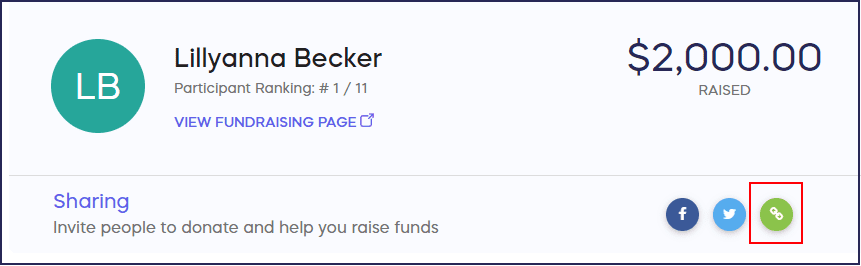
How do I customize the sharing message?
- Go to Account Navigation in the left menu and select Campaigns.
- If you have chosen a list view, click on the Campaign title. If you have chosen a grid view, click on the Campaign image.
- Select Campaign Setup.
- Go to Options in the timeline at the top and select Peer-to-Peer Options.
- Scroll down to Customize the sharing email sent by peer-to-peer participants and edit the suggested message text as you see fit.
- Select Save.
Your suggested message will immediately appear when someone clicks on the sharing link in their Dashboard:

Do Participants receive notifications when someone donates to them?
Yes, when someone gives a Participant credit for their donation, the Participant receives an automated email with the donor’s information so they can thank them personally. This email cannot be customized or disabled.

Frequently Asked Questions
Can Participants edit the suggested message themselves?
Yes, Participants and Teams can copy the suggested message and edit it before sharing with their networks. The message you provide serves as a helpful starting point that they can personalize further.
Why should I customize the default sharing message?
Customizing the message helps personalize your Campaign and better resonate with your audience. A well-crafted message that reflects your organization’s voice and specific Campaign goals can significantly increase engagement and donations.
Where do Participants share this message?
Participants can copy the suggested message and share it with their friends and family through social media, email, text messages, or any other communication channel they prefer. The message is accessible from their Dashboard.
Can I use merge fields to personalize the message for each Participant?
The suggested message is the same for all Participants and Teams. However, when they share it along with their unique Personal Fundraising Page link, the message becomes personalized to their individual fundraising efforts.
Can I customize the notification email Participants receive when someone donates?
No, when someone gives a Participant credit for their donation, the Participant receives an automated email with the donor’s information. This email cannot be customized or disabled, but it helps Participants thank their supporters. Learn more about Participant Dashboards: Understand: Peer-to-Peer Participant and Team Dashboards.