Track how many times your Campaign Page has been viewed.
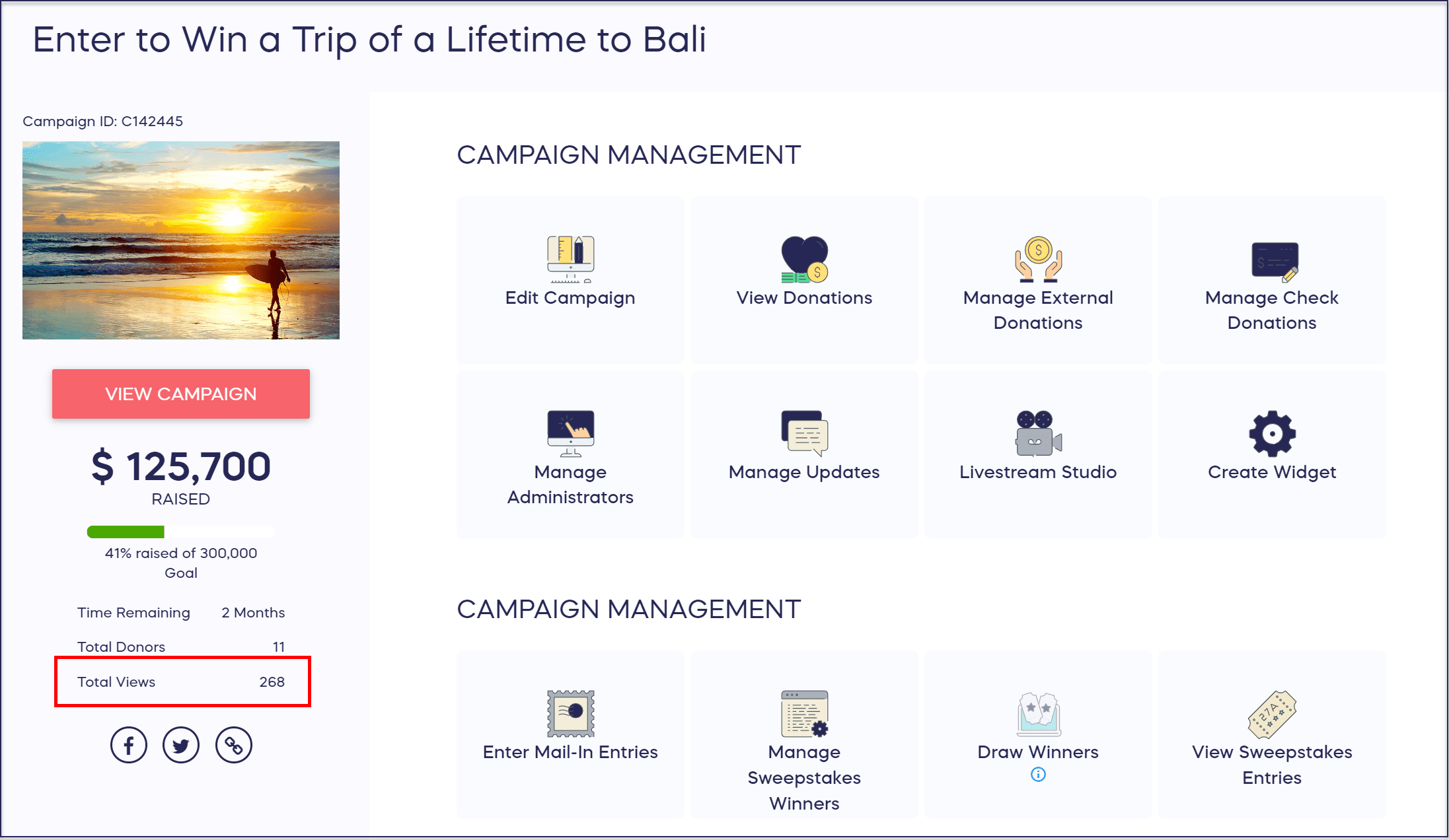
RallyUp lets you know how many times your Campaign Page has been viewed in your Campaign Management Menu.
How do I see the total number of Campaign Page views?
- Go to Account Navigation in the left menu and select Campaigns.
- If you have chosen a list view, click on the Campaign title. If you have chosen a grid view, click on the Campaign image.
- The number of views is displayed on the left:
How are Campaign Page views counted?
This number includes all views by all users. For example, if two people view your fundraiser 10 times each, that counts as 20 views.
Frequently Asked Questions
Where can I find my Campaign Page view count?
You can find your Campaign Page view count in the Campaign Management Menu. After selecting your Campaign from the Campaigns menu, the number of views displays on the left side of the screen.
Does the view count show unique visitors or total views?
The view count shows total views, not unique visitors. This means if the same person views your Campaign Page multiple times, each visit counts separately toward the total number.
How is a Campaign Page view counted?
A view is counted each time someone loads your Campaign Page, regardless of whether they’re a first-time visitor or returning user. For example, if two people view your Campaign 10 times each, that counts as 20 total views.
Can I see who has viewed my Campaign Page?
No, the view count only shows the total number of times your Campaign Page has been viewed. RallyUp does not track individual visitor information or provide details about who specifically viewed your page.
Does the view count include my own visits to the Campaign Page?
Yes, all views are counted including your own visits and those of your team members. If you frequently check your Campaign Page, those visits will be included in the total view count.