Save a debit or credit card to your RallyUp account for easy checkout.
If an organization you support uses RallyUp to fundraise, you can create an account and save a card for easy checkout. When you donate or make a purchase, your saved card information will autofill, saving you time and effort.
How do I save a payment card to my account?
- Go to rallyup.com and log into your account.
- Click on your initials in the upper right corner of your screen and select My Account:

- Go to My Payment Method and select Add payment method:

- Enter your card number, expiration date, and CVC code, then select Add:

How do I update or delete my saved payment card?
You can save one card at a time to your RallyUp account. If you need to update your card for any reason, you can do so easily:
- Log into your account.
- Click on your initials in the upper right corner of your screen, and select My Account:

- Go to My Payment Method and select Edit:
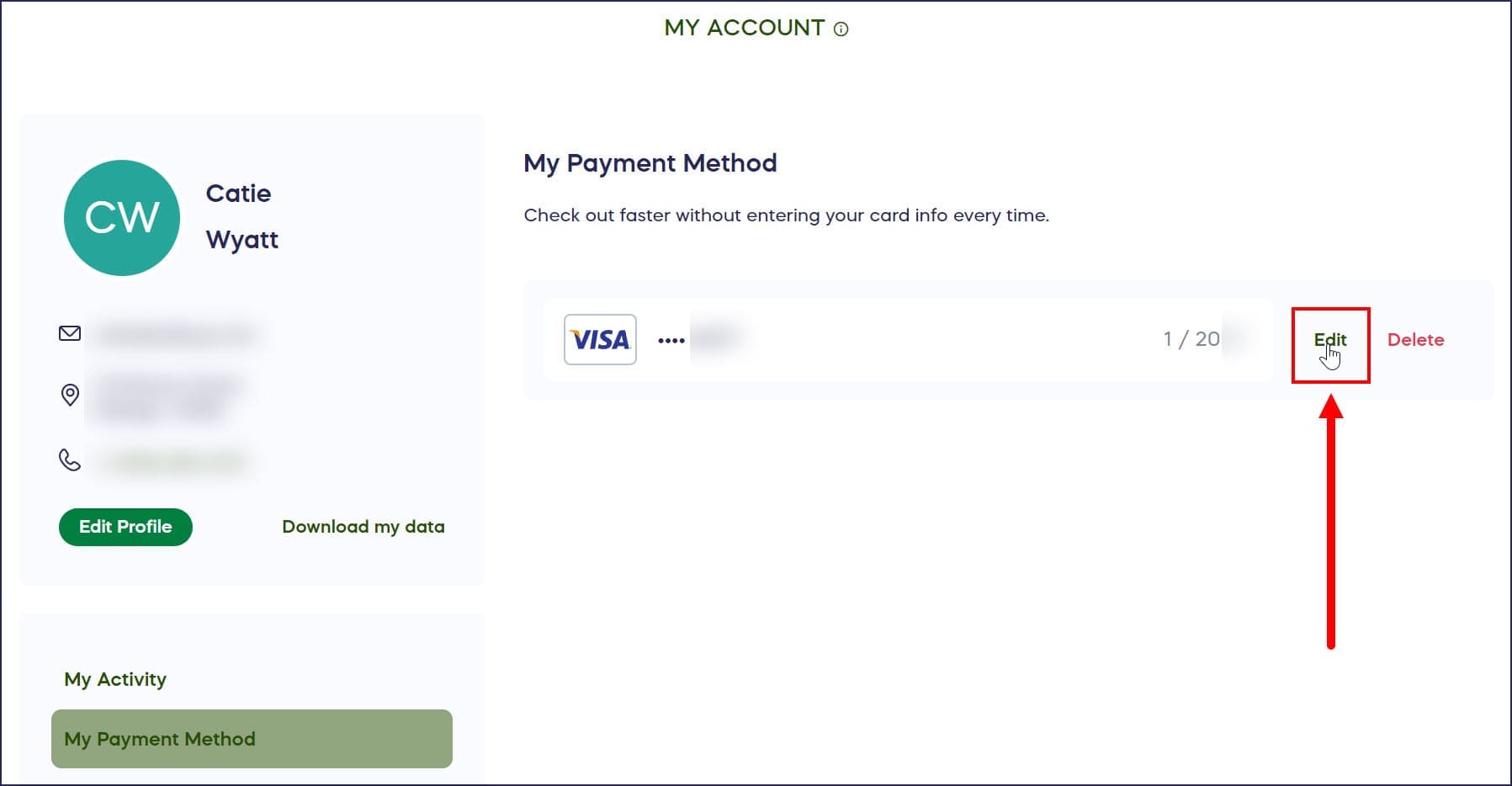
- Update your card information, and select Save:

To delete a card, follow the steps above but select Delete instead of Edit.
How does RallyUp keep my payment information secure?
RallyUp will never sell your account information or share your card details with organizations or other donors. We also encrypt and protect your data so you can feel secure. Go to rallyup.com/security/ to learn more about how we keep your data safe.
Can I save my card during checkout?
Yes, you can save a card during checkout by selecting Save your payment information for faster checkout next time:

The next time you check out, your saved payment method will autofill, but you can always manually enter a different payment method if you prefer. If you save a new payment method, it will replace the old one.
Frequently Asked Questions
How many payment cards can I save to my RallyUp account?
You can save one payment card at a time to your RallyUp account. If you need to use a different card, you can update or replace your saved card information the next time you check out or through the My Payment Method section in your account settings.
Is my credit card information safe on RallyUp?
Yes, RallyUp uses encryption and secure data protection to safeguard your payment information. RallyUp will never sell your account information or share your card details with organizations or other donors, ensuring your financial data remains private and secure.
Do I need to save a card to donate on RallyUp?
No, saving a card is optional. You can enter your payment information at checkout for any donation or purchase without saving it to your account. Saving a card simply makes future transactions faster by autofilling your payment details.
Can organizations see my saved payment information?
No, organizations cannot see your saved payment card details. RallyUp keeps your financial information completely private and secure. Organizations only receive transaction confirmation and donor information necessary for receipts and communication, not your actual card numbers or payment details.
What happens to my saved card if it expires?
You’ll need to manually update your saved payment card information when your card expires. Go to My Payment Method in your account settings, select Edit, and enter your new card expiration date or replace the card entirely with updated information.