Hide Participant and Team rankings from your Campaign Page.
Public rankings can boost your earnings by promoting excitement and healthy competition. Participants* and/or Teams* often have fun trying to be the best fundraiser, inspiring more creativity and effort among them. However, there may be scenarios where you’d prefer to keep the rankings hidden so people can fundraise without the pressure of competition.
If you choose not to hide the rankings, this is how they’ll be displayed on the Campaign Page (colors may differ depending on your Campaign settings):
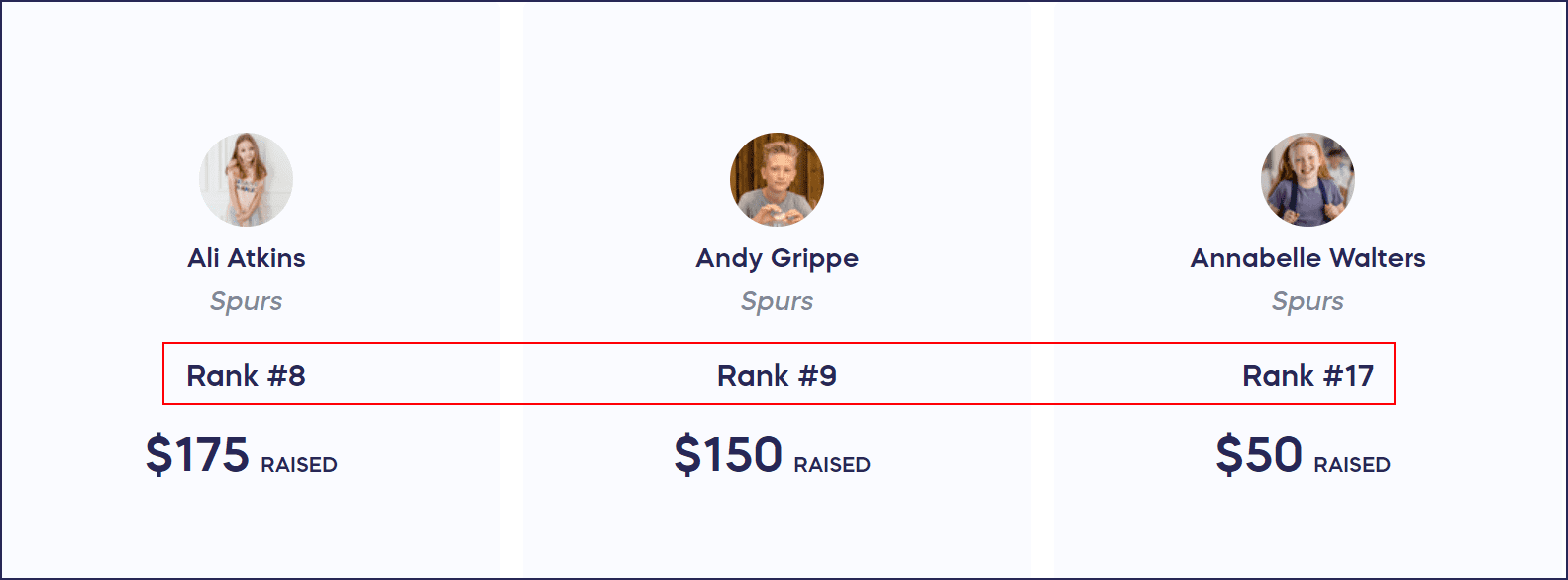
*Terminology may differ according to Campaign settings.
How do I hide Participant and Team rankings?
- Go to Account Navigation in the left menu and select Campaigns.
- If you have chosen a list view, click on the Campaign title. If you have chosen a grid view, click on the Campaign image.
- Select Campaign Setup.
- Go to Options in the timeline at the top.
- Click on the plus sign (+) next to Peer-to-Peer Options to expand this section.
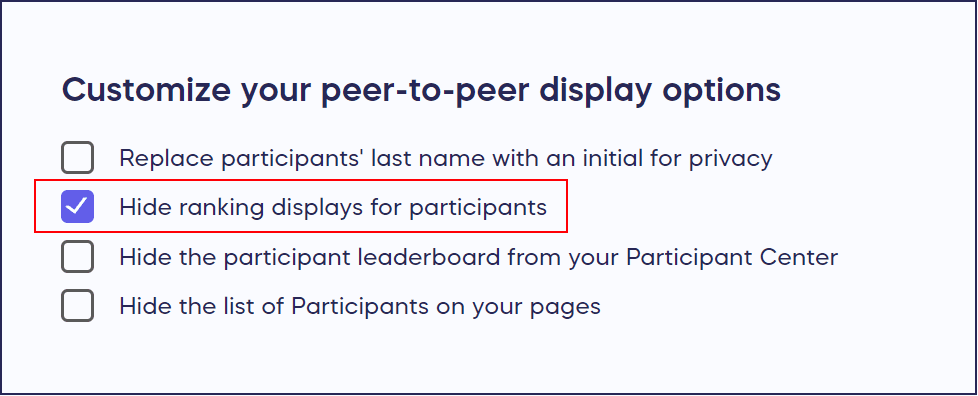
- Scroll down to Customize your peer-to-peer display options and choose Hide ranking displays for participants and/or teams:
- Select SAVE.
What else should I know about hiding Participant and Team information?
- You can hide or un-hide the rankings at any time, even after your fundraiser goes live.
- You can also hide Participant or Team leaderboards from your Participant Center: How-to: Hide Peer-to-Peer or A-Thon Leaderboards.
Related Articles
Understand: Peer-to-Peer Fundraising
How-to: Customize the Link to Your Peer-to-Peer or A-Thon Personal Fundraising Page
How-to: Hide Peer-to-Peer or A-Thon Participant Last Names
Frequently Asked Questions
Can I hide only Participant rankings or only Team rankings?
Yes, you can choose to hide ranking displays for Participants and/or Teams separately. In the Peer-to-Peer Options section, select which rankings you want to hide based on your Campaign needs.
Will hiding rankings affect how Participants see their own fundraising progress?
No, hiding rankings only affects the public display on your Campaign Page. Participants can still track their own fundraising progress in their Participant or Team Dashboard.
How-to: Find Your Participant or Team Dashboard
Can I turn rankings back on after hiding them?
Yes, you can hide or un-hide the rankings at any time, even after your fundraiser goes live. Simply return to the Peer-to-Peer Options section in Campaign Setup and adjust the setting.
What’s the difference between hiding rankings and hiding Leaderboards?
Rankings appear on your main Campaign Page while Leaderboards appear in the Participant Center. You can hide each separately depending on where you want to display competitive information.
Why would I want to hide Peer-to-Peer rankings?
Hiding rankings removes competitive pressure and allows people to fundraise in a more collaborative environment. This works well for Campaigns where you want to emphasize community support over competition.