Create and personalize your organization’s RallyUp account before setting up your first fundraiser.
Before you begin fundraising, you’ll need to complete the following steps to set up your account:
- Register — Sign up on the platform by entering your personal and organization details.
- Verify your organization — Confirm your organization’s identity as part of the registration process.
- Finish account setup — Complete all remaining steps required to be approved for an account, including connecting a payment processor and choosing a pricing option.
How do I register and create a RallyUp account?
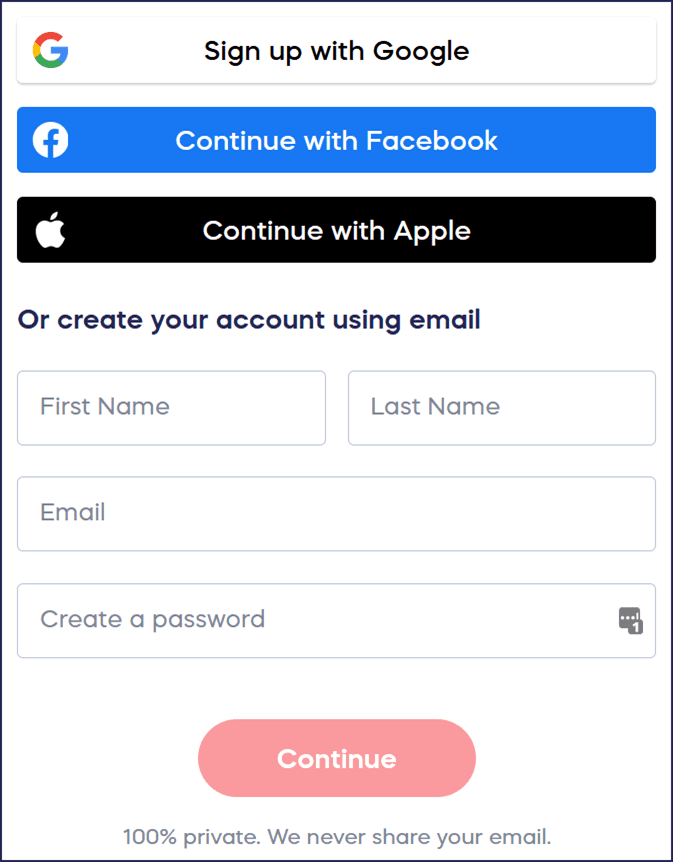
- Enter your personal information with one click using an already existing Google, Facebook, or Apple account. Alternatively, manually enter your own first and last name (not your organization name, which you will enter in the next step), email address, and password:
- Enter your account details and select Start Fundraising:
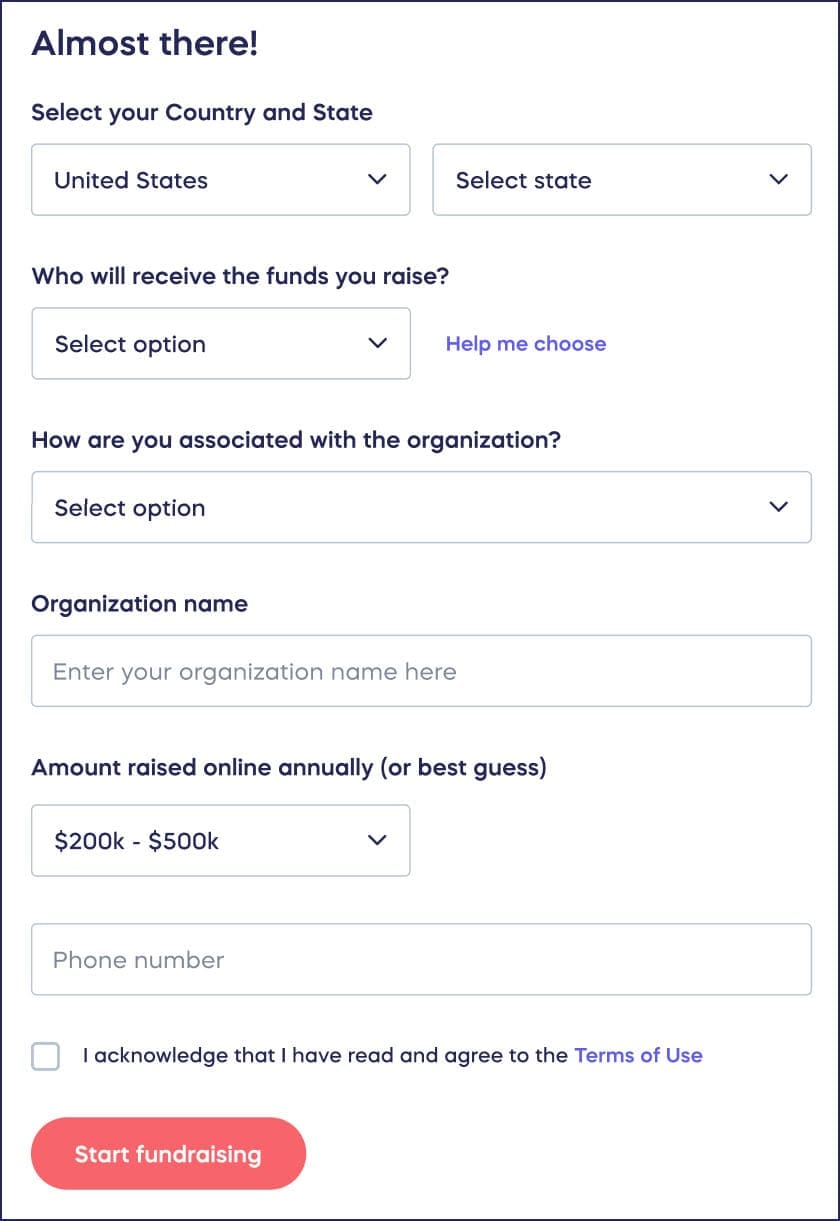
If you’re not sure what type of organization you’re fundraising for, see this article: Understand: Types of Charity Organizations.
- Go to Start Guide in the left menu and select Finish account setup:

- Connect an existing Stripe or PayPal account, or create a new one:
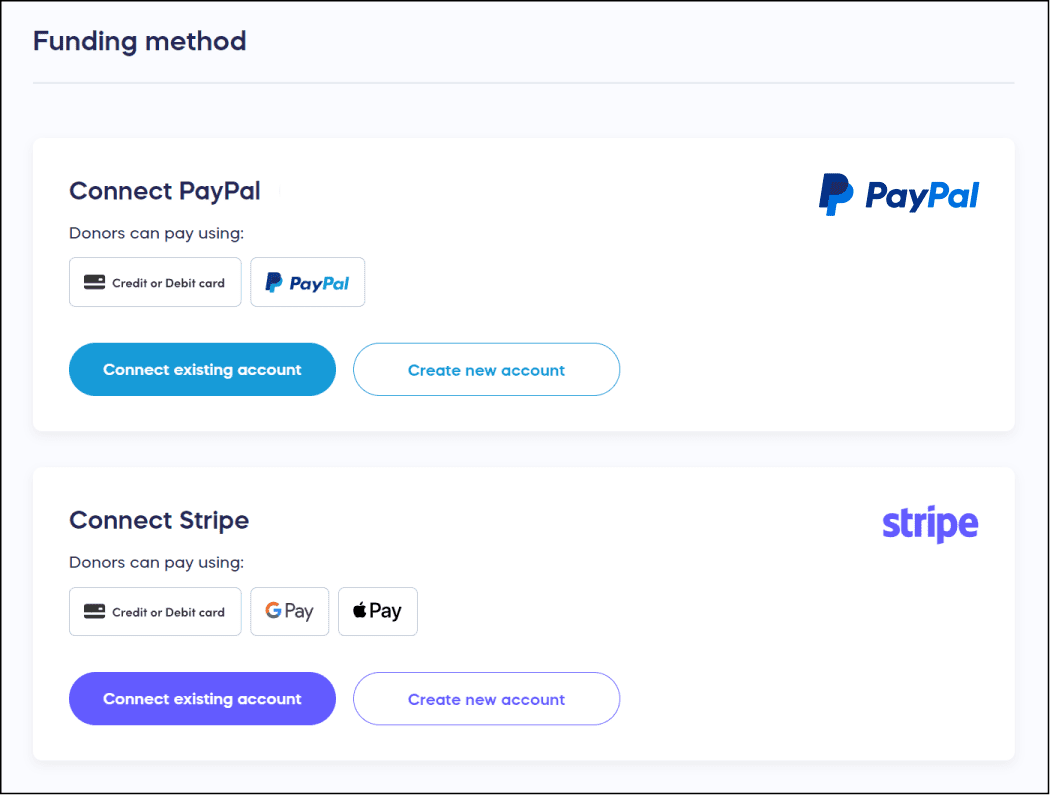
You can learn how to set up your payment processor by reading How-to: Set Up Direct Funds. Once you’ve successfully connected your payment processor, you’re ready to begin fundraising.
How do I enter and validate my EIN during account setup?
If your organization is a registered US 501(c) nonprofit, entering and validating your Employer Identification Number (EIN) is a required step in the Finish Account Setup process. If you have not yet completed this step, your account will remain incomplete — even if you have already connected a payment processor.
To complete EIN validation:
- Go to Start Guide in the left menu and select Finish Account Setup.
- Locate the section for your organization’s EIN and enter your nine-digit number in the format XX-XXXXXXX.
- Follow the on-screen prompts to submit and validate your EIN.
Once your EIN is validated, that step will be marked complete in your Start Guide.
What should I do after creating my account?
Before you begin fundraising, consider reading the following Knowledge Base articles to discover ways to reach new donors and raise more funds:
How do I complete my organization profile?
Consider adding your logo, a description of your organization, your organization’s website, and social media links to appear on your fundraising page.
How-to: Add Your Organization Description
How do I add custom branding to my fundraising pages?
Customize your fundraising pages using the available branding options for your account.
Understand: Branding Your Account
How do I invite team members to my organization?
Invite others in your organization to create and manage fundraisers.
Understand: Organization Users vs. Campaign Administrators
Can supporters run fundraisers on my organization’s behalf?
Invite an individual or business to run a charity giveaway on your organization’s behalf.
How-to: Allow Supporters to Run Raffles or Sweepstakes for Your Organization
How do I set up ongoing donation collection?
Set up a Donation Page for collecting one-time or recurring donations on an ongoing basis.
How-to: Create or Turn Off a Donation Page
Frequently Asked Questions
Do I need to use my personal name or organization name when signing up?
Use your personal name (first and last name) when creating your account, not your organization name. You’ll enter your organization’s name in the next step during the account setup process.
What payment processors does RallyUp support?
RallyUp supports both Stripe and PayPal as payment processors. You can connect an existing account or create a new one during the account setup process. You must connect a payment processor before you can begin fundraising.
Can I create an account using my existing social media login?
Yes, you can sign up with one click using your existing Google, Facebook, or Apple account. Alternatively, you can manually enter your information including your email address and password.
I’m trying to log in but the system says I don’t have an account. What should I do?
If you’re seeing a message that no account was found, you may have originally registered using a different email address or a social sign-in option — such as Google, Facebook, or Apple — rather than the email and password you’re trying now. Try signing in with each available method, and check any other email addresses you may have used when you signed up. If you’re still unable to access your account, contact our support team by clicking the chat icon in the lower right corner of your screen and we’ll look up your account details to help restore your access.
What type of organization should I select during signup?
If you’re unsure what type of organization you’re fundraising for, RallyUp provides guidance on different charity organization types including 501(c) nonprofits, schools, religious organizations, and more. This determines your account settings and available features.
Understand: Types of Charity Organizations
Why does my account still show as incomplete after I connected my payment processor?
Connecting a payment processor is one of several required steps in the Finish Account Setup process. If your organization is a registered US 501(c) nonprofit, your account also requires your EIN (Employer Identification Number) to be entered and validated before your setup is marked complete. Go to Start Guide in the left menu and select Finish Account Setup to see which steps are still remaining.
What is an EIN and where do I find mine?
An EIN (Employer Identification Number) is the nine-digit federal tax ID number assigned to registered US 501(c) nonprofits by the IRS — sometimes called a Federal Tax Identification Number. You can find it on your IRS determination letter, previous tax returns, or other official IRS correspondence.
Can I customize my fundraising pages after creating my account?
Yes, you can add your logo, organization description, website, social media links, and custom branding to your fundraising pages. These customizations help create a professional appearance and build trust with donors.
Understand: Branding Your Account
Can I change my organization name after I create my account?
The Organization display name in your Profile settings is locked in when you first enter it. If you need to change it, contact our customer support team at success@rallyup.com or by clicking on the chat icon in the lower right corner of your screen. This measure helps prevent fraud and ensures that your donors can trust that any Campaign run in your organization’s name is legitimate.
Can I add a second organization to my existing RallyUp account?
Yes. If you are directly affiliated with another charitable organization and want to fundraise on its behalf, contact our customer support team at success@rallyup.com or by clicking on the chat icon in the lower right corner of your screen. They can provide you with the steps to add another organization to your account. Once complete, you can create Campaigns for that organization from the same RallyUp account.
I want to create a Campaign for a different organization than the one I registered with. What should I do?
If you are directly affiliated with another charitable organization, contact our customer support team so we can help you to register it separately — do not rename your existing organization. Once registered, you can run Campaigns on behalf of both organizations from your existing RallyUp account.
Keep Learning
Looking to go deeper? RallyUp’s Fundraising Education page is packed with videos, guides, and resources to help you run better Campaigns — whether you’re just getting started or looking to level up your next fundraiser.