Display a description of your organization on your Campaign Pages.
RallyUp allows you to add a logo and description of your organization to your account profile. By default, your organization description and logo will appear under the Meet the Organization section on every Campaign Page:

Including this information gives donors confidence that their money is going to a legitimate organization, making them more likely to donate. You can also edit this section on any Campaign Page.
How do I add my organization description in Profile settings?
- Go to Organization Settings in the left menu and select Profile.
- Scroll down to Organization information and enter your organization’s logo and description:
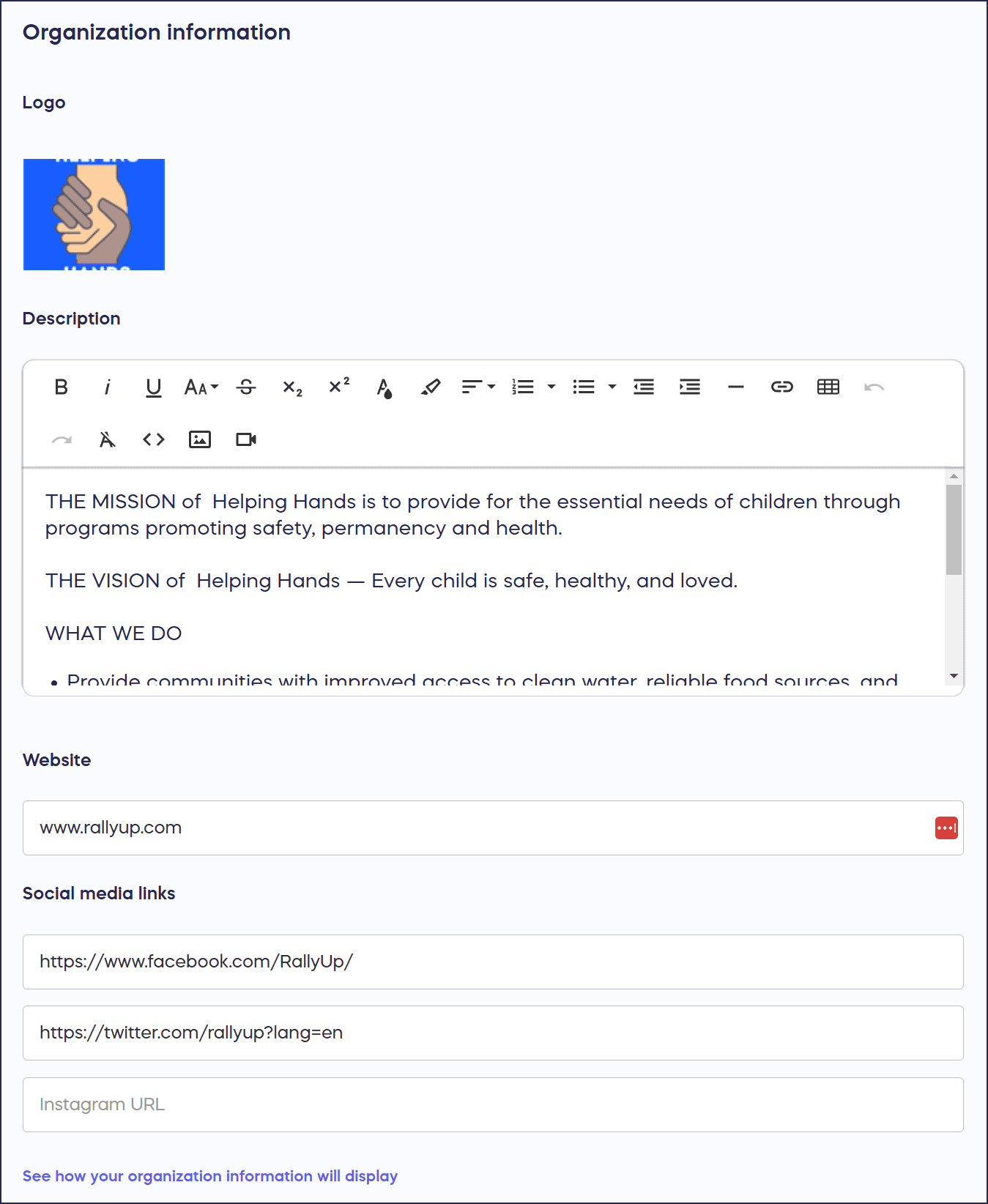
You can include videos and links to your social media profiles as well. If you add a link to your organization website, clicking on the logo will send donors to the website.
- Select Save.
How do I customize the organization description for a specific Campaign?
- Go to Account Navigation in the left menu and select Campaigns.
- If you have chosen a list view, click on the Campaign title. If you have chosen a grid view, click on the Campaign image.
- Select Campaign Setup.
- Go to Page Design in the timeline at the top.
- Scroll down to Optional settings and select Show optional settings.
- Scroll down to Customize the “Meet the Organization” section on your Campaign Page and enter your organization’s logo and description:

You can include videos and links to your social media profiles as well.
- Select Save.
Frequently Asked Questions
Where does my organization description appear on Campaign Pages?
Your organization description appears in the “Meet the Organization” section on every Campaign Page by default. This section includes your logo, description, and optional videos or social media links to build donor confidence.
What’s the difference between Profile settings and Campaign Setup for organization descriptions?
Profile settings create a default organization description that appears on all Campaign Pages automatically. Campaign Setup allows you to customize the organization description for individual Campaigns while keeping your global profile intact.
Can I include videos and social media links in my organization description?
Yes, you can add videos and links to your social media profiles in both Profile settings and individual Campaign Setup. If you add your website link, clicking on your organization logo will direct donors to your website.
Why should I add an organization description to my Campaign Pages?
Including your organization description and logo builds donor trust by demonstrating legitimacy and transparency. This information makes donors more confident that their contributions are going to a credible organization, increasing donation likelihood.
Can I hide the organization description from certain Campaign Pages?
Yes, you can choose to hide the “Meet the Organization” section from individual Campaign Pages if needed. This gives you flexibility to customize each Campaign’s presentation based on your specific fundraising goals.
How-to: Hide the Organization Description from Your Campaign Page
Can I change my organization name?
The Organization display name in your Profile settings is locked in when you first enter it. If you need to change it, contact our customer support team at success@rallyup.com or by clicking on the chat icon in the lower right corner of your screen. This measure helps prevent fraud and ensures that your donors can trust that any Campaign run in your organization’s name is legitimate.