Include links to your organization website or sponsor websites in your Campaign description.
Many Campaign organizers want to link to their website or sponsors’ websites from their fundraising page. There are two ways you can add these external links to your Campaign description:
- Hyperlinked text within the Campaign description
- Website links below the Campaign description
How do I add hyperlinked text in my Campaign description?
- Go to Account Navigation in the left menu and select Campaigns.
- If you have chosen a list view, click on the Campaign title. If you have chosen a grid view, click on the Campaign image.
- Select Campaign Setup.
- Go to Page Design in the timeline at the top and scroll down to Share a compelling Campaign description.
- With your mouse, highlight the word you would like to link and select the link symbol:

- Enter the URL and select Insert.
- Select Save.
How do I add website links below my Campaign description?
- Go to Account Navigation in the left menu and select Campaigns.
- If you have chosen a list view, click on the Campaign title. If you have chosen a grid view, click on the Campaign image.
- Select Campaign Setup.
- Go to Options in the timeline at the top and select Campaign Options.
- Scroll down to Add links to related websites to your page and select CREATE A LINK:

- Add the link and a description:
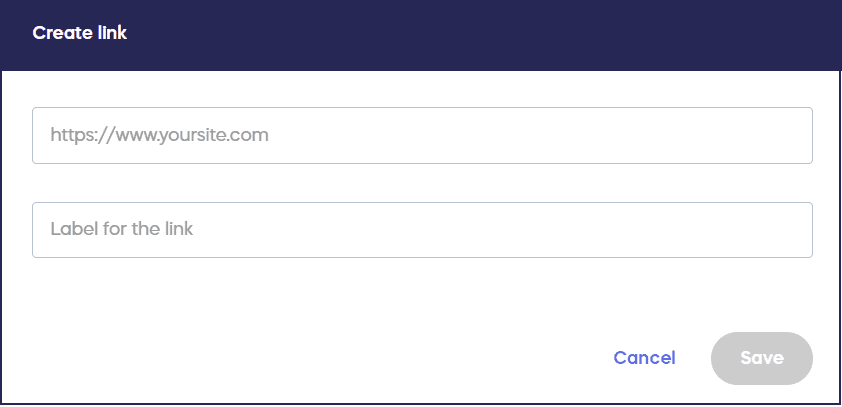
- Select Save.
How do donors see the website links I’ve added?
Embedded links will be highlighted in colored text. Additional links will appear in a drop-down menu under the Campaign description:

Frequently Asked Questions
Can I add multiple website links to my Campaign Page?
Yes, you can add as many website links as you’d like using both methods. You can hyperlink multiple words or phrases within your Campaign description and also add multiple links in the separate links section below your description.
What’s the difference between hyperlinked text and links below the description?
Hyperlinked text is embedded directly within your Campaign description and appears as colored text. Links added below the description appear in a separate drop-down menu under your Campaign description, allowing donors to view additional related websites.
Can I link to sponsor websites on my Campaign Page?
Yes, both methods work well for linking to sponsor websites. Many organizers use hyperlinked text to mention sponsors within the description, or add sponsor links in the separate section below to showcase multiple sponsors.
Do website links open in a new tab or the same window?
External website links typically open in a new tab or window, allowing donors to visit the linked site without losing their place on your Campaign Page.
Can I edit or remove website links after adding them?
Yes, you can edit or remove website links at any time through your Campaign Setup. For hyperlinked text, edit your Campaign description. For links below the description, access Campaign Options to modify or delete them.