Zeffy Alternatives: 7 Fundraising Platforms Worth Knowing in 2026
The short answer for nonprofits comparing free platforms
- RallyUp is genuinely, seriously easy to use. Most teams build and launch one campaign in 15–20 minutes from an Instant Fundraiser Template, and about 40% of new campaigns start that way.
- And it does dramatically more. RallyUp runs the room, not just the form: auctioneer-led Live Auction, Fund-a-Need, Paddle Raise+, Live Display, and Event Balances with Automated Checkout — one tab all night, one charge.
- Credit where it’s due. Zeffy’s zero-fee model is real, its auctions are capable, and it offers memberships RallyUp does not.
- Donation Pages are free with no donor tipping required, there are no contracts, and you connect your own Stripe or PayPal account and own your donor data.
- Six other platforms follow — and where each one runs out of road.
If you are weighing Zeffy alternatives, you are probably not unhappy with the price. You are running one thing — a raffle, a silent auction, a spring gala — and the platform is shaping the fundraiser instead of the other way around.
Zeffy earned its 100,000+ nonprofits honestly, and for a small volunteer-run organization its zero-fee model is hard to beat. The question here is narrower: what happens when your fundraising needs a ballroom, a stacked campaign, or donor records you own outright.
In this article
The short answer: start with RallyUp
RallyUp is genuinely, seriously easy to use. About 40% of new campaigns start from an Instant Fundraiser Template — a complete, working campaign rather than an empty form — and a typical build-and-launch runs 15–20 minutes. Ease of use is the most-cited strength in RallyUp reviews, at 4.5/5 for ease of use on G2 against a 4.8/5 overall rating. If you would rather not build it at all, Create My Campaign hands the whole setup to RallyUp’s team for free.
And it does dramatically more once the fundraiser gets real. Zeffy runs the auction form; RallyUp runs the room. An auctioneer-led Live Auction, Fund-a-Need with giving levels and a live thermometer, Paddle Raise+ that takes gifts, raffle entries, sale items, and A-Thon pledges from one paddle, Live Display for in-room totals, and Event Balances with Automated Checkout: one tab all night, one charge, line-free checkout that is instant or fully automatic.
And Auction Gifts collects an optional donation taken at the moment of the bid, charged only if that bidder wins nothing — systematized non-winner revenue that RallyUp reports raises 20–35% more than a thank-you-and-ask email the next morning.
| What matters most | RallyUp | Zeffy and other alternatives |
|---|---|---|
| Launching one campaign | Build and launch in 15–20 minutes from an Instant Fundraiser Template | A blank form to fill in, or an onboarding project |
| Galas and live events | Auctioneer-led Live Auction, Fund-a-Need, Paddle Raise+, Live Display, and Event Balances with Automated Checkout — one tab all night, one charge | Online or mobile bidding, with guests checking out activity by activity |
| Revenue from bidders who don’t win | Auction Gifts take an optional donation at the moment of the bid, charged only if the bidder wins nothing — 20–35% more raised | A manual thank-you-and-ask email after the close |
| Testing before you publish | Power Preview runs real test card transactions and test bids through actual checkout | Draft status only |
| Free to fundraise | Free plan with a $0 platform fee, and Donation Pages are free with no donor tipping required | Free only while a pre-selected donor tip stays switched on |
| True zero fees, processing included | Not RallyUp’s model — processing goes to Stripe or PayPal at 1.9–2.9% + $0.30 unless donors cover it | Zeffy’s genuine strength: it covers platform and processing, so you keep 100% |
| Memberships with renewals and cards | Not a RallyUp Component | Zeffy offers monthly and yearly membership renewals and membership cards |
| Who owns the donor data | You connect your own Stripe or PayPal account and own your donor records | Merchant-of-record platforms hold the donor payment tokens |
| Getting help | AI chatbot plus free human fundraising experts by chat and phone on every plan | Help center and email first; phone often behind a paid tier |
| When you’re ready to grow | 12+ stackable Components in one Campaign — one URL, one checkout — and you can add one to a live Campaign without rebuilding | A separate form or campaign for every new activity |
Why fundraisers pick RallyUp
St. Francis de Sales School raised 40% more in just 9 days compared to their usual 6-week campaign.
The team combined a RallyUp Raffle with Peer-to-Peer (P2P) fundraising — one campaign, one checkout, two ways to give.
What Zeffy gets right — and where nonprofits outgrow it
Start with the part Zeffy deserves credit for, because it is the reason 100,000+ organizations and $2B+ raised sit behind its name. Zeffy’s model covers both platform fees and card processing, so your nonprofit keeps 100% of a gift whether or not the donor tips. No other major platform matches it on fee purity.
Its auctions are capable, too. Zeffy’s online and silent auctions include auto-bidding with a proxy maximum, anti-sniping that auto-extends bidding for three minutes at a time (up to 30), automatic charging of winners at close, and outbid notifications by email. Zeffy also offers memberships with monthly or yearly renewals and membership cards — a real capability RallyUp does not have. Add an online store, ticketing with QR check-in, Peer-to-Peer (P2P) pages, Tap to Pay, and a free AI Grant Finder, and you have a platform that is genuinely simple for a volunteer-run team.
Zeffy’s zero-fee model — real for your nonprofit, funded by a pre-selected donor tip
The money has to come from somewhere, and on Zeffy it comes from the donor. The voluntary contribution is pre-selected at checkout: Donorbox reports the default at 17% on gifts up to $99.49 and 15% above that. Donors can adjust or remove it, though reviewers describe the opt-out as easy to miss depending on layout and device (CheckThat.ai). An independent analysis by 4aGoodCause estimates donors effectively pay around 12.75% through those tips. Its strong ~4.8/5 G2 rating sits alongside about 40 reviews flagging the tip percentage and 39 flagging limited features. One practical detail: per Zeffy’s help center, a standard refund returns the donation but not the contribution, which only Zeffy can refund on separate request.
There is a second, more structural piece: Zeffy is the merchant of record, so your organization does not own its donor payment tokens, which adds friction if you migrate recurring donors (4aGoodCause). Card, Apple Pay, Google Pay, and ACH are supported; PayPal and Venmo are not native.
How RallyUp handles the same problem: Donation Pages are free with no donor tipping required — zero platform fee, no tip prompt. On the Free plan, donor tipping stays optional across Core Components (on Raffles and Sweepstakes a tip earns bonus entries). On the Flex plan, donor tipping is off by default and you pay a published percentage only on the Components you use. You connect your own Stripe or PayPal account, so you own your donor data and can leave whenever you like.
Where the road narrows — galas, breadth, and running your program from one place
Zeffy is a kit of parts. Each campaign type is its own form or page, so a gala with a silent auction, a raffle, and ticket sales is three things to build and reconcile. What is not there at all: no-purchase-necessary Sweepstakes, A-Thons, an auctioneer-led live auction, Fund-a-Need or paddle-raise tools, a consolidated per-guest tab with automated end-of-night checkout, in-room Live Display, native interactive livestreaming, and a systematized way to capture revenue from bidders who did not win. Raffle winners are drawn by exporting a report and using an outside picker, where RallyUp draws the winner in-platform and notifies them. Longer-standing gaps hold too: integrations run through Zapier rather than an open API, custom reporting is thin, branding is limited to a logo and colors, and every team member sees everything.
Versus RallyUp: 12+ stackable Components live inside a single Campaign behind one URL and one checkout, branding covers logo, colors, fonts, and a custom domain, role-based access limits what each team member sees, and native integrations connect your CRM, email, and accounting tools directly. Zeffy’s AI tools sit upstream — a Grant Finder and an idea generator — while RallyUp’s AI Fundraising Content Generator drafts item descriptions, campaign copy, and donor emails inside the builder.
What changes when you’re ready to grow
About nine out of ten RallyUp campaigns use a single campaign type. But the ceiling is where a Zeffy alternative earns its keep.
RallyUp calls it Full Stack Fundraising: 12+ stackable Components inside one Campaign, one URL, one checkout. A supporter can buy raffle entries, bid on an auction item, and grab a t-shirt from your storefront in a single transaction instead of three. Organizations that combine campaign types raise 38% more than those running a single format, and you can add a Component to a Campaign that is already live — no rebuild, no second link.
- Power Preview. RallyUp’s interactive draft mode runs real test card transactions through actual checkout — test bids, test tickets, test receipts — before a donor sees anything. In-product it is called Draft Mode.
- Support that answers. An AI-powered chatbot handles quick questions instantly; behind it are real human fundraising experts by chat and phone, free on every plan.
- Pricing you can predict. The Free plan carries a $0 platform fee, and Donation Pages are free with no donor tipping required. Flex charges only on what you use: 2.9% for ticketing and storefront, 4.9% for auctions, crowdfunding, Fund-a-Need, Paddle Raise+, and A-Thons, 6.9% for raffles and Sweepstakes, and 0% for livestreaming and Donation Pages. Auction platform fees are capped at $100 per item. Processing goes to Stripe or PayPal at 1.9–2.9% + $0.30. No contracts, no subscription, no setup fee.
- Room to hand it off. More than 1,000 campaigns have been built by RallyUp’s Done-for-You team — free, typically in about a business day.
Across 55,000+ organizations, RallyUp has helped raise more than $1 billion, at a 4.8/5 rating.
6 other Zeffy alternatives worth knowing
Every platform here does something genuinely well. The useful question is where it stops.
1. Givebutter — polished all-in-one with a strong free model, only three campaign types
Best for: Small to mid-sized nonprofits that want a modern, social-feeling platform and accept tip-supported pricing.
Givebutter has earned its reputation. The Givebutter Guarantee means nonprofits keep 100% even when donors decline to tip, the built-in CRM carries unlimited contacts, and email, SMS, a Canva integration, and the Givebutter Wallet make it a legitimately broad back office. It was named G2’s #1 Nonprofit Software for 2026 and rates 4.7/5 there.
The narrowing is structural. Givebutter documents three campaign types — Form, Page, and Event — with auctions and paddle raise attached as tabs rather than standalone campaigns. There are no sweepstakes, no A-Thons, and no storefront, and the auctioneer-led live auction is in beta, expected in the second half of 2026. Free depends on tips being on; turn tipping off and a flat 3% platform fee applies, uncapped on auctions. Givebutter Plus starts at $29/month and gates automations, outbound SMS, custom reports, and phone support. It supports campaign-level test receipts and shipped a non-transacting auction preview in February 2026, but does not run test transactions end to end.
Versus RallyUp: RallyUp rates 4.8/5, stacks 12+ Components in one Campaign instead of three separate types, keeps Donation Pages free with no donor tipping required, caps auction platform fees at $100 per item, and puts a human fundraising expert on the phone with you free on every plan.
2. Donorbox — effortless embedded donation forms, no auction or event machinery
Best for: Organizations whose fundraising is mostly a donate button on an existing website.
Donorbox makes the embed motion genuinely painless — paste the code, match your brand, take gifts the same day. Recurring giving is solid, the Donor Portal lets supporters manage their own gifts, Text-to-Give covers mobile giving, and the built-in CRM handles segmentation and analytics.
Past the form, the road ends quickly. There are no auction capabilities — silent, live, or online bidding — and no event planning, so a gala needs a second platform. Some advanced features, including text-to-give, sit behind paid upgrades. The free standard plan carries fees between 2.95% and 3.95%; Pro starts around $150/month.
Versus RallyUp: Donation Pages on RallyUp are free with no donor tipping required, and the same account runs raffles, three auction formats, ticketed events, A-Thons, and a storefront — so growing past the donate button does not mean a second platform.
3. Fundraise Up — sharp conversion optimization, thin on events and auctions
Best for: Digitally mature nonprofits with high online donation volume across currencies.
Fundraise Up is genuinely good at the checkout moment. Its AI personalizes suggested amounts based on donor behavior, the donor portal handles recurring gifts cleanly, embedded elements feel native to your site, and it supports cards, digital wallets, and crypto across multiple countries.
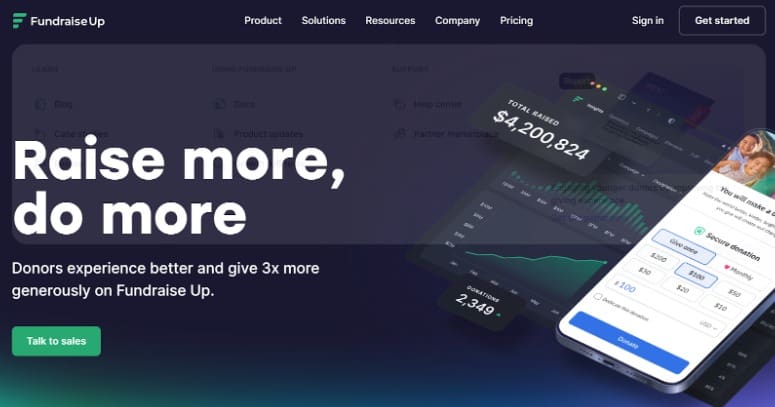
The scope is deliberately narrow. There is no event management, no auction tooling, and no text messaging, full-scale Peer-to-Peer events need a dedicated platform, and reviewers describe advanced setup as technical enough to stall a small team. Pricing is a 4% platform fee plus processing, with custom pricing above roughly $300K raised annually.
Versus RallyUp: RallyUp covers the donation page and the ballroom — Live Auction, Fund-a-Need, Paddle Raise+, Event Balances — on a Free plan with a $0 platform fee, and its AI Fundraising Content Generator writes campaign copy rather than only tuning the ask.
4. GoFundMe Pro — enormous donor reach, priced and paced like an enterprise rollout
Best for: Larger organizations with structured teams and budget for an annual contract.
GoFundMe Pro brings scale nobody on this list matches: access to GoFundMe’s donor community, reported at 190 million people, plus free nonprofit pages, recurring giving, live event tools with ticketing, check-in, and mobile bidding, and Peer-to-Peer campaigns built with a drag-and-drop editor.
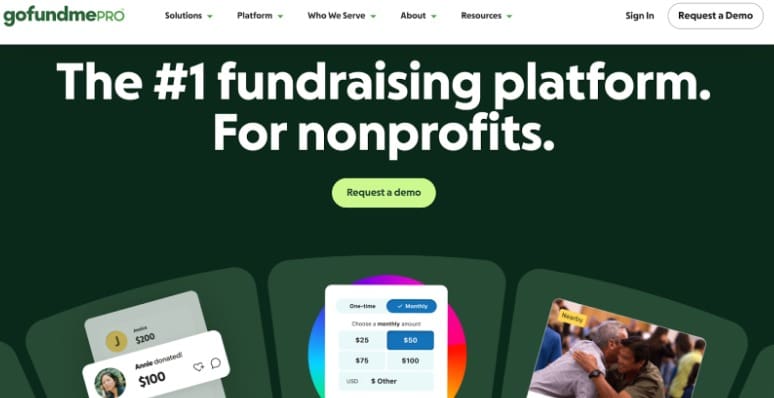
The entry point is the catch. Pricing is a custom annual subscription plus a per-donation fee and processing, so there is no free plan to test with, and it is aimed at organizations with staff to run it. There are no raffle or sweepstakes formats, and features including the giving cart and live events require paid add-ons.
Versus RallyUp: you can be live on RallyUp’s Free plan in 15–20 minutes with no contract and no subscription, raffles and Sweepstakes are standard Components rather than gaps, and live-event tools are not an add-on line item.
5. Bloomerang Fundraising — CRM-first donor management, lighter for big galas
Best for: Organizations that want fundraising and donor records in one system of record.
Bloomerang’s real strength is the CRM underneath: donor segmentation, automated insights, and wealth screening, with engagement history and campaign activity in one place. Its Peer-to-Peer adds leaderboards, and event tools cover ticketing, check-in, mobile bidding, and text-to-donate.
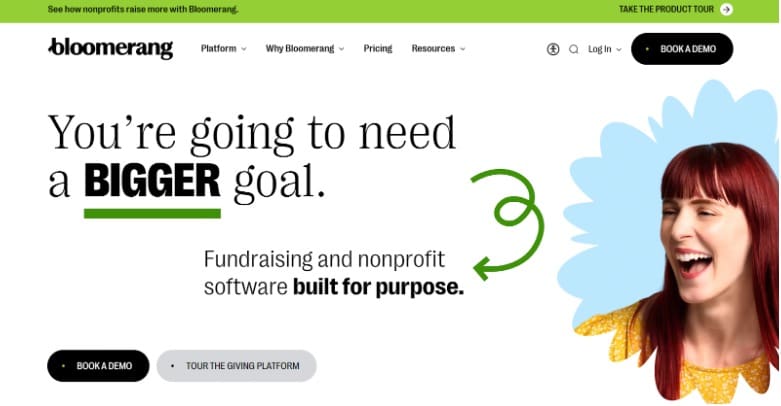
Customization is where reviewers push back — design flexibility is limited, event and auction modules are reported as thin for large galas, and frequent interface updates move things around. Bloomerang Fundraising starts at $40/month billed annually plus 2.2% + $0.30 per card transaction, with CRM at $125/month and Volunteer Management at $119/month, so the stack adds up.
Versus RallyUp: RallyUp integrates natively with the CRM you already own, so you get gala-grade tools — auctioneer-led Live Auction, Fund-a-Need, Event Balances — without a monthly subscription per module.
6. OneCause — deep event machinery, sold and priced as an annual commitment
Best for: Established organizations with a dedicated events team running signature galas.
OneCause has one of the longest track records in nonprofit auctions. It handles live, silent, and online auctions, event logistics including ticketing, table assignments, and mobile check-in, text-to-give, and a genuinely strong golf tournament product.
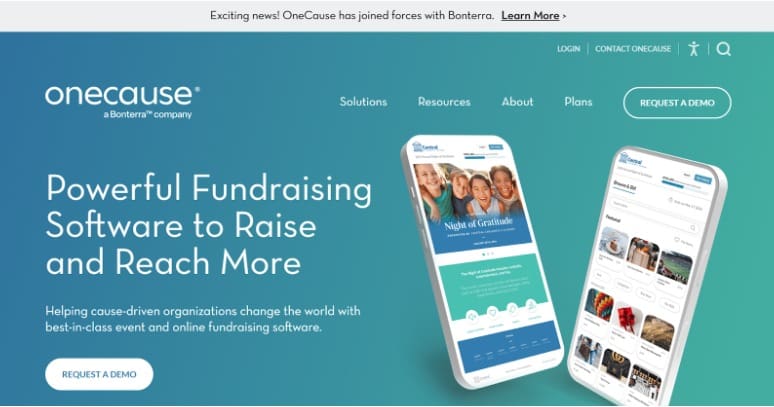
The cost of that depth is the commitment. Pay-as-you-go starts at $200 with a 5% capped fee on funds raised, and the professional auction and event package is an annual subscription at a $2,995 flat fee plus processing. Reviewers flag a steep learning curve, limited CRM integrations needing manual workarounds, and event pages that want a developer. There is no raffle format, no storefront, and no A-Thons.
Versus RallyUp: RallyUp runs comparable gala infrastructure — Live Auction, Fund-a-Need, Paddle Raise+, Live Display, Event Balances — with published per-Component pricing, no annual subscription, no sales cycle, and Done-for-You setup at no cost.
How to move off Zeffy without losing donors
Switching is mostly bookkeeping. It goes smoothly in order.
- Export everything first. Donor records, transaction history, recurring gift details, and campaign data — in more than one format, checked for gaps.
- Set up the new account. Connect your payment processor and bank account, load receipt templates, and apply your branding first.
- Rebuild your donation page, then campaign-specific ones. Set giving levels, enable recurring giving, and decide whether donors cover fees.
- Import and map your donor data. Match fields deliberately, then clean up duplicates that surface on import.
- Test before you publish. On RallyUp that is Power Preview: real test card transactions, test bids, and every report before a donor arrives.
- Tell your recurring donors. Because Zeffy is the merchant of record, recurring donors generally re-enter payment details rather than transfer silently. Give them a clear ask and a deadline.
- Switch your links and watch the numbers. Update website buttons, social profiles, and email signatures, then track conversion and average gift.
Choosing the Zeffy alternative that fits
If keeping 100% of every dollar is the only thing that matters and your fundraising is one form at a time, Zeffy is a defensible choice, and memberships are a real reason to stay. If you are building toward a gala, a stacked campaign, or donor records you control, the ceiling arrives sooner than the price tag suggests.
RallyUp is built so the first campaign is easy and the tenth one is still easy. Start from an Instant Fundraiser Template and be live in 15–20 minutes, or let Create My Campaign build it for you at no cost. Test drive it in Power Preview, then add a raffle, an auction, or an A-Thon to the same Campaign without rebuilding.
Pricing and features current as of August 2026.
FAQs about Zeffy alternatives
Start with RallyUp: a $0-platform-fee Free plan, Donation Pages free with no donor tipping required, 12+ stackable Components in one Campaign, and full gala tooling including an auctioneer-led Live Auction and Event Balances with Automated Checkout. The other six worth comparing: Givebutter, Donorbox, Fundraise Up, GoFundMe Pro, Bloomerang Fundraising, and OneCause.
For your nonprofit, yes — Zeffy covers platform and card processing fees, so you keep 100% of a gift whether or not the donor tips. The funding comes from a pre-selected donor contribution at checkout, reported at 17% on gifts up to $99.49 and 15% above that (Donorbox), which an independent 4aGoodCause analysis estimates costs donors around 12.75%. The cost is real; it sits with donors rather than your budget.
RallyUp. Zeffy runs online and silent auctions well, but it has no auctioneer-led live auction, no Fund-a-Need or paddle-raise tools, no in-room Live Display, and no consolidated per-guest tab. RallyUp adds all of those plus Event Balances with Automated Checkout — one tab all night, one charge.
Yes. Zeffy’s auctions include auto-bidding with a proxy maximum, anti-sniping that extends bidding in three-minute increments, automatic charging of winners at close, and outbid notifications by email. Where RallyUp pulls ahead is the live-ask engine and Auction Gifts, which capture an optional donation from bidders who win nothing.
No. Memberships with monthly or yearly renewals and membership cards are a genuine Zeffy feature RallyUp does not offer. If memberships are the core of your program, that is a real reason to weigh Zeffy. If galas, stacked campaigns, and owning your donor data matter more, RallyUp fits better.
Several, funded differently. RallyUp’s Free plan carries a $0 platform fee, and Donation Pages are free with no donor tipping required — you pay only Stripe or PayPal processing, with no contract. Zeffy covers platform and processing through a pre-selected donor contribution. Givebutter is free while tipping is on and charges a flat 3% when off.
Now that you’ve seen it in action, are you ready to start fundraising?
Get Started