Easily access reports of all Auction bids and bidders.
There may be times throughout your Auction when you’ll want to monitor activity on certain items and see who’s bidding for them. RallyUp makes it easy to see a list of who bid on each item, whose bid is in the winning place for a specific item, and all of the participants who have bid on an item. This information can be accessed conveniently by running specific Campaign reports.
Here are a few ways you can use these findings to boost the success of your Auction:
- Send an email to winning bidders to remind them of the upcoming end date.
- Send emails to individuals who have been outbid to let them know there’s still time to increase their bid and regain a winning position.
- Find out which items have the most or least number of bids.
How do I view the Bids report?
- Go to Account Navigation in the left menu and select Campaigns.
- If you have chosen a list view, click on the Campaign title. If you have chosen a grid view, click on the Campaign image.
- Select View Auction Bids.
- Select the Bids tab to view a list of all Auction bids:
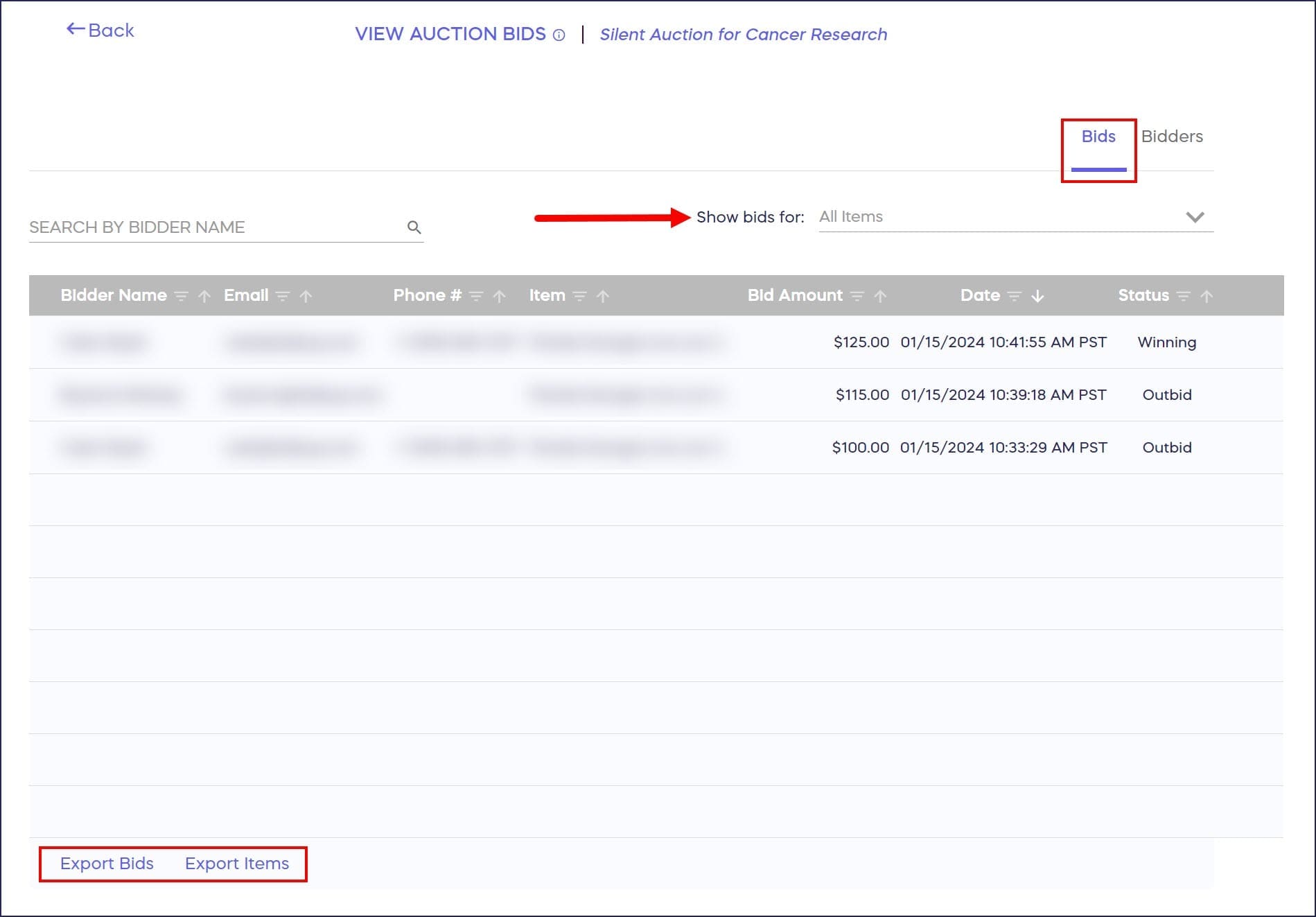
You can use the dropdown menu in the upper right corner to filter for specific items. You can also export reports using the Export Bids or Export Items buttons in the lower left corner. These will provide detailed information of all Auction items and bids, as well as their current status.
How do I view the Bidders report?
- Follow steps 1-3 above.
- Select the Bidders tab to view a list of all Auction bidders:
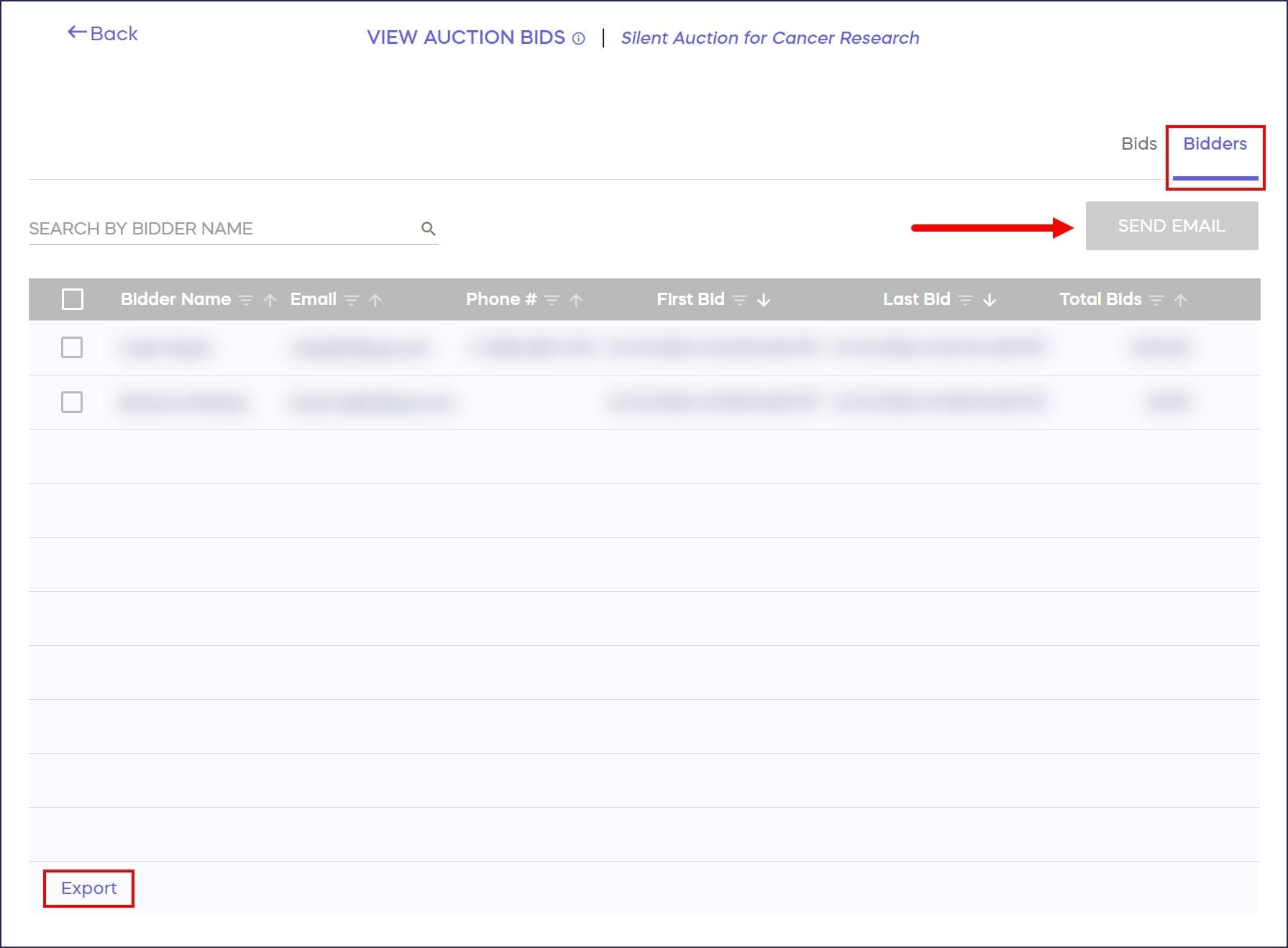
How can I share links to specific Auction items?
How-to: Create Unique Links for Auction Items
Frequently Asked Questions
What’s the difference between the Bids report and Bidders report?
The bids report shows all individual bids placed on Auction items, while the bidders report displays a list of all people who have participated in bidding. Both provide different perspectives for analyzing Auction activity.
Can I filter Auction reports by specific items?
Yes, you can use the dropdown menu in the upper right corner of the Bids report to filter results for specific Auction items, making it easier to track activity on particular lots.
Can I export Auction bid information?
Yes, you can export detailed reports using the Export Bids or Export Items buttons. These exports provide comprehensive information about all Auction items, bids, and their current status.
How can I use Auction reports to increase bids?
Send targeted emails to winning bidders reminding them of the end date, or contact outbid participants letting them know there’s still time to increase their bid and regain a winning position.
Can I see who has the winning bid on each item?
Yes, the bids report shows whose bid is currently in the winning position for each specific item, helping you track which bidders are leading on your Auction lots.