Quickly access your Participant or Team Dashboard and find important information.
When you become a Participant* or Team* member for a RallyUp fundraiser, you’ll get access to a Dashboard that allows you to do the following:
- Share a link to the fundraiser to spread the word to friends and family
- See how much you’ve raised and who has credited you for a donation
- View your ranking (may not be available if rankings aren’t enabled)
- Access and edit your Personal Fundraising Page (may not be available if Fundraising Pages aren’t enabled)
- Share your Personal Fundraising Page with friends and family (may not be available if Fundraising Pages aren’t enabled)
- Log A-Thon activity progress (only available for A-Thon fundraisers)
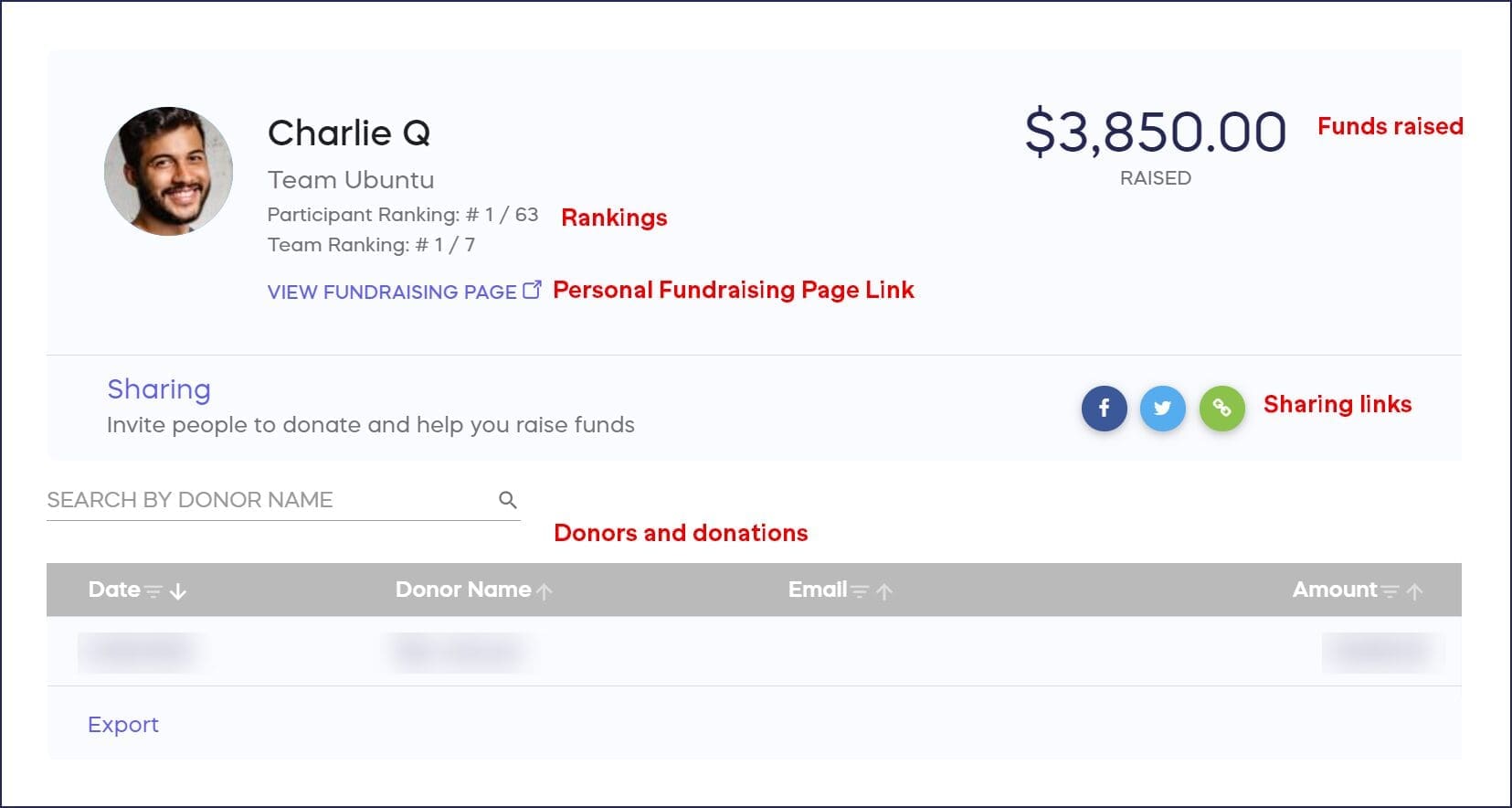
*Terminology may differ according to Campaign settings.
How do I access my Participant or Team Dashboard?
- Log into your account at rallyup.com.
- Click on the circle with your initials in the upper right corner of the screen, then select My Account.
- Select the My Participants or My Teams tab.
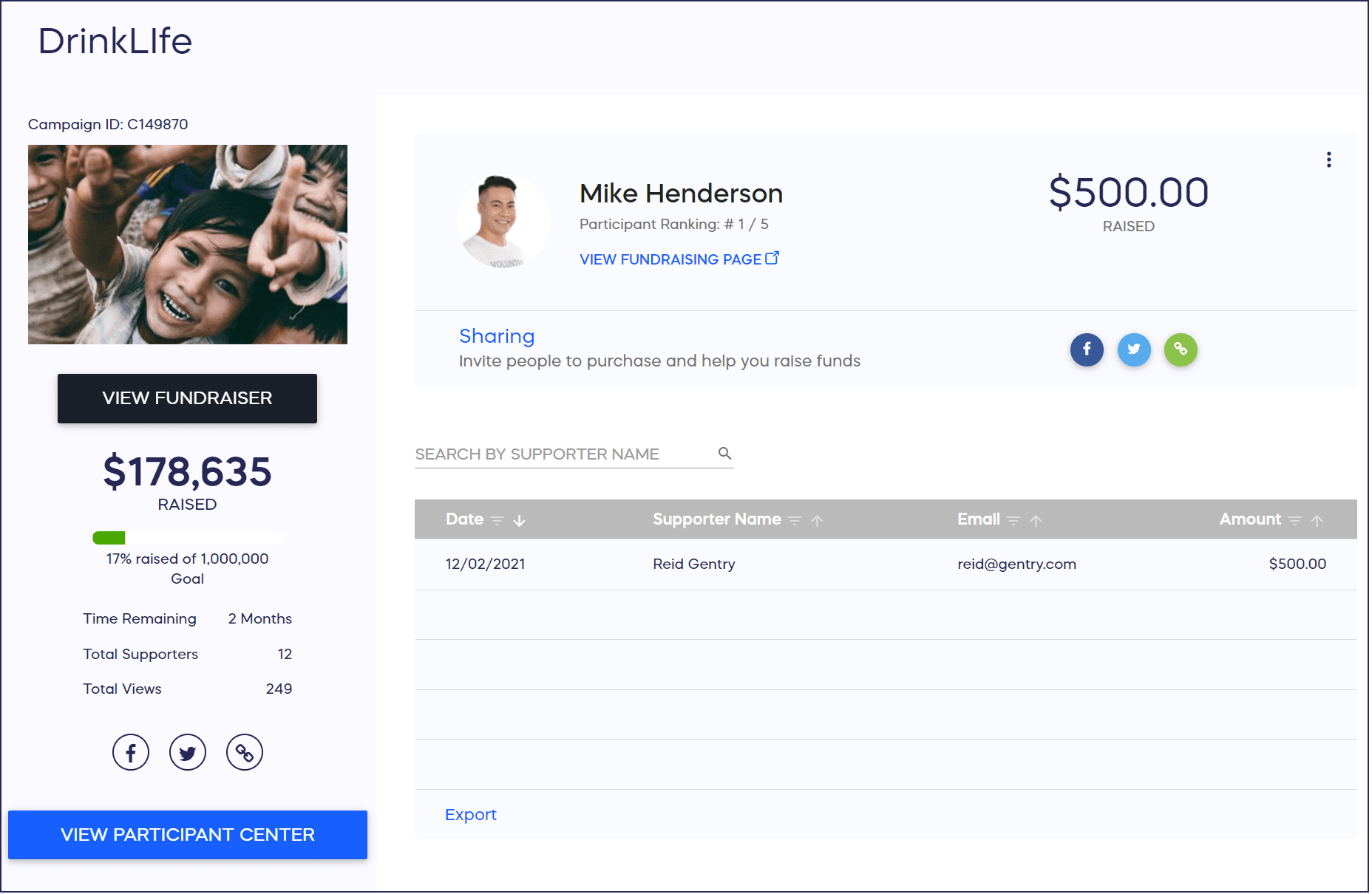
- Click on your name or your team name to open your Dashboard:
Hi organizers! Click here to download this information for your Participants.
Frequently Asked Questions
What can I do from my Participant or Team Dashboard?
From your Dashboard, you can share fundraiser links, see how much you’ve raised, view who credited you for donations, check your ranking, access and edit your Personal Fundraising Page, and log A-Thon activity progress if applicable.
Where do I find the My Participants or My Teams tab?
Log into your RallyUp account, click on the circle with your initials in the upper right corner, select My Account, and you’ll see the My Participants or My Teams tabs where you can access your Dashboard.
What’s the difference between a Participant Dashboard and Team Dashboard?
A Participant Dashboard shows your individual fundraising information, while a Team Dashboard displays your team’s collective progress and allows Team captains to manage Team members. Both provide similar tools for sharing, tracking, and managing your fundraising efforts.
Will all features be available on my Dashboard?
Some features like rankings and Personal Fundraising Pages may not be available if the Campaign Organizer hasn’t enabled them. Activity logging is only available for A-Thon fundraisers. Available features depend on how your specific Campaign is configured.
Can Campaign Organizers share Dashboard access instructions with Participants?
Yes, organizers can download a handout with Dashboard access instructions to share with Participants. This helps team members quickly understand how to find and use their Dashboard without needing individual guidance.