Learn what information the Participant Center contains and how it can enhance your Campaign.
When you add Peer-to-Peer to your RallyUp Campaign, you can opt to have a Participant Center*. You can customize the Participant Center to display any/all of the following:
- Detailed information about your fundraiser and how to support or participate
- A list of Participants* and/or Teams*
- Registration options
- Prizes
- Leaderboards
*Terminology may differ according to Campaign settings.
What’s the difference between the Participant Center and Campaign Page?
The main Campaign Page contains general information about your organization and fundraiser: how donations will benefit your cause, general information about the organization, and how to donate or participate in fundraising Components.
The Participant Center contains more specific information about the Peer-to-Peer aspect of your fundraiser: participation instructions, registration options, a list of current Participants and Teams, prizes, leaderboards, and more. Additionally, if there is an in-person component such as a walk-a-thon or sports tournament, you can also share details like time, date, and location.
How do I access and share the Participant Center?
The Participant Center has its own link separate from the link to your Campaign Page, allowing you to promote different pages to different audiences. You can also customize the Participant Center link to make it easier for supporters to remember.
How-to: Customize the Link to Your Participant Center
By default, your main Campaign Page will include a button that leads to your Participant Center:
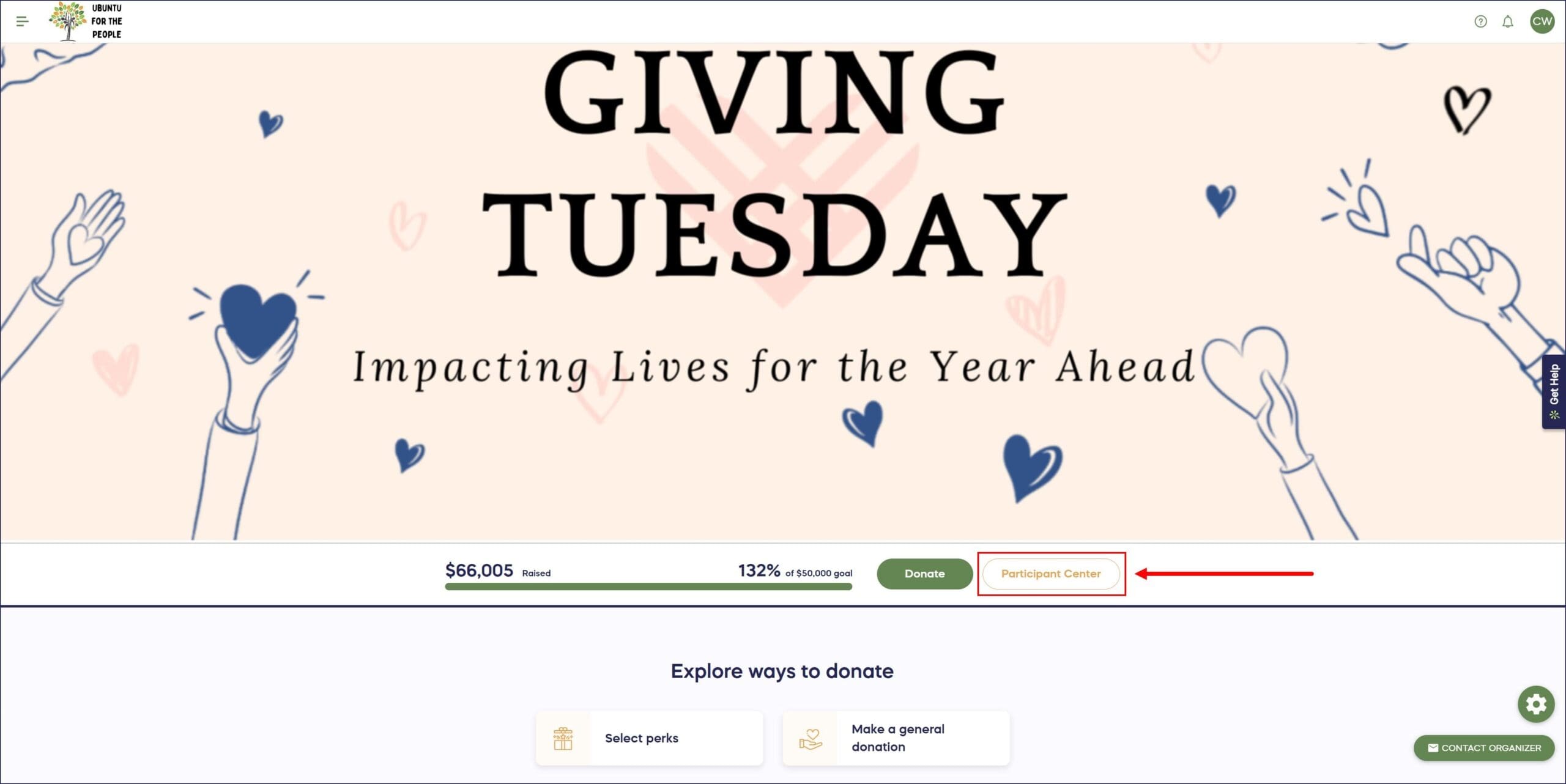
This gives everyone, including those who just want to donate, the ability to view the Participant Center. However, you can remove the Participant Center button from your Campaign Page anytime, making it invisible to the public. Only those with the Participant Center link will be able to access it.
How-to: Hide your Peer-to-Peer or A-Thon Participant Center
If you keep the Participant Center Button, you can customize the button text.
How-to: Rename Your Participant Center
What customization options are available for the Participant Center?
RallyUp allows you to add, hide, and customize the following:
What registration options can I customize?
- Make registration private or public
Understand: Public vs. Private Registration
- Offer registration options with time/quantity limits
How-to: Create A-Thon or Peer-to-Peer Registration Options with Limited Time or Quantities
- Offer multiple registration options (e.g., child vs. adult, free vs. paid, etc.)
- Allow supporters to register as individual Participants and/or as Teams to fundraise as a group
What Participant information can I customize or hide?
- Only display Participants’ last initials instead of their full last names
How-to: Hide Peer-to-Peer or A-Thon Participant Last Names
- Hide each Participant’s individual ranking
How-to: Hide Peer-to-Peer or A-Thon Rankings
How do I manage leaderboards in my Participant Center?
- Display leaderboards to show which Participants/Teams raised the most, attracted the most donors, and more
How-to: Add Peer-to-Peer or A-Thon Leaderboards
- Hide one, some, or all leaderboards anytime, even if your fundraiser is already live
How-to: Hide Peer-to-Peer or A-Thon Leaderboards
How do I manage prizes in my Participant Center?
- Offer prizes to the Participants/Teams that raised the most, attracted the most donors, and more
How-to: Add Peer-to-Peer or A-Thon Prizes
- Hide one, some, or all prizes anytime, even if your fundraiser is already live
How-to: Hide Peer-to-Peer or A-Thon Prizes
Frequently Asked Questions
What information appears in the Participant Center?
The Participant Center displays specific Peer-to-Peer information including participation instructions, registration options, current Participants and Teams list, prizes, leaderboards, and event details like time and location for in-person Components.
Can I have separate links for the Campaign Page and Participant Center?
Yes, the Participant Center has its own unique link separate from your Campaign Page link. You can customize this link to make it easier to remember and promote different pages to different audiences based on their interests.
Can I hide the Participant Center from public view?
Yes, you can remove the Participant Center button from your Campaign Page, making it invisible to the public. Only people with the direct Participant Center link will be able to access it, giving you control over who sees participation details.
Can I customize the Participant Center after my Campaign goes live?
Yes, you can add, hide, or customize registration options, leaderboards, prizes, and Participant information anytime, even after your fundraiser is already live. This flexibility lets you adapt your Campaign as it progresses.
Should I use public or private registration for my Participant Center?
Public registration allows anyone to sign up as a Participant, while private registration restricts participation to invited individuals. Choose based on whether you want open enrollment or controlled participation for your specific fundraising event.