Run a Fund-a-Need at your next in-person event to collect donations for specific needs.
Fund-a-Needs allow you to raise funds for specific needs or appeals. When a need is presented, event attendees can raise paddles or cards to indicate that they will donate a specified amount. Requested donation amounts can range anywhere from a few dollars to a few thousand dollars, allowing all attendees to donate at whatever level they can. This helps donors feel connected to your cause, so they’re inspired to donate more in the moment and donate again in the future.
How do RallyUp Fund-a-Needs work?
- Use the Fund-a-Need Management page to spotlight a specific need:
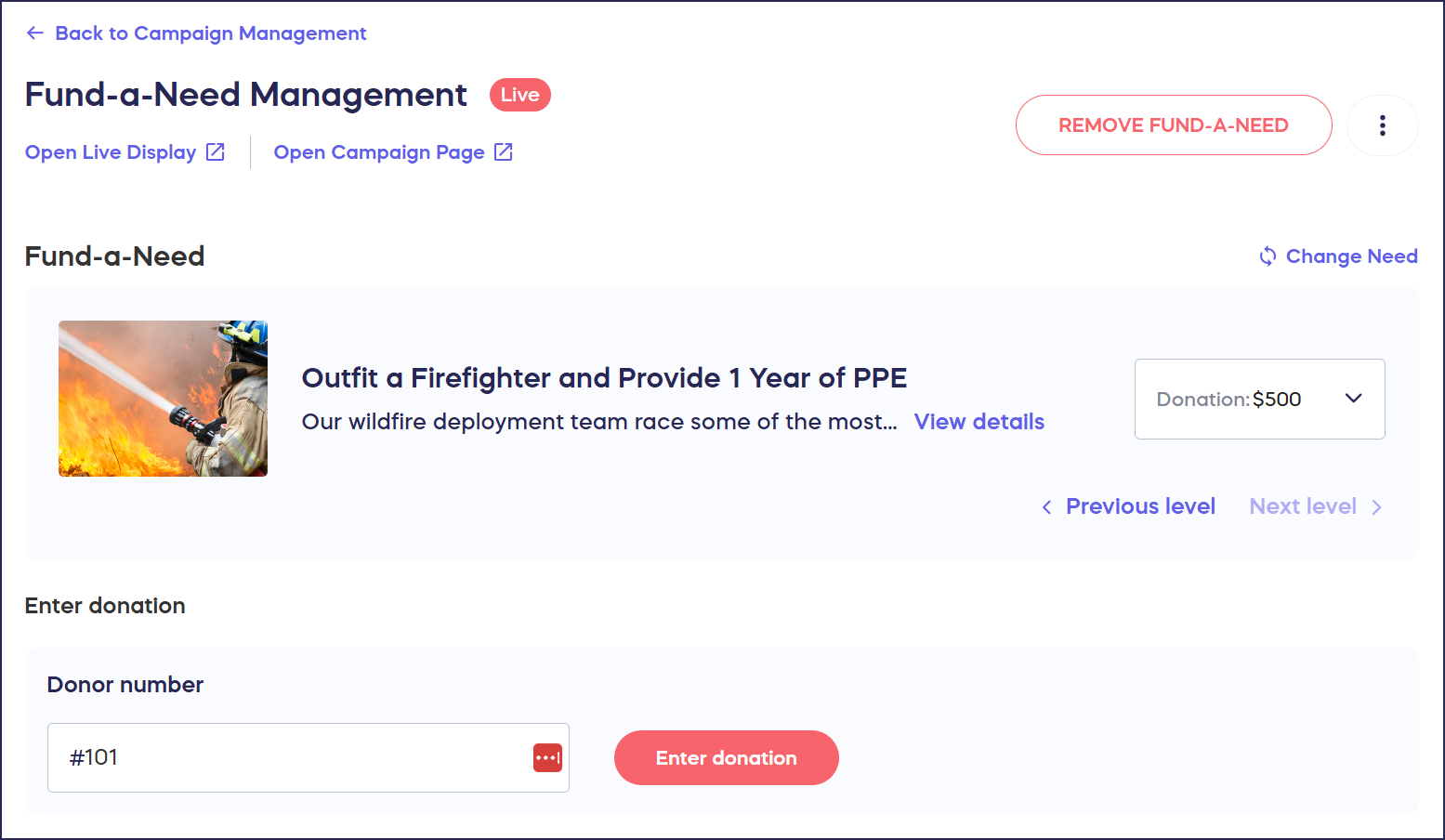
- Guests will see the spotlighted need on the Live Display, which you can project onto monitors or screens throughout your venue:

- When guests raise their paddles, use the Fund-a-Need Management page to enter each guest’s donation:
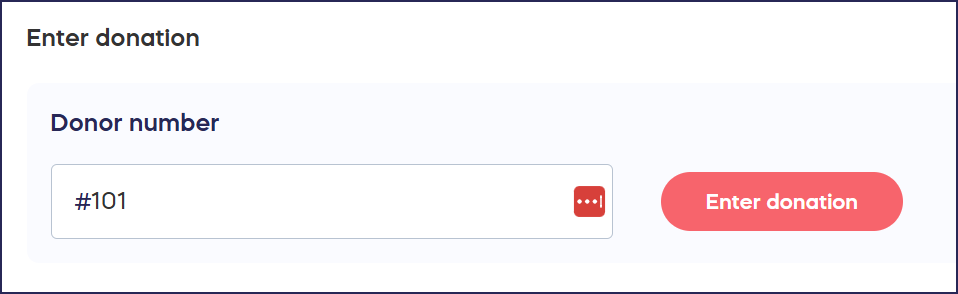
These donations will be added to each guest’s Event Balance.
Understand: Event Balances and Guest Numbers
- Charge guests for their donations individually or all at once, whenever you like. You can do so during the Fund-a-Need, when the Fund-a-Need ends, when the event ends, or anytime you want.
How do I add a Fund-a-Need to my Campaign?
- Go to Account Navigation in the left menu and select Campaigns.
- If you have chosen a list view, click on the Campaign title. If you have chosen a grid view, click on the Campaign image.
- Select Campaign Setup.
- Go to Getting Started in the timeline at the top.
- Scroll down to Select all components you want to include in your Campaign and click on the toggle next to Fund-a-Need:

- Select Save.
How do I add needs or appeals to my Fund-a-Need?
- Go to Account Navigation in the left menu and select Campaigns.
- If you have chosen a list view, click on the Campaign title. If you have chosen a grid view, click on the Campaign image.
- Select Campaign Setup.
- Go to Fund-a-Need in the timeline at the top.
- Scroll down to Add Fund-a-Need and select Create Fund-a-Need:

- Enter your need or appeal details, including images, a title, description, and requested donation levels:

- Select Save.
How do I run a Fund-a-Need?
- Go to Account Navigation in the left menu and select Campaigns.
- If you have chosen a list view, click on the Campaign title. If you have chosen a grid view, click on the Campaign image.
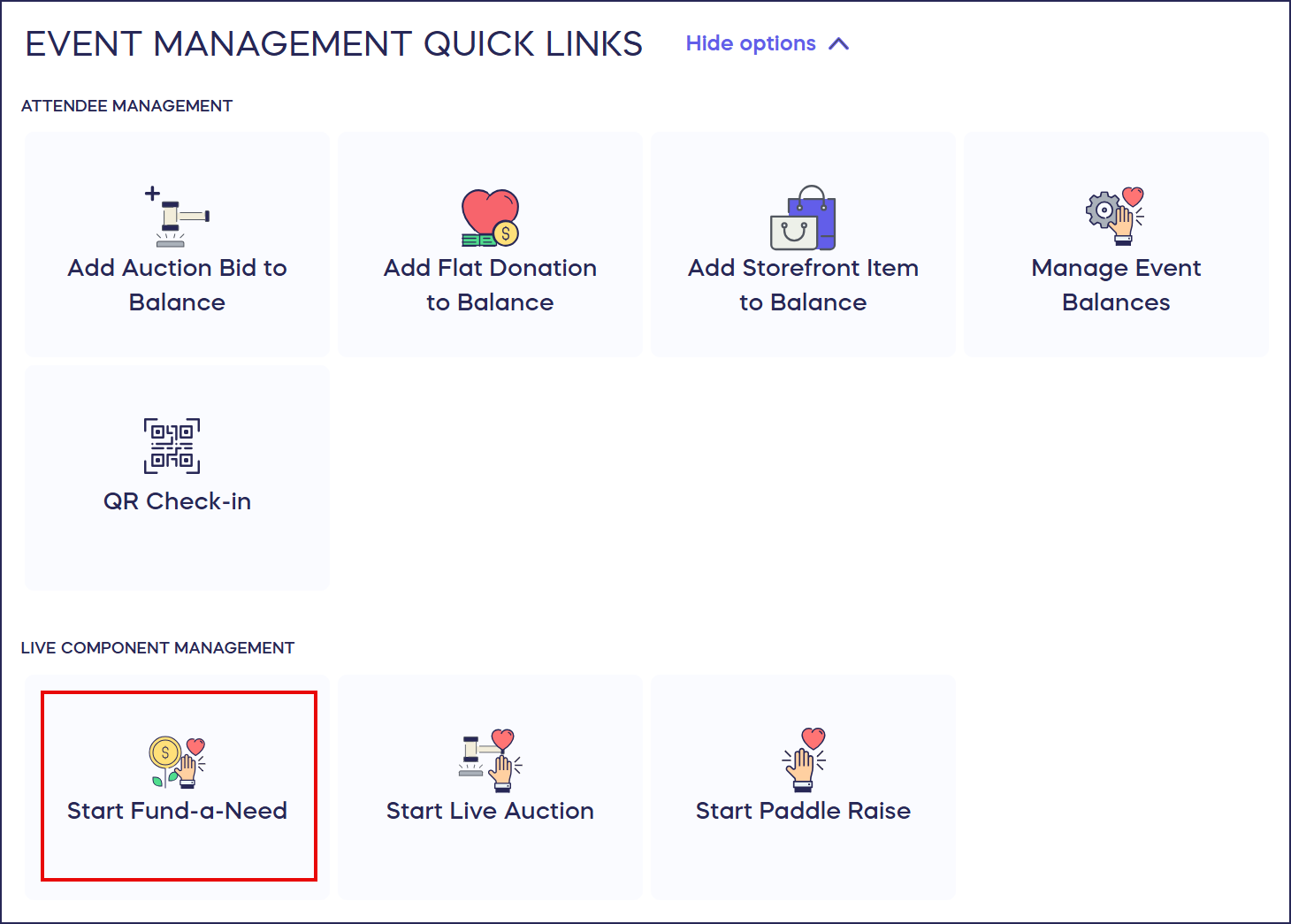
- Go to to Event Management Quick Links and select Start Fund-a-Need:
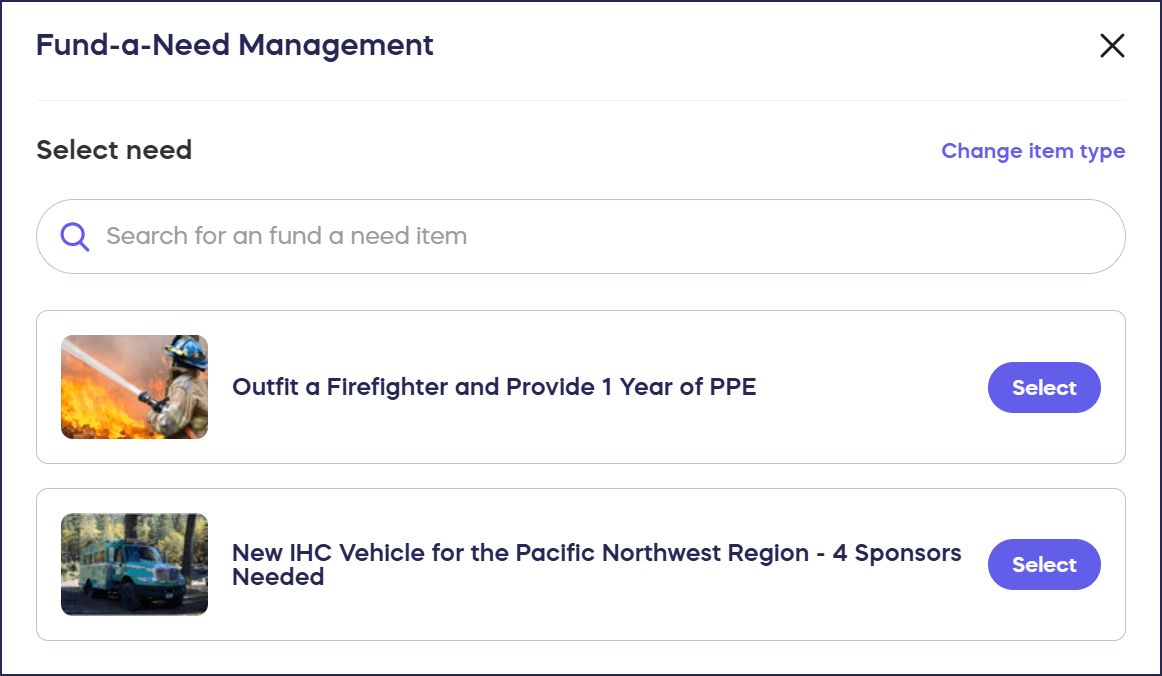
- Select the need you want to spotlight:
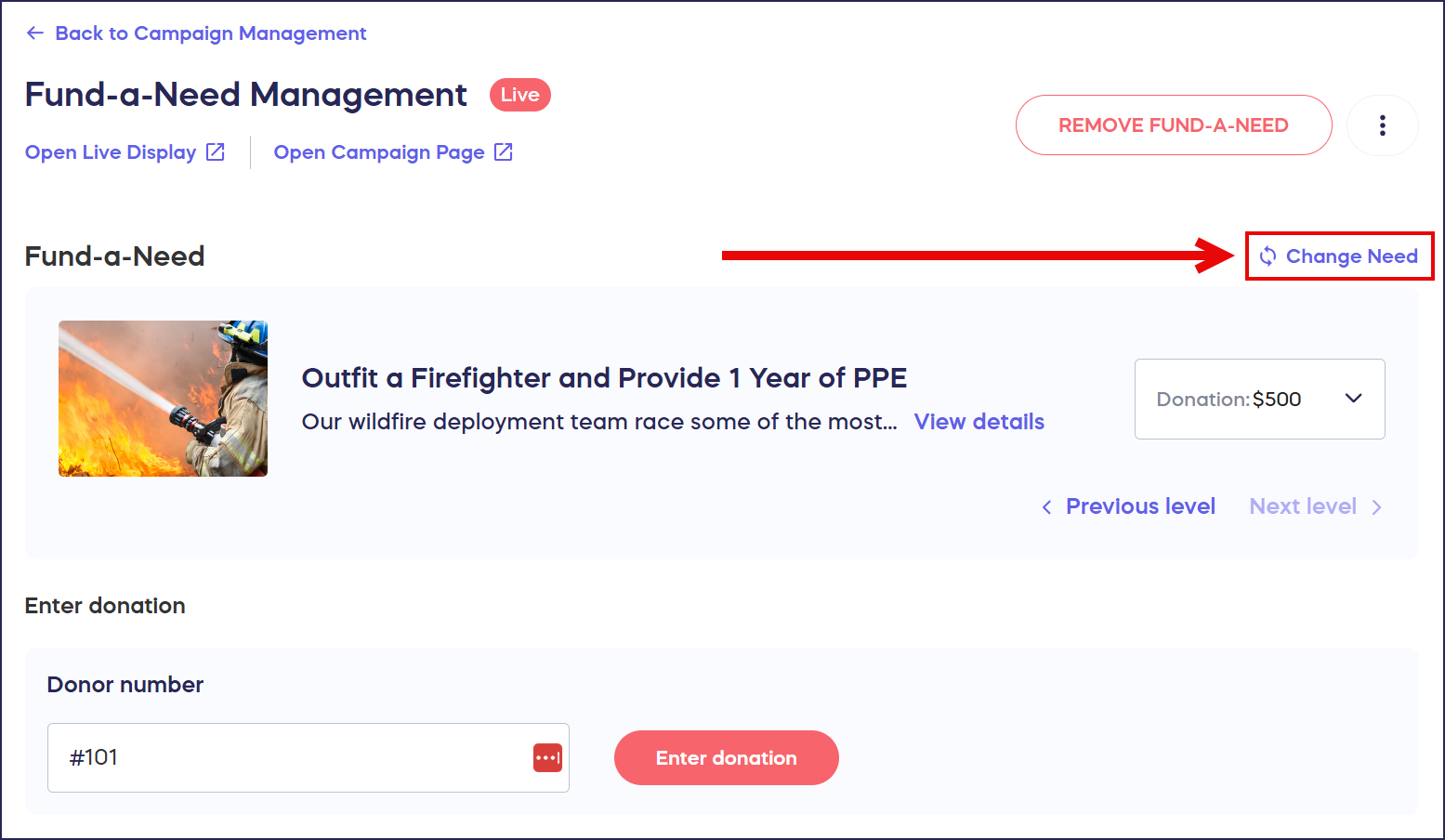
- To spotlight a new need, select Change Need on the right:
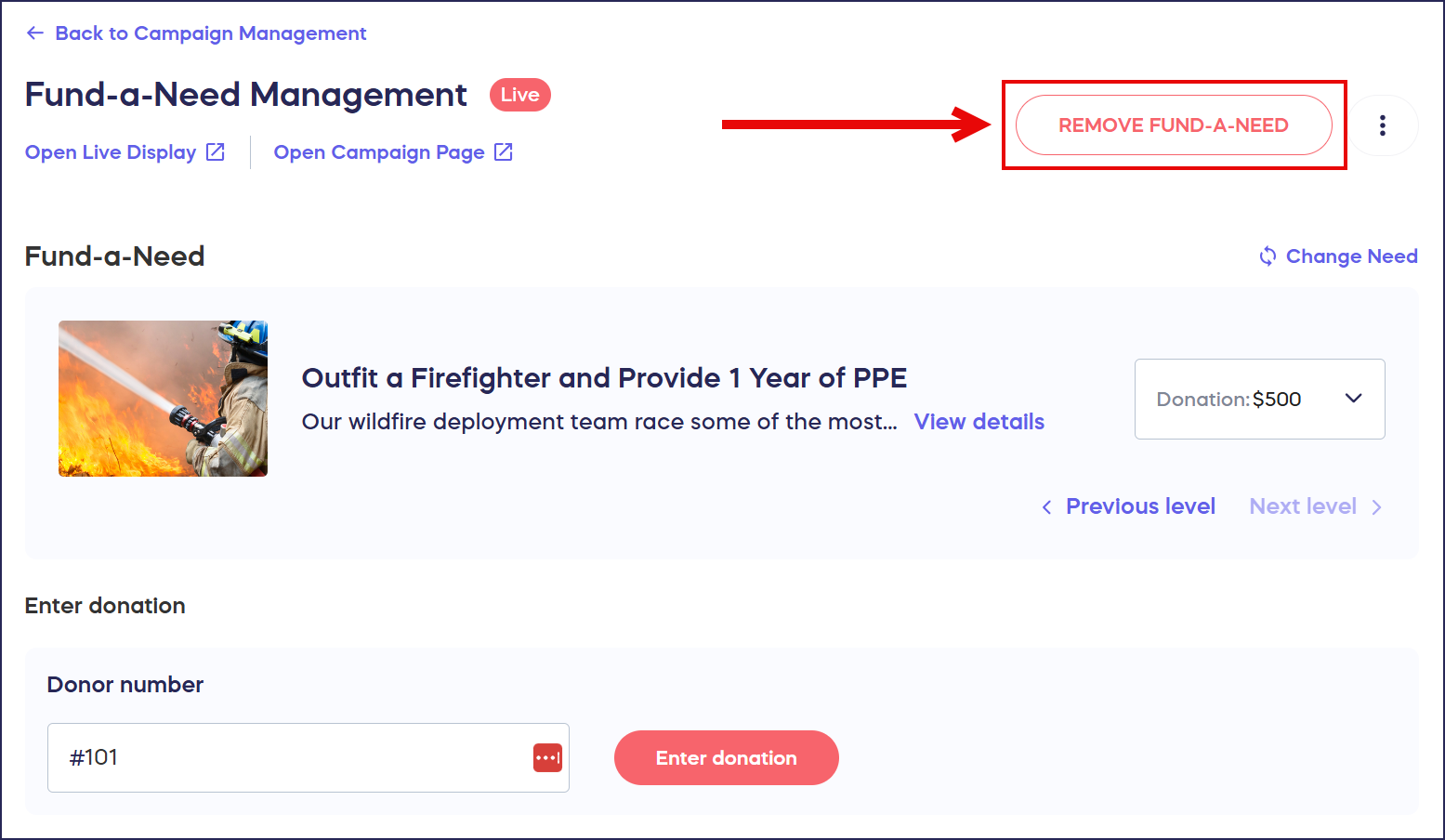
- To end your Fund-a-Need, select REMOVE FUND-A-NEED:
How do spotters enter Fund-a-Need donations?
When guests raise their paddles to indicate that they want to make a purchase, spotters will go to the Paddle Raise Management page and use the Guest Numbers on the paddles to enter their purchases:
How do I access the Fund-a-Need Management page?
- Go to Account Navigation in the left menu and select Campaigns.
- If you have chosen a list view, click on the Campaign title. If you have chosen a grid view, click on the Campaign image.
- Go to to Event Management Quick Links and select Start Fund-a-Need:
How do I submit a guest’s Fund-a-Need donation?
- On the Fund-a-Need Management page, go to Enter donation:
- Enter the donor’s Guest Number in the text box (this number will be displayed on the guest’s paddle or card for easy reference, but you can also find it on the View Ticket Registrations screen).
- Select Enter donation.
How can I change my Fund-a-Need settings?
You can access your Fund-a-Need settings by clicking on the three-dot menu on the top right corner of the screen:
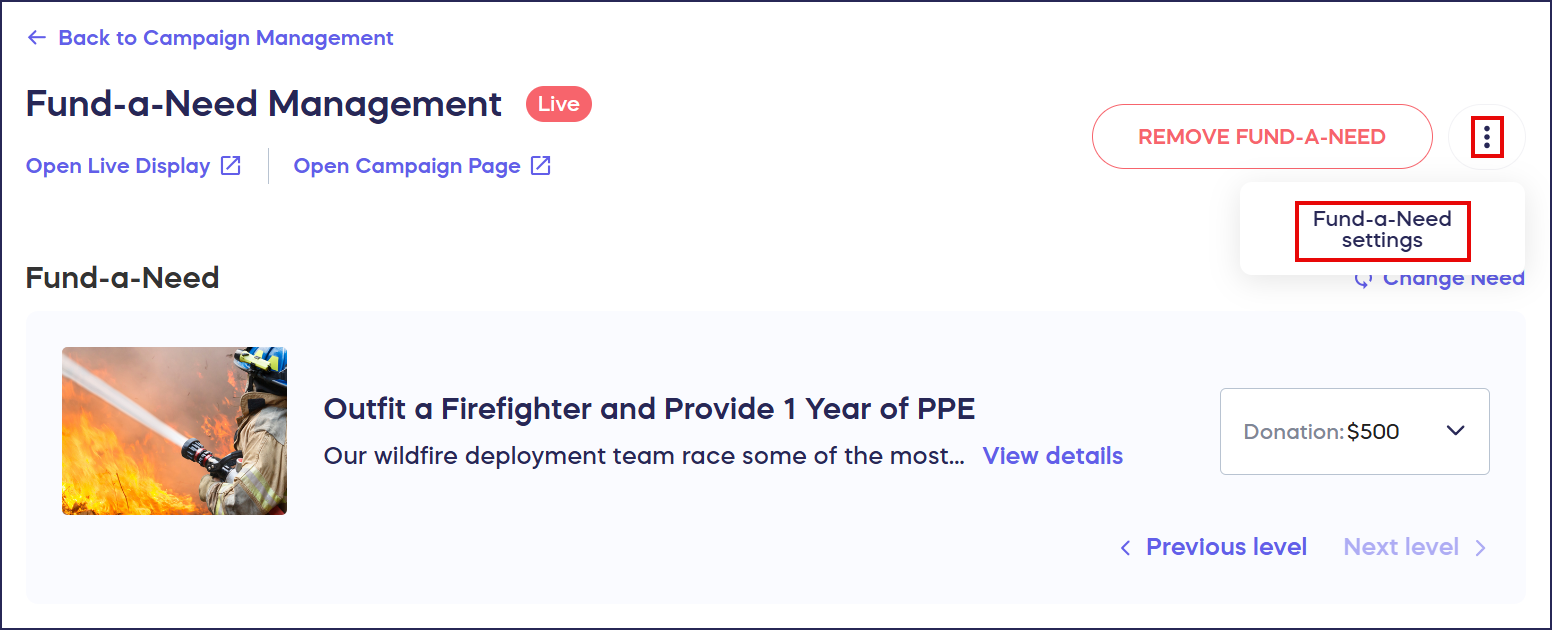
This allows you to:
- Add a fundraising goal.
- A fundraising thermometer will appear on your Live Display to show how close you are to achieving this goal.
- Allocate donations to designated Fund options.
- You can select a Fund anytime during your Fund-a-Need, and all donations will automatically be allocated to that Fund while it’s selected: How-to: Create Donation Designation Options Using the Fund Feature.
What other in-person Components can I run during my event?
- If you want to get creative, Paddle Raise+ allows you to feature Raffle entry levels, Storefront merch, A-Thon pledge amounts, and more: Understand: Paddle Raise+. Ensure you’ve added all relevant items to your Campaign Page before the event starts.
- You can also run Live Auctions: Understand: Live Auctions.
Frequently Asked Questions
What is a Fund-a-Need?
A Fund-a-Need is a fundraising technique where event attendees raise paddles to indicate they will donate a specified amount for a specific need or appeal. Donation amounts can range from a few dollars to thousands, allowing all attendees to participate at their comfort level.
Can virtual guests participate in my Fund-a-Need?
Fund-a-Needs are designed for in-person fundraising only. Virtual guests will not be able to view the Fund-a-Need from the Campaign Page or add Fund-a-Need donations to their cart.
How are Fund-a-Need donations charged?
Fund-a-Need donations are automatically added to each guest’s Event Balance. You have complete flexibility to charge guests individually or all at once—during the Fund-a-Need, when it ends, when your event concludes, or at any time you prefer.
Can I track progress toward a fundraising goal during my Fund-a-Need?
Yes, you can add a fundraising goal in your Fund-a-Need settings. A fundraising thermometer will appear on your Live Display to show attendees how close you are to reaching the goal in real-time.
Is there another way to access the Fund-a-Need Management page while my in-person event is live?
Yes, if your event is already live, you can access the Fund-a-Need Management page from the Quick Admin Menu on the left side of your screen. Select the event in question from the dropdown menu, then select Fund-a-Need under Event Quick Links:

A donor was over- or under-charged because a Fund-a-Need amount was entered incorrectly. How do I fix this?
The correction process depends on whether the donor’s balance has already been charged. If the balance is still unpaid, go to Manage Event Balances, find the donor’s balance, select the three-dot menu, and choose Manage balance to update or remove the incorrect item before checkout is initiated. If the balance has already been processed, you will need to issue a partial refund through Stripe for any overcharge, or collect any outstanding amount through a separate transaction for an undercharge — see How-to: Cancel and Refund Credit Card Charges for step-by-step refund instructions.
How do I verify Fund-a-Need amounts before charging my guests?
We recommend quickly confirming that all charges were entered correctly as soon as your Fund-a-Need ends. This is the simplest way to catch errors and prevent confusion later.
Keep Learning
Looking to go deeper? RallyUp’s Fundraising Education page is packed with videos, guides, and resources to help you run better Campaigns — whether you’re just getting started or looking to level up your next fundraiser.