Learn how to create impact levels or offer incentives at certain donation levels.
If you’re running a Crowdfunding Campaign on RallyUp, it can be helpful to give donors guidance on how much they should donate. Crowdfunding Perks allows you to offer merch or other incentives at certain donation levels to encourage giving:

You can also create Impact Levels that describe how certain donation amounts will benefit your cause:

Crowdfunding Perks can increase the amount you raise, as donors are more likely to donate when they’re given an incentive or understand how their donation will be used.
What’s the difference between Perks and Impact Levels?
Perks offer tangible rewards like merchandise, exclusive access, or special recognition at specific donation levels. These rewards give donors something concrete in return for their contribution.
Impact Levels, on the other hand, describe the specific outcomes your cause will achieve with donations of various amounts. They help donors understand exactly how their contribution will make a difference without offering physical items in return.
Both approaches are effective at guiding donors toward appropriate giving levels and increasing overall donations.
How do I create Crowdfunding Perks?
- Go to Account Navigation in the left menu and select Campaigns.
- If you have chosen a list view, click on the Campaign title. If you have chosen a grid view, click on the Campaign image.
- Select Campaign Setup.
- Go to Getting Started in the timeline at the top.
- Scroll down to Select all components you want to include in your Campaign and select Crowdfunding.
- Scroll down to Additional Options and click on the toggle next to Crowdfunding Perks (this option will only appear if you select Crowdfunding above):
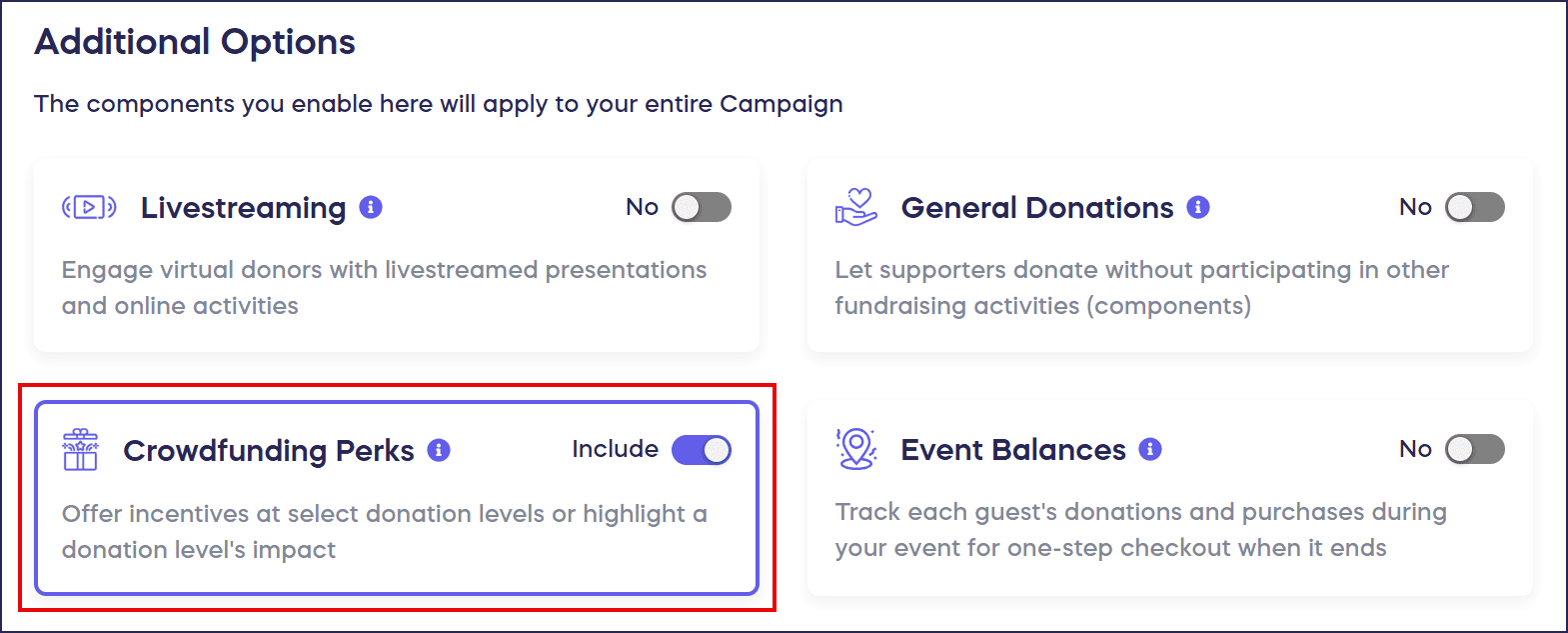
- Go to Crowdfunding in the timeline at the top.
- Scroll down to Add perks and select Create a perk:

- Enter the Perk title, donation amount (whole dollar amounts only), description, and images:
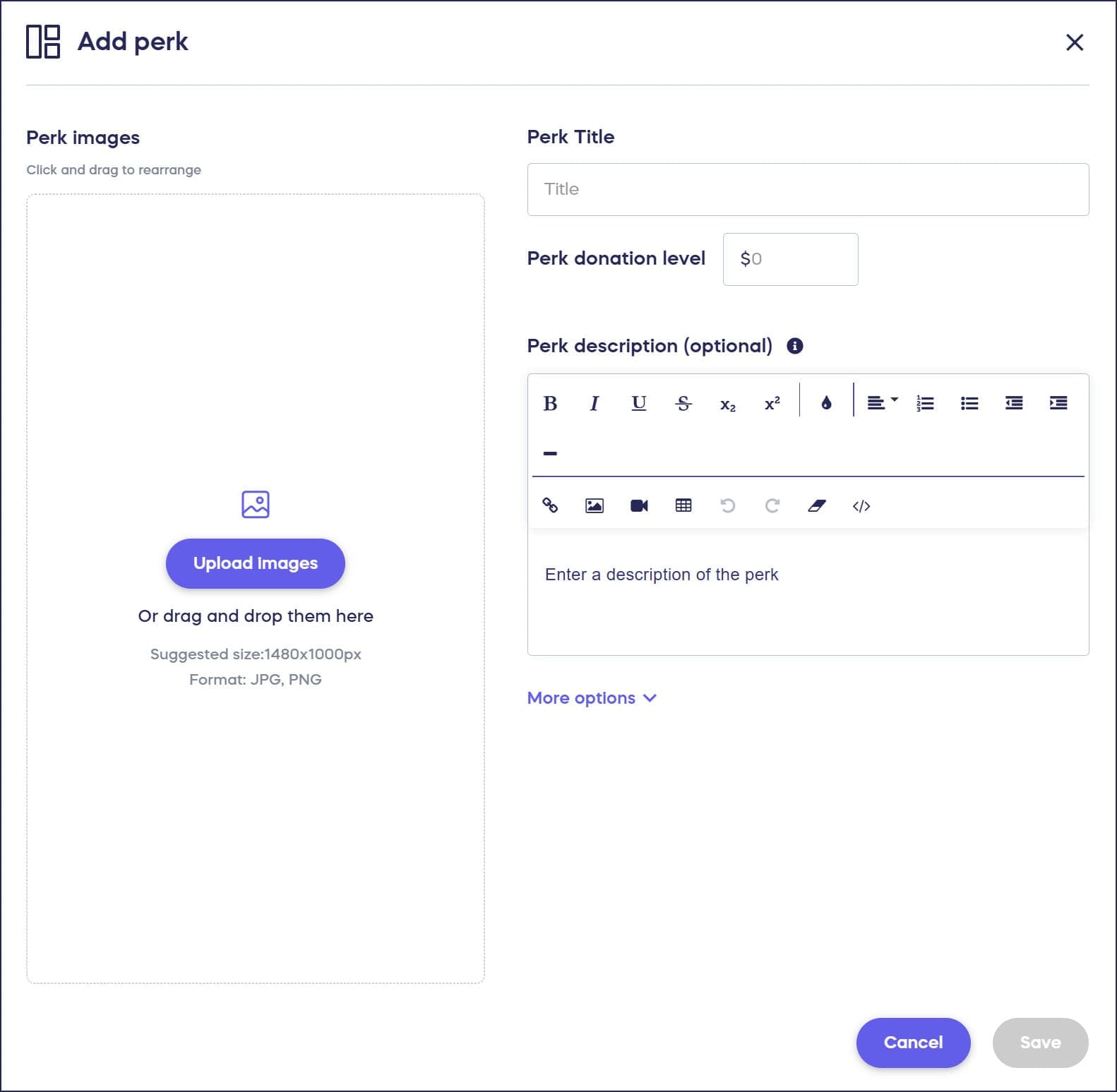
- Select Save.
Can I use Crowdfunding Perks for a Paddle Raise or Fund-a-Need?
Yes! Crowdfunding Perks can also be used to create preset donation amounts for your next Paddle Raise or Fund-a-Need:
Frequently Asked Questions
What are Crowdfunding Perks on RallyUp?
Crowdfunding Perks are incentives or impact statements offered at specific donation levels to encourage giving. You can offer merchandise or other rewards, or create Impact Levels that describe how donations will benefit your cause.
How do Crowdfunding Perks increase donations?
Perks increase donations by giving donors clear guidance on how much to give and what their contribution will achieve. Donors are more likely to give when they receive an incentive or understand the specific impact of their donation amount.
What’s the difference between Perks and Impact Levels?
Perks offer tangible rewards like merchandise at certain donation levels, while Impact Levels describe how specific donation amounts will benefit your cause without offering physical items. Both types help guide donor giving amounts. Note that for both Perks and Impact Levels, donation amounts can be entered in whole dollar amounts only. For example, you can create a $30 Perk or Impact Level but not a $30.50 Perk or Impact Level.
Can I add images to my Crowdfunding Perks?
Yes, you can add images to your Perks when creating them. Visual elements help make your Perks more appealing and help donors understand what they’re receiving or supporting with their contribution.
Can I use Perks for fundraising Components other than Crowdfunding?
Yes, Crowdfunding Perks can also be used to create preset donation amounts for Paddle Raise+ or Fund-a-Needs, making them versatile across multiple fundraising Components on your Campaign.