Learn how Apple Pay, Google Pay, and PayPal speed up the donation process.
What are Apple Pay, Google Pay, and PayPal payment options?
Apple Pay, Google Pay, and PayPal allow donors to quickly donate without manually entering their credit card information, streamlining the payment process and maximizing donations.
What should I know before enabling these payment options?
- The funding option you choose will affect what payment options are available to your donors. See this Knowledge Base article to learn more: Understand: PayPal vs. Stripe.
- Apple Pay and Google Pay are automatically enabled as payment options on Campaigns using Stripe to collect funds. If you’re using PayPal to collect funds, you’ll need to enable PayPal as a payment option:

- These payment options work best when donors have already set up Apple Pay, Google Pay, or PayPal.
How do Apple Pay, Google Pay, and PayPal work on RallyUp?
When donors check out, they’ll see different payment options to choose from:
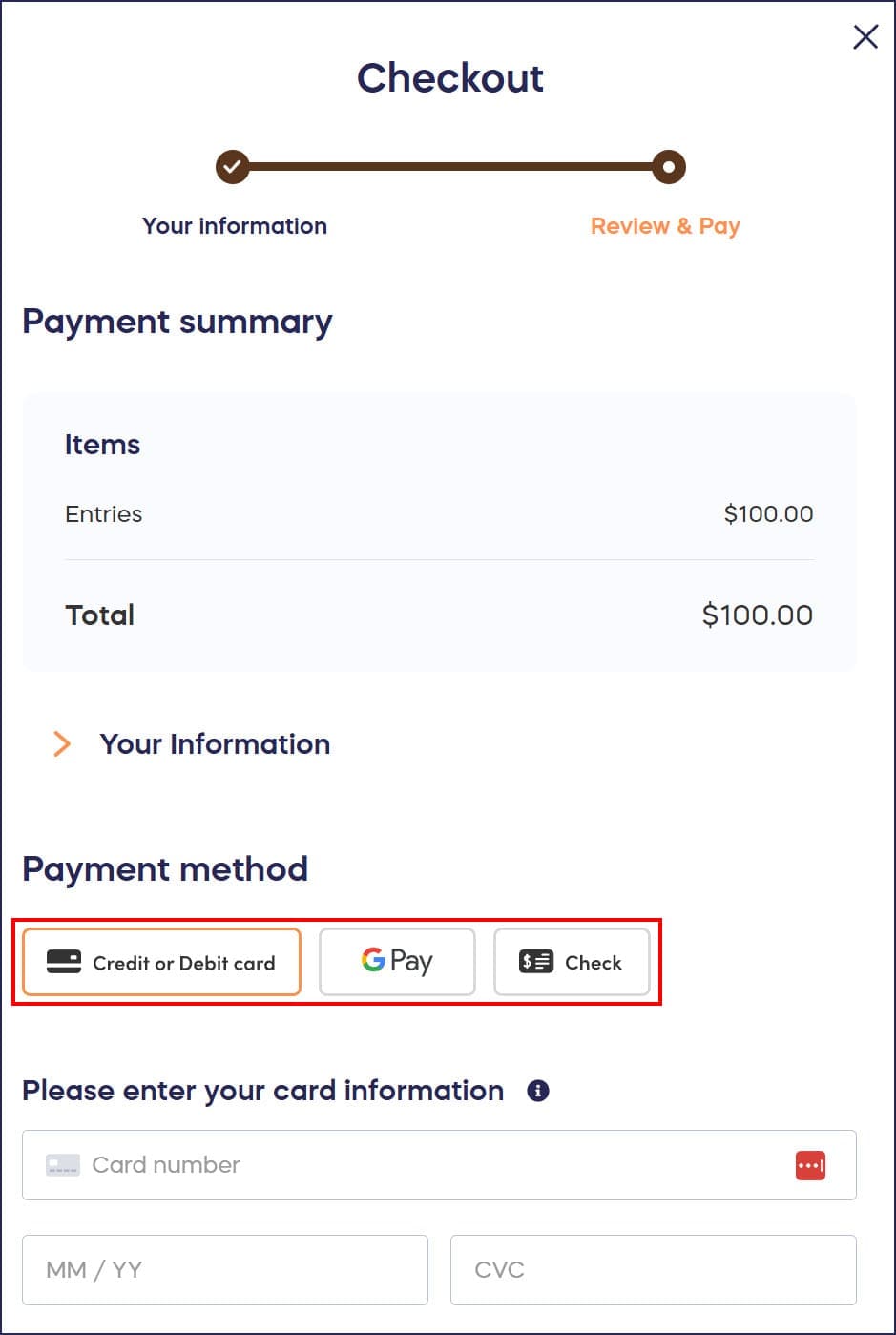
Donors can select their preferred payment option to check out with one click.
What devices are compatible with each payment option?
Depending on which funding option you set up, RallyUp will automatically detect what kind of device your donor is using and display the available options accordingly.
PayPal works with:
- any device
Apple Pay works with:
- iPhones
- iPads
- Macs using the Safari web browser
Google Pay works with:
- Android phones
- Chrome web browser
Frequently Asked Questions
Are Apple Pay and Google Pay automatically enabled on my Campaign?
Yes, if you’re using Stripe to collect funds, Apple Pay and Google Pay are automatically enabled as payment options. If you’re using PayPal to collect funds, you’ll need to manually enable PayPal as a payment option in your Campaign settings.
Do donors need to set up these payment methods in advance?
Yes, these payment options work best when donors have already set up Apple Pay, Google Pay, or PayPal on their devices. However, donors can still use traditional credit card payment if they haven’t set up these services.
Can donors use Apple Pay on Android devices?
No, Apple Pay only works on Apple devices including iPhones, iPads, and Mac computers using the Safari web browser. Android users can use Google Pay or PayPal as quick payment alternatives.
Does RallyUp automatically show the right payment options for each donor?
Yes, RallyUp automatically detects what type of device your donor is using and displays only the compatible payment options. For example, iPhone users see Apple Pay, while Android users see Google Pay.
How do these payment options increase donations?
Apple Pay, Google Pay, and PayPal streamline the donation process by allowing donors to complete their contribution with one click, without manually entering credit card information. This convenience reduces checkout friction and can significantly increase donation completion rates.