Change your funding method even if your Campaign has already started.
RallyUp allows you to change how you receive funds at any time, even if your Campaign has already started raising funds. If your Campaign is live, any funds received before switching will be processed by your original funding method, while funds received after switching will be processed by the new one.
How do I switch to PayPal or Stripe?
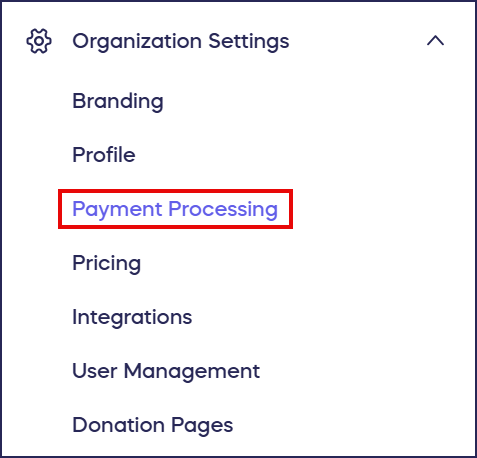
- Go to Organization Settings in the left menu and select Payment Processing:
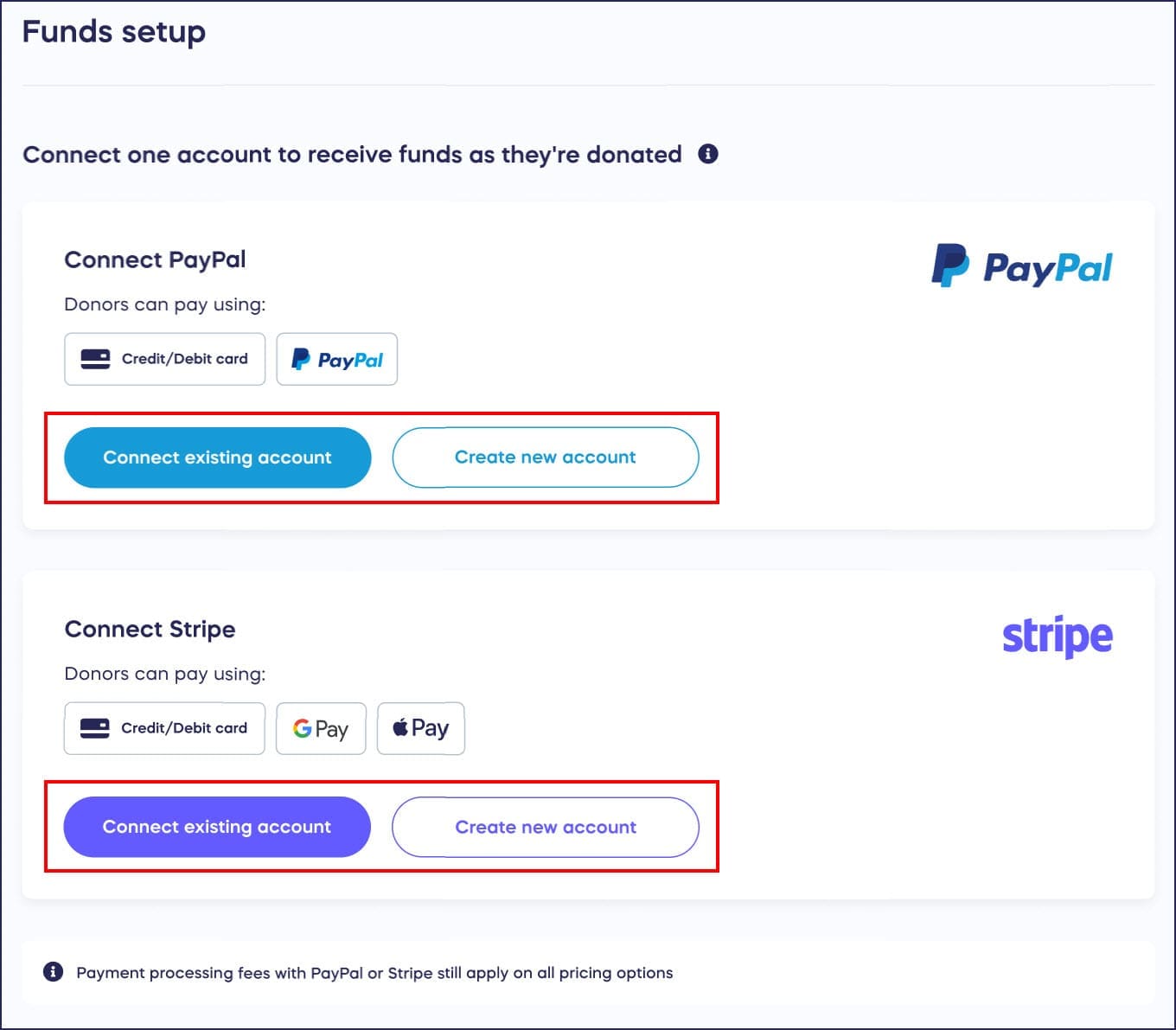
- Select Connect existing account or Create new account:
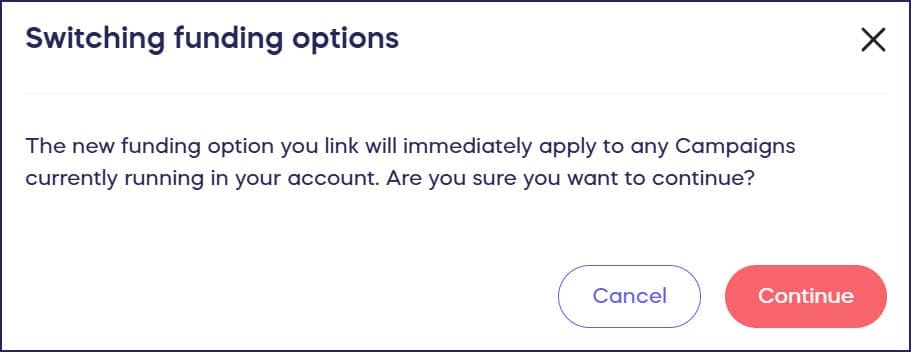
- When the following confirmation message appears, select Continue:
For complete setup instructions, learn more in our guide on how to set up direct funds.
How do I switch to Pledge?
The majority of RallyUp users should use Stripe or PayPal for the easiest and most direct way to receive the funds you raise. If your organization is a registered US 501(c) and can’t set up a Stripe or PayPal account, you can use Pledge to collect and distribute funds on your behalf. Pledge incurs additional fees, and there is a waiting period before funds are delivered.
- Go to Organization Settings in the left menu and select Payment Processing:
- Scroll down to Alternative options.
- Select Use Pledge (if your organization qualifies to use Pledge, you’ll automatically see it as a payment option):

For more information about Pledge, see Understand: Pledge.
Frequently Asked Questions
Can I change my funding method after my Campaign is live?
Yes, you can change your funding method at any time, even after your Campaign has started. Funds received before the switch will be processed by your original funding method, while funds received after will use the new method.
What funding methods does RallyUp support?
RallyUp supports Stripe and PayPal for direct payment processing. If your organization is a registered US 501(c) and can’t set up Stripe or PayPal, you can use Pledge to collect and distribute funds on your behalf.
Should I use Pledge or direct payment processing?
Most RallyUp users should use Stripe or PayPal for the easiest and most direct way to receive funds. Pledge incurs additional fees and has a waiting period before funds are delivered, so only use it if you can’t set up Stripe or PayPal.
Where do I find the payment processing settings?
Go to Organization Settings in the left menu and select Payment Processing. From there, you can switch to PayPal, Stripe, or Pledge (if you qualify).
What happens to funds already raised when I switch funding methods?
Funds raised before switching will continue to be processed through your original funding method. Only new funds received after the switch will be processed through your new funding method.