Reset your password if you forget or misplace it.
You may need to reset your RallyUp account password if you forget or misplace it, or for any other reason where you need to regain access to your account. The password reset process is straightforward and can be completed in just a few steps.
How do I reset my password?
- Go to rallyup.com to log in.
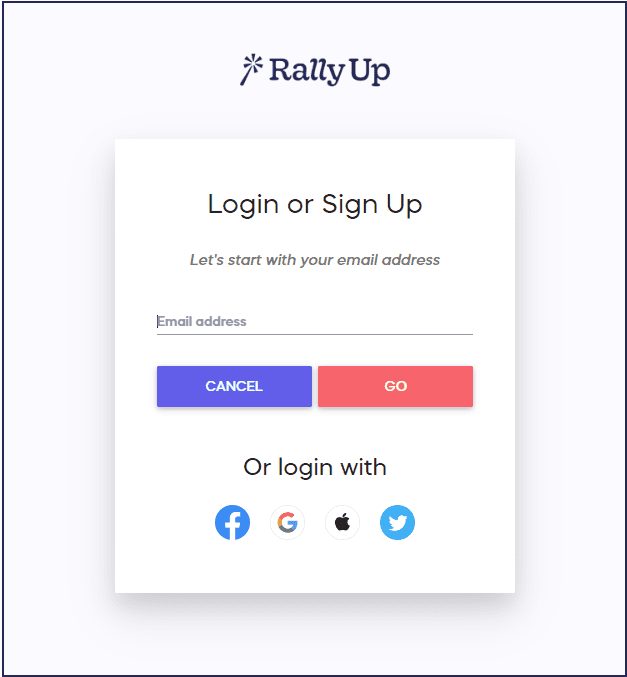
- Enter the email address for your account and select GO:
- Select Forgot Password:
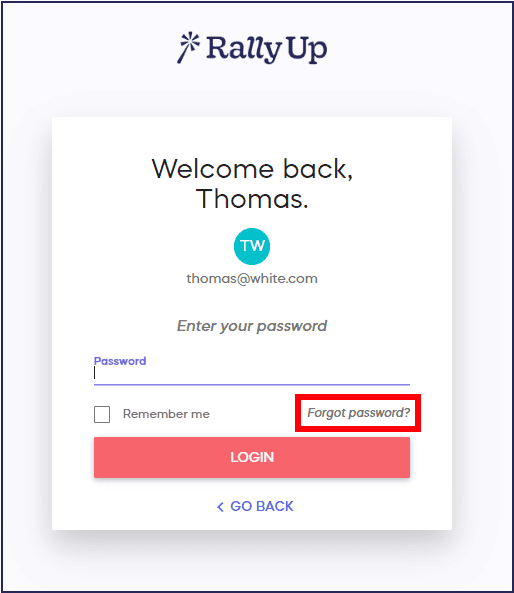
- We’ll send you an email to reset your password. Follow the instructions included in the email.
What happens after I request a password reset?
After you select “Forgot Password,” RallyUp will send you an email with instructions to reset your password. Simply check your inbox for the email and follow the instructions included to create your new password and regain access to your account.
Frequently Asked Questions
What information do I need to reset my password?
To reset your password, you only need the email address associated with your RallyUp account. Enter your email address on the login page, select “GO,” and then select “Forgot Password” to begin the password reset process.
How long does it take to receive the password reset email?
You should receive the password reset email immediately after requesting it. Check your inbox right away for an email from RallyUp with instructions on how to reset your password.
What if I don’t receive the password reset email?
If you don’t see the password reset email in your inbox, check your spam or junk folder—sometimes automated emails can be filtered there. Also verify that you entered the correct email address associated with your account. If you still don’t receive the email after checking these items, contact RallyUp support for assistance.
Can I change my password after I’ve logged in?
Yes, you can change your password anytime after logging into your account. Go to your account settings where you’ll find options to update your password proactively, even if you haven’t forgotten it. This is a good security practice if you want to update your password regularly.
Why is the site suggesting a password for me?
If you see password suggestions during account creation or password reset, these are coming from your device or browser’s built-in password manager (such as iCloud Passwords & Keychain, Google Password Manager, or your browser’s autofill feature), not from RallyUp. Your device is trying to help you create a strong, secure password. You can choose to use the suggested password or ignore it and type your own password instead. RallyUp allows you to create any password you prefer—simply type your desired password in the password field, and your device’s suggestion will be overridden.