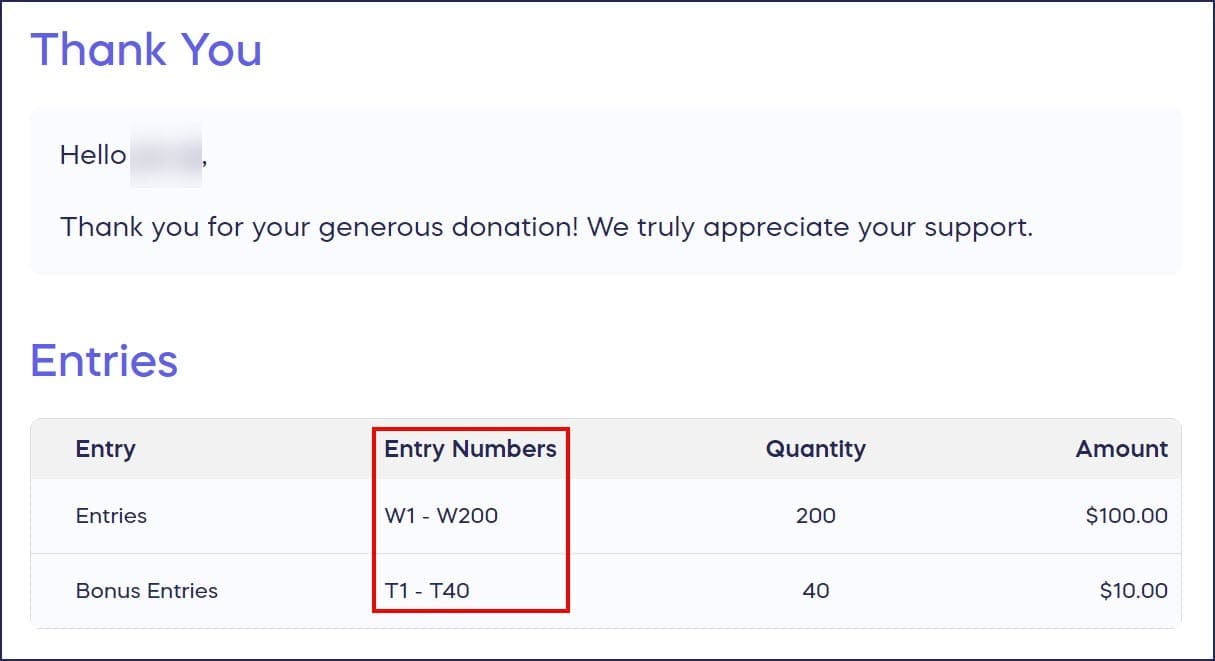
View the number of entries purchased and your entry numbers in your confirmation receipt.
When you purchase entries for a Raffle or Sweepstakes, you are automatically assigned digital entry numbers. You can view your entry numbers on your confirmation page after completing your transaction. They will also be sent to you in an email confirmation:
What should I do if I didn’t receive my confirmation email?
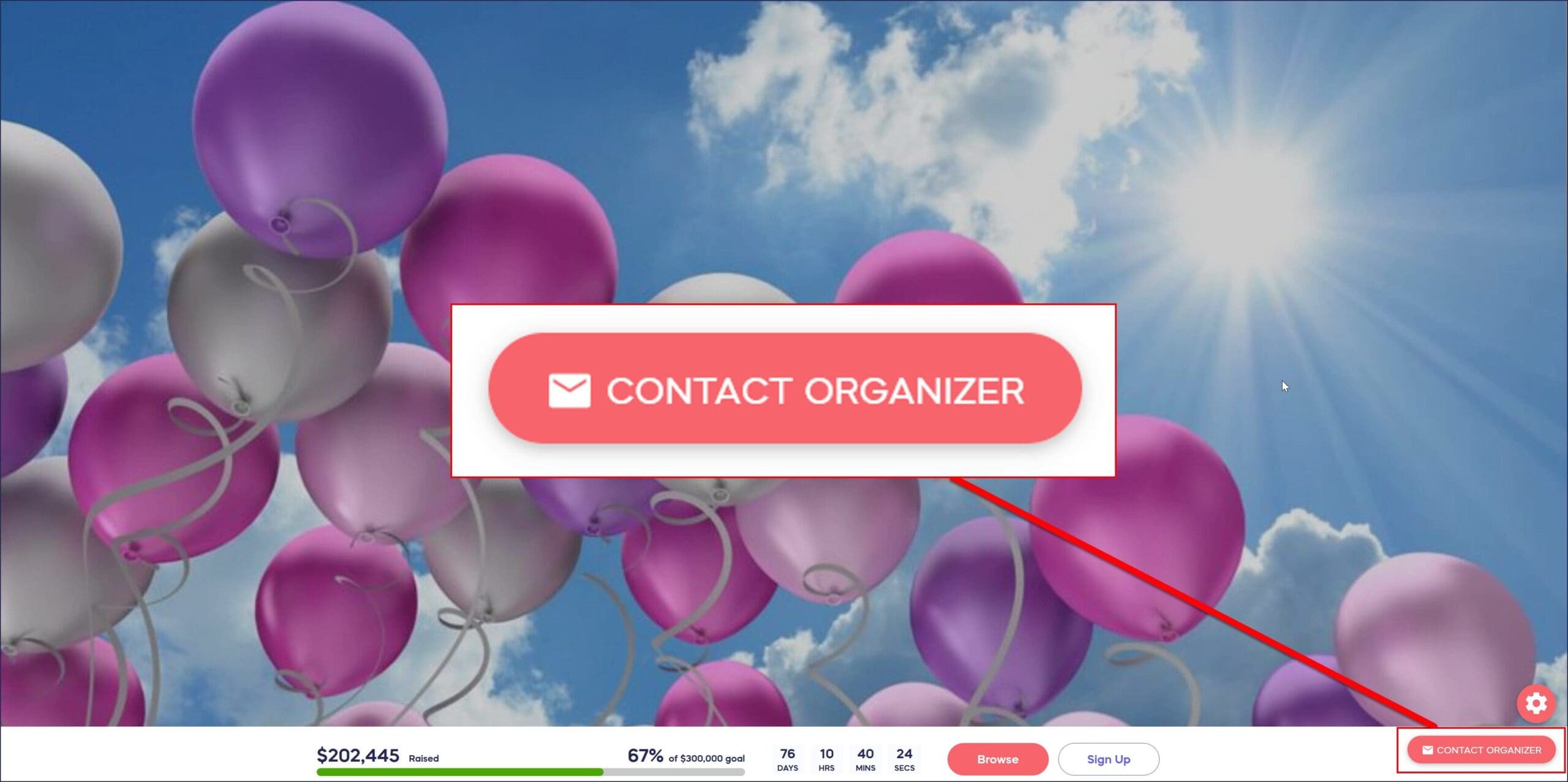
If you purchased entries but did not receive your confirmation email, check your spam/junk folder. If it’s not there, please contact the Campaign Organizer to have them resend your confirmation receipt. You can do this by revisiting the Campaign Page and clicking on the Contact Organizer button in the bottom right corner of the screen:
Frequently Asked Questions
Are Raffle and Sweepstakes entry numbers physical or digital?
Entry numbers are digital, not physical tickets. When you purchase entries for a Raffle or Sweepstakes, RallyUp automatically assigns digital entry numbers to your purchase, which you can view in your confirmation email and on your confirmation page.
When do I receive my entry numbers?
You receive your entry numbers immediately after completing your purchase. They appear on your confirmation page right after checkout and are also sent to you in an automated confirmation email.
Can I view my entry numbers after closing the confirmation page?
Yes, your entry numbers are included in your confirmation email, so you can reference them anytime. If you need the email resent, contact the Campaign Organizer through the Contact Organizer button on the Campaign Page.
What should I check if my confirmation email isn’t in my inbox?
First, check your spam or junk folder, as confirmation emails sometimes get filtered there. If you still can’t find it, contact the Campaign Organizer to have them resend your confirmation receipt.
How do I contact the Campaign Organizer about my entry numbers?
Visit the Campaign Page and click the Contact Organizer button in the bottom right corner of the screen. This allows you to send a message directly to the organizer requesting assistance with your entry numbers or confirmation receipt.