Add offline card or check donations to your Campaign or Donation Page records.
There may be times when a donor makes a donation offline instead of using your RallyUp Campaign Page or Donation Page. These are sometimes called outside donations. RallyUp allows you to manually enter outside donations in your records so you can include them in the total amount raised displayed on your fundraising page.
What are the limitations for offline donations?
- Donors cannot purchase Ticketing & Registration tickets, Auction bids, Peer-to-Peer registrations, or Storefront items offline.
- Peer-to-Peer Participants cannot enter offline donations. If a Participant wants to receive credit for an offline donation, the Campaign organizer will need to enter the donation manually and credit it to the Participant.
- If you want to enter offline Raffle or Sweepstakes entry purchases, see this article instead: How-to: Add Raffle or Sweepstakes Tickets You’ve Sold Offline.
How do I add offline donations to my Campaign?
- Go to Account Navigation in the left menu and select Campaigns.
- If you have chosen a list view, click on the Campaign title. If you have chosen a grid view, click on the Campaign image.
- Select Manage Outside Donations.
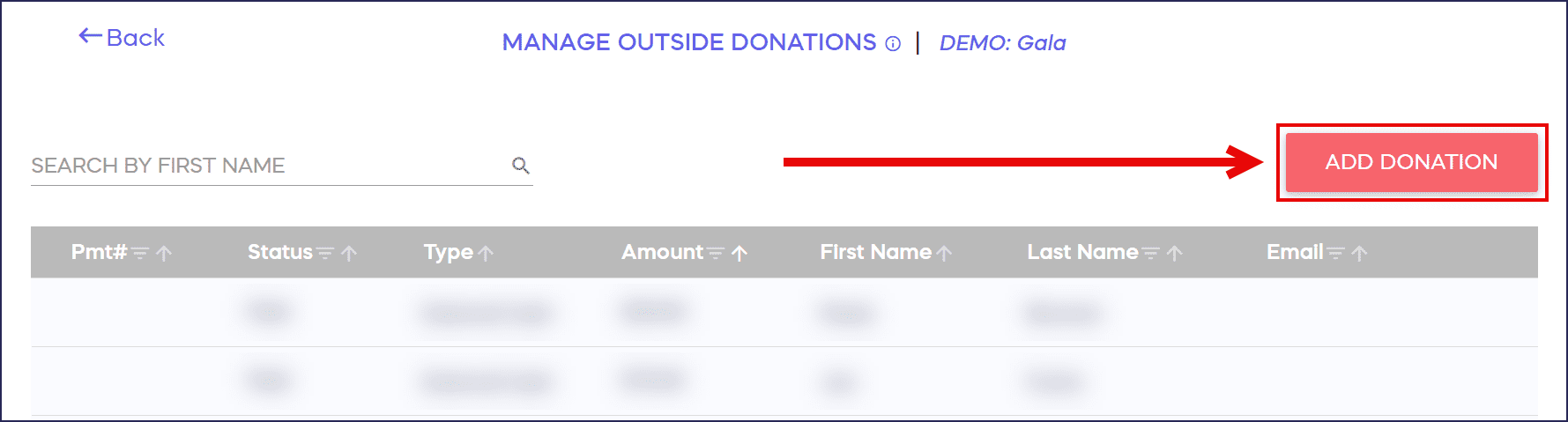
- Select ADD DONATION:
- Enter the donation details:

- Select SAVE.
How do I add offline donations to my Donation Page?
- Go to Organization Settings in the left menu and select Donation Pages:

- Click on the Donation Page title.
- Select Manage Outside Donations.
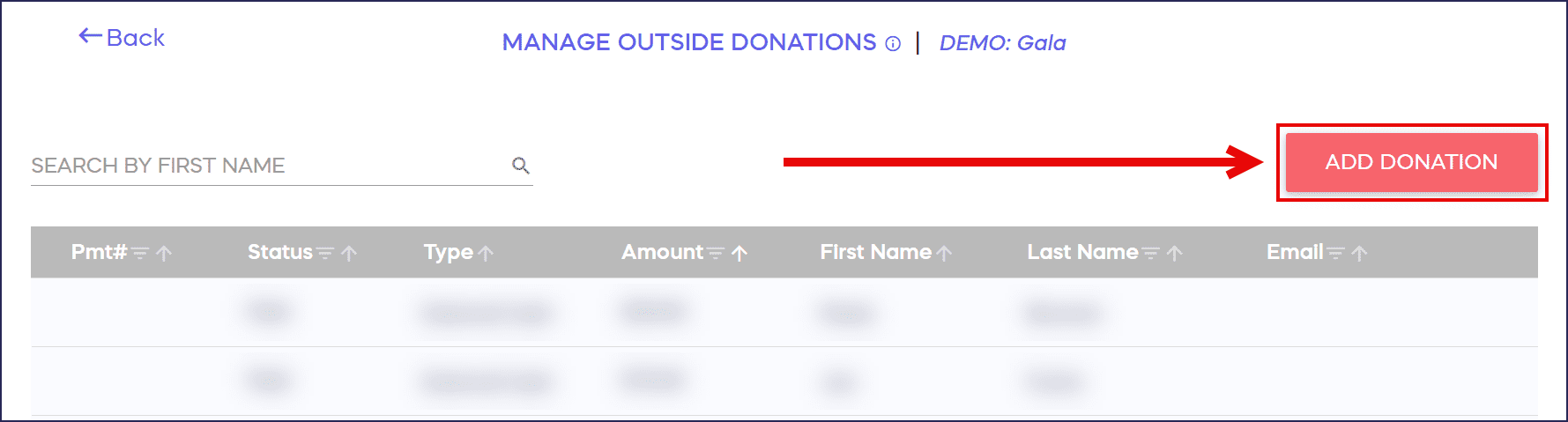
- Select ADD DONATION:
- Enter the donation details:
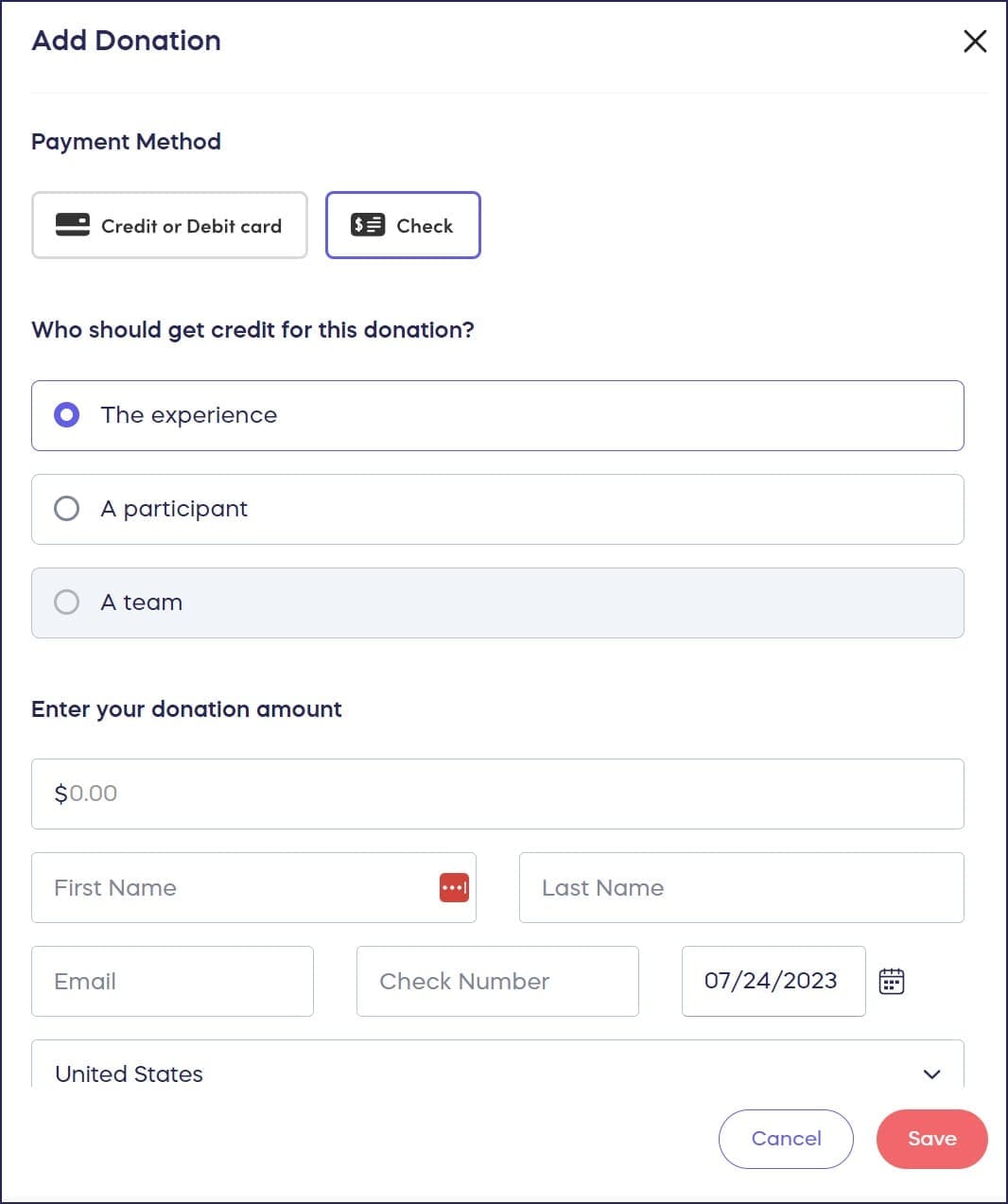
- Select SAVE.
How do offline donations appear in my records?
- When you add outside donations to your records, the total amount raised will take a few minutes to update.
- All outside donations entered in your records will be included in the View Donations page and reports.
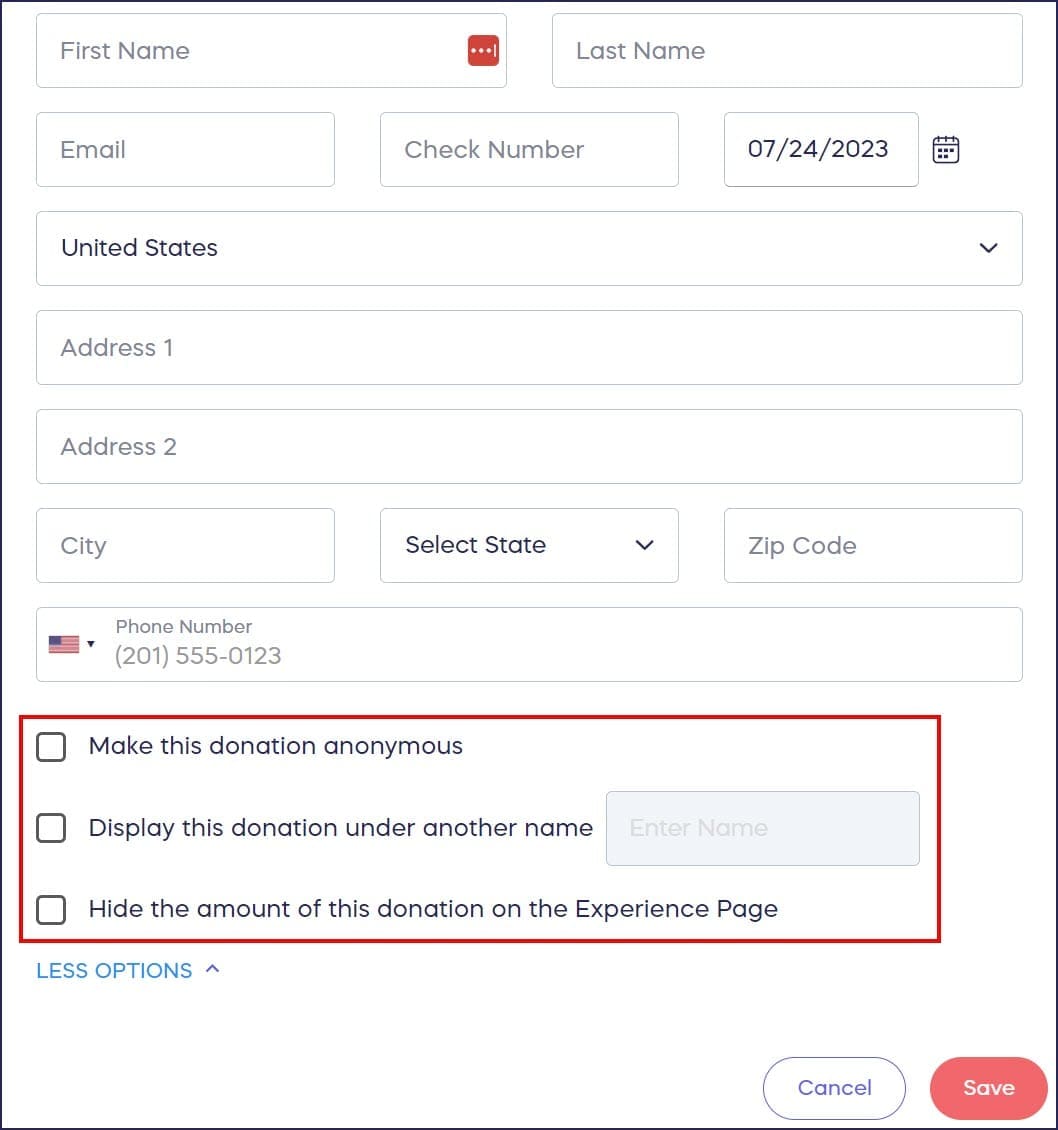
- You can anonymize any outside donations, hide the donation amount, or display the donation under a different name.
Frequently Asked Questions
What types of outside donations can I add to RallyUp?
You can add outside card or check donations to your Campaign or Donation Page. However, you cannot add outside purchases for Ticketing & Registration tickets, Auction bids, Peer-to-Peer registrations, or Storefront items.
Can Peer-to-Peer Participants add their own outside donations?
No, Peer-to-Peer Participants cannot enter outside donations themselves. If a Participant receives an outside donation, the Campaign organizer must manually enter it and credit it to that Participant.
Will outside donations appear in my fundraising total?
Yes, outside donations are included in the total amount raised displayed on your Campaign Page or Donation Page. The total may take a few minutes to update after you add an outside donation.
Can I keep outside donations anonymous?
Yes, when adding outside donations you can anonymize the donor, hide the donation amount, or display the donation under a different name to protect donor privacy.
Where can I see outside donations in my reports?
All outside donations entered in your records will be included in the View Donations page and all donation reports, making it easy to track both online and outside contributions in one place.