Limit the number of people who can join a Peer-to-Peer or A-Thon Team when public registration is enabled.
If you’re running a Peer-to-Peer or A-Thon Campaign with public registration enabled, you may want to limit the number of Participants* who can join each Team*. This helps ensure fairer competition, as every Team can have the same maximum number of people. Setting limits also prevents Participants from joining a specific Team once it reaches capacity.
*Terminology may differ according to Campaign settings.
How do I limit the number of Participants per Team?
- Go to Account Navigation in the left menu and select Campaigns.
- If you have chosen a list view, click on the Campaign title. If you have chosen a grid view, click on the Campaign image.
- Select Campaign Setup.
- Go to Peer-to-Peer in the timeline at the top.
- Scroll down to How will teams be created? and select More options:

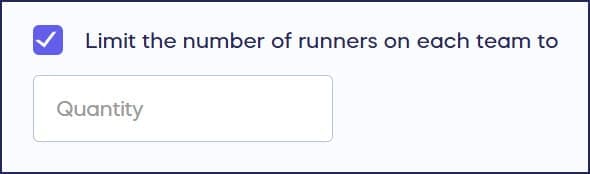
- Check the box next to Limit the number of participants on each team to _____ and enter the desired quantity:
- Select Save.
Frequently Asked Questions
Can I limit Team size if registration is private?
No, this setting is only available if Participant and Team registrations are set to public. Learn more about the differences in our guide on public vs. private registration.
Why would I want to limit the number of Participants per Team?
Limiting Team size helps ensure fairer competition, as every Team can have the same maximum number of members. It prevents larger Teams from having an unfair advantage and creates more balanced competition.
What happens when a Team reaches its Participant limit?
Once a Team reaches the maximum number of Participants you’ve set, new Participants will no longer be able to join that Team. They’ll need to join a different Team or create their own.
Where do I find the Team size limit setting?
Go to Account Navigation in the left menu and select Campaigns. Select your Campaign, then Campaign Setup. Go to Peer-to-Peer in the timeline, scroll to “How will teams be created?” and select More options to access the Team size limit setting.
How do I add Participants and Teams to my Campaign?
You can manually add Participants and Teams as an organizer, or allow supporters to register themselves if you have public registration enabled. Learn more in our guide on how to add Peer-to-Peer or A-Thon Participants and Teams.