Keep eyes up and donations up with Live Display
Display real-time giving and highlighted items on the big screen to keep your guests engaged. Run your whole program on one display.
Add a Live Display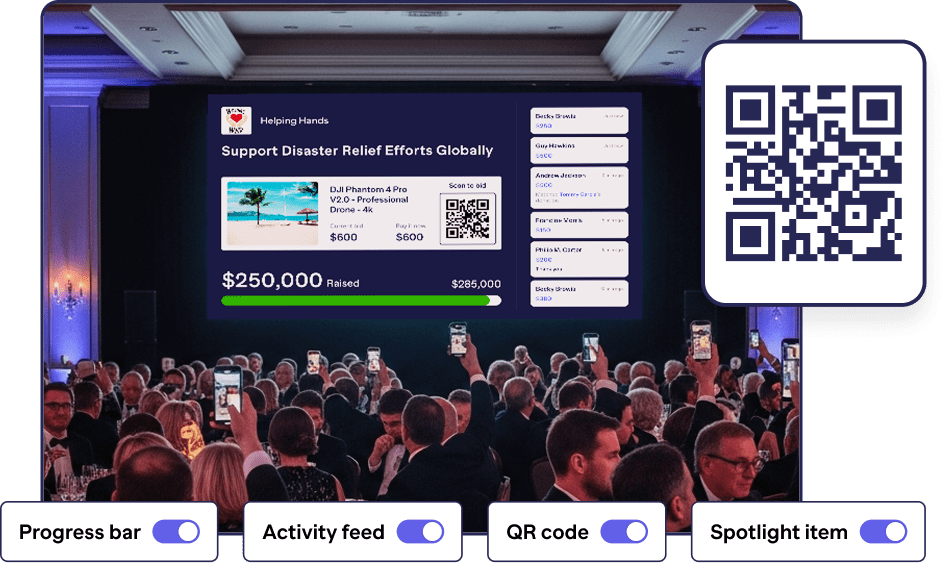
Donor-pleasing features
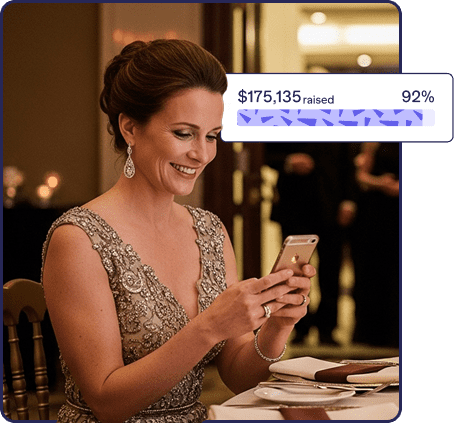
Turn progress into participation
When guests see the total climb, they act again.
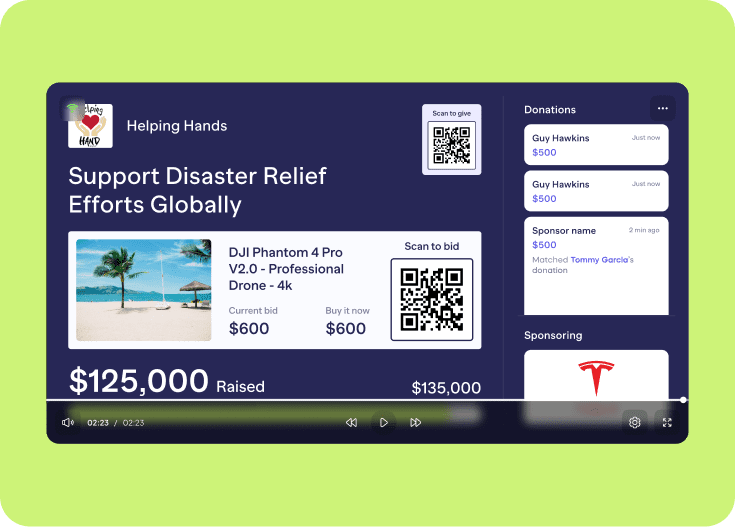
Real-time total & progress bar → instantly reflects new gifts so the room feels momentum and leans in.
Make generosity contagious
Recognition fuels more giving.
Live activity feed → celebrates gifts as they happen so supporters see their impact and join in.
Spotlight what matters
Direct attention to the next best action.
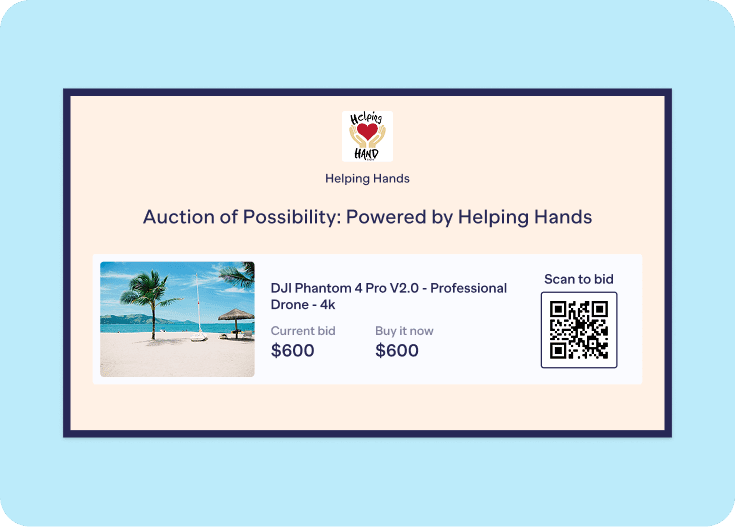
Item & Paddle Raise spotlighting → put a featured item or your paddle-raise on screen to guide the room.
Make giving easy
If it’s easy to give, more people will.
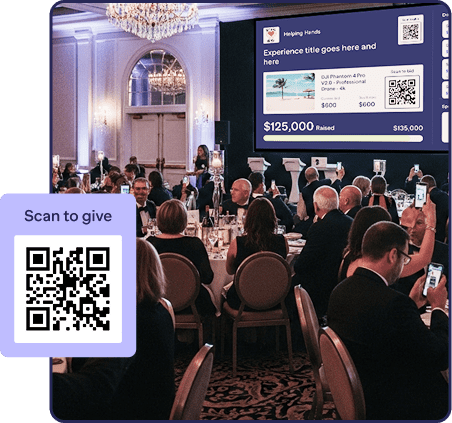
On-screen ways to give (QR + text-to-give) → guests point phones and land on your campaign page in seconds.
Keep the program crisp and on-brand
Show what adds value and hide the rest.
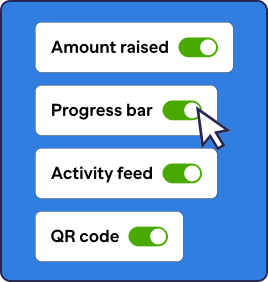
Display controls → toggle modules (total, progress bar, activity, sponsors, text-to-give, QR, org name) so every scene is focused and tidy.
Recognize sponsors in the room
Visibility that strengthens relationships.
Sponsor & organization callouts → acknowledge partners and keep your org identity front and center throughout the event.
Surround guests with the story
Consistency builds clarity and trust.
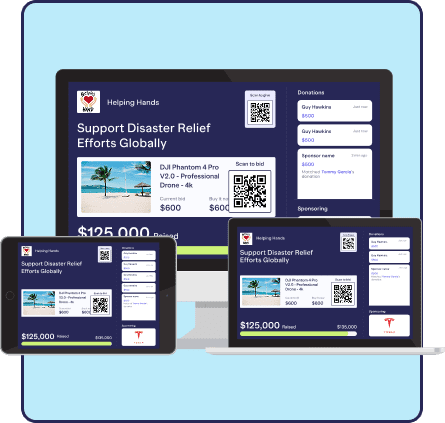
Multi-screen sync → open the same Live Display URL on every monitor or projector so all screens stay perfectly aligned.
Built for big-room legibility
Every seat should feel included.
Large-screen design → optimized for TVs, projectors, and tablets, so content is clean and readable across the venue.
Keep the show moving, no matter what
Your momentum shouldn’t hinge on perfect Wi-Fi.
Resilient updates → designed to refresh in real time and resync when the connection returns.
Protect donor privacy
Confidence to give, their way.
Anonymity respected → honors the organization’s settings and the donor’s choices for name/amount visibility automatically.
Simple to launch at any venue
Use what you already have.
Browser-based setup → open in a browser and cast (Chromecast or AirPlay) or connect via HDMI to a projector/TV. You can also open the display directly on any web-enabled screen.
Plan fit & next step
No contracts or subscriptions.
Included on
Advanced fundraising Components
Great for
Mid-to-large in-person events
Takes
Minutes to set up
The big-screen giving flow
Before
- Connect a laptop to your projector/TV or open the display on any screen with a modern web browser.
- Choose which modules to show (totals, progress bar, activity, sponsors, text-to-give, QR, org name).
- Prep items or a paddle-raise you may want to spotlight.
During
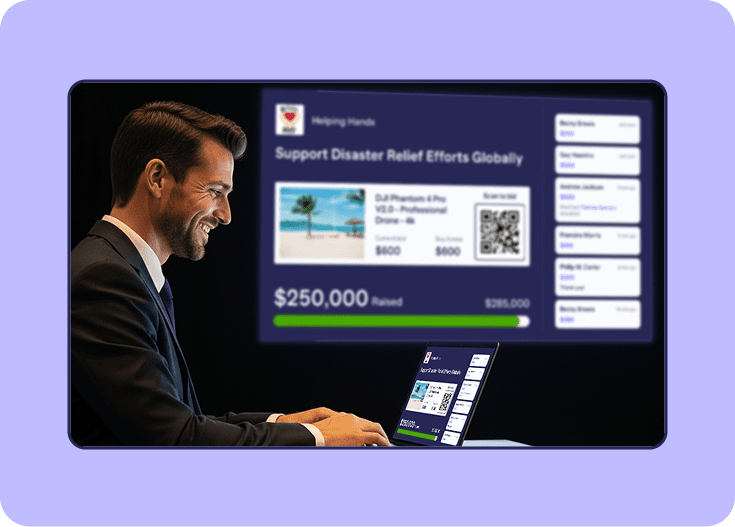
- Switch views live from your management screen to match the moment (e.g., spotlight an item, then your paddle-raise).
- Watch activity and totals update in near real time to keep the room energized.
After
- Close with the final total on screen.
- Save screenshots or a recording using your computer’s standard capture tools (no extra export needed).
Built for your RallyUp stack
Use Live Display alongside your RallyUp
- Live Auctions
- Silent Auctions
- Raffles
- Paddle Raise
This way, the room always knows what’s happening and how to participate. All brought together in one unified experience.
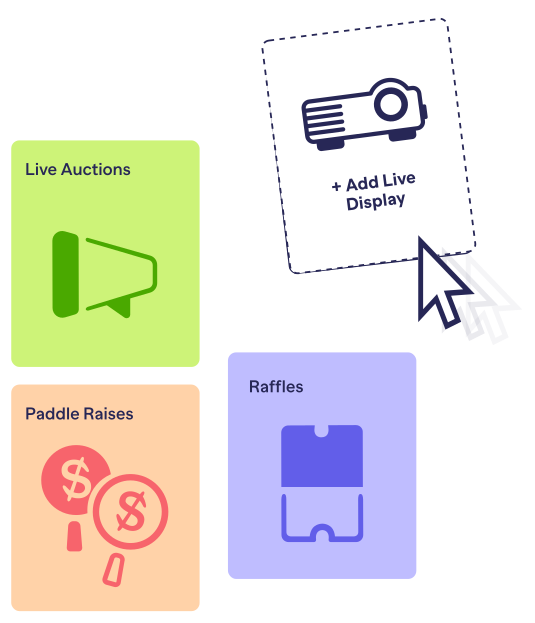
Choose your moment
Pick the scene that fits your program. Switch as your night unfolds.
Gala Paddle-Raise
- More paddles up, more levels hit
Put giving levels and a live total on the big screen so recognition snowballs into back-to-back gifts
Live Auction
- More bids per minute
Project the current lot, live bids, and a clear leaderboard to cut confusion and speed up bidding.
School Auction
- Families give faster
Spotlight classroom baskets with on-screen QR/text-to-give so parents can donate in seconds between moments.
Raffle Night
- Build suspense between draws
Rotate countdown, fresh entries, and prize highlights to nudge one-more-entry behavior all night.
Benefit Concert
- Keep the crowd in tune
Keep a visible goal and real-time activity pulses so donations flow without pausing the music.
Make people feel seen. Honor every giver live on the big screen.
Running an in-person event?
Create a free account today!Overwhelmed? We’ll do it for you!
Our fundraising experts will create your campaign for free. Find out how!

Frequently Asked Questions
Amount raised, progress bar, activity feed, sponsors, text-to-give instructions, QR code, and your organization’s name. You control which modules are on.
As fast as technically feasible: designed to reflect new donations immediately so guests see the impact right away.
Yes. You can spotlight items and automatically spotlight paddle-raise items from your management screen.
Yes. Live Display honors your organization’s anonymity settings and the donor’s choices (e.g., show/hide name or amount).
It’s built for large displays (TVs, projectors) and tablets as controllers, accessed via a modern web browser. It’s not designed for mobile phone-sized displays.
Yes. Use the same URL across displays to keep everything in sync.
Use a laptop + HDMI for your projector/TV or open the display directly on any screen with internet access and a browser.
Primary use is in-person. For livestreams, share the Live Display window via your streaming software (e.g., screen share); no direct RTMP/OBS integration is required.
It’s not intended for mobile control. A tablet works; the management interface is designed for larger screens.
It’s designed to reconnect and sync updates when your connection returns.
Live Display is included with the Galas & Events package.
Preferred resolution for Live Display is 1920 x 1080.