Enable recurring donations on your Donation Page, cancel existing recurring donations, and access reports.
RallyUp’s Donation Pages give you the option to allow donors to make recurring donations. You can also control whether donors can give weekly, monthly, quarterly, or yearly, or you can allow donors to select how often they want to donate.
Understand: Crowdfunding Campaigns vs. Donation Pages
You can even update a donor’s payment information or cancel their recurring donation on their behalf. However, please note that only donors themselves have the ability to change the frequency or amount of recurring donations.
How-to: Update or Cancel Your Recurring Donation
How do I enable recurring donations on my Donation Page?
- Go to Organization Settings in the left menu and select Donation Pages:

- Click on the Donation Page title, then select Edit Donation Page:
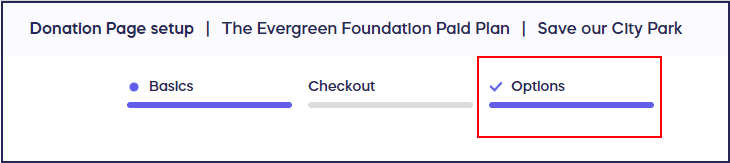
- Go to Options in the timeline at the top:
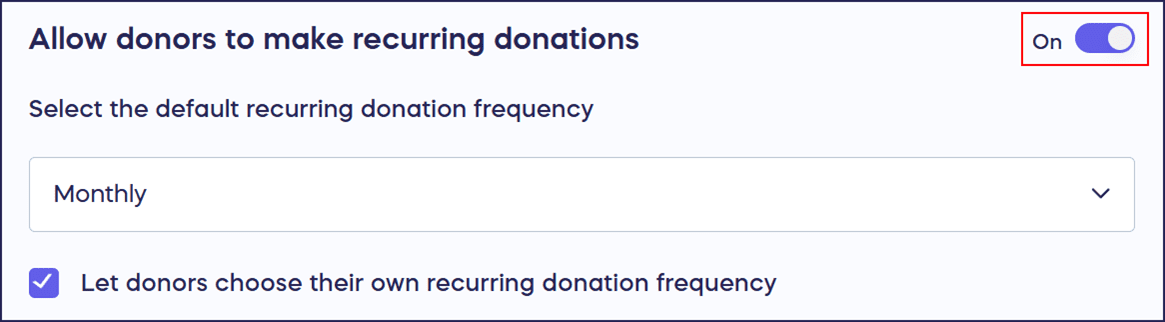
- Scroll down to Allow donors to make recurring donations and click on the toggle so it shifts to the right:
- Select Save.
How do I set recurring donation frequency options?
When you enable recurring donations, the default recurring donation frequency is automatically set to Monthly, meaning donors can schedule their recurring donation once a month. You can change this to a different frequency or allow donors to pick their own. The recurring donation frequency options are weekly, monthly, quarterly, and yearly.
Let Donors Choose Their Own Frequency
- Under Select the default recurring donation frequency, select a default recurring donation frequency from the drop-down menu:

- Check the box next to Let donors choose their own recurring donation frequency.
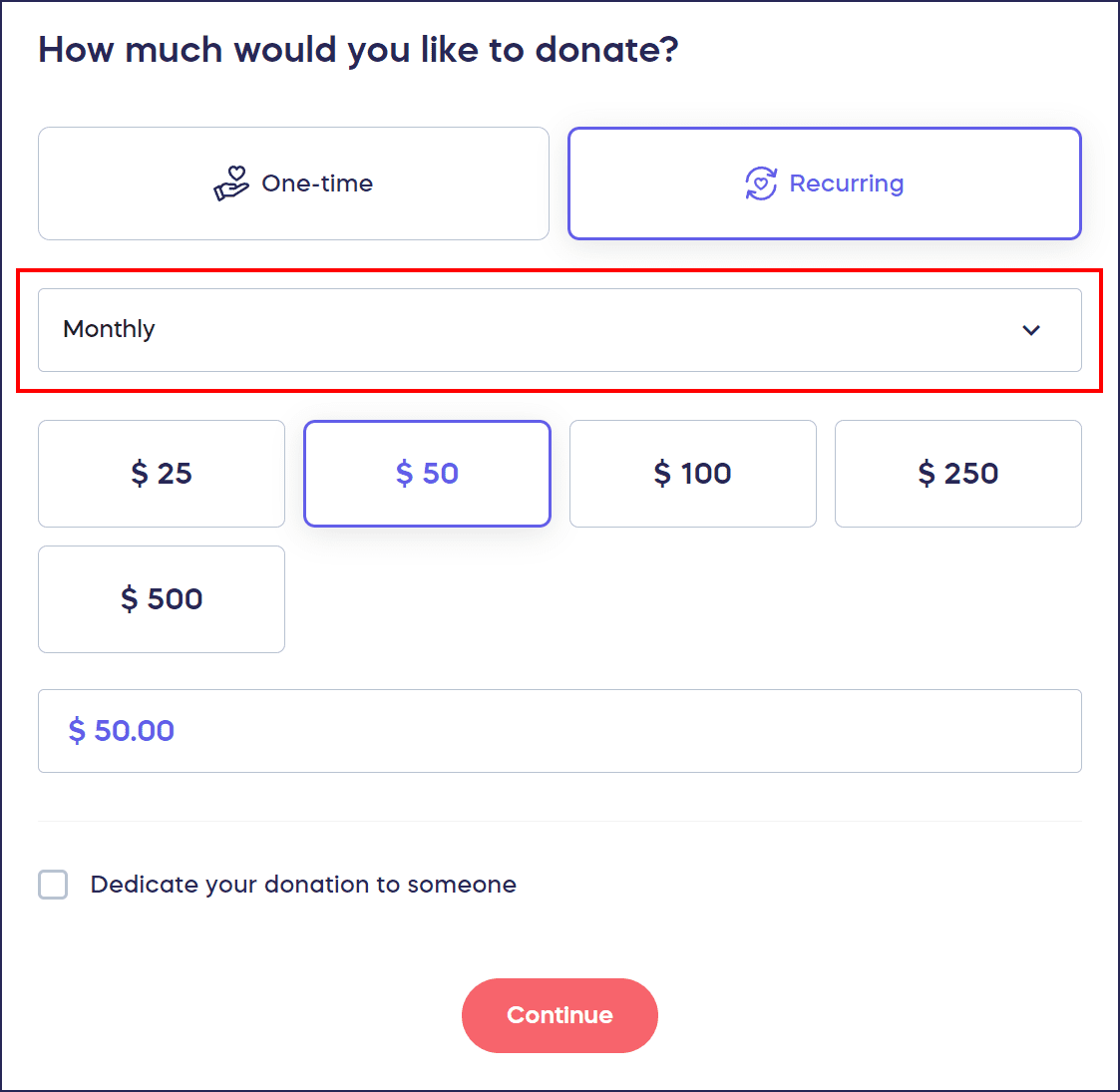
Donor View
The frequency you selected from the dropdown menu will auto-populate, but donors can change it to a different frequency:
Don’t Let Donors Choose Their Own Frequency
- Under Select the default recurring donation frequency, select a default recurring donation frequency from the drop-down menu:

- Leave the box next to Let donors choose their own recurring donation frequency unchecked.
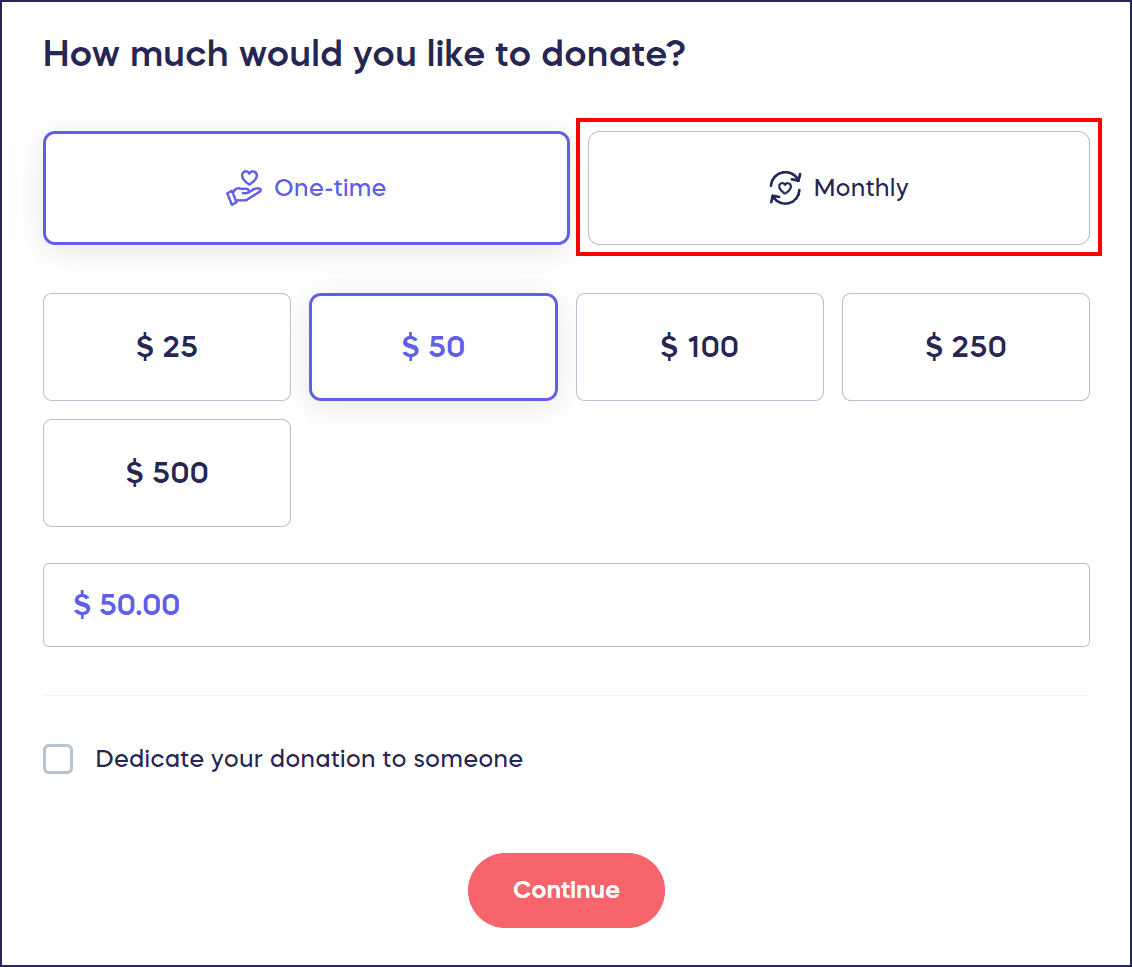
Donor View
The frequency you selected from the dropdown menu is the only recurring donation option that donors will have:
How do I turn off recurring donations?
- Go to Organization Settings in the left menu and select Donation Pages:
- Click on the Donation Page title, then select Edit Donation Page.
- Go to Options in the timeline at the top:

- Scroll down to Allow donors to make recurring donations and click on the toggle so it shifts to the left:

- Select Save.
Donor View
If recurring donations are turned off, donors will only be able to make one-time donations:

How do I access my recurring donation report?
- Go to Organization Settings in the left menu and select Donation Pages:
- Click on the Donation Page title, then select View Donations.
- Under the Donations* tab, select Recurring:
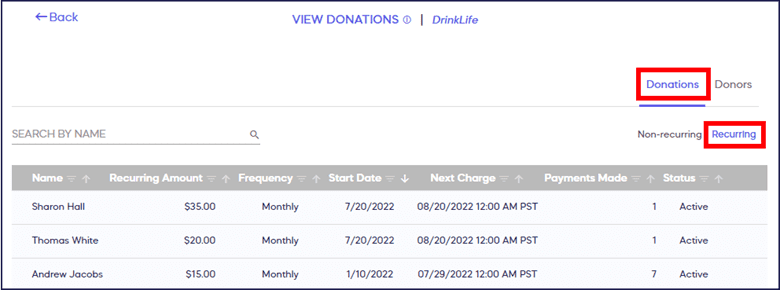
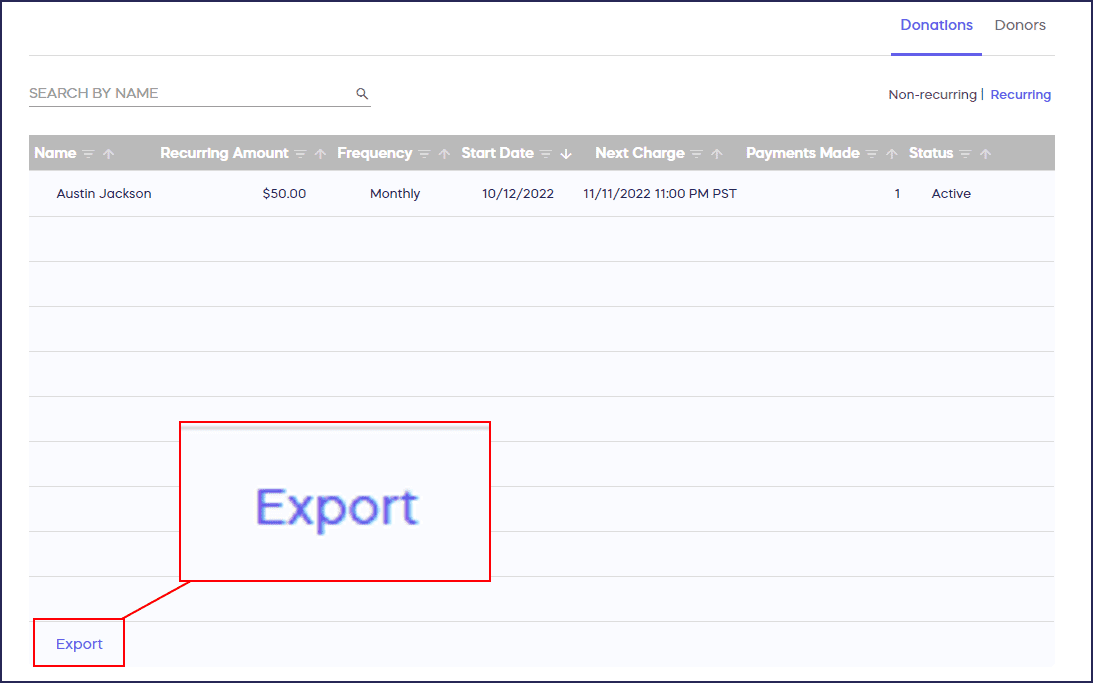
This table will list all the recurring donations with the amount, frequency, next charge date, number of payments that have been made, and the status of the recurring donation. A report can be exported by selecting Export in the lower-left corner of the screen:
How do I edit or cancel a donor’s recurring donation?
Should you be contacted by a donor with a request to cancel or update credit card information for an existing donation, here are the steps you can take:
- Follow steps 1-3 above.
- Find the recurring donation you’re looking for, hover over it, and select the three-dot menu on the right.
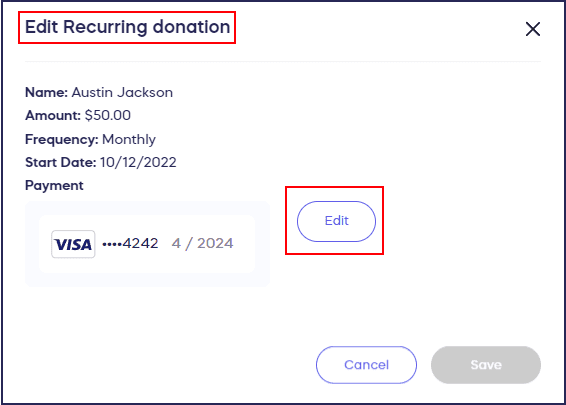
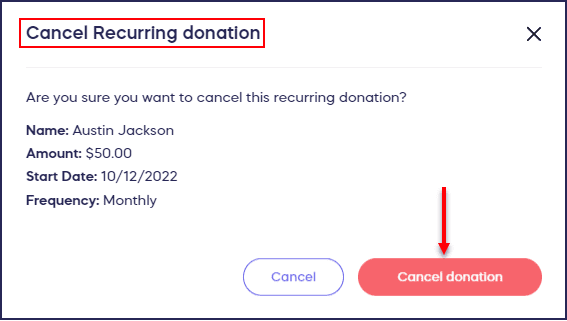
- Select Edit Donation* to change the payment method for that recurring donation. Select Cancel Donation* to cancel any future donations:
What else should I know about Donation Pages and recurring donations?
- You can turn off your Donation Page anytime. To learn how, see this Knowledge Base article: How-to: Create or Turn Off a Donation Page.
- Canceling a recurring donation will only stop future recurring donations from being made. It will not cancel or refund any previous payments that have already been made.
- The donor can only change the amount or frequency of a recurring donation upon logging in to their RallyUp account. Due to security and privacy concerns, only the donor themselves can change these settings.
Frequently Asked Questions
What recurring donation frequencies can I offer donors?
You can offer weekly, monthly, quarterly, or yearly recurring donation options. You can either set a single fixed frequency that all donors must use or allow donors to choose their preferred frequency from the available options.
Can I change a donor’s recurring donation amount on their behalf?
No, only donors can change the amount or frequency of their recurring donations through their RallyUp account. For security and privacy reasons, organizations can only update payment information or cancel recurring donations, but cannot modify donation amounts or frequencies.
What happens when I cancel a recurring donation?
Canceling a recurring donation stops all future automatic payments from being processed. However, it does not refund or cancel any payments that have already been made. Past donations remain complete and will appear in your donation history and reports.
How do donors update their own recurring donations?
Donors can log into their RallyUp account to update the amount, frequency, or payment method for their recurring donations. They can also cancel recurring donations directly from their account without needing to contact your organization.
Can I enable recurring donations on Campaigns or only Donation Pages?
Recurring donations are specifically available for Donation Pages, which are designed for ongoing, year-round giving. Campaigns typically have defined start and end dates, making them better suited for one-time donations tied to specific fundraising goals or events.