Ensure your banner images are high quality to increase your fundraiser’s appeal.
The image you choose for your Campaign banner should be as crisp and clear as possible to make your Campaign look professional and appealing to donors. We recommend the following sizes, depending on which design option you select:
- Simple: 960 pixels wide by 640 pixels high (960x640px) and no more than 20 MB

- Advanced: 1920 pixels wide by 840 pixels high (1920x840px) and no more than 20 MB

These sizes will ensure a high-quality image no matter what device your donors use to access your Campaign.
How do I remove the Campaign title from my banner image?
If you select the Advanced design option and your Campaign title is already included in your banner image, it’s important to disable the setting that causes the Campaign title to hover over your banner image to avoid repeated text:
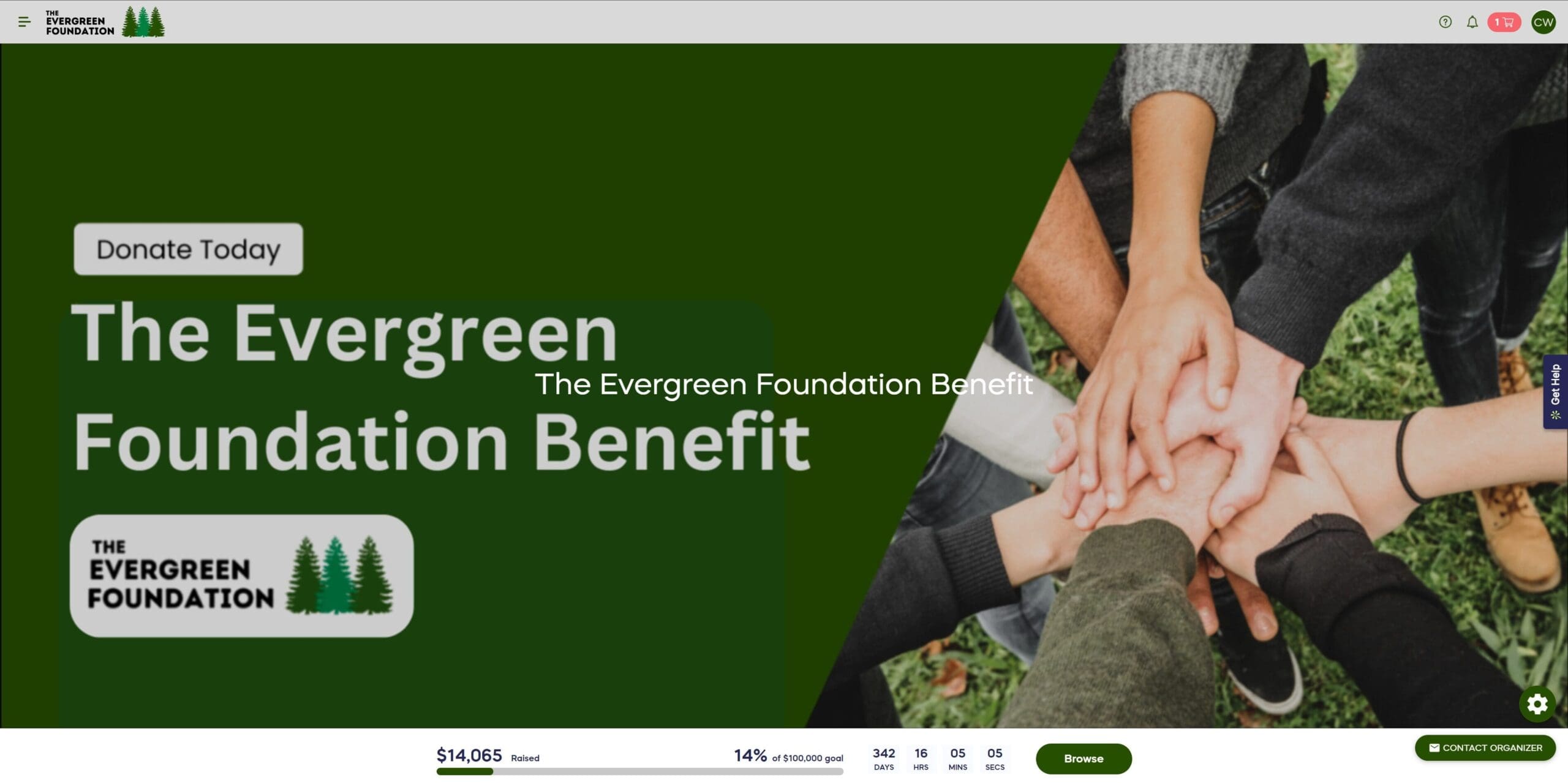
- Go to Account Navigation in the left menu and select Campaigns.
- If you have chosen a list view, click on the Campaign title. If you have chosen a grid view, click on the Campaign image.
- Select Campaign Setup.
- Go to Options in the timeline at the top and select Page Design Options.
- Scroll down to Determine what should display on your page and unselect Campaign Title on your images:

- Select Save.
Frequently Asked Questions
What size should my Campaign banner image be?
The recommended size depends on your banner style. For Simple banners, use 960×640 pixels. For Advanced banners, use 1920×840 pixels. Both should be no more than 20 MB in file size.
Why are specific image dimensions important for Campaign banners?
Using the recommended dimensions ensures your banner image appears crisp and clear on all devices, from desktop computers to mobile phones. This helps make your Campaign look professional and appealing to donors.
What’s the difference between Simple and Advanced banner styles?
Simple banners display your image or video on one side with the Campaign title and progress bar on the other side. Advanced banners span the full width of the page and allow for more customization options.
Can I use the same image for both Simple and Advanced banners?
No, the two banner styles require different dimensions. Simple banners need 960×640 pixels, while Advanced banners need 1920×840 pixels to display properly across all devices.
What should I do if my Campaign title is already in my banner image?
If you’re using the Advanced banner style and your title is included in the image, you should disable the “Campaign Title on your images” setting. This prevents the title from appearing twice and creating visual clutter.
What file size limit should I stay under for banner images?
Keep your banner images under 20 MB regardless of which banner style you choose. This ensures fast loading times for your donors.
Will my banner image look the same on mobile devices?
Yes, using the recommended dimensions ensures your banner image displays with high quality on all devices, including smartphones, tablets, and desktop computers.