Contact some or all Campaign Participants to provide information.
If you’re running a Peer-to-Peer or A-Thon Campaign, there may be times when you need to contact some or all Participants* to provide important information. You can do so easily from your Campaign Management Menu.
*Terminology may differ according to Campaign settings.
How do I email Peer-to-Peer or A-Thon Participants?
- Go to Account Navigation in the left menu and select Campaigns.
- If you have chosen a list view, click on the Campaign title. If you have chosen a grid view, click on the Campaign image.
- Select View Participants.
- To email all Participants, check the box next to Participant Name, then check the box next to Select all records:
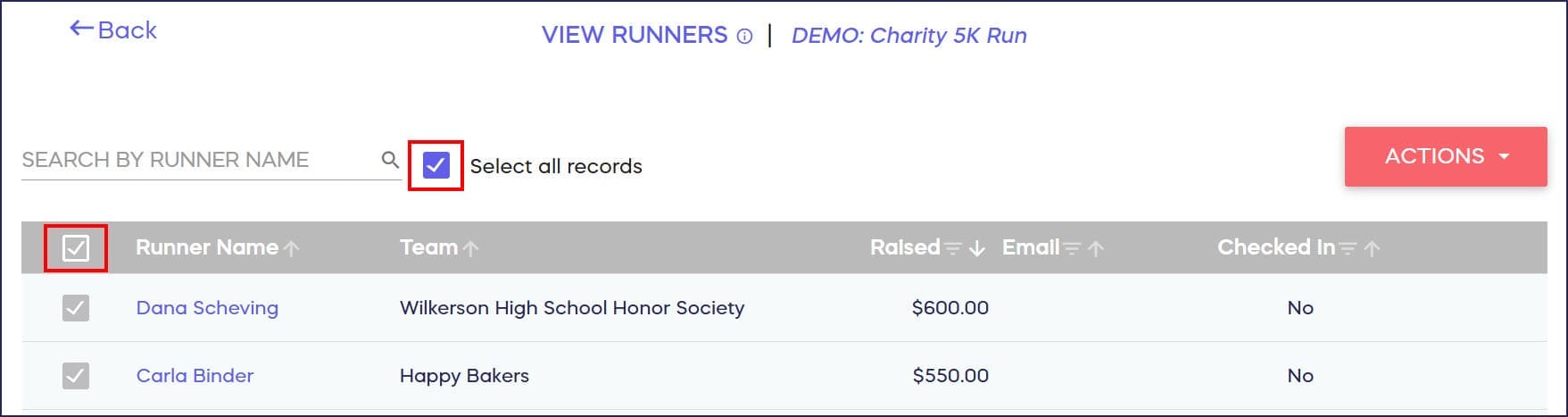
Note that if you only check the box next to Participant Name, only the names on the first screen will be selected.
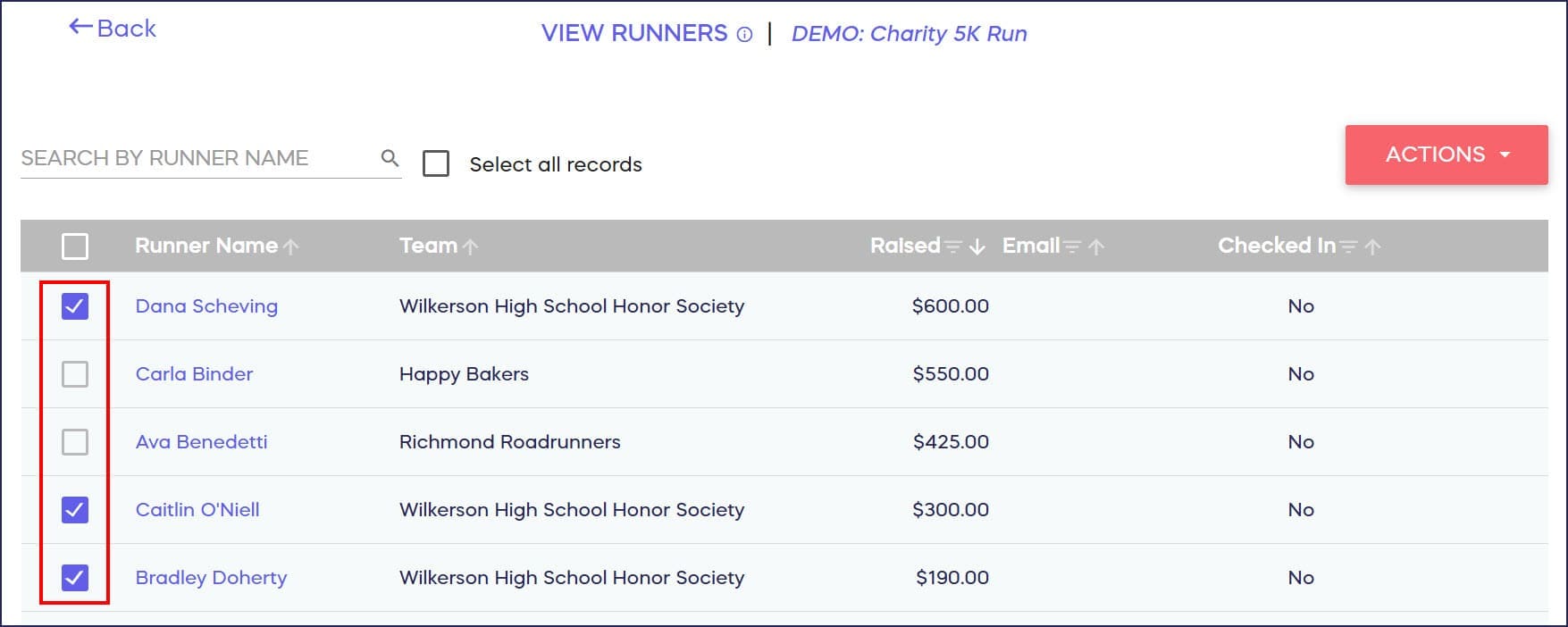
To email specific Participants, check the boxes next to their names:
- Select ACTIONS, then select Send Email:

- Compose your email, then select Send. A green notification will appear at the top of the screen to confirm that your email has been sent.
Can I view or resend emails I’ve sent to Participants?
You can view and resend any email from a supporter’s Donor Profile: How-to: View and Resend Emails (Donor Profiles).
Frequently Asked Questions
Can I email just specific Participants instead of everyone?
Yes, you can email specific Participants by checking the boxes next to individual names. This allows you to send targeted messages to select groups rather than emailing all Participants.
What’s the difference between checking “Participant Name” and “Select all records”?
Checking only the “Participant Name” box selects only the Participants visible on the current screen. To email ALL Participants (including those on other pages), you must also check “Select all records” after checking “Participant Name.”
Can I personalize emails to individual Participants?
While the email compose feature sends the same message to all selected recipients, you can use a conversational tone that feels personal. For highly personalized messages, you may want to email Participants individually.
Will Participants see each other’s email addresses?
No, emails are sent individually to each Participant, so recipients won’t see other Participants’ email addresses. Each person receives their own copy of the message privately.
Can I track which Participants opened my email?
The system confirms when emails are successfully sent but doesn’t provide open-rate tracking. However, you can view and resend any email from a supporter’s Donor Profile if needed: How-to: View and Resend Emails (Donor Profiles).