Personalize the link to your Participant Center to make it easier to share and remember.
When you add Peer-to-Peer to your RallyUp Campaign, you can add a Participant Center* where supporters can sign up to help raise funds, view leaderboards and prizes, and more. Creating a custom link for your Participant Center makes it easier to share and remember.
Understand: Peer-to-Peer or A-Thon Participant Center
*Terminology may differ according to Campaign settings.
What should I know before customizing my Participant Center link?
- The Participant Center link is different from the link to your main Campaign Page, which you can also customize:
How-to: Change the Link to Your Campaign Page
- Anyone with access to the Participant Center can also access the main Campaign Page:
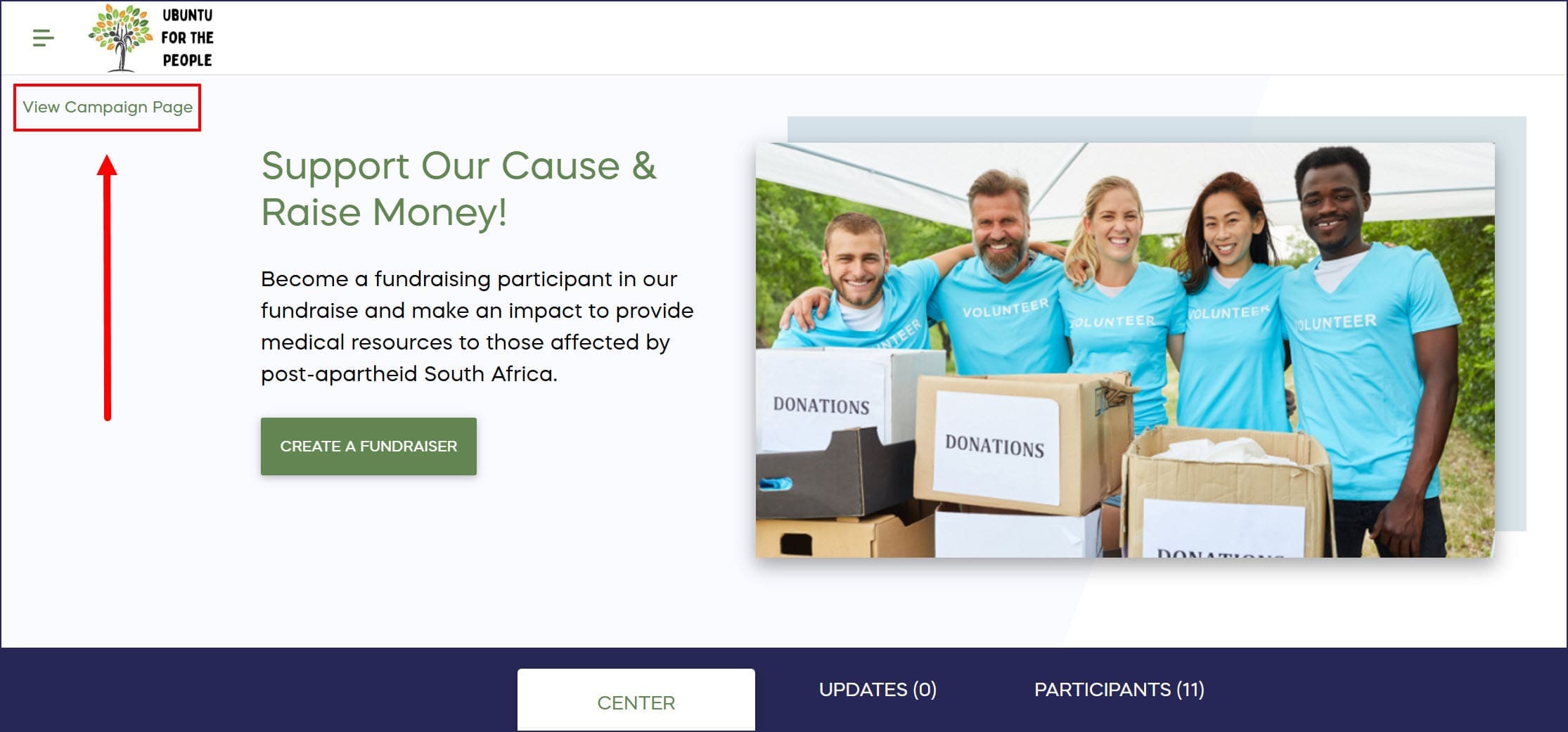
How do I customize my Participant Center link?
- Go to Account Navigation in the left menu and select Campaigns.
- If you have chosen a list view, click on the Campaign title. If you have chosen a grid view, click on the Campaign image.
- Select Campaign Setup.
- Go to Participant Center in the timeline at the top.
- Scroll down to Optional settings and select Show optional settings.
- Scroll down to Personalize the link to your Participant Center, enter the word or phrase you want to use for your link, and select VALIDATE:

We suggest using a word or phrase that’s easy to remember. You can add numbers as well (e.g., gala2024). Once you see a green Link is valid message, you’re good to go.
- Select SAVE.
Frequently Asked Questions
What is a Participant Center in RallyUp?
A Participant Center is a dedicated page where supporters can sign up to help raise funds for your Peer-to-Peer or A-Thon Campaign, view leaderboards, check prizes, and manage their fundraising activities. It’s separate from your main Campaign Page.
Why should I customize my Participant Center link?
Customizing your Participant Center link makes it easier to share and remember. A personalized, simple link like “yourorganization-gala2024” is more memorable and professional than a default auto-generated URL.
What’s the difference between the Participant Center link and Campaign Page link?
The Participant Center link leads to the page where supporters register to fundraise, while the Campaign Page link goes to your main fundraising page where people donate. You can customize both links separately, and anyone accessing the Participant Center can also view the Campaign Page.
Can I use numbers in my custom Participant Center link?
Yes, you can include numbers in your custom link. For example, “gala2024” or “walk2025” are valid options. RallyUp will validate your link to ensure it’s available and properly formatted.
Can I change my Participant Center link after creating it?
Yes, you can update your Participant Center link at any time by going to Campaign Setup, selecting Participant Center, and editing the link under Optional settings. Just remember to validate the new link and save your changes.