Interact with donors virtually by adding a Livestream to your next fundraising Campaign.
Livestreaming allows you to boost donor engagement during your virtual or hybrid event and delight donors with live entertainment, interactive surveys and trivia, flash Auctions, live Raffle and Sweepstakes drawings, and more.
How do I enable Livestreaming on my Campaign?
- Go to Account Navigation in the left menu and select Campaigns.
- If you have chosen a list view, click on the Campaign title. If you have selected a grid view, click on the Campaign image.
- Select Campaign Setup.
- Go to Getting Started in the timeline at the top.
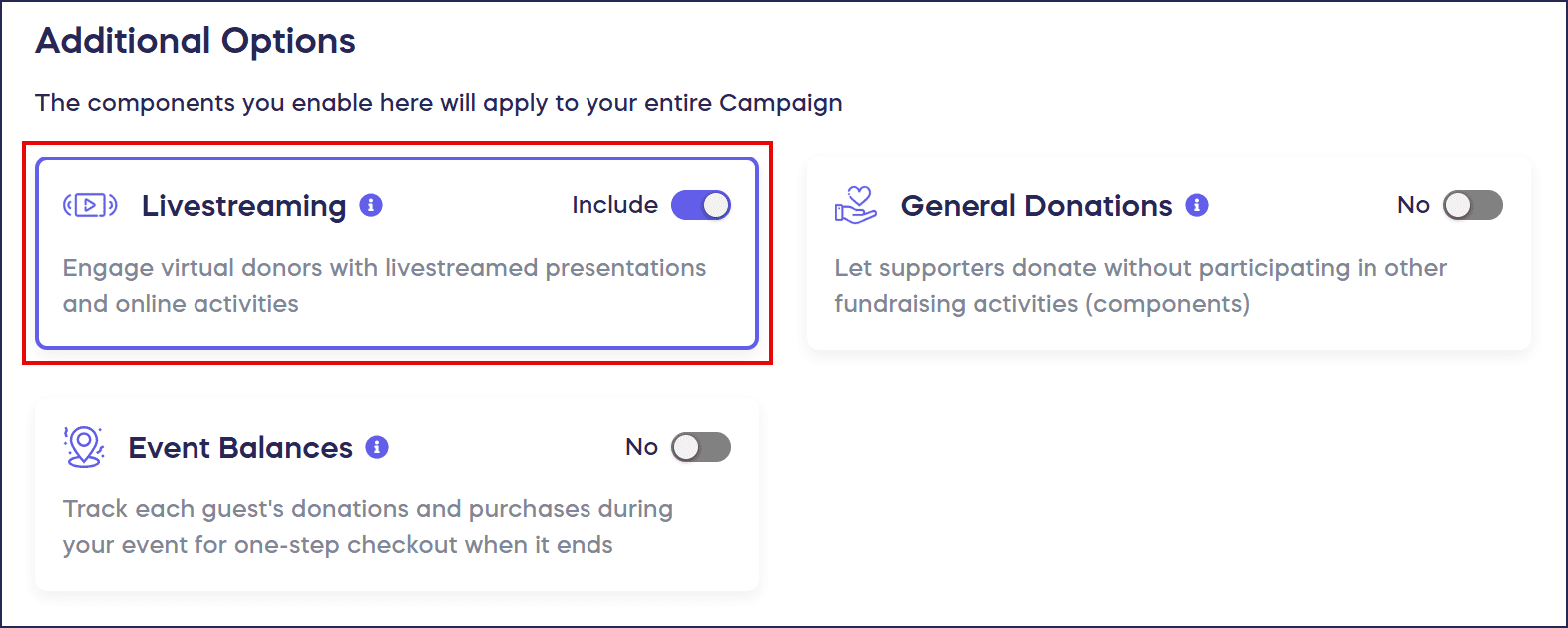
- Scroll down to Additional Options and click on the Livestreaming toggle so it shifts to the right:
- Select Save.
How do I set the Livestream date and time?
- Go to Account Navigation in the left menu and select Campaigns.
- If you have chosen a list view, click on the Campaign title. If you have selected a grid view, click on the Campaign image.
- Select Campaign Setup.
- Go to Livestream in the timeline at the top and scroll down to Select your livestreaming date and time:

- Enter the desired date, start, and end time of your Livestream. The date and time that you enter here can be edited and won’t prevent you from running a Livestream before or after this time.
- Select Save.
How does the Livestream countdown appear to donors?
Donors will be able to see a countdown to your Livestream at the top of your Campaign Page:

What else should I know about Livestreaming?
- You can run a Livestream as many times as you like during your fundraiser, regardless of the dates entered.
- Once the date and time for your Livestream have passed, the Livestream countdown timer will no longer display.
- We recommend using Chrome, Edge, or Firefox browsers while presenting your Livestream.
- Hosts and presenters are unable to join the stage on a mobile or tablet device. They must join via a desktop or laptop computer.
- If you have any questions about how to enable Livestreaming, please don’t hesitate to reach out to our customer success team by emailing success@rallyup.com or by logging into your account and clicking on the purple chat bubble in the bottom right corner of your screen.
Frequently Asked Questions
Can I run a Livestream multiple times during my fundraiser?
Yes, you can run a Livestream as many times as you like during your fundraiser, regardless of the dates entered in Setup. The date and time settings are flexible and don’t restrict your actual streaming schedule.
What devices can hosts and presenters use for Livestreaming?
Hosts and presenters must join the Livestream stage via a desktop or laptop computer. They cannot join on mobile or tablet devices. However, donors can view the Livestream on any device.
Understand: Browsers and Devices That Support Livestreaming
What browsers work best for Livestreaming?
We recommend using Chrome, Edge, or Firefox browsers while presenting your Livestream. These browsers provide the best performance and compatibility for hosting live events.
What happens to the countdown timer after my Livestream date passes?
Once the date and time for your Livestream have passed, the countdown timer will no longer display on your Campaign Page. You can update the date if you want to schedule another Livestream.
What interactive features can I add to my Livestream?
You can enhance your Livestream with live entertainment, interactive surveys and trivia, flash auctions, live Raffle and Sweepstakes drawings, and other engaging activities to boost donor participation during your event.