Learn why an Auction winner might be ineligible and how to select a new winner.
There are several reasons why an Auction winner may be ineligible, including:
- The winner does not meet a specified age requirement.
- The winner declines the prize and wants a refund.
- The winner is not eligible per your rules/guidelines (e.g., company employees are not eligible).
- The winner can no longer pay for the item/shipping/delivery.
When any of these scenarios occur, you may need to select a new winner.
How do I select a new winner if the original winner’s payment was successful?
- Cancel and refund the current winner’s payment: How-to: Cancel and Refund Credit Card Charges.
- Go to Account Navigation in the left menu and select Campaigns.
- If you have chosen a list view, click on the Campaign title. If you have chosen a grid view, click on the Campaign image.
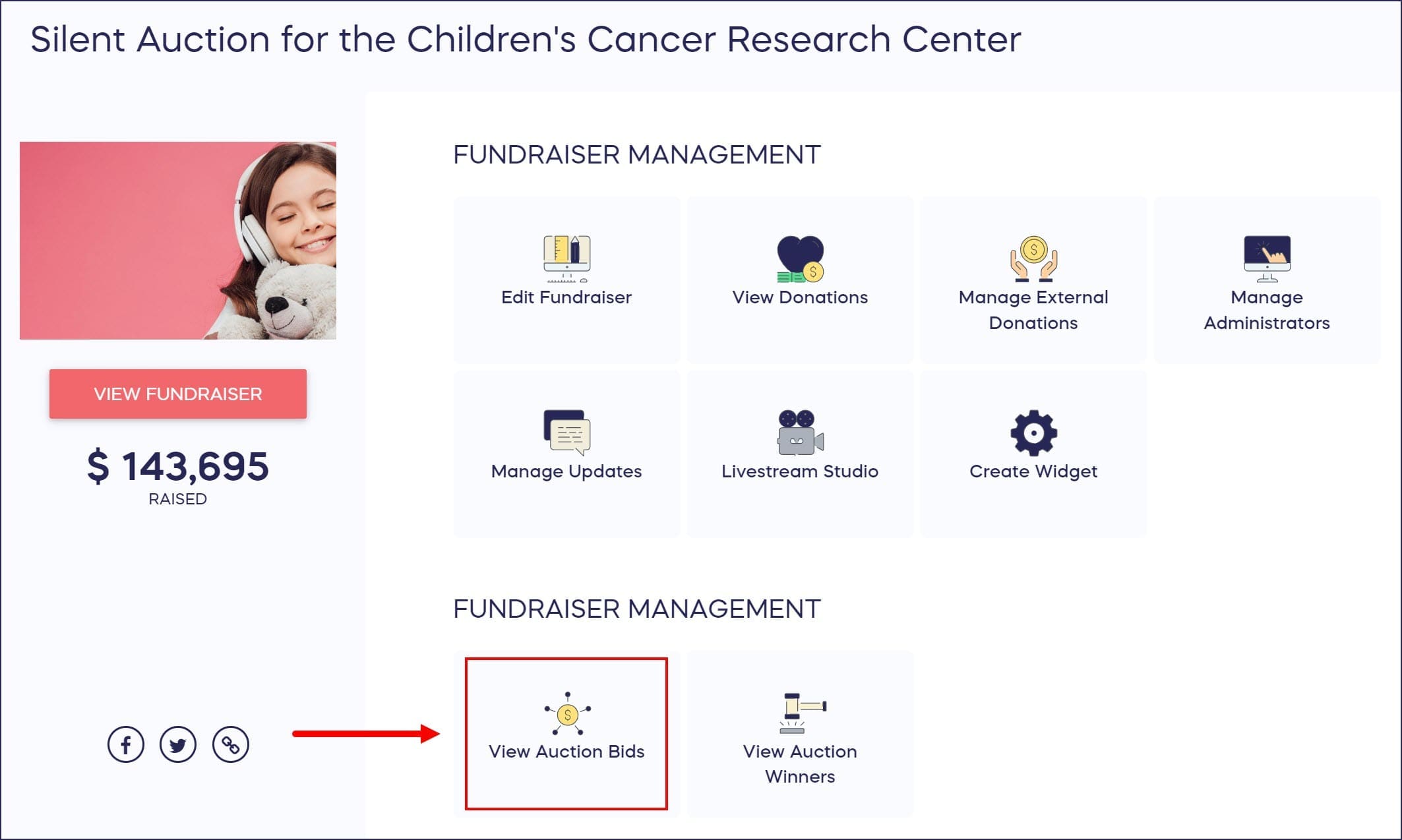
- Select View Auction Bids:
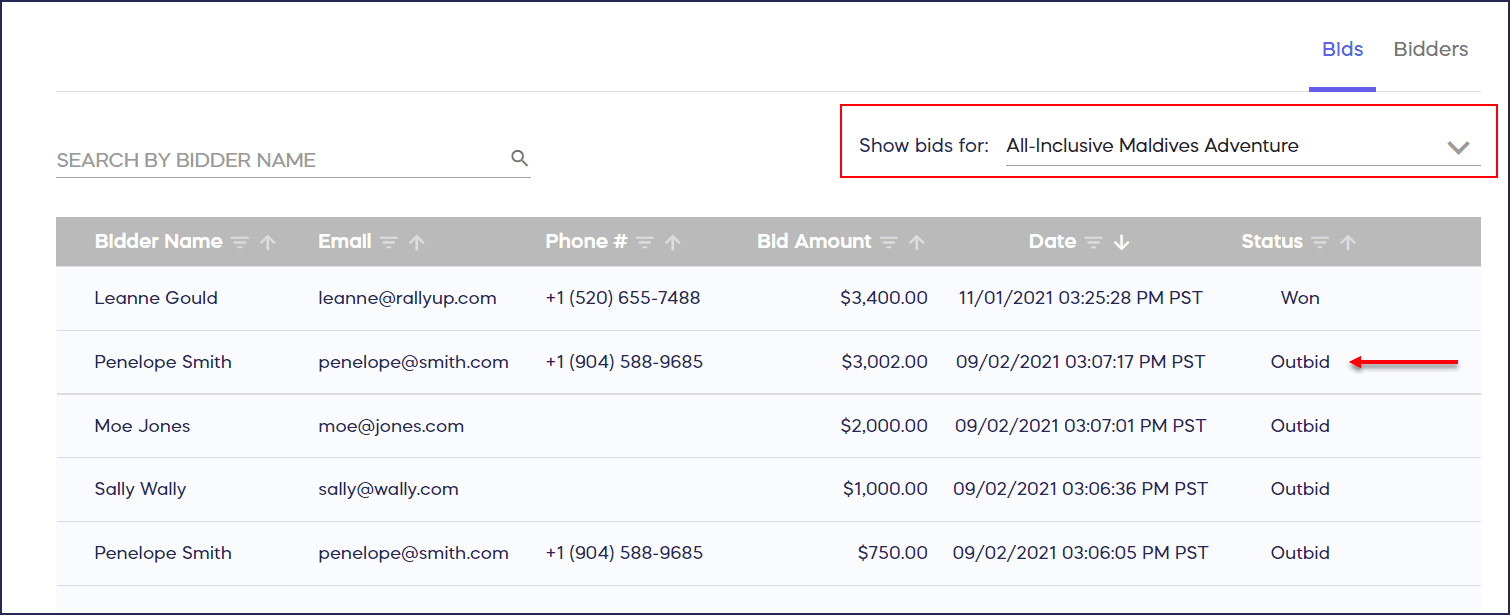
- If you had multiple Auction items, you can filter for a specific item:
- Contact the next highest bidder and manually charge their card: How-to: Manually Charge a Donor’s Credit Card.
How do I select a new winner if the original winner’s payment failed?
If a winner’s payment has failed and you would like to award the item to the next highest bidder:
- Go to Account Navigation in the left menu and select Campaigns.
- If you have chosen a list view, click on the Campaign title. If you have chosen a grid view, click on the Campaign image.
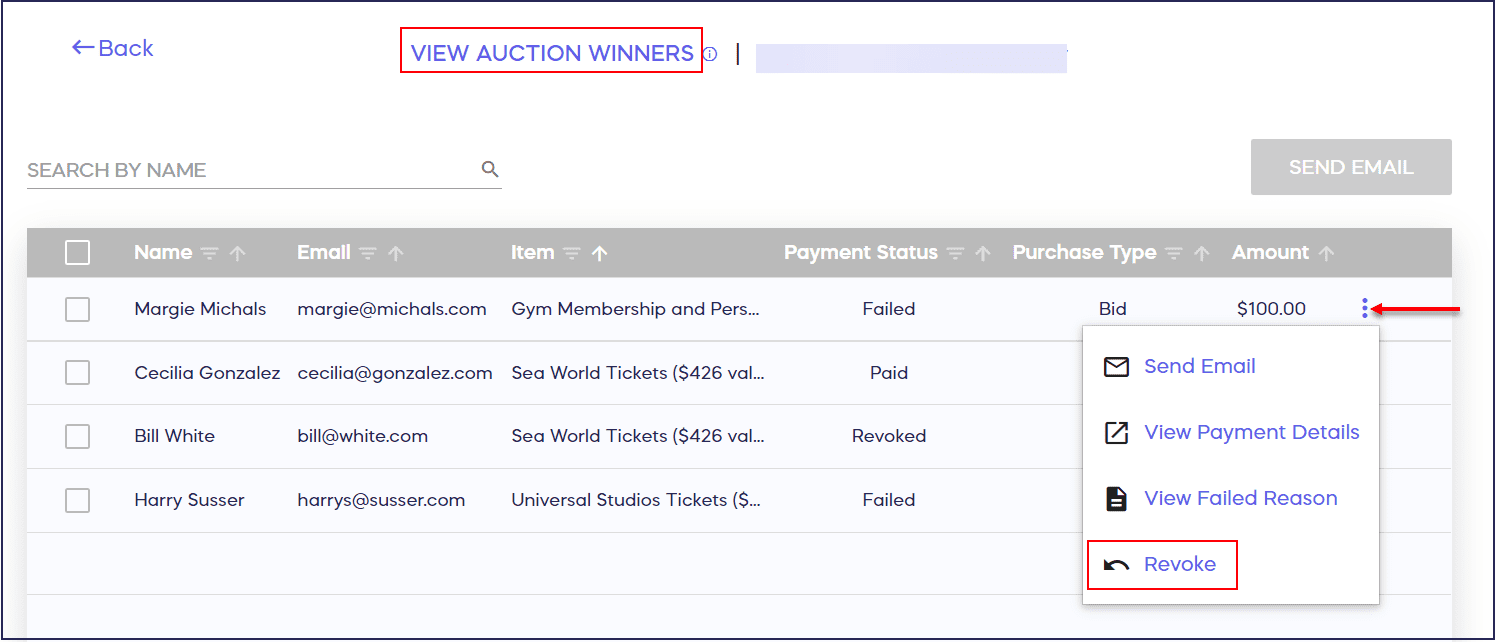
- Select View Auction Winners.
- Find the winner you wish to revoke and hover your mouse over their name.
- Click on the three-dot menu on the right and select Revoke:
- Enter the reason for revoking the winner. NOTE: This reason will be sent in an email to the revoked winner.
- Select REVOKE WINNER to cancel this winner and automatically charge the card of the next highest bidder. The name of the new winner will show in the View Auction Winners table.
If you opted to send the winners an email notification when you set up your Campaign, the new winner will automatically be notified. If you did not select this option in Campaign Setup but would like to notify the winner:
- Hover your mouse over the new winner’s name and click on the three-dot menu on the right.
- Select Send Email.
What if I want to keep the same winner but their payment failed?
For highly-priced Auction items, the winning bidder’s credit cards may fail if the amount of the item exceeds their credit card limit or if their bank’s fraud detection system places a hold on the purchase. If this occurs, the donor and organizer will both receive an email notification. The donor’s email will include a link to donate again.
Understand: What to Do If a Donor’s Credit Card Fails
Frequently Asked Questions
Will the ineligible winner be notified when I revoke their win?
Yes, when you revoke a winner, you must enter a reason which will be sent to them via email. This ensures transparency and helps explain why they’re no longer the winner.
Does the new winner get automatically charged?
If the original winner’s payment failed and you revoke them, the system automatically charges the next highest bidder’s card. If the original winner’s payment was successful, you’ll need to refund them first and then manually charge the next highest bidder.
Will the new winner receive a notification email?
If you enabled winner notification emails during Campaign Setup, the new winner will be notified automatically. If not, you can manually send them an email by clicking the three-dot menu next to their name and selecting Send Email.
What should I do if a winner’s payment fails due to credit card limits?
For high-priced items, credit cards may fail due to spending limits or fraud detection. Both you and the donor receive email notifications, and the donor gets a link to retry their payment.
Understand: What to Do If a Donor’s Credit Card Fails
Can I select a winner other than the next highest bidder?
The system is designed to automatically award items to the next highest bidder when you revoke a winner. If you need to award the item to someone else, you would need to manually charge that person’s card rather than using the revoke feature.