Discover which payment methods your donors can use.
RallyUp accepts a range of payment methods to make it as convenient as possible for donors to support your cause. The payment methods you can accept will depend on whether your organization is using Stripe or PayPal to accept payments.
What should I know about payment methods before setting up?
- The funding option you choose will affect what payment options are available to your donors.
- These payment options work best when donors have already set up Apple Pay, Google Pay, or PayPal.
- If you plan to run a Raffle or Sweepstakes, you can prohibit donors from using credit cards to pay for entries: How-to: Prohibit Credit Cards for Raffle or Sweepstakes Entries.
What payment methods does Stripe accept?
Organizations using Stripe as a funding method are automatically set up to accept the following:
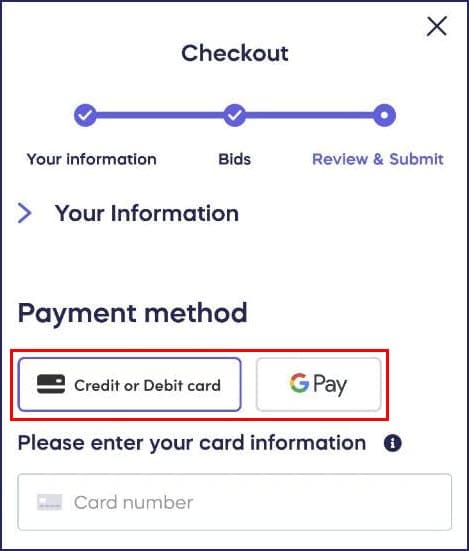
- Credit and debit cards
- Apple Pay (shows for donors using Apple devices or Safari)
- Google Pay (shows for donors using Android devices or Chrome)
You can also enable check payments at your preference.
What payment methods does PayPal accept?
Organizations using PayPal as a funding method are automatically set up to accept the following:
- Credit and debit cards
- PayPal
You can also enable check payments at your preference.
How do donors select their payment method?
Donors can select their preferred payment option when they check out:
Can I change my payment processing method later?
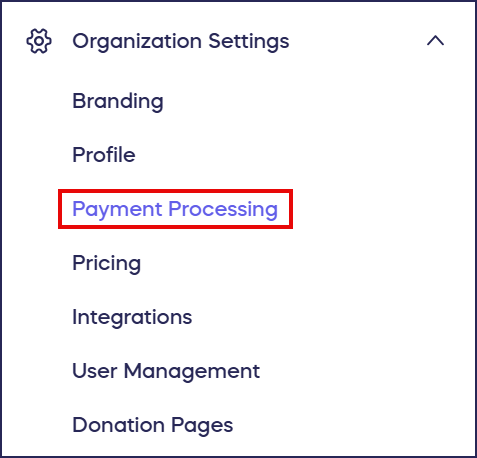
- You can change your funding method at any time from the Payment Processing tab in the left menu:
- Any changes to your funding method will be applied to all active Campaigns on your account. If you update your funding method while a Campaign is live, only new donations will go to the new account. You’ll still have access to all previous donations in the previously connected account.
Frequently Asked Questions
What payment methods can donors use on RallyUp?
Donors can use credit and debit cards, Apple Pay, Google Pay, or PayPal depending on your funding method. Stripe accepts cards, Apple Pay, and Google Pay, while PayPal accepts cards and PayPal payments. You can also enable check payments.
Do donors need to create accounts to use Apple Pay or Google Pay?
Yes, donors should have Apple Pay or Google Pay set up on their devices before checkout for the smoothest experience. Apple Pay appears for donors using Apple devices or Safari, while Google Pay appears for Android users or Chrome browsers.
Can I accept both Stripe and PayPal payments?
No, you must choose either Stripe or PayPal as your funding method. However, you can change your funding method at any time from the Payment Processing tab in your account.
What happens to existing donations if I change my funding method?
If you change your funding method while a Campaign is live, only new donations will go to the new account. You’ll still have access to all previous donations in the previously connected account.