Use the customizable donation button during your Livestream to ask for specific donation amounts.
Asking donors for specific donation amounts can help them understand the direct impact they can make and boost giving. The donate button that displays during your Livestream is customizable, allowing you to create preset donation amounts:
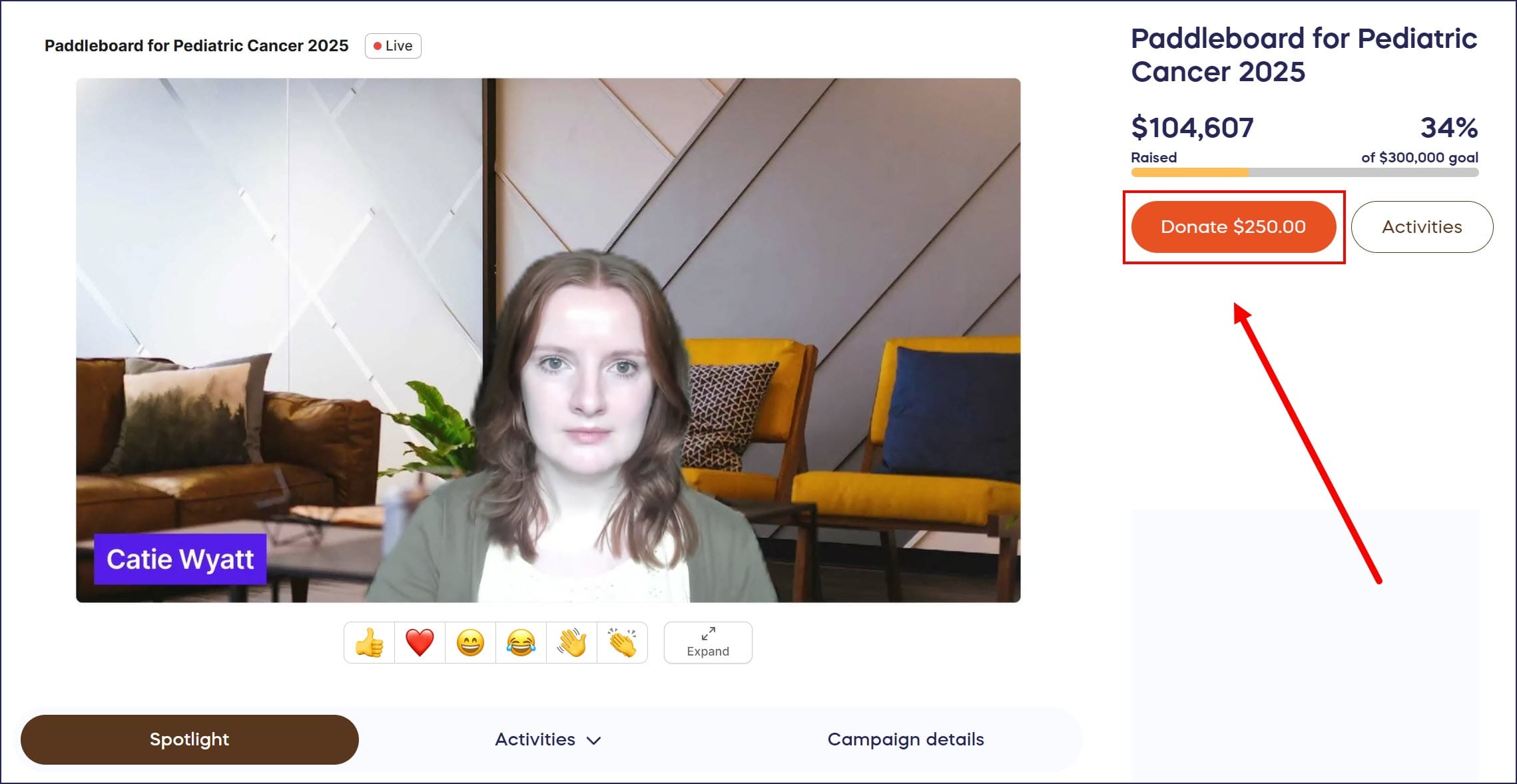
For example, you might choose to ask for $50, to provide one child with a backpack and school supplies for an entire school year or $500 to provide one family with a sustainable well that will ensure their continued access to clean drinking water.
How do I customize the donate button during my Livestream?
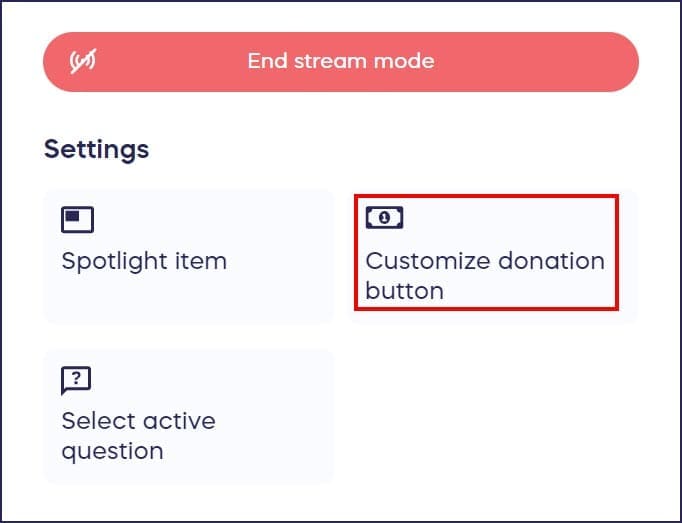
- While in the Livestream Studio, go to Settings in the bottom left corner of your screen and select Customize donation button:
- Enter the donation amount:
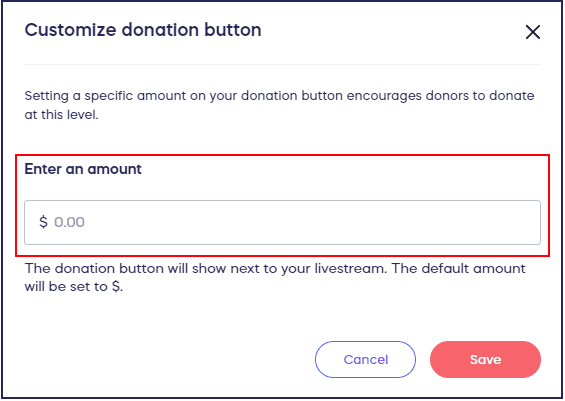
- Select SAVE.
What happens when donors click the customized donation button?
- When the donor clicks on the donate button, it will pre-fill the featured donation amount. Donors are always free to change this default amount when going through the checkout process.
- All donations made will appear in the Activity Feed in the Livestream Studio and the Campaign Page.
Frequently Asked Questions
Can donors change the preset donation amount during checkout?
Yes, the customized amount pre-fills at checkout, but donors can always change it to any amount they choose during the checkout process. The preset amount serves as a suggested donation level.
How often can I change the donation button amount during my Livestream?
You can change the preset donation amount as many times as needed during your Livestream. This allows you to run multiple fundraising activities like Fund-a-Need or Paddle Raise with different giving levels throughout your event.
Where do donations made through the button appear?
All donations made through the customized donation button appear in real-time in both the Activity Feed within the Livestream Studio and on your public Campaign Page, allowing you to track giving as it happens.
What’s the best way to use customized donation amounts?
Connect specific donation amounts to tangible impact stories. For example, “$50 provides school supplies for one child” or “$500 provides a family with clean water access.” This helps donors understand the direct impact of their gift.
Do I need to set up the donation button before my Livestream starts?
No, you can customize the donation button at any time during your Livestream from the Settings menu in the Livestream Studio. This flexibility lets you adjust amounts on the fly based on your fundraising activities.