Share your Personal Fundraising Page with friends and family to spread the word and attract donors.
When you participate in a RallyUp A-Thon or Peer-to-Peer fundraiser, you may get your own Personal Fundraising Page to customize and share online. If you do, you can access and share your Personal Fundraising Page from the Campaign page, the Participant Center, or your RallyUp account.
What should I know about Personal Fundraising Pages?
- Terminology like “Participant” and “Team” may differ according to Campaign settings.
- Not all RallyUp A-Thon or Peer-to-Peer fundraisers will have Personal Fundraising Pages. Check with your organizer to confirm.
- If you’re fundraising as part of a group or team, your team might also get a Fundraising Page. To find and share your Team Fundraising Page, follow the same instructions below, but select the Teams tab instead of the Participants tab, and the My Teams tab instead of the My Participants tab.
How do I find my Personal Fundraising Page from the Campaign Page?
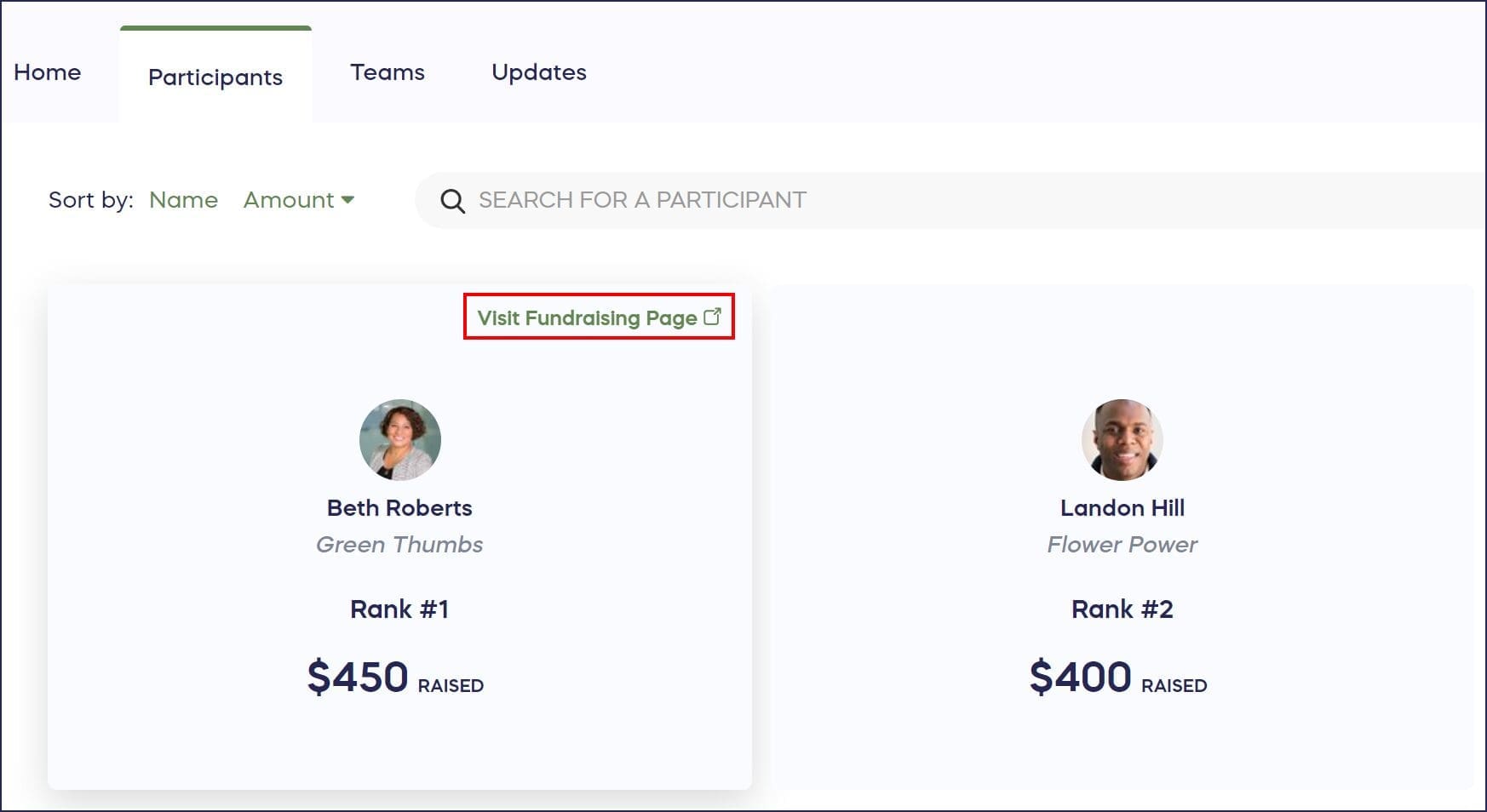
- Go to the Campaign Page and select the Participants tab:

- Find your name and select Visit Fundraising Page:
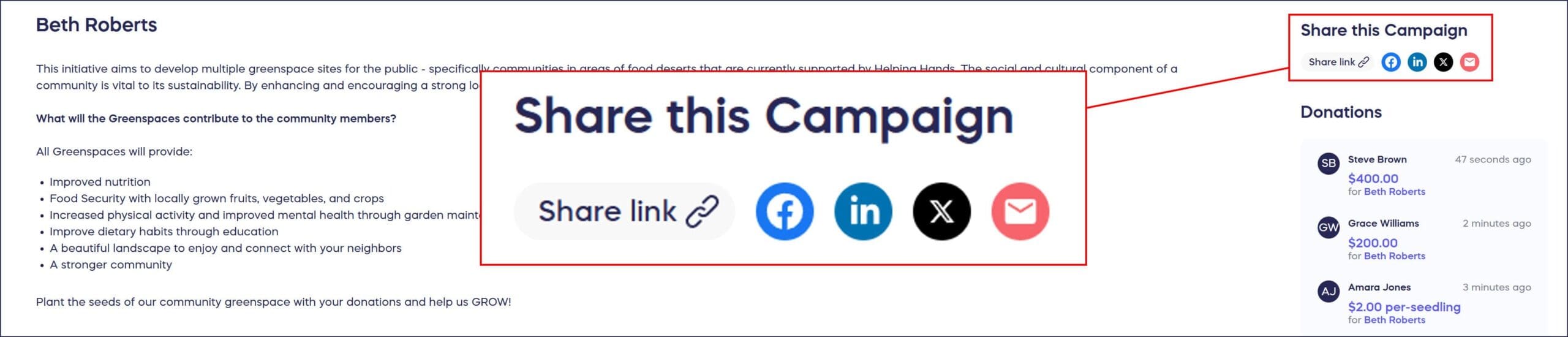
- Go to Share this Campaign on the right and use the icon(s) to share a link on Facebook, LinkedIn, X (formerly Twitter), or email, or copy a link to post anywhere:
How do I find my Personal Fundraising Page from the Participant Center?
- Go to the Participant Center and select the Participants tab:
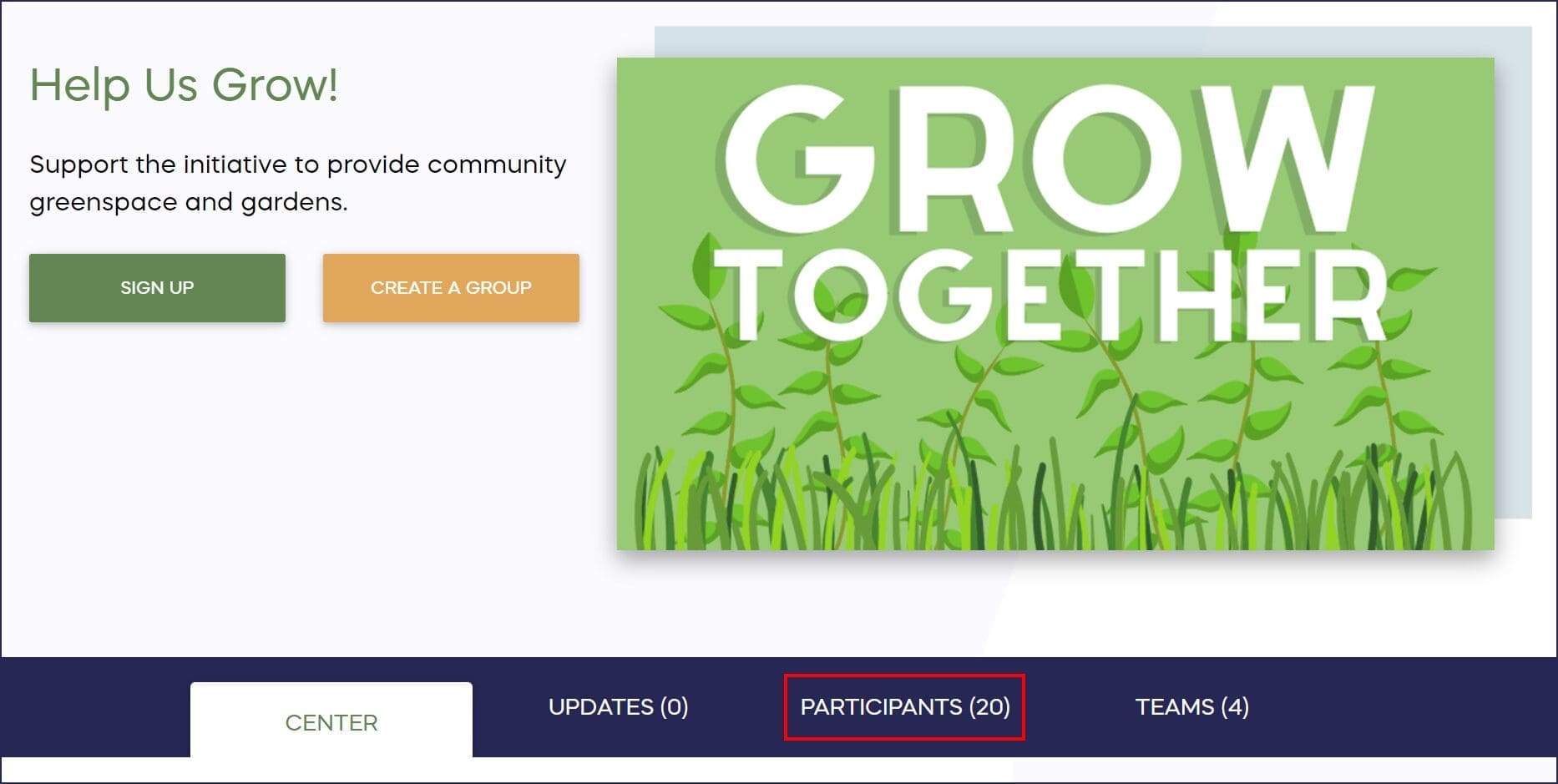
- Find your name and select View Fundraising Page:

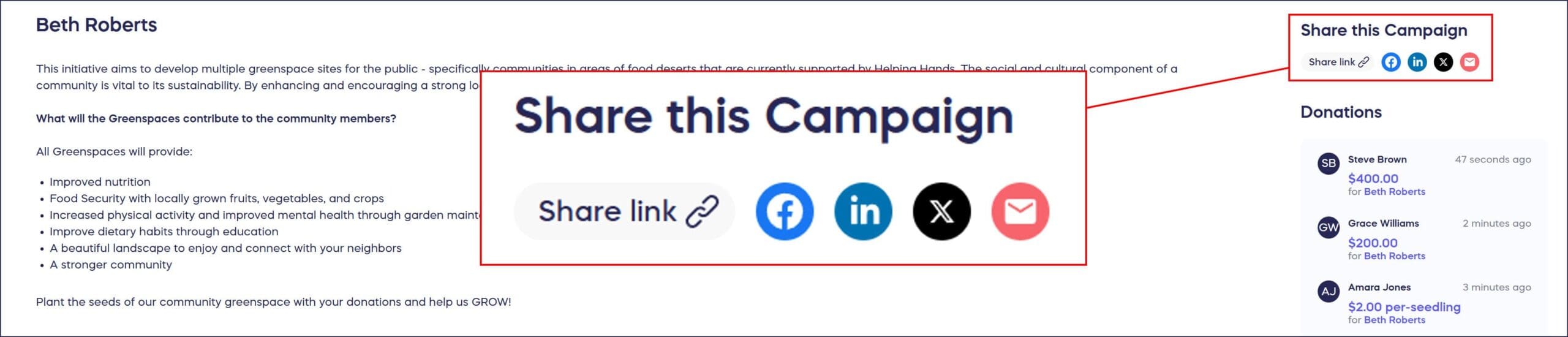
- Go to Share this Campaign on the right and use the icon(s) to share a link on Facebook, LinkedIn, X (formerly Twitter), or email, or copy a link to post anywhere:
How do I find my Personal Fundraising Page from my account?
- Log into your account using the email address you signed up with, click on your initials in the upper right corner of the screen, and select My Account:

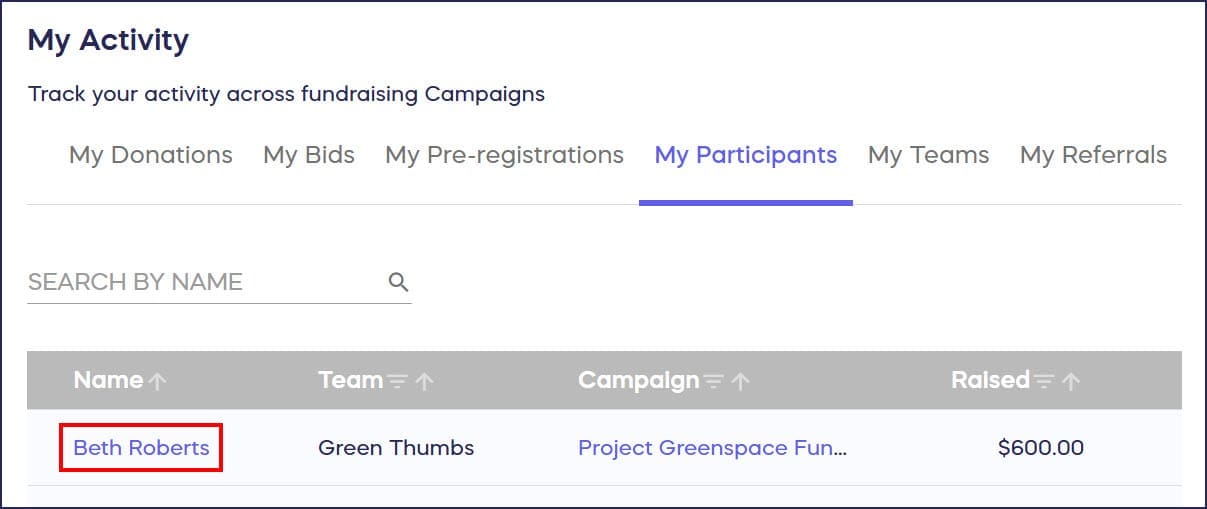
- Select the My Participants tab, then find and click on your name:
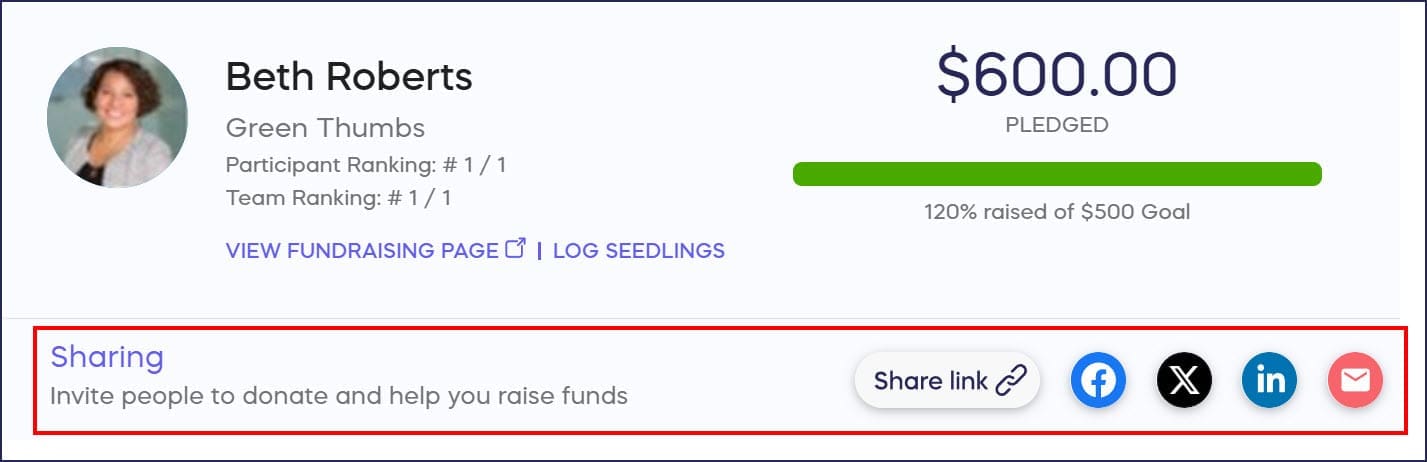
- Go to Sharing and use the icon(s) to share a link on Facebook, X (formerly Twitter), LinkedIn, or email, or copy a link to post anywhere:
Can I customize my Personal Fundraising Page?
You can customize your Participant Fundraising Page to make it more unique and appealing to potential donors: How-to: Edit Peer-to-Peer and A-Thon Fundraising Pages.
Frequently Asked Questions
Do all Peer-to-Peer and A-Thon fundraisers have Personal Fundraising Pages?
Not all Peer-to-Peer or A-Thon fundraisers include Personal Fundraising Pages. Whether you receive one depends on how the Campaign Organizer configured the fundraiser settings. Check with your organizer to confirm.
What’s the difference between my Personal Fundraising Page and a Team Fundraising Page?
Your Personal Fundraising Page is unique to you as an individual Participant, while a Team Fundraising Page represents your entire group. If you’re fundraising as part of a Team, you may have both pages to share with different audiences.
Where can I share my Personal Fundraising Page link?
You can share your link directly on Facebook, LinkedIn, X (formerly Twitter), or via email using the share icons. You can also copy the link to post anywhere, including text messages, other social media platforms, or websites.
How do I access my Personal Fundraising Page after registering?
You can access your page three ways: from the Participants tab on the Campaign Page, from the Participants tab in the Participant Center, or from the My Participants tab in your RallyUp account dashboard.
Can I edit my Personal Fundraising Page to personalize it?
Yes, you can customize your Participant Fundraising Page to make it more unique and appealing to potential donors. Personalizing your page helps connect with supporters and explain why you’re fundraising for this cause.