Change the colors that display on your fundraising pages to match your organization’s brand.
RallyUp allows you to update the colors for your Campaigns and Donation Pages. This helps donors recognize your pages and strengthens your organization’s brand.
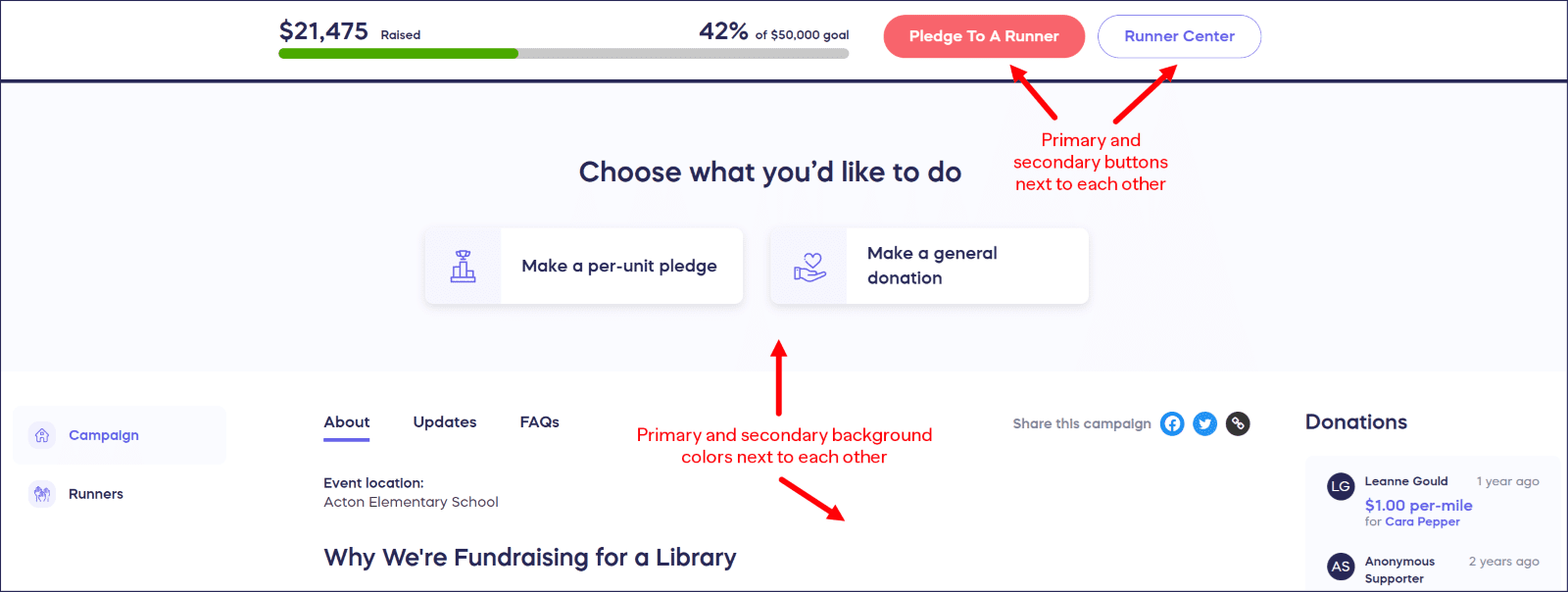
Most colors on each fundraising page are customizable. The images below show where corresponding color choices appear on your fundraising page. You can click on each image to open and enlarge in a new window.


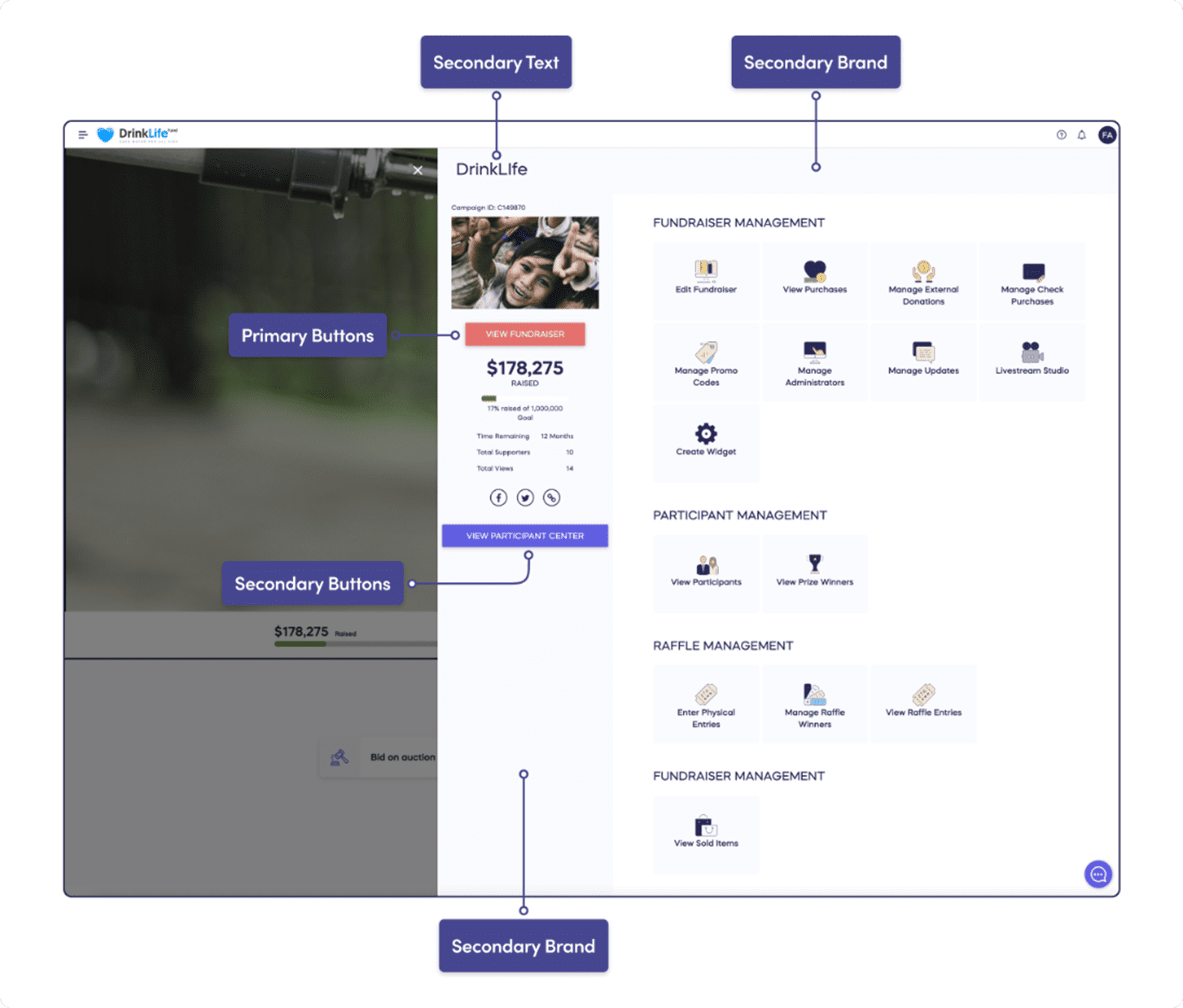
How do I customize my branding colors?
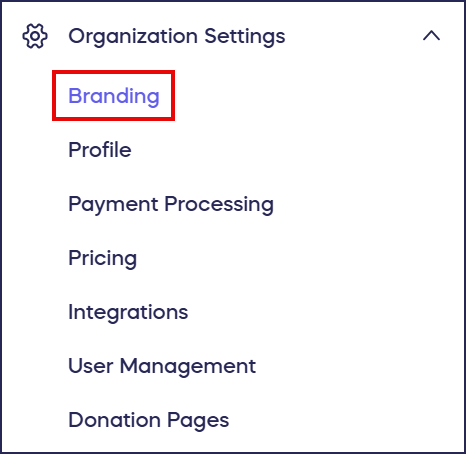
- Go to Organization Settings in the left menu and select Branding:
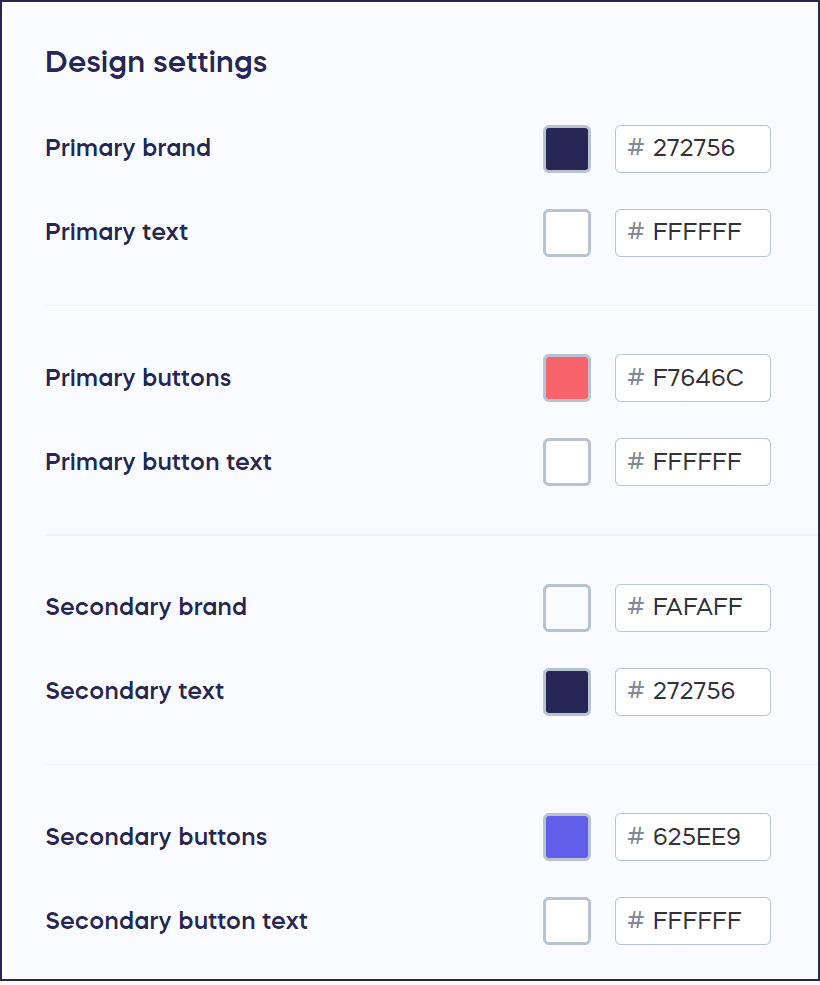
- Scroll down to Design settings:
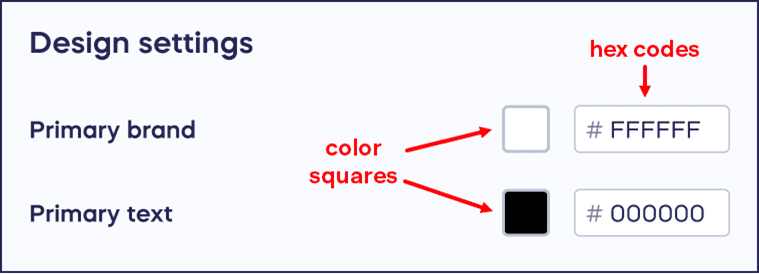
- Customize your branding colors by entering the hex code. If you don’t have the hex code, you can manually select a color that matches your organization’s brand colors by clicking on the color square:
- When you’ve made all desired changes, select Save at the bottom of the page.
What color combinations work best together?
- Primary Text is displayed on top of primary brand-colored elements, so make sure your primary text color stands out over the primary brand color:

- Primary and secondary button text are displayed on top of elements that are primary or secondary button colored, so make sure your button text stands out over the button color:

- Primary and secondary colors appear next to each other at times, so make sure all your color choices go well together:
- You can preview your branding settings by viewing your Campaigns and Donation Pages in Draft Mode.
Frequently Asked Questions
What colors can I customize on my fundraising pages?
You can customize most colors on your Campaigns and Donation Pages, including primary brand color, secondary brand color, primary and secondary button colors, button text colors, and primary text color. These settings apply across all your fundraising pages.
How do I enter my brand colors?
You can enter your brand colors by typing in the hex code if you have it, or manually select colors by clicking on the color square. The hex code method is more precise for matching your exact brand colors.
Why is color contrast important for branding?
Color contrast ensures readability and accessibility. Primary text displays on top of primary brand-colored elements, and button text displays on top of button-colored elements, so your text colors must stand out clearly over background colors.
Can I preview my color changes before publishing?
Yes, you can preview your branding settings by viewing your Campaigns and Donation Pages in Draft Mode. This lets you see how your color choices look together before making them live.
Do my branding colors apply to all Campaigns automatically?
Yes, the branding colors you set in Settings > Branding apply to all Campaigns and Donation Pages under your organization account. This creates consistent branding across all your fundraising pages.