Change the font on your fundraising pages to match your organization’s brand.
RallyUp allows you to change the font that appears on your fundraising pages, increasing their visual appeal and strengthening your brand identity. Your customized font will apply to all your donor-facing pages, including your fundraising Campaigns and Donation Pages. This organization-wide setting ensures consistent typography across every fundraising initiative you run, creating a cohesive visual experience that donors will recognize and associate with your cause.
How do I customize my fundraising page font?
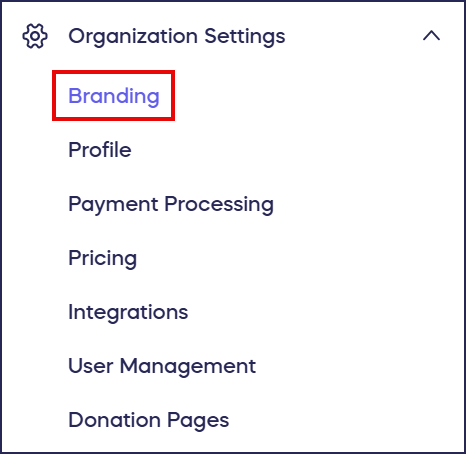
- Go to Organization Settings in the left menu and select Branding:
- Scroll down to Use a custom font and turn on the toggle:

- Enter the name of your font in the text box. RallyUp supports fonts from the Google Fonts library, so ensure that you enter your font name exactly as it appears on the Google Fonts site.
- Select Save at the bottom of the page. Your font choice will display on all donor-facing pages.
What fonts can I use on my fundraising pages?
RallyUp supports any font available in the Google Fonts library, which includes hundreds of free, professionally designed typefaces. When entering the font name in RallyUp, match the spelling and capitalization exactly as shown on Google Fonts to ensure it displays correctly.
Does the custom font apply to all my Campaigns?
Yes, your custom font selection applies organization-wide to all donor-facing pages including Campaign Pages, Donation Pages, Participant Pages, and checkout screens. This universal application ensures brand consistency across your entire fundraising portfolio without requiring you to set fonts individually for each Campaign. However, your custom font only affects pages that donors see—your administrative dashboard and Campaign Setup screens maintain RallyUp’s standard interface fonts for optimal usability.
Frequently Asked Questions
Can I use different fonts for different Campaigns?
No, the custom font setting applies organization-wide to all your Campaigns and Donation Pages. You cannot select different fonts for individual Campaigns. This limitation ensures brand consistency across all your fundraising efforts. If you need dramatically different branding for separate initiatives, consider whether they should operate as distinct organizations within RallyUp.
What happens if I enter the font name incorrectly?
If you misspell the font name or don’t match the exact capitalization from Google Fonts, your pages will display RallyUp’s default font instead. The system won’t show an error message—it simply won’t recognize the font name and will fall back to the standard typography. If your custom font doesn’t appear after saving, double-check the spelling and capitalization against the Google Fonts website and update the setting.
Do I need to install fonts on my computer first?
No, you don’t need to install fonts on your computer or your donors’ devices. Google Fonts are web fonts that load automatically when someone views your fundraising pages. As long as you enter the correct font name from Google Fonts, RallyUp handles all the technical implementation. Your donors will see your chosen font regardless of what fonts they have installed locally.
Can I preview how a font looks before applying it?
The Google Fonts website allows you to preview fonts with custom text before you commit to using them. Visit Google Fonts, type sample text from your Campaign Page into the preview box, and see exactly how different fonts will display your content. This helps you choose a font that’s both on-brand and highly readable for your specific content. After selecting a font in RallyUp, you can also preview your live Campaign Page to see the font in context before sharing it with donors.
Should I choose serif or sans-serif fonts?
The choice between serif and sans-serif fonts depends on your organization’s brand personality and content type. Sans-serif fonts like Roboto, Lato, or Montserrat typically provide better readability on screens and work well for modern, approachable organizations. Serif fonts like Merriweather, Lora, or Playfair Display convey tradition, elegance, and authority—ideal for established institutions or formal causes. Choose a font that matches your existing brand materials and ensures easy reading at various sizes.
How does custom font affect page loading speed?
Google Fonts are optimized for web performance and typically have minimal impact on page loading speed. However, more decorative or complex fonts may load slightly slower than simple fonts. For the best performance, choose popular Google Fonts that many websites use—these are often already cached in visitors’ browsers. Avoid using multiple custom fonts, as each additional font increases loading time.