Promote individual Auction items online with unique links for each item.
Once your Auction has launched, you’ll want to spread the word as far as possible to reach potential bidders. RallyUp allows you to share the link to your Auction Page as well as individual Auction items.
Creating a link for each Auction item can help you tailor your advertising to more specific audiences, depending on the item. For example, if you’re Auctioning off two free rounds of golf at Pebble Beach, you might send the link for this specific prize to various golf clubs in your area. You could also post the link on golf forums or explore other ways to get your Auction information in front of golf enthusiasts.
How can I use unique Auction item links?
Can I replace physical bid sheets with Auction links?
If you want to run an Auction during a live event or gala, Auction links make it easy to run the Auction entirely online. For example, you could display your items on a table and place a card next to each item featuring the item’s unique link. The card could read: “To bid on this item, go to this link: [item sharing link].” People can then use their phones to easily access the item and immediately place a bid.
You can even create a QR code with the link, which people can scan with a smartphone to avoid typing in a URL: How-to: Create QR Codes for Your Auction Items.
With the ability to jump directly into the online bidding process, your event attendees may be more likely to participate in your online Auction.
How do I promote Auction items with low bids?
Some items on your Auction may not get as much traffic as others. Promoting items with a low number of bids can help generate interest, both for that specific item and the overall Campaign. You can send an email blast to your entire donor list or to selective audiences interested in related items. The link will take them to that item, making the bidding process quick and hassle-free.
How do I create a unique link for an Auction item?
- Go to Account Navigation in the left menu and select Campaigns.
- If you have chosen a list view, click on the Campaign title. If you have chosen a grid view, click on the Campaign image.
- Select Campaign Setup.
- Go to Auction in the timeline at the top.
- Select CREATE AN ITEM or select the pencil icon on an existing item.
- Go to Customize this item’s unique sharing link and enter the link you want to use:
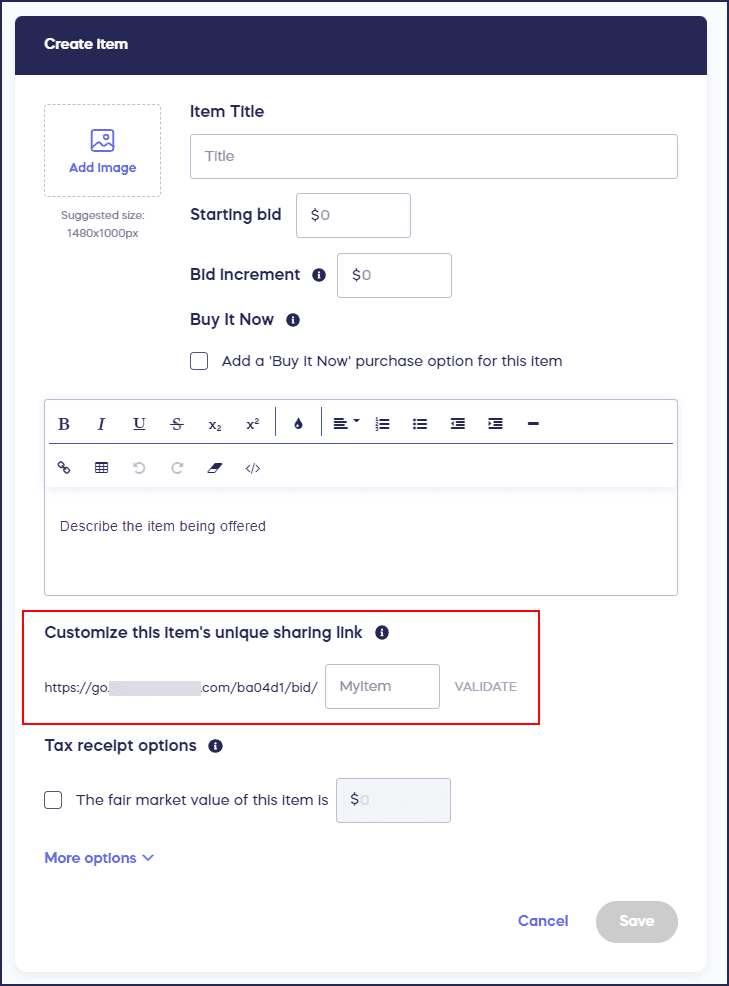
- Validate the link to ensure it’s available, then select Save.
How can I export all Auction item sharing links at once?
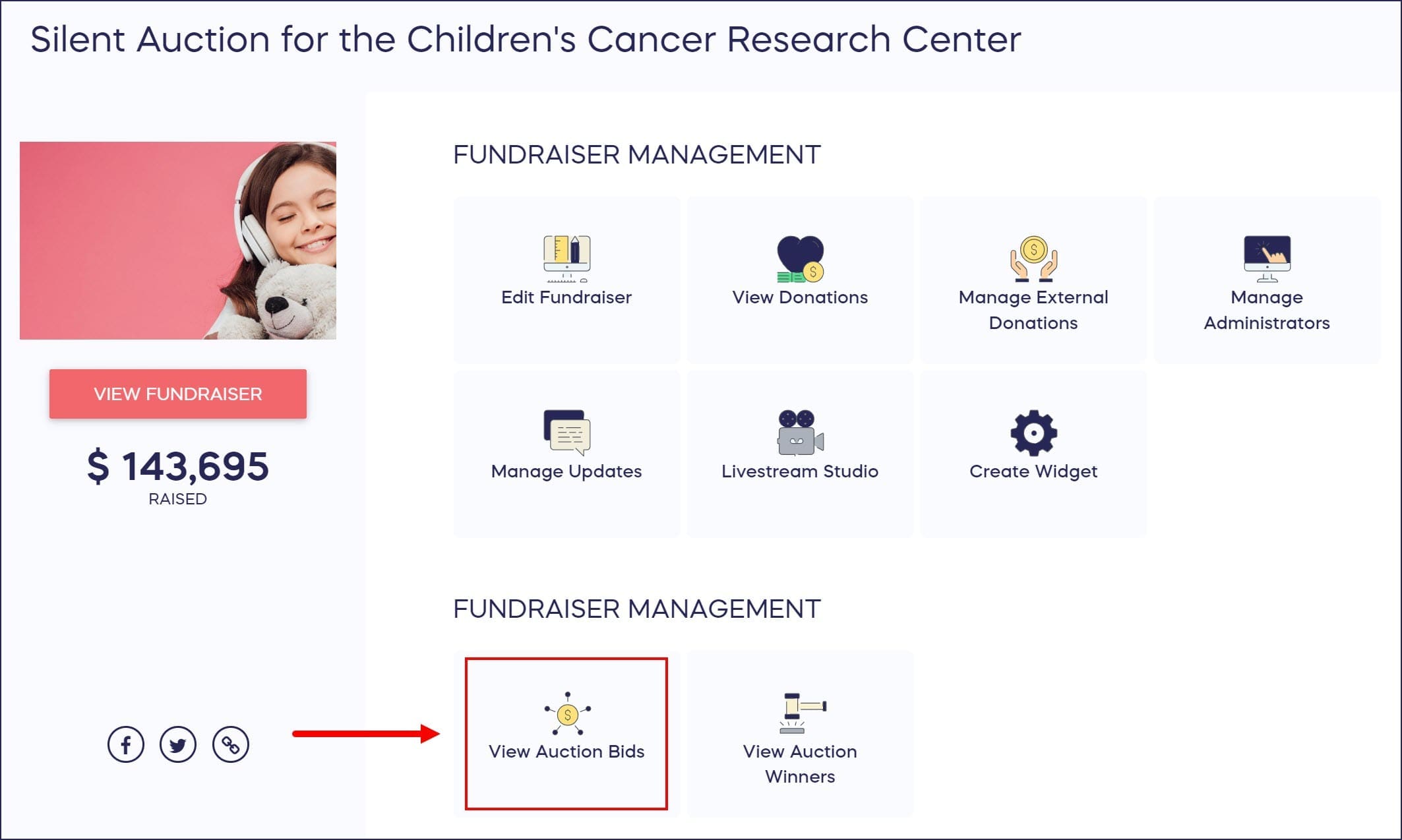
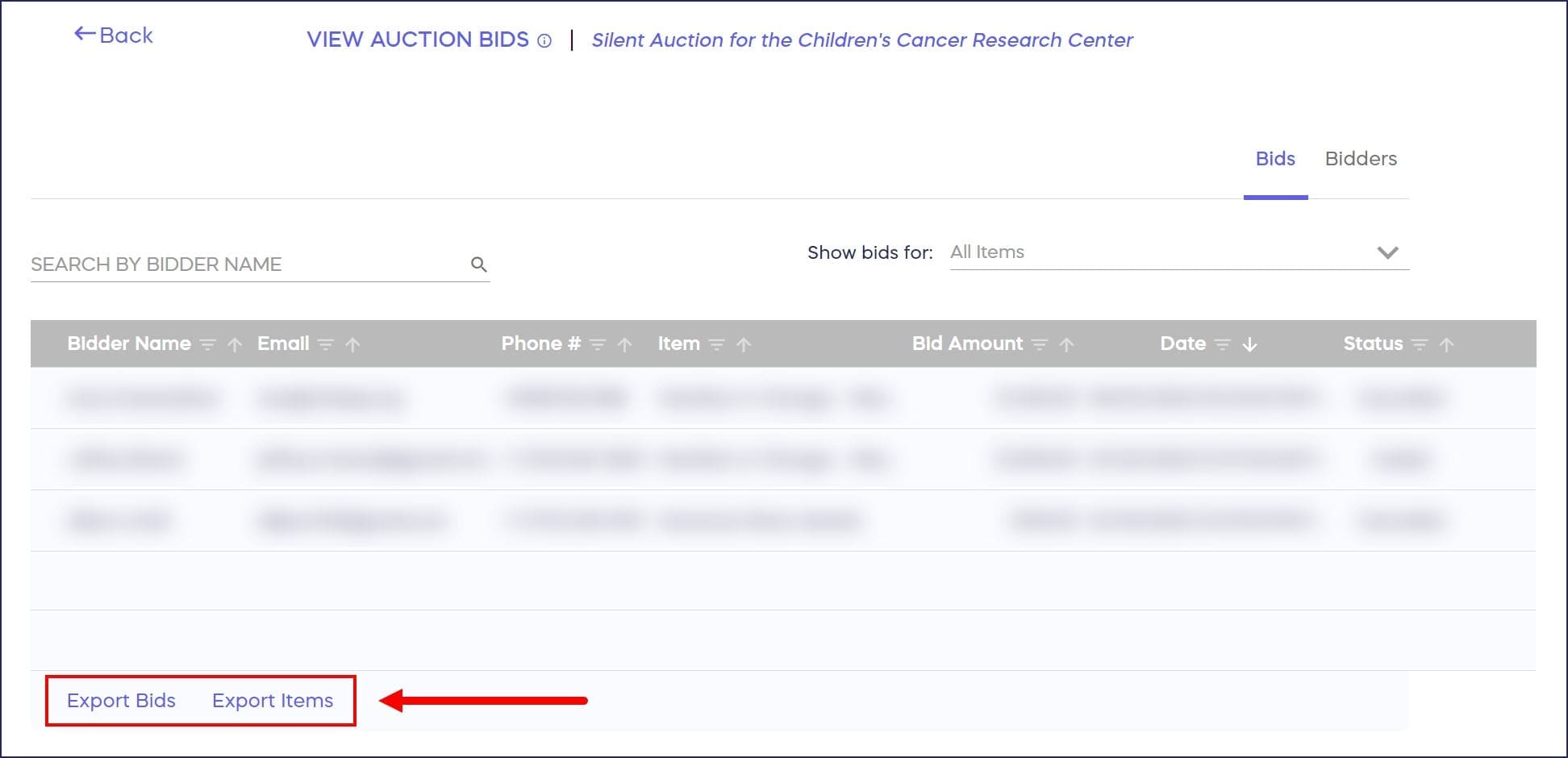
You can easily access the sharing links for all items in one report. Go to View Auction Bids in your Campaign Management Menu and select Export items in the lower-left corner:
Frequently Asked Questions
Why would I create unique links for individual Auction items?
Unique item links let you tailor marketing to specific audiences interested in particular items. For example, you can share a golf package link directly with golf clubs or post it on golf forums, targeting bidders most likely to engage with that specific item.
Can I use Auction item links for live events instead of bid sheets?
Yes, you can replace traditional bid sheets by displaying items with cards featuring unique links or QR codes. Guests use their phones to access the item directly and place bids instantly, making online bidding easier during live events or galas.
How do I find the sharing link for a specific Auction item?
You can find individual item links in Campaign Setup under the Auction section when editing each item. Alternatively, export all item links at once by going to View Auction Bids and selecting Export Items to get a complete list.
Can I customize the URL for each Auction item link?
Yes, when creating or editing an Auction item, you can customize the unique sharing link to make it more memorable or descriptive. Always validate the link to ensure it’s available before saving your changes.
When should I share links for items with low bids?
Monitor your Auction items throughout the Campaign and promote those with fewer bids through email blasts or targeted messaging. Sharing specific item links makes the bidding process quick and hassle-free, potentially generating renewed interest in underperforming items.