Offer donors preset pledge amounts to help them decide how much to pledge.
When running an A-Thon, you can create preset pledge amounts for donors can choose from when pledging support for A-Thon Participants* or Teams*. This can help eliminate any confusion your donors experience when determining an appropriate amount to pledge.
*Terminology may differ according to Campaign settings.
How do I create preset pledge amounts for my A-Thon?
- Go to Account Navigation in the left menu and select Campaigns.
- If you have chosen a list view, click on the Campaign title. If you have chosen a grid view, click on the Campaign image.
- Select Campaign Setup.
- Go to A-Thon in the timeline at the top and scroll down to Add activities.
- Select Create an activity or select the pencil icon on the activity you want to edit.
- Select More options:
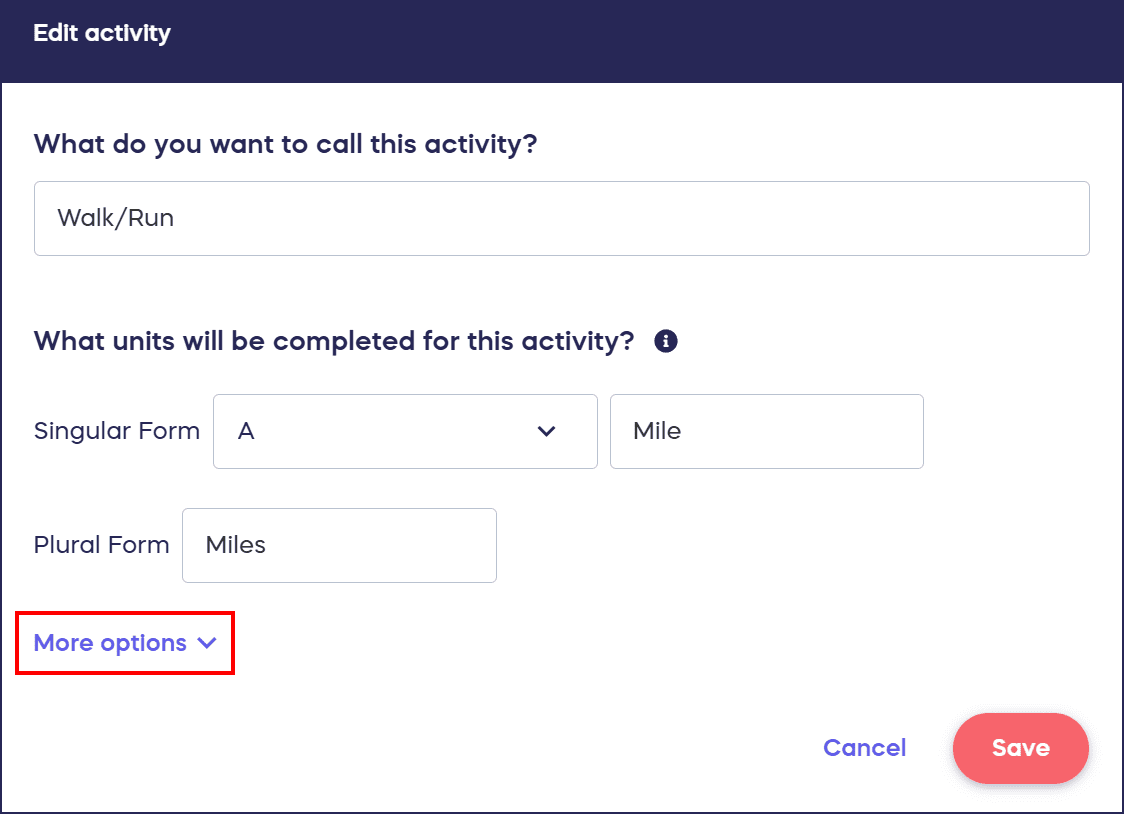
- Check the box next to Create preset pledge amounts for donors and select Add preset.

- Enter the preset pledge amount and select Save.
- Repeat for each preset pledge amount you want to offer.
How do donors see and select preset pledge amounts?
Preset pledge amounts will appear in a dropdown menu when donors pledge support:

Donors will also have the option to choose Other and enter a custom amount.
Frequently Asked Questions
What are preset A-Thon pledge amounts?
Preset A-Thon pledge amounts are predetermined giving levels that donors can choose from when pledging support for A-Thon Participants or Teams. These preset options help eliminate confusion and guide donors toward appropriate pledge amounts.
Can donors still enter their own custom pledge amount?
Yes, donors always have the option to choose “Other” and enter a custom pledge amount if the preset options don’t match what they want to give. Preset amounts provide guidance while still allowing flexibility.
How many preset pledge amounts can I create?
You can create as many preset pledge amounts as you’d like for each A-Thon activity. This allows you to offer multiple giving levels that accommodate different donor budgets and preferences.
Do I need to create preset pledge amounts for my A-Thon?
No, preset pledge amounts are optional. However, they can significantly help donors by providing clear guidance on appropriate pledge levels, which can increase participation and reduce decision fatigue during the donation process.
Can I create different preset amounts for different A-Thon activities?
Yes, you can customize preset pledge amounts for each individual A-Thon activity. This allows you to tailor pledge options based on the specific activity type or difficulty level.