Create Funds to give donors the option to choose how their donations are used.
Donation designation options allow donors to select the specific programs or services they’d like to support with their donation. This helps donors connect to your cause and visualize the impact their donation will have, potentially increasing donations and boosting the funds you raise. RallyUp’s Fund feature allows you to create designated Fund options for any Campaign.
How does RallyUp’s Fund feature work?
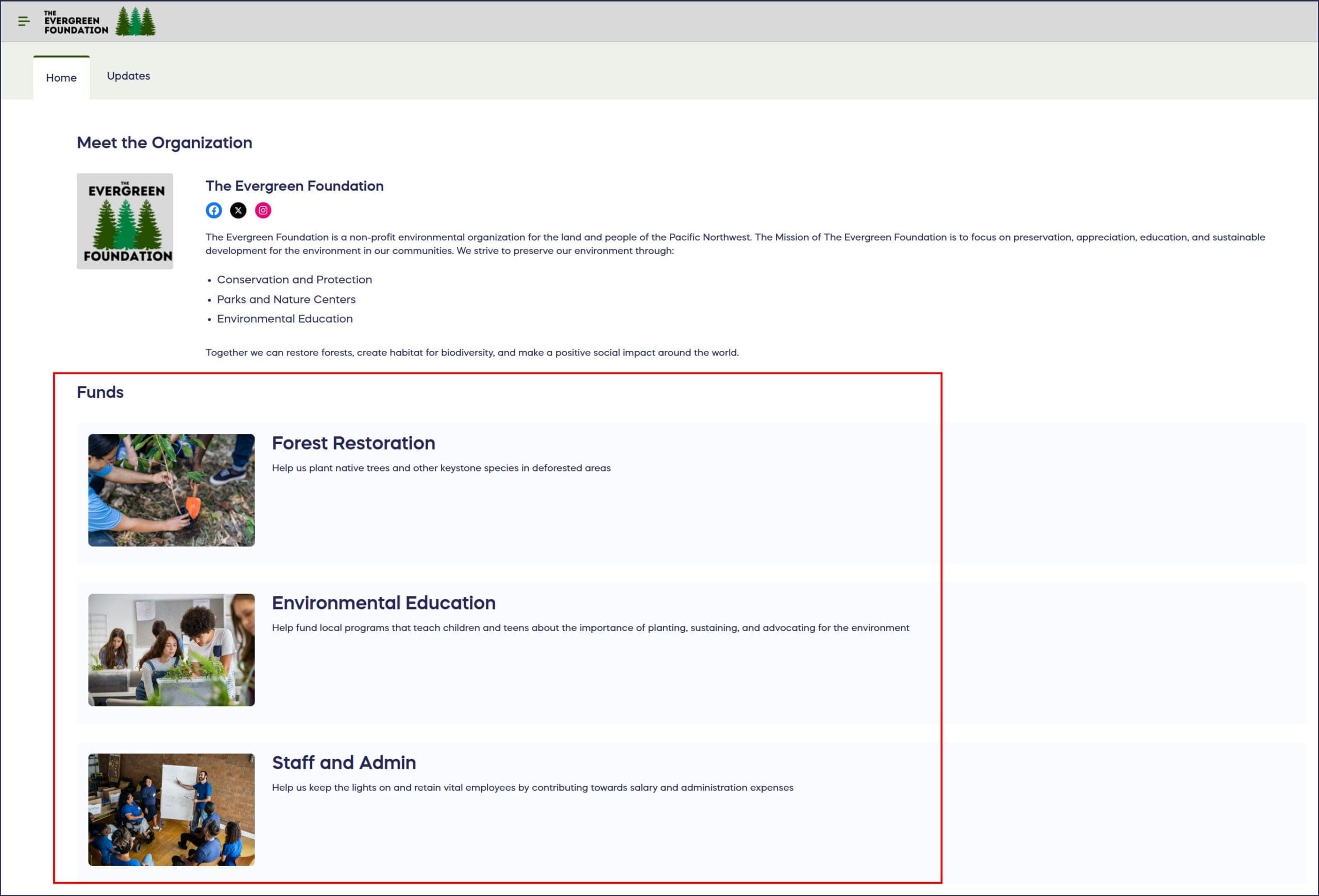
The Fund options you create will display on your Campaign Page:
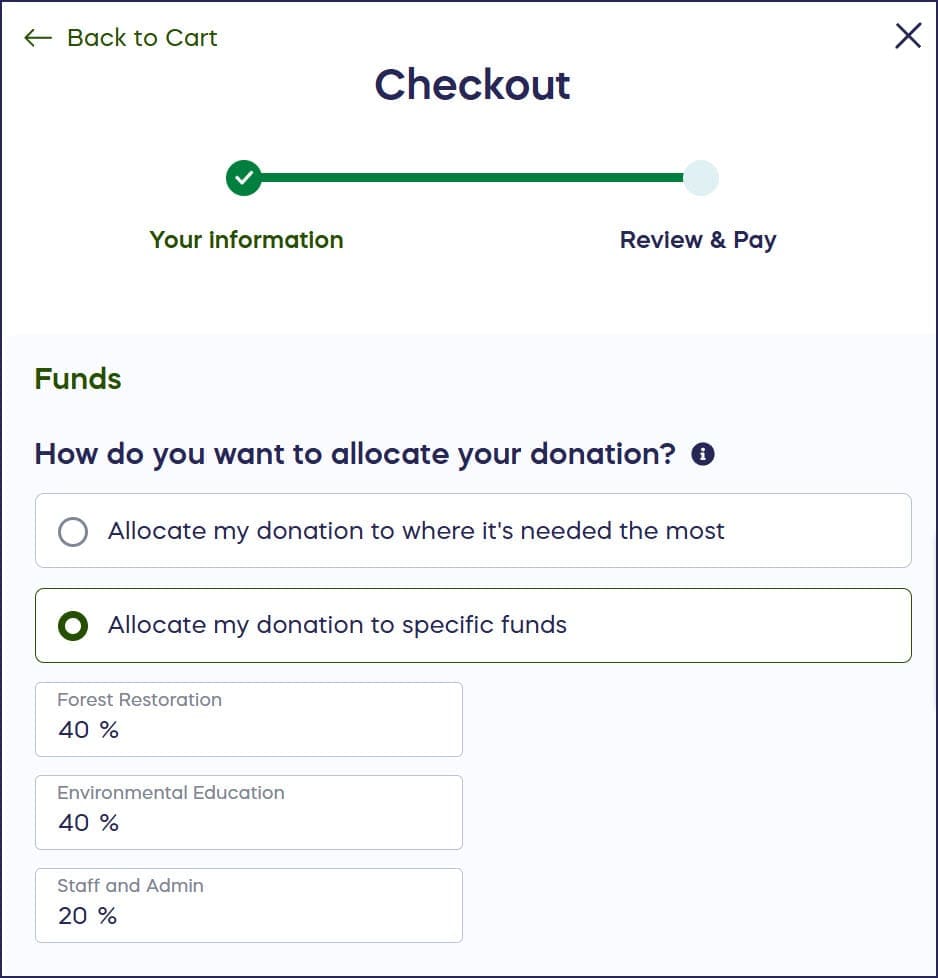
Donors can select their preferred Fund(s) at checkout. If you offer more than one Fund option, donors can select more than one Fund and indicate the percentage of their donation that should go to each Fund:
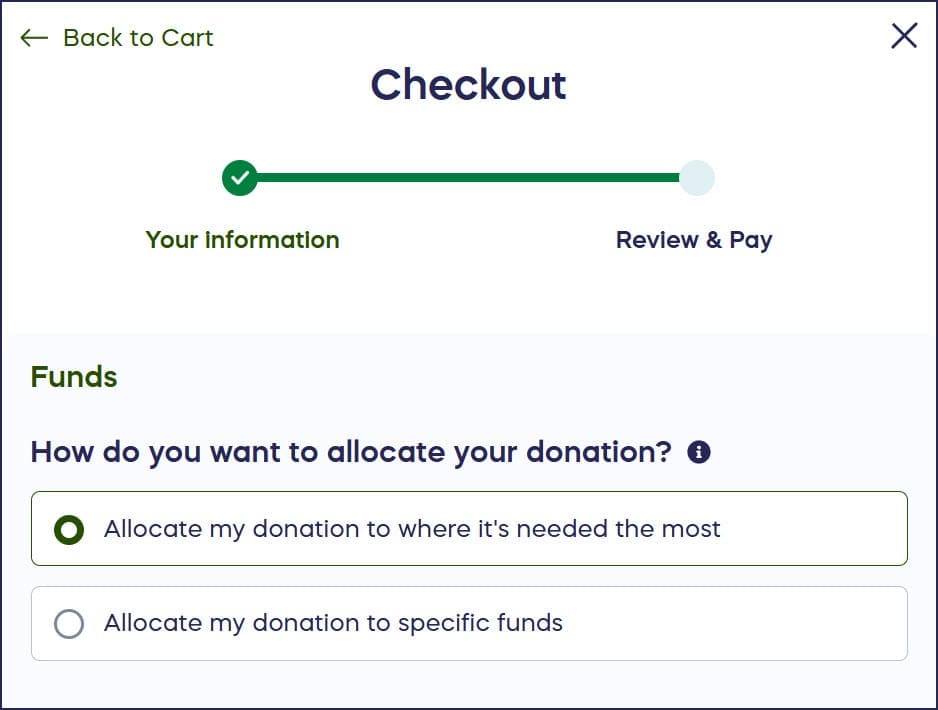
If donors prefer, they can decline to select a Fund:
How do I add designated Fund options to my Campaign?
- Go to Account Navigation in the left menu and select Campaigns.
- If you have chosen a list view, click on the Campaign title. If you have chosen a grid view, click on the Campaign image.
- Select Campaign Setup.
- Go to Options in the timeline at the top and select Campaign Options.
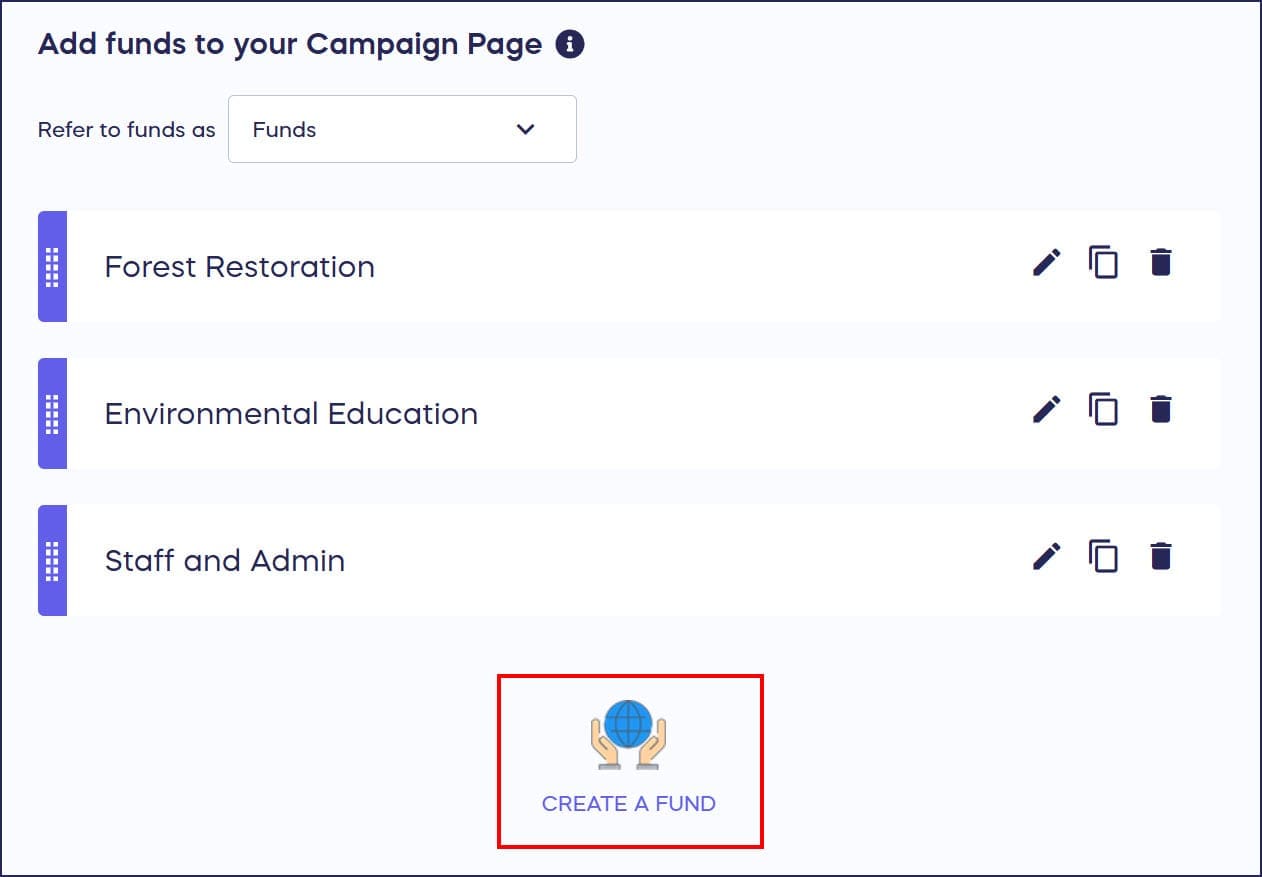
- Scroll down to Add funds to your Campaign Page and select CREATE A FUND:
- Add the Fund title, description, and images:
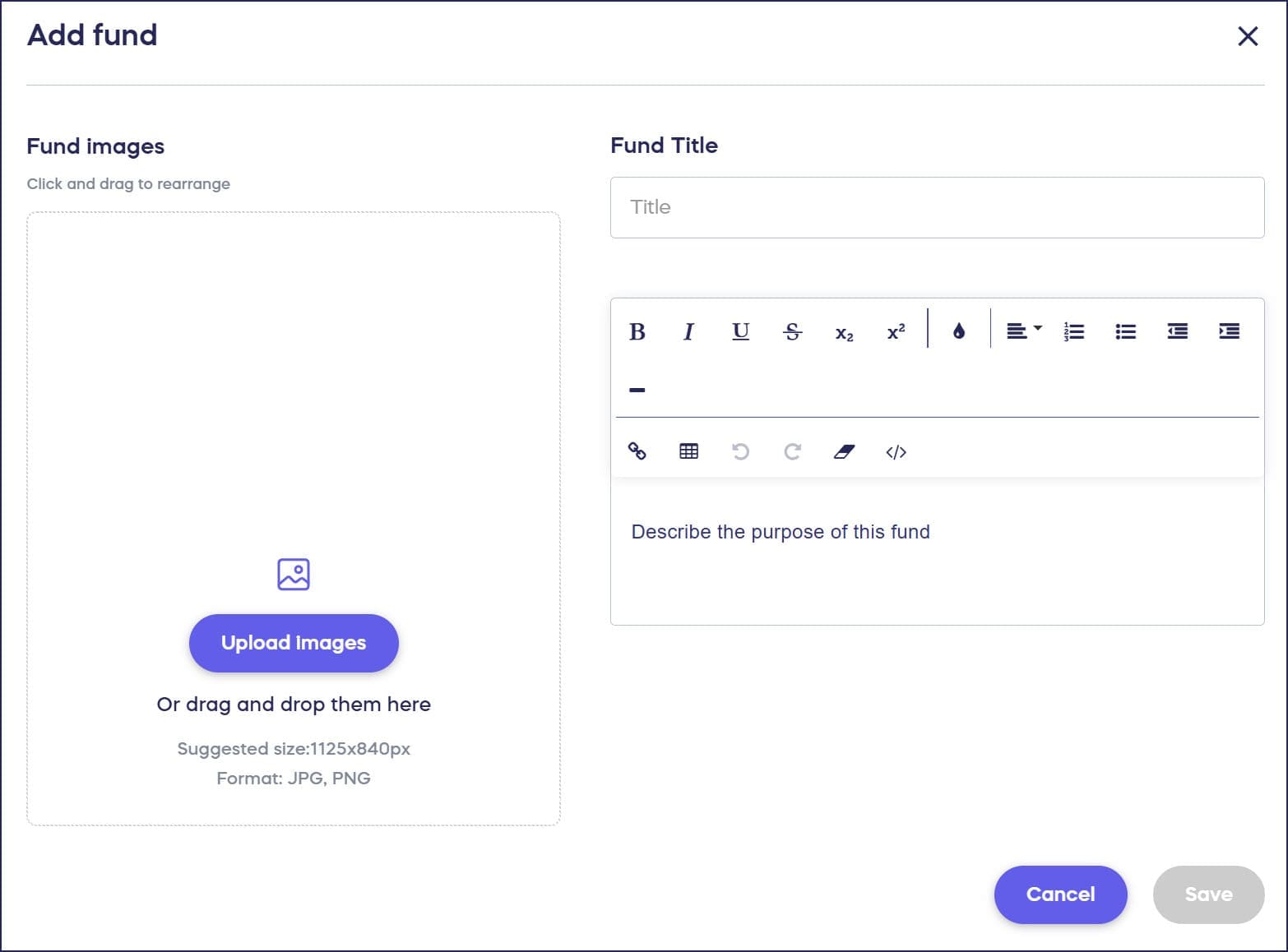
- Select Save.
Can donors split their donation between multiple Funds?
Yes! If you offer more than one Fund option, donors can select multiple Funds at checkout and indicate what percentage of their donation should go to each Fund. This gives donors maximum flexibility in supporting the specific programs they care most about.
Is selecting a Fund required for donors?
No, selecting a Fund is optional. Donors can choose to bypass the Fund selection during checkout if they prefer to make a general donation without designating it to a specific program or service.
Frequently Asked Questions
What is the Fund feature on RallyUp?
The Fund feature allows you to create donation designation options that let donors choose which specific programs, services, or causes they want to support with their donation. Funds help donors visualize their impact and can increase overall giving.
Can I add images to my Fund options?
Yes, you can add images to each Fund option when creating them. Visual elements help donors better understand the programs they’re supporting and make Fund options more engaging and appealing.
How many Fund options can I create for my Campaign?
RallyUp allows you to create multiple Fund options for your Campaign. Donors can select one or more Funds and even split their donation between multiple Funds by indicating percentages for each.
Will I see which Fund each donor selected in my reports?
Yes, Fund designations are tracked in your Campaign reports, allowing you to see exactly how much money was directed to each Fund option and which donors designated their contributions to specific programs.
Can I use the Fund feature with all Campaign types?
Yes, the Fund feature can be added to any Campaign type on RallyUp, including Crowdfunding, Raffles, Auctions, Ticketing & Registration, and more, giving you flexibility across all your fundraisers.