Give donors easy access to your Donation Page with QR codes.
QR codes make it easy for donors to access your Donation Pages. When they scan the QR code with the cameras on their mobile devices, they’ll be taken directly to the Donation Page.
How do I create a QR code for my Donation Page?
- Go to Organization Settings in the left menu and select Donation Pages:

- Click on the Donation Page title.
- Select Edit Donation Page.
- Go to Basics in the timeline at the top.
- Scroll down to Personalize your Donation Page link and select Create Donation Page QR code:

The code will generate automatically in a small window:
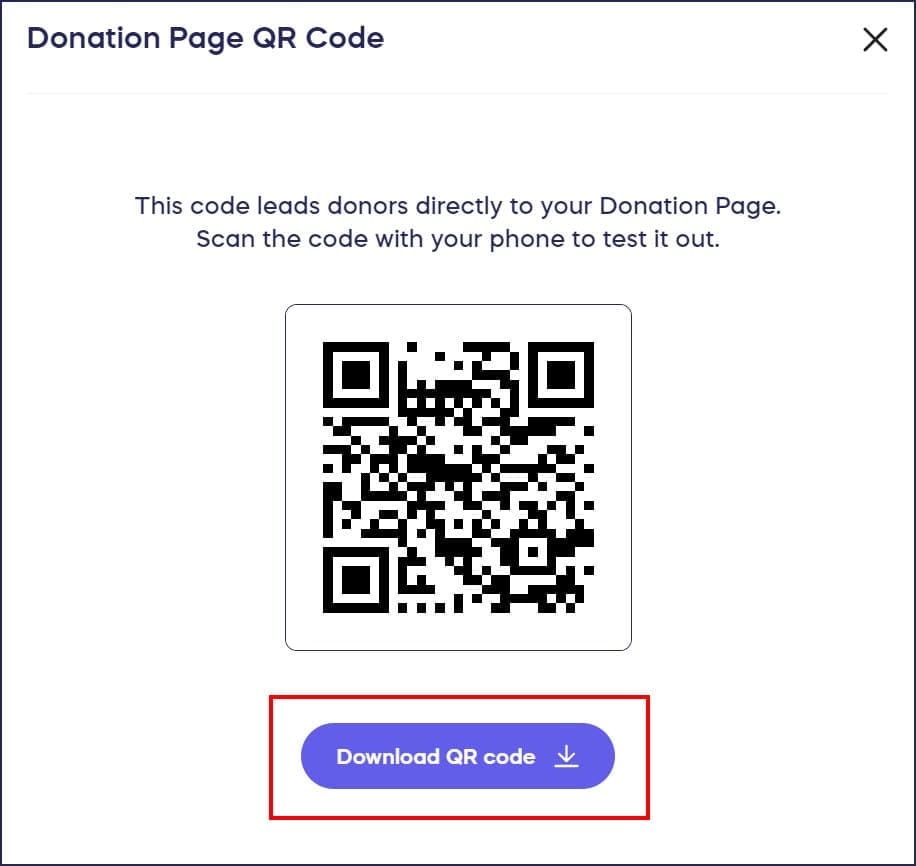
- Download the QR code. The QR code will be formatted as an image file (.png).
- Insert your Donation Page QR code into your promotional material, web pages, or other documents the same way you would insert an image. Donors who scan the code with their mobile devices will be taken directly to your Donation Page.
Frequently Asked Questions
What format is the QR code downloaded in?
The QR code downloads as a PNG image file, which is a high-quality format compatible with most design software, word processors, and printing services. You can easily insert it into flyers, posters, presentations, or web pages.
Can donors scan the QR code with any smartphone?
Yes, donors can scan the QR code using the built-in camera app on any modern smartphone, including iPhone and Android devices. No special app is required—they simply point their camera at the code and tap the notification.
Where should I use my Donation Page QR code?
You can use QR codes on printed materials like flyers, posters, and event programs, in email newsletters, on social media graphics, at in-person events, or on merchandise. Place them anywhere potential donors can easily scan with their phones.
Do I need to create a new QR code if I update my Donation Page?
No, your QR code remains valid even when you update your Donation Page content. The QR code links directly to your Donation Page URL, so any changes you make to the page will automatically be reflected when donors scan the code.
Can I customize the appearance of my Donation Page QR code?
RallyUp generates a standard black and white QR code. If you want to customize the colors or add your logo, you can use third-party design tools after downloading the PNG file, though be careful not to compromise the code’s scanability.