Update the Donate button on your Campaign Page with a custom term or phrase.
RallyUp lets you customize many Campaign features to meet your specific needs. You can alter the text on the Campaign Page Donate button (located in the Campaign banner) with a different word or phrase to create a more personalized Campaign for donors:
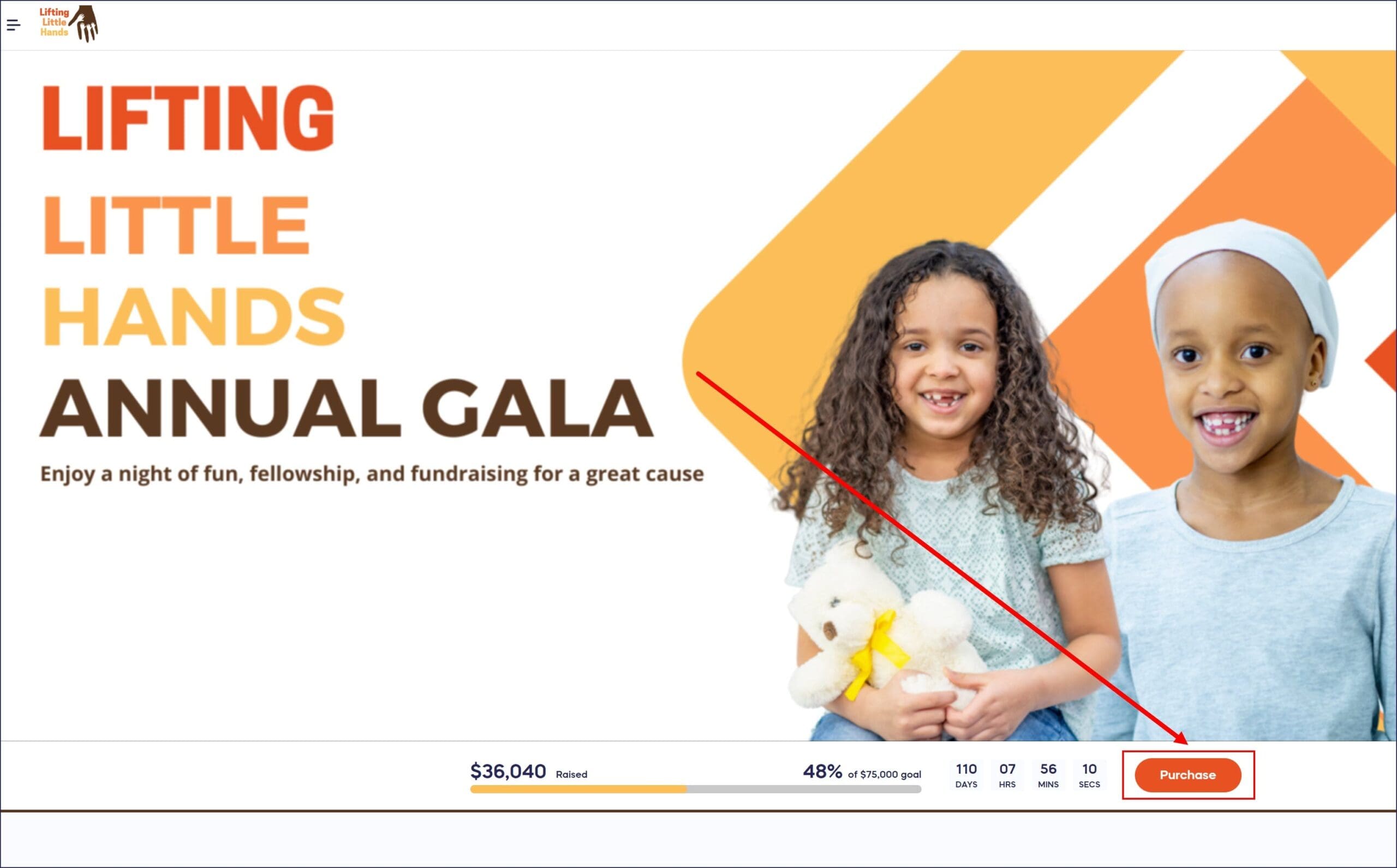
How do I customize the Donate button text?
- Go to Account Navigation in the left menu and select Campaigns.
- If you have chosen a list view, click on the Campaign title. If you have chosen a grid view, click on the Campaign image.
- Select Campaign Setup.
- Go to Options in the timeline at the top and select Page Design Options.
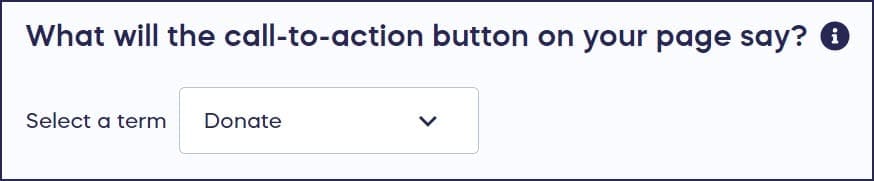
- Scroll down to What will the call-to-action button on your page say? and select a term from the drop-down menu or select Other and enter your own term:
What are best practices for Donate button text?
Character limit: You may use up to 20 characters for your Donate button text, so choose your words carefully to maximize impact.
Be specific and action-oriented: Try to be succinct yet as specific as possible. For example, if you are raising money to provide clean water to a community, consider using the term “Give water” to get more clicks. Action-oriented phrases that connect directly to your cause typically perform better than generic terms.
Frequently Asked Questions
Why should I customize my Donate button text?
Customizing your Donate button text helps create a more personalized donor experience by using language that resonates with your specific cause. Action-oriented, cause-specific text can increase engagement and donations by making the impact of giving more tangible to potential supporters.
What are some effective examples of custom Donate button text?
Effective examples include cause-specific phrases like “Give Water,” “Feed Families,” “Save Lives,” “Support Students,” or “Plant Trees.” Choose text that clearly connects the donation to your mission while staying within the 20-character limit.
Can I use different button text for different Campaigns?
Yes, you can customize the Donate button text individually for each Campaign. This allows you to tailor the call-to-action to match each specific fundraising goal, making every Campaign feel unique and targeted.
Does changing the button text affect the donation process?
No, changing the Donate button text only affects the display text on the button. The donation process, checkout experience, and all functionality remain exactly the same regardless of what text appears on the button.
What happens if my custom text exceeds 20 characters?
If your custom text exceeds the 20-character limit, you’ll need to shorten it before saving. Consider using abbreviations, removing articles, or choosing more concise synonyms to fit your message within the character restriction.