
NEW UX: Fast, Easy Donor Experience
RallyUp launched a new UX, designed to create flawless Experiences for your donors, so together you can change the world.
Imagine a world where your donors land on your Fundraiser and experience a smoother, faster and easier navigation than ever before (we know, it is already top dog, but it just got better).
Our superhero product team has been working day and night, fighting for the perfect user experience from usability to design to checkout.
Your supporters can now interact even more effortlessly with your fundraising campaigns, cruise between the different Activities, easily learn about your cause and donate without a glitch.
This powerful update only applies to new Experiences. All current Campaigns and drafts will remain unchanged (which is still first class we assure you).
Donor View
Instead of scrolling, donors can now seamlessly navigate through your Experience with the press of a button.
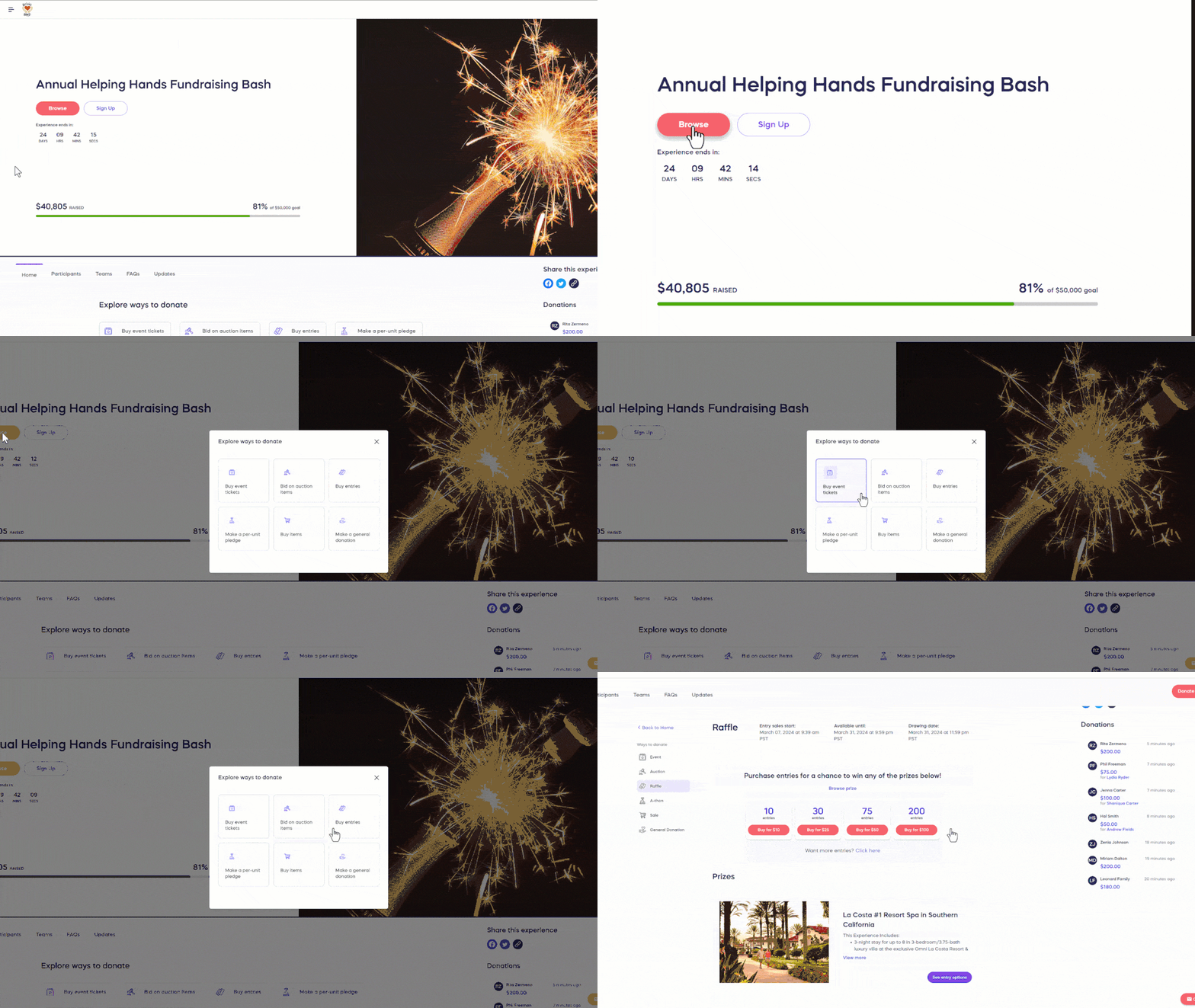
Call-to-Action Button
When donors click on the call-to-action button in your Experience Page banner, a pop-up will appear that allows them to select which fundraising Activity they’re interested in (options displayed will depend on Experience settings):
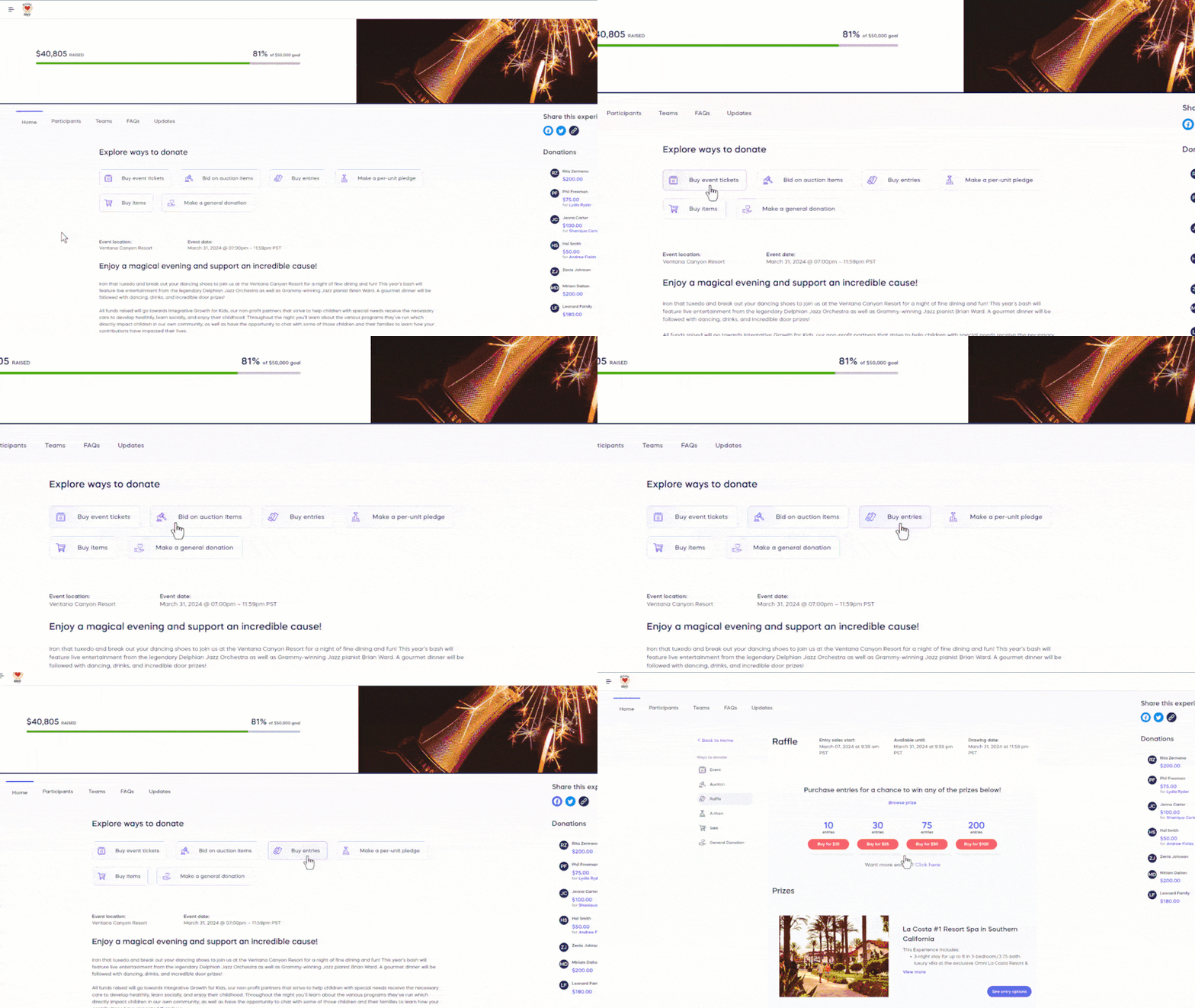
Activity Buttons
Donors can also go to different fundraising Activities using buttons at the top of the page (options displayed will depend on Experience settings):
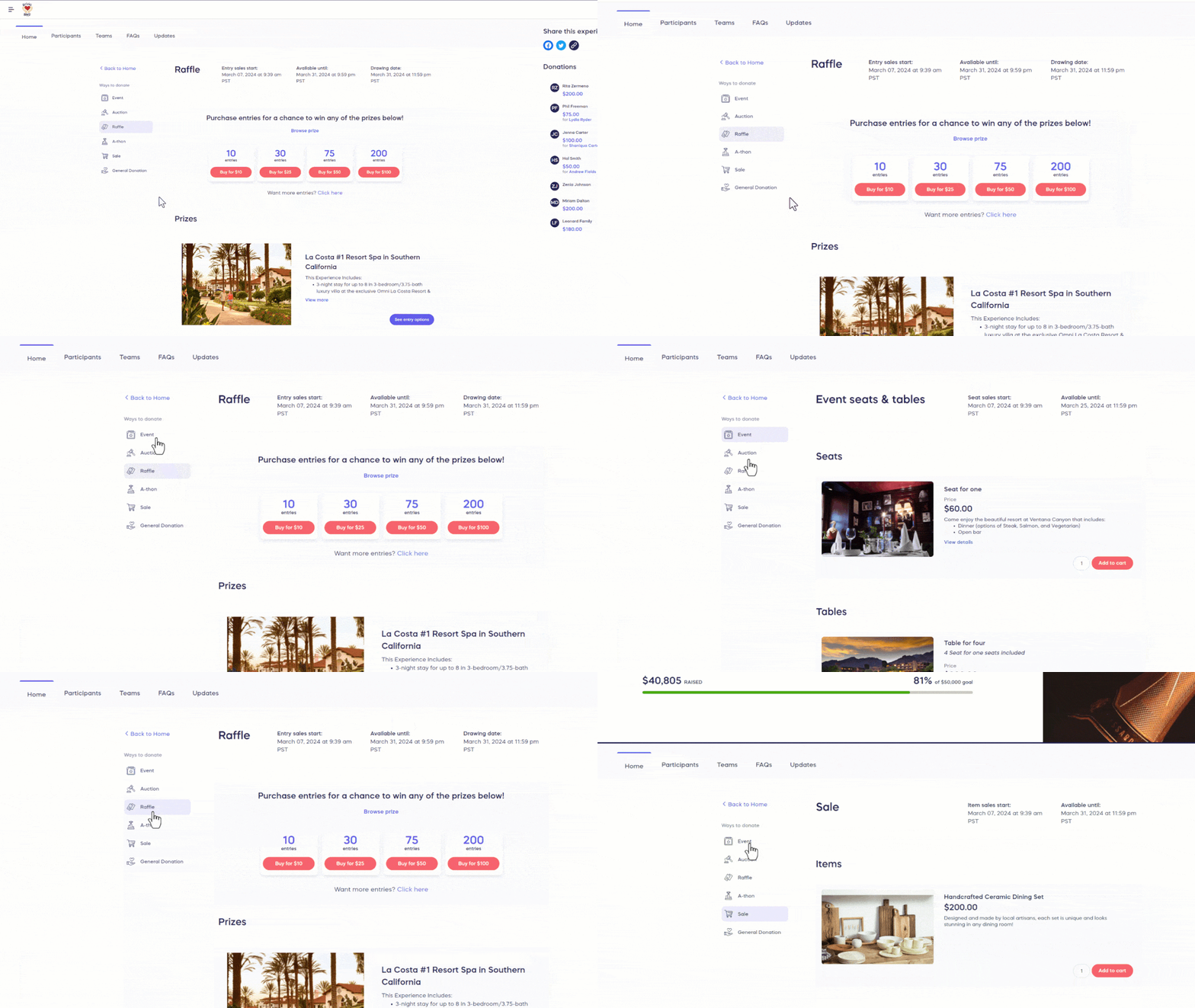
Navigating from Activity to Activity
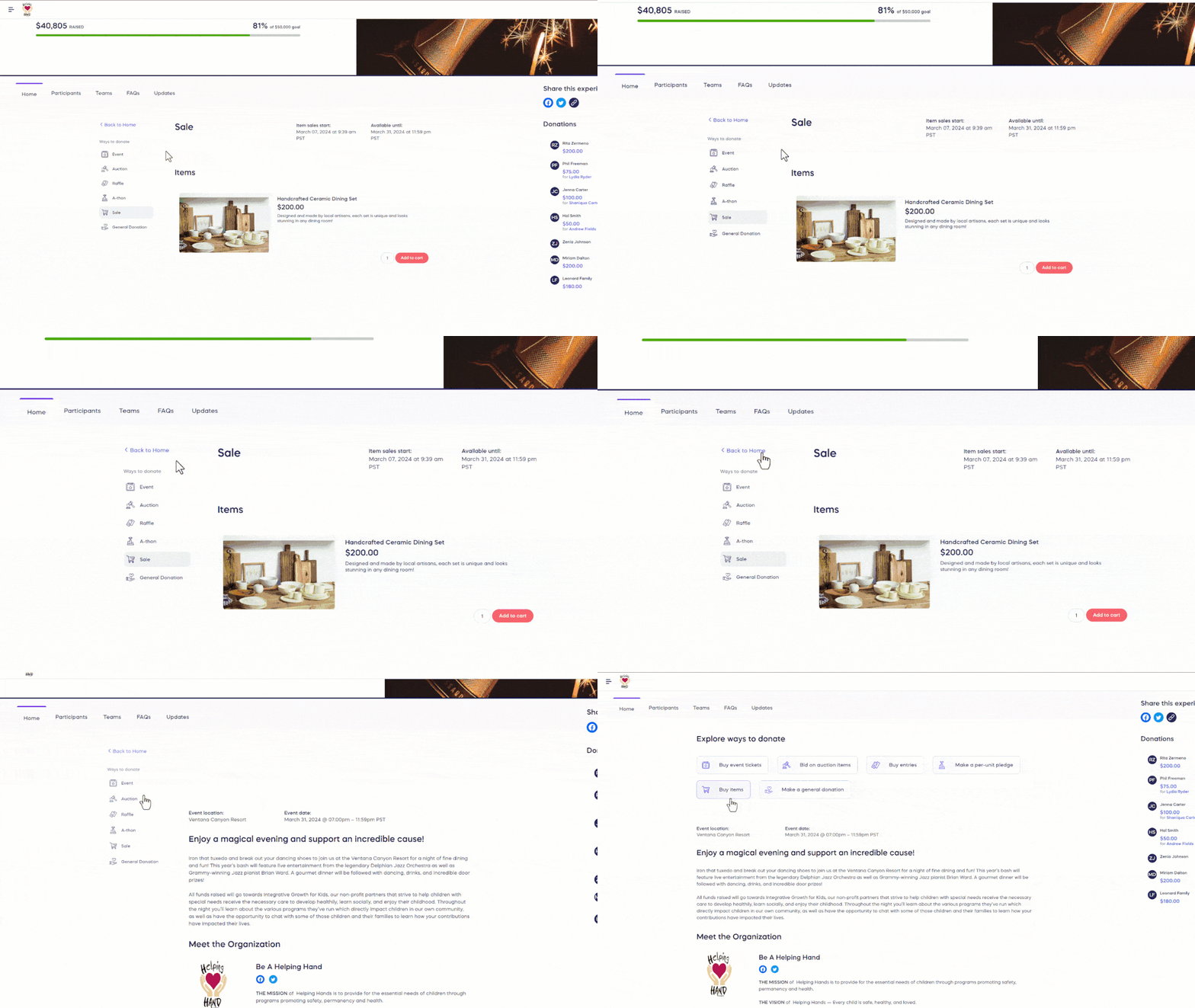
If donors want to participate in multiple fundraising Activities, they can navigate from one Activity to another using the Activities menu on the left side of the screen (options displayed will depend on Experience settings):
Back to Home Page
If donors want to return to the home page, which contains details about your fundraiser, your organization, and other information, they can select the Back to Home button:
Experience Tabs
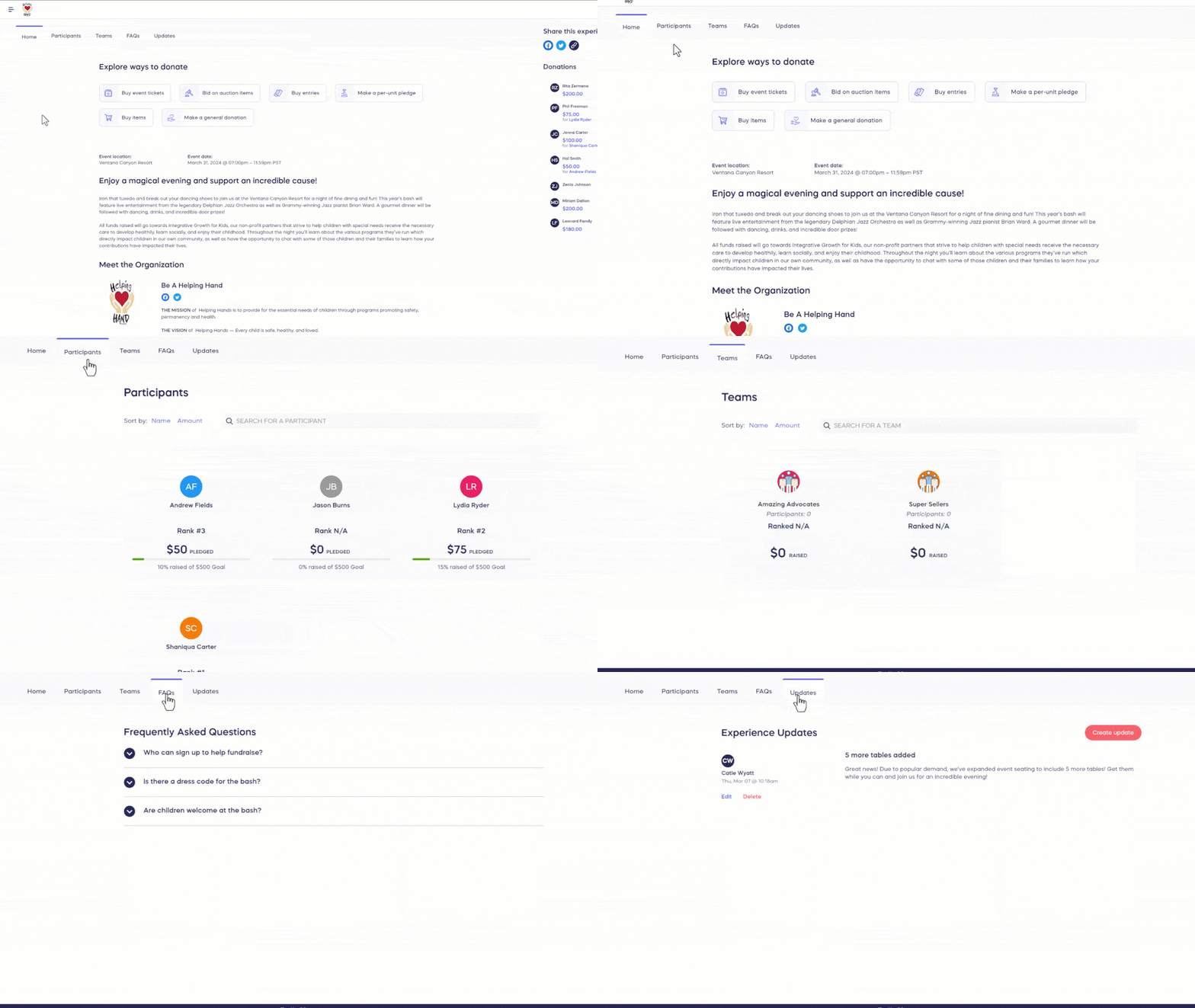
The Experience details and Activities are all located under the Home tab. If you’re running an A-Thon or have enabled Peer-to-Peer, a Participants and/or Teams tab will also appear. If you add FAQs or post Updates, they’ll appear under their own tabs as well:
Phone/Tablet View
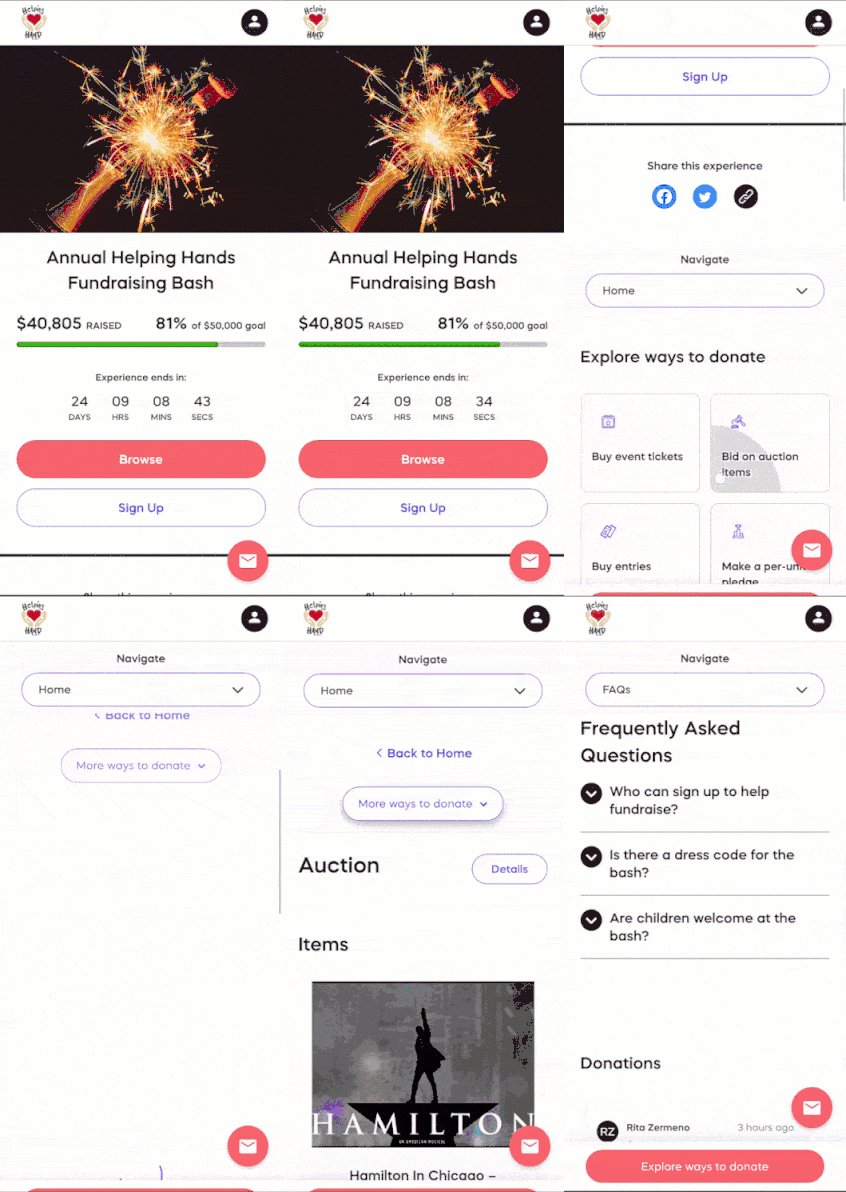
If your donors access your Experience using a tablet, they can navigate through your Experience the same way they would on a desktop. If they use a phone, they can navigate through your Experience using a sticky Navigate dropdown and More ways to raise button:
RallyUp’s UX has powers no one can match, not even our top competitor. Go check it out for yourself, head over to RallyUp and setup your fundraiser today!
Now that you’ve seen it in action, are you ready to start fundraising?
Get Started