Set up RallyUp’s automatic Canadian tax receipt feature to save yourself time.
Manually creating tax receipts for your donors can be time-consuming for organizations in Canada. RallyUp lets you automatically generate and send your donors a tax receipt when they make an eligible tax-deductible donation on one of your fundraisers.
Automatic Canadian tax receipts are available to use for any organization in Canada. You can customize the receipts with your organization’s branding and information.
What donations are eligible for Canadian tax receipts?
According to the Canadian Revenue Agency, tax receipts can only be sent for donations where the donor did not receive goods or services in exchange. Here are some examples of eligible and ineligible donations:
Eligible donations:
- Crowdfunding Campaign donations that don’t come with Perks
- One-time or recurring donations through a Donation Page
- Flat and per-unit A-Thon donations
- Direct donations (without receiving goods or services in exchange)
Ineligible donations:
- Raffle or Sweepstakes entry purchases
- Storefront item purchases
- Auction item bids
- Event Ticket purchases
The system will automatically detect the kind of donation the donor made and send them a tax receipt if applicable. Note: If you refund a donation for which a Canadian tax receipt was issued, please consult with your tax advisor about proper procedures for handling the receipt, as tax receipt regulations may require additional steps when donations are refunded.
How do I enable automatic Canadian tax receipts?
- Go to Organization Settings in the left menu and select Profile.
- Scroll down to Tax-deductible notification and click on the toggle next to Automatically send Canadian tax receipts to your donors:
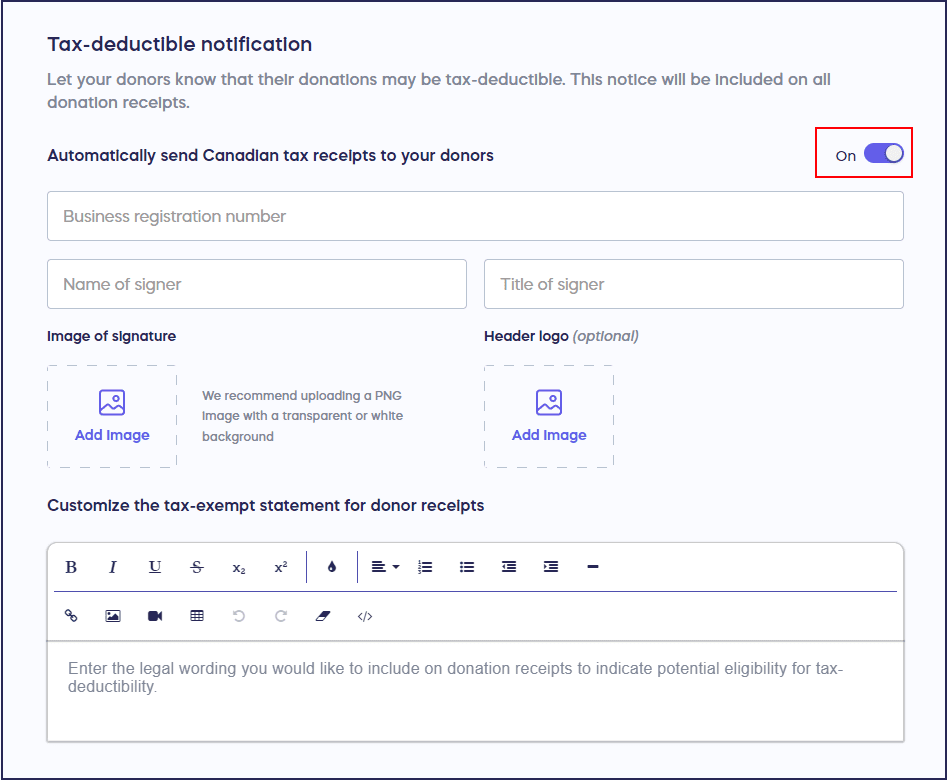
- Add your business registration number and receipt signature. You can also upload an image of the signature and the organization logo.
- Select Save at the bottom of the page.
What do donors see when they receive tax receipts?
Donors will receive a link to their tax receipt via email:
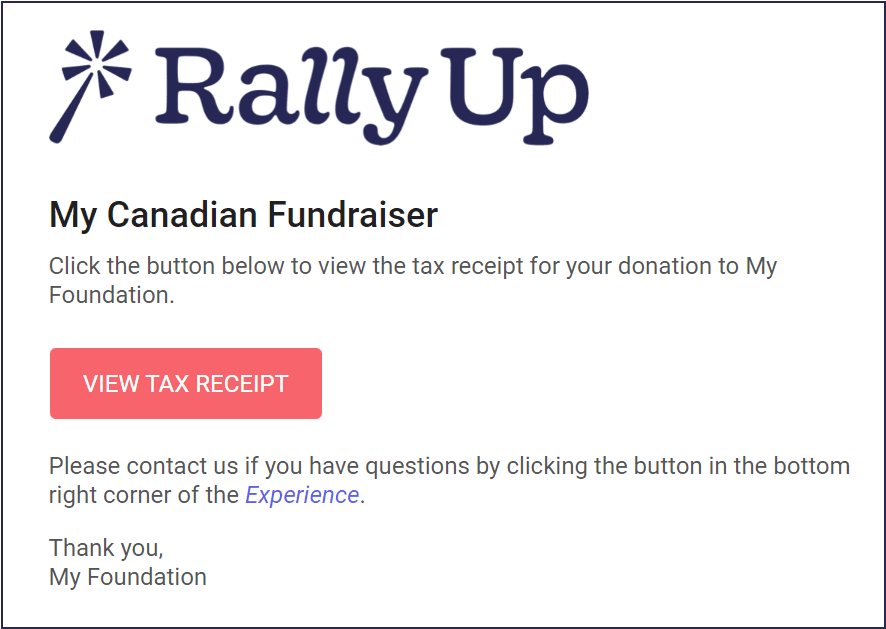
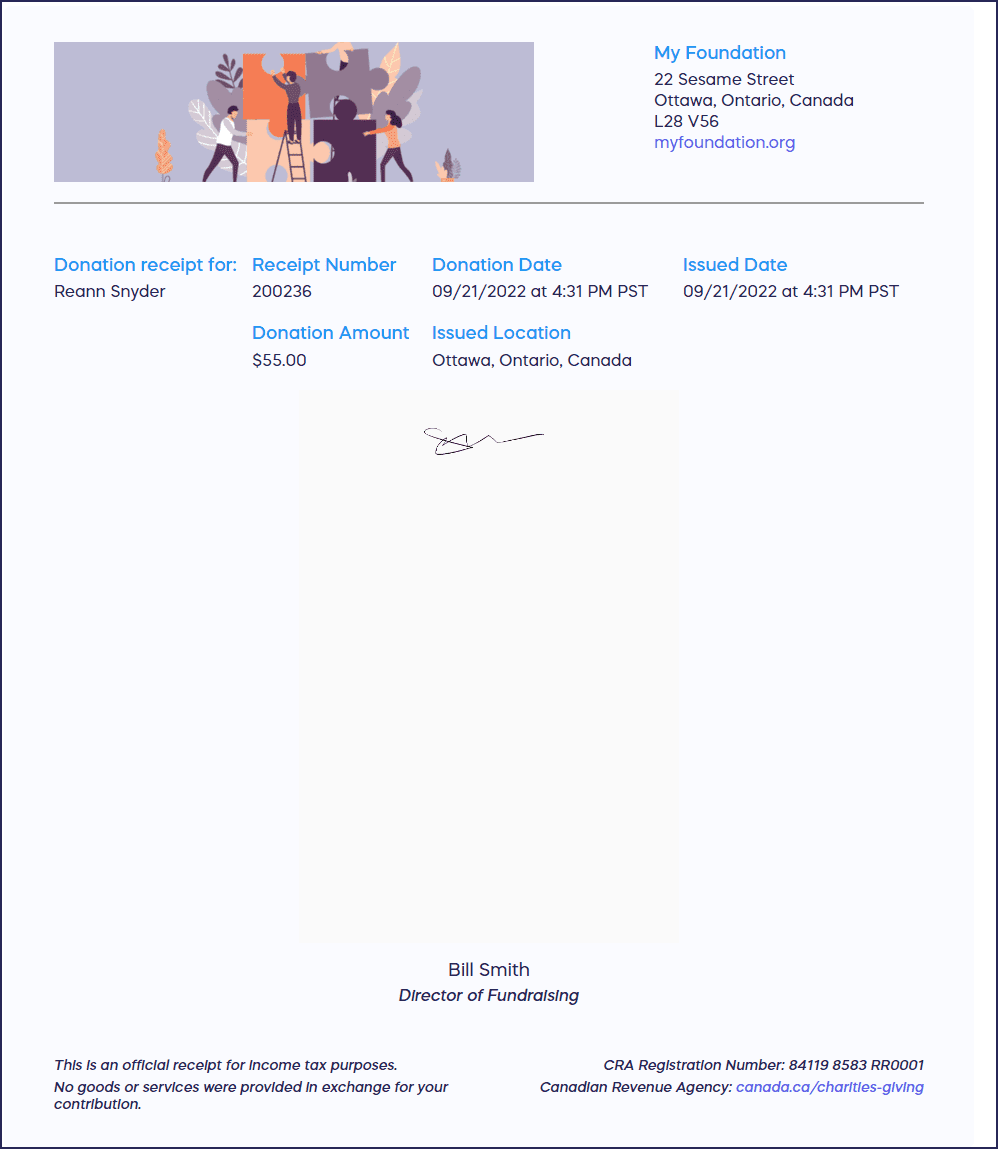
When donors click on VIEW TAX RECEIPT, they’ll be taken to their receipt in a new tab, where they can print it for their records:
How do I view or resend a tax receipt?
You can view and resend any tax receipt from the View Donations page.
- Go to Account Navigation in the left menu and select Campaigns.
- If you have chosen a list view, click on the Campaign title. If you have chosen a grid view, click on the Campaign image.
- Select View Donations*.
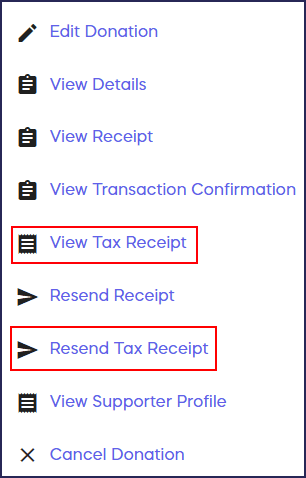
- Hover over the donation and click on the three-dot icon on the right.
- Select View Tax Receipt or Resend Tax Receipt:
Important note: The Canadian Revenue Agency has specific requirements about what information needs to display about the donor and organization on the tax receipt, such as the donor’s address and middle initial. This information will be automatically collected in checkout from donors so that it can be used to generate tax receipts.
*Terminology may differ according to Campaign settings.
Frequently Asked Questions
Do all Canadian organizations qualify for automatic tax receipts?
Any registered Canadian charitable organization can use RallyUp’s automatic tax receipt feature. You’ll need to provide your business registration number and authorized signature to generate compliant tax receipts that meet Canadian Revenue Agency requirements.
Can I customize the appearance of tax receipts?
Yes, you can add your organization’s logo and signature to tax receipts. However, the format and required information fields are predetermined to ensure compliance with Canadian Revenue Agency regulations for official donation receipts.
Will donors automatically receive tax receipts for all donations?
No, donors only receive tax receipts for eligible donations where they didn’t receive goods or services in exchange. The system automatically determines eligibility based on the donation type and only sends receipts for qualifying contributions.
Can I manually issue tax receipts for past donations?
Yes, you can view and resend tax receipts from the View Donations page in Campaign Management. This allows you to reissue receipts if donors lose them or need additional copies for their tax records.
What donor information is collected for Canadian tax receipts?
RallyUp automatically collects required information during checkout, including the donor’s full name (with middle initial), complete address, and donation amount. This ensures all tax receipts meet Canadian Revenue Agency requirements without requiring additional data collection steps.