Set your organization’s default time zone in your Profile settings.
The time zone you set for each fundraising Campaign affects when your Campaign and individual fundraising Components start and end. If you typically use the same time zone for all of your RallyUp fundraising, you can set a default time zone in your Profile settings that will automatically apply to each new Campaign you create.
How do I set my organization’s default time zone?
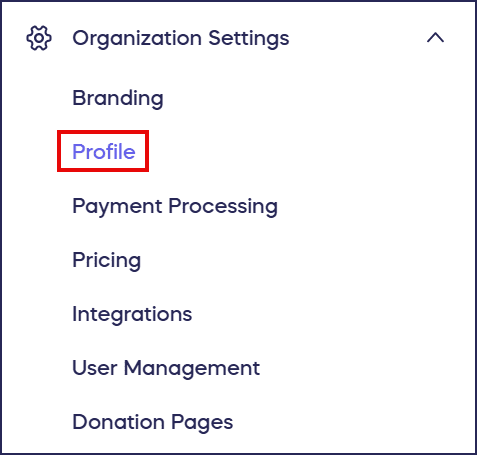
- Go to Organization Settings in the left menu and select Profile from the dropdown:
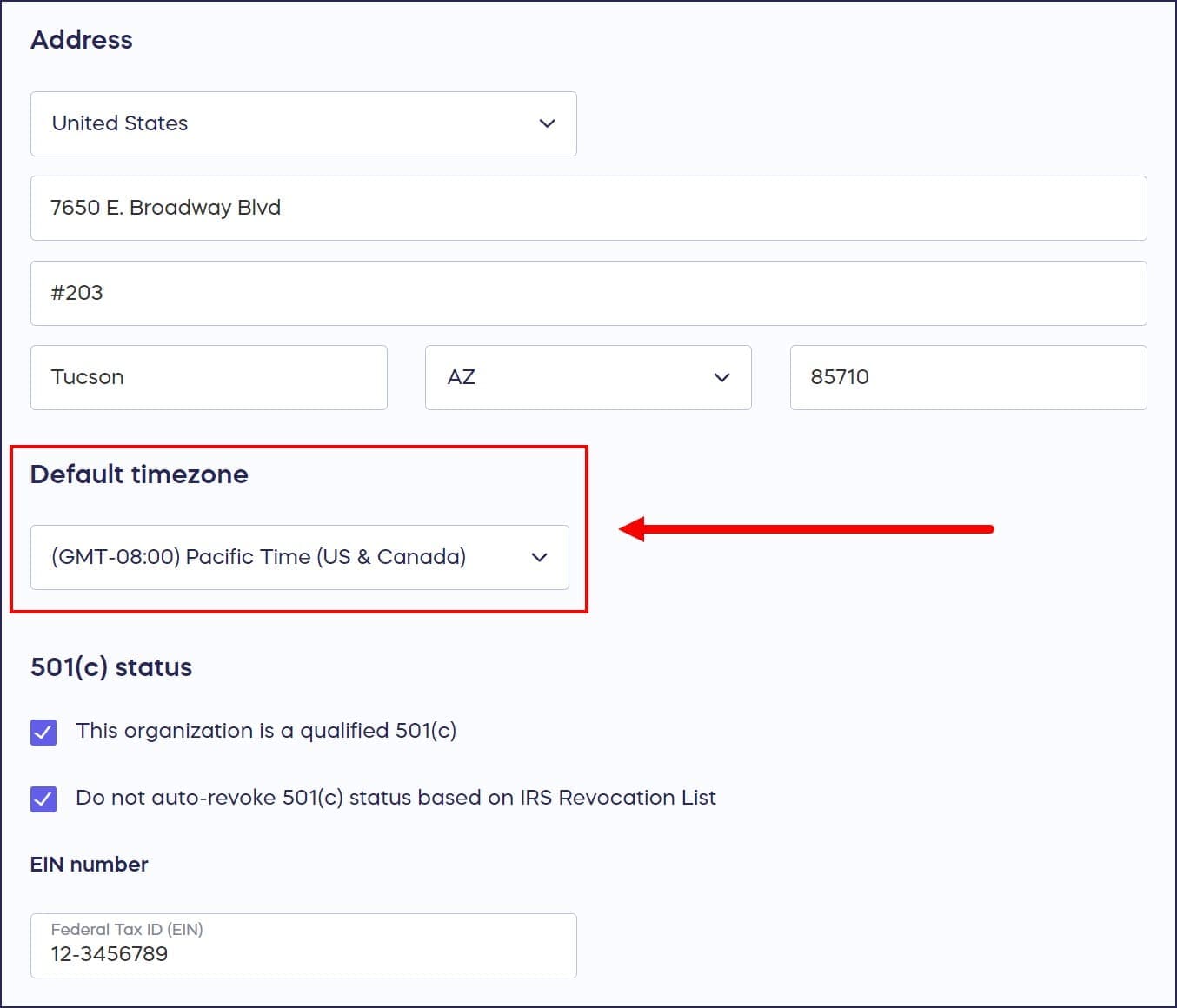
- Scroll down to Default timezone and select your preferred time zone from the dropdown:
- Select Save.
Frequently Asked Questions
Why should I set a default time zone for my organization?
Setting a default time zone saves time when creating new Campaigns. Instead of manually selecting your time zone for each Campaign, it will automatically be set to your default, ensuring consistency across all your fundraisers.
How does the time zone affect my Campaign?
The time zone determines when your Campaign and individual fundraising Components start and end. It ensures that scheduled start times, end times, and Component deadlines align with your local time or your audience’s time zone.
Can I use a different time zone for a specific Campaign?
Yes, if you need to change the time zone for a specific Campaign to something other than your default, go to Campaign Setup and select another time zone from the dropdown on the Dates & Times page.
Where do I find my Profile settings to change the time zone?
Go to Organization Settings in the left menu and select Profile from the dropdown. Scroll down to “Default timezone” and select your preferred time zone from the dropdown, then select Save.
Does changing my default time zone affect existing Campaigns?
No, changing your default time zone only affects new Campaigns you create after the change. Existing Campaigns will continue to use the time zone that was set when they were created.