
Create Fund options for donors to choose from.
What are Fund options and why should I use them?
RallyUp lets you give donors the option to choose how their donation is used by setting up Fund options. You can add a name, image, and description to each Fund option to show how its allocated donations will be used.
Funds setup is available for both Campaign Pages and Donation Pages. You can add as many Fund options as you like.
How do I add Fund options to my Campaign Page?
- Go to Campaigns in the left menu.
- If you have chosen a list view, click on the Campaign title. If you have chosen a grid view, click on the Campaign image.
- Select Campaign Setup*.
- Go to Options in the timeline at the top and select Campaign Options*.
- Scroll down to Add funds to your Campaign Page and select your preferred terminology from the drop-down menu:

- Select CREATE A FUND*.
- Enter the Fund name, description, and image:
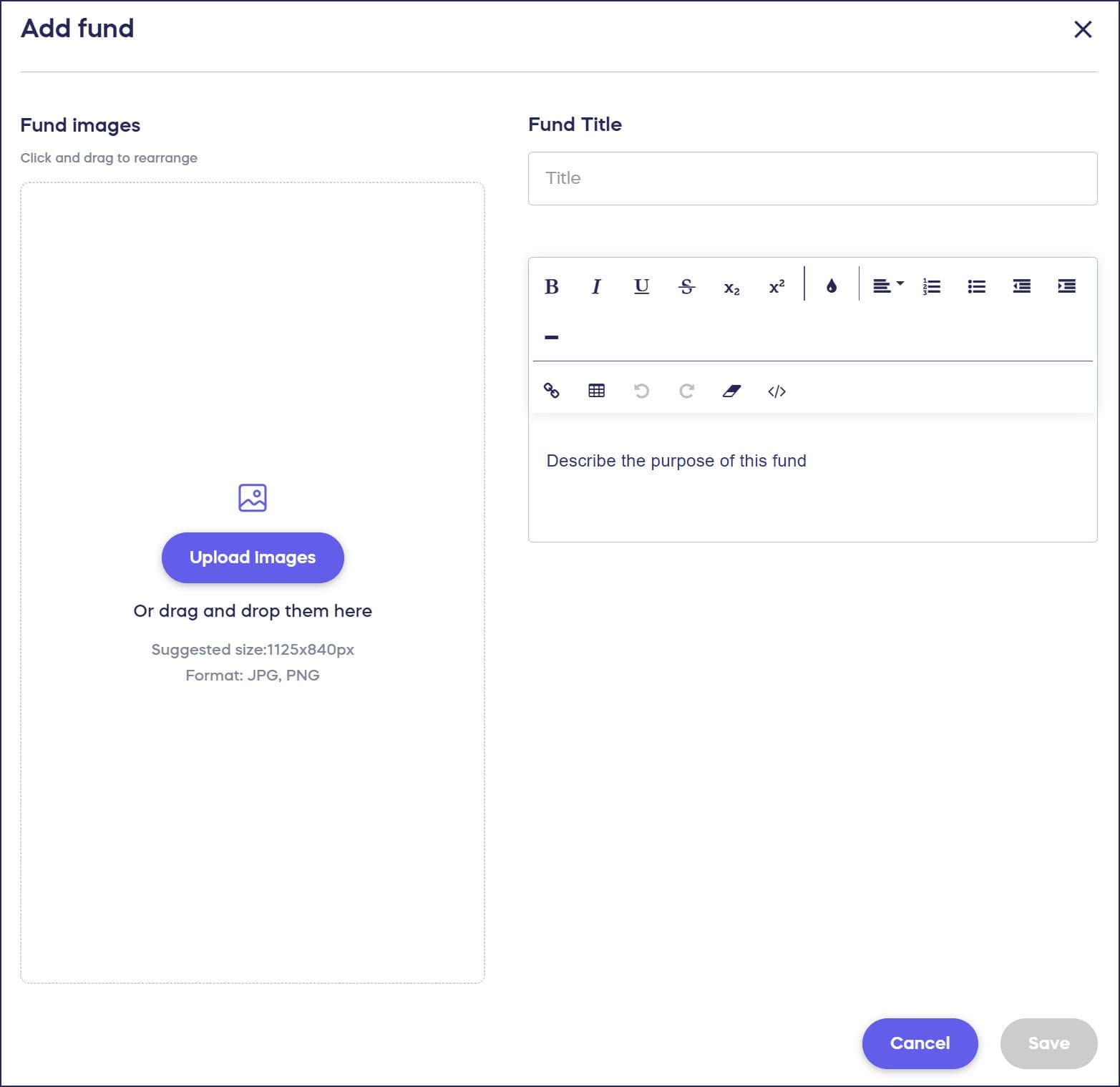
- Select Save.
How do donors see and select Fund options on Campaign Pages?
Here is how the Fund options will be displayed on the Campaign Page:

During checkout, donors will be given the option to choose how their contribution will be allocated. They can allocate their entire donation towards one Fund, split it between multiple Funds, or decline to allocate the donation towards any Fund:

How do I add Fund options to my Donation Page?
- Go to Settings in the left menu and select Donation Pages.
- Click on the Donation Page title.
- Select Donation Page Setup.
- Go to Checkout in the timeline at the top.
- Scroll down to Create fund allocation options and click on the toggle to move it to the right:

- Select your preferred terminology from the dropdown menu, indicate whether you want to include images, then select Create Fund*.
- Enter the Fund name and image:

- Select Ok.
How do donors see and select Fund options on Donation Pages?
Here is how the Fund options will be displayed on the Donation Page:
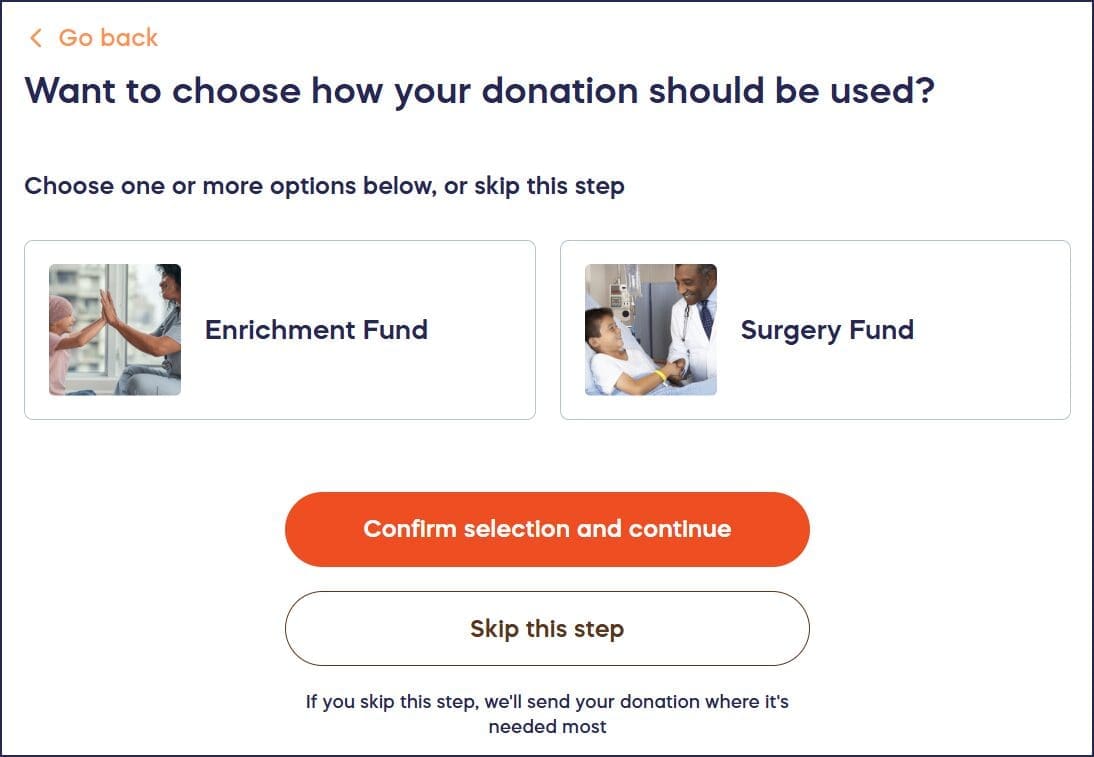
Donors can allocate their entire donation towards one Fund, split it evenly between multiple Funds, or decline to allocate the donation towards any Fund.
*Terminology may differ according to Campaign or Donation Page settings..
Frequently Asked Questions
What is a Fund option on RallyUp?
Fund options allow donors to choose how their donation will be used by selecting specific programs, services, or causes they want to support. You can add names, images, and descriptions to each Fund option to show donors exactly how their contribution will make a difference.
How many Fund options can I create?
You can add as many Fund options as you like to both Campaign Pages and Donation Pages. There’s no limit to the number of Funds you can create, giving you flexibility to offer multiple designation choices.
Can donors split their donation between multiple Funds?
Yes, donors have complete flexibility at checkout. They can allocate their entire donation to one Fund, split it between multiple Funds by choosing percentages, or decline to allocate their donation to any specific Fund.
Is selecting a Fund required for donors?
No, Fund selection is optional. Donors can choose to decline allocating their donation to any specific Fund if they prefer to make a general contribution without designation.
Can I customize the terminology for Fund options?
Yes, you can select your preferred terminology from a dropdown menu when setting up Funds. This allows you to use terms that best fit your organization’s language, such as “Programs,” “Projects,” “Initiatives,” or other custom labels.